
Policy & Eligibility Interpretation with AI
Learning Pathway:
AI 201: Domain Specific Tasks
19 June 2026
Get fast, cited eligibility assessments against scheme rules, while keeping officer judgement as the final decision.
Why this matters
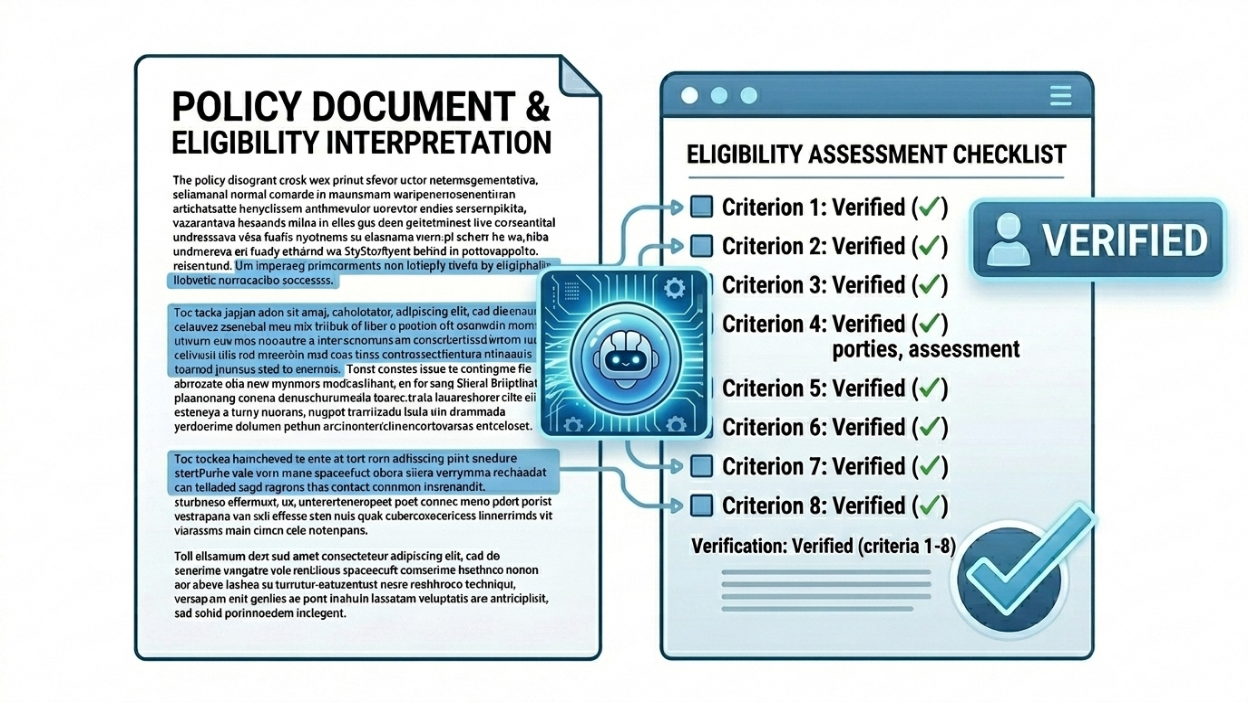
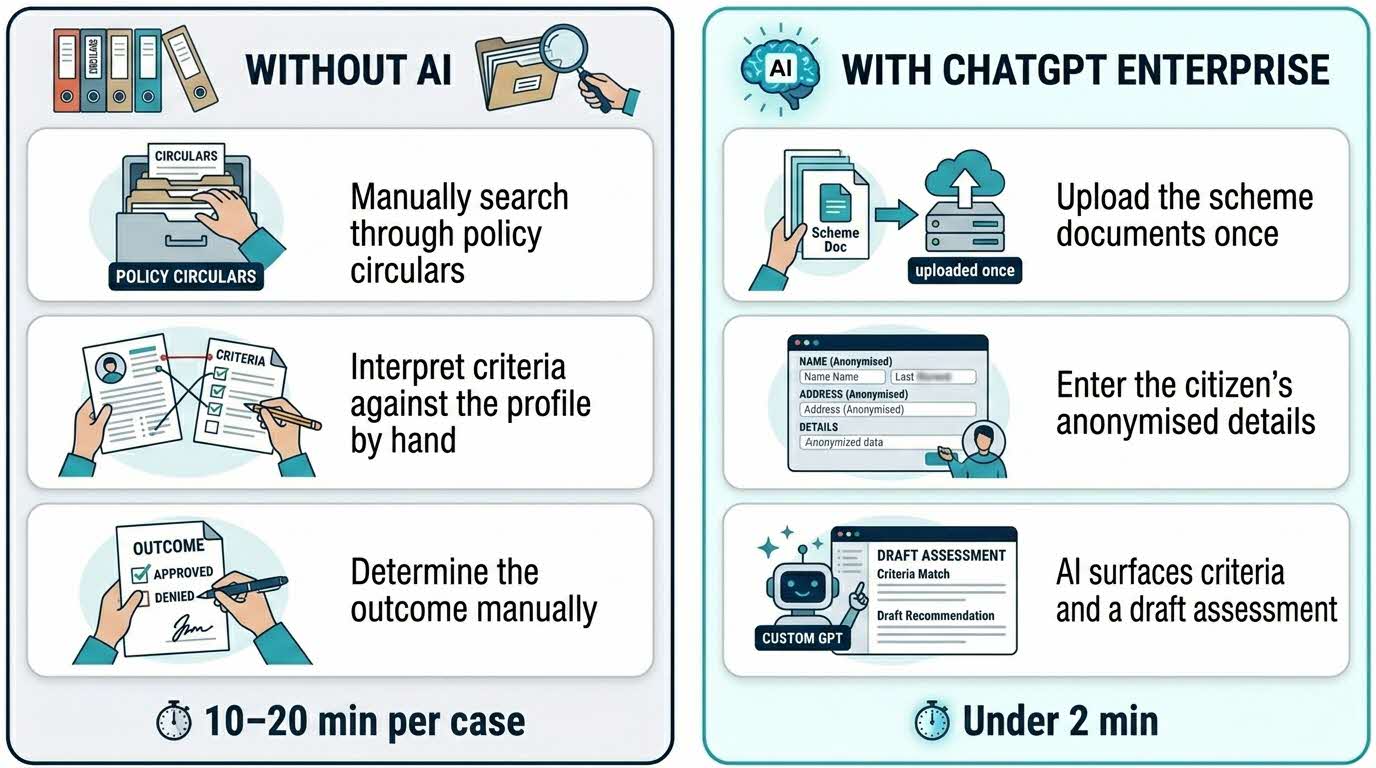
Eligibility questions come in all day. For each one, an officer has to dig through policy circulars, cross-reference criteria against the citizen's profile, and determine an outcome all in real time, while the citizen waits. Done carefully, that takes 10 to 20 minutes per case.
With ChatGPT Enterprise, you upload your scheme documents once, describe an anonymised case, and get a grounded eligibility assessment with the exact criteria cited in under two minutes. The AI does the cross-referencing. The officer makes the call.
Here's what you need for this exercise
Tools and inputs required:
🛠️ Tool | ChatGPT Enterprise (WOG) |
🔗 Feature | File Upload · Custom GPTs · Knowledge Grounding |
📂 Your input | The relevant scheme guidelines or eligibility documents (PDF or Word). Confirm the data classification is cleared for upload into the ChatGPT Enterprise environment (up to C(CE) / Sensitive Normal). |
Your five-part recipe — C.R.A.F.T.
Use this structure to guide your thinking. Every effective AI task is built around five components — together, they spell CRAFT:
C | 📂 Context | Your uploaded scheme guidelines and eligibility documents. |
R | 🎭 Role | ChatGPT takes on the role of an eligibility-assessment assistant for your scheme. |
A | ⚡ Action | ChatGPT assesses an anonymised case against the documented criteria and flags areas requiring officer judgement. |
F | 📋 Format | Assessment → Criteria cited → Documents needed → Officer-judgement flags. |
T | 🔍 Test | Confirm every cited criterion matches the source document before advising the citizen. |
Step 1: Upload the scheme guidelines
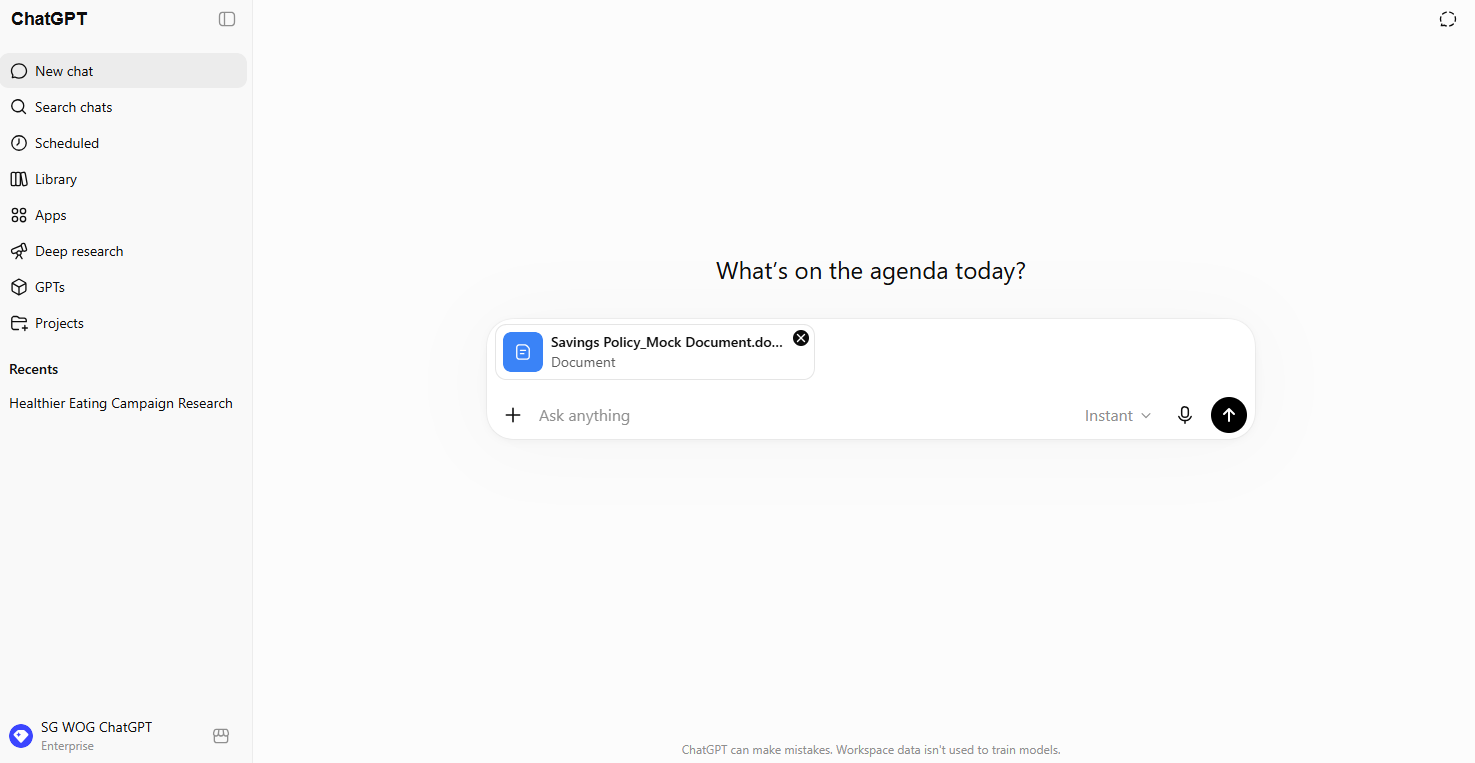
☑️ Log in to ChatGPT Enterprise using your work account and click New Chat.
☑️ Click the + attachment icon and upload your scheme guidelines or eligibility documents. (If you have multiple documents for the same scheme, upload all of them in the same chat.)
☑️ Confirm the documents have loaded successfully before proceeding.
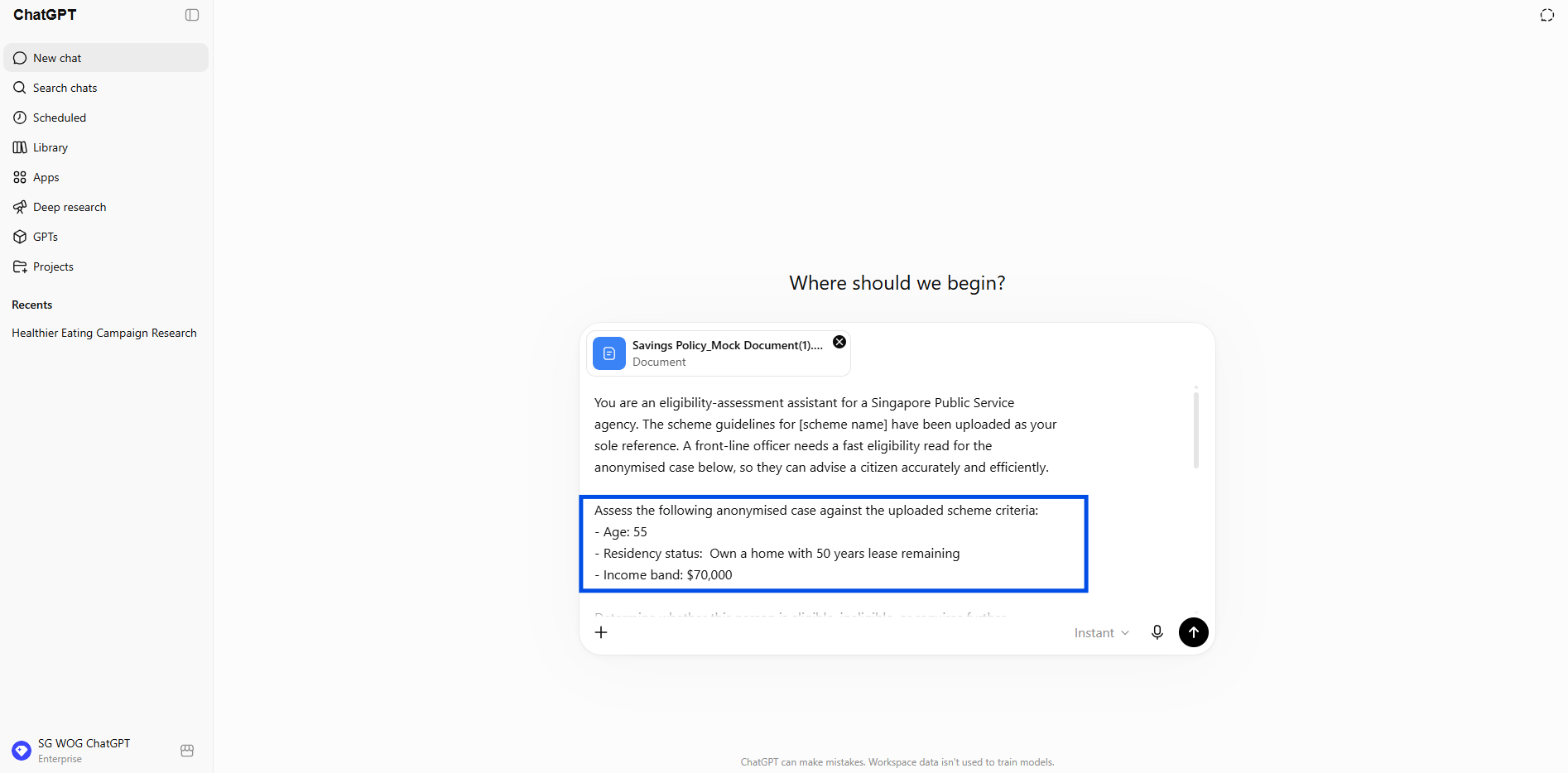
Step 2: Describe the case using anonymised details only
☑️ Note down the citizen's relevant details in anonymised form - age, residency status, and income band. Do not include any names, NRICs, or other identifiers.
In this case, example of anonymised detail:
- Age: 60
- Residency status: Own a home with 50 years lease remaining
- Income band: $70,000
Step 3: Paste the prompt, specify your platforms, and run it
☑️ Copy the ready-to-use prompt below, fill in the bracketed fields, and press Enter.
Ready-to-use prompt — paste into instructions
You are an eligibility-assessment assistant for a Singapore Public Service
agency. The scheme guidelines for [scheme name] have been uploaded as your
sole reference. A front-line officer needs a fast eligibility read for the
anonymised case below, so they can advise a citizen accurately and efficiently.
Assess the following anonymised case against the uploaded scheme criteria:
- Age: [age]
- Residency status: [status]
- Income band: [band]
- [Any additional relevant details, e.g. household size, employment status]
Determine whether this person is eligible, ineligible, or requires further
review. For every point in your assessment, cite the specific criteria from
the uploaded document — do not use outside knowledge. If the documents do
not address a point, say so explicitly rather than inferring an answer.
Flag any areas where officer judgement is required.
Write in plain, clear English suitable for a front-line officer to act on
quickly. The audience is a government officer who will use this assessment
to advise a citizen — not the citizen themselves.
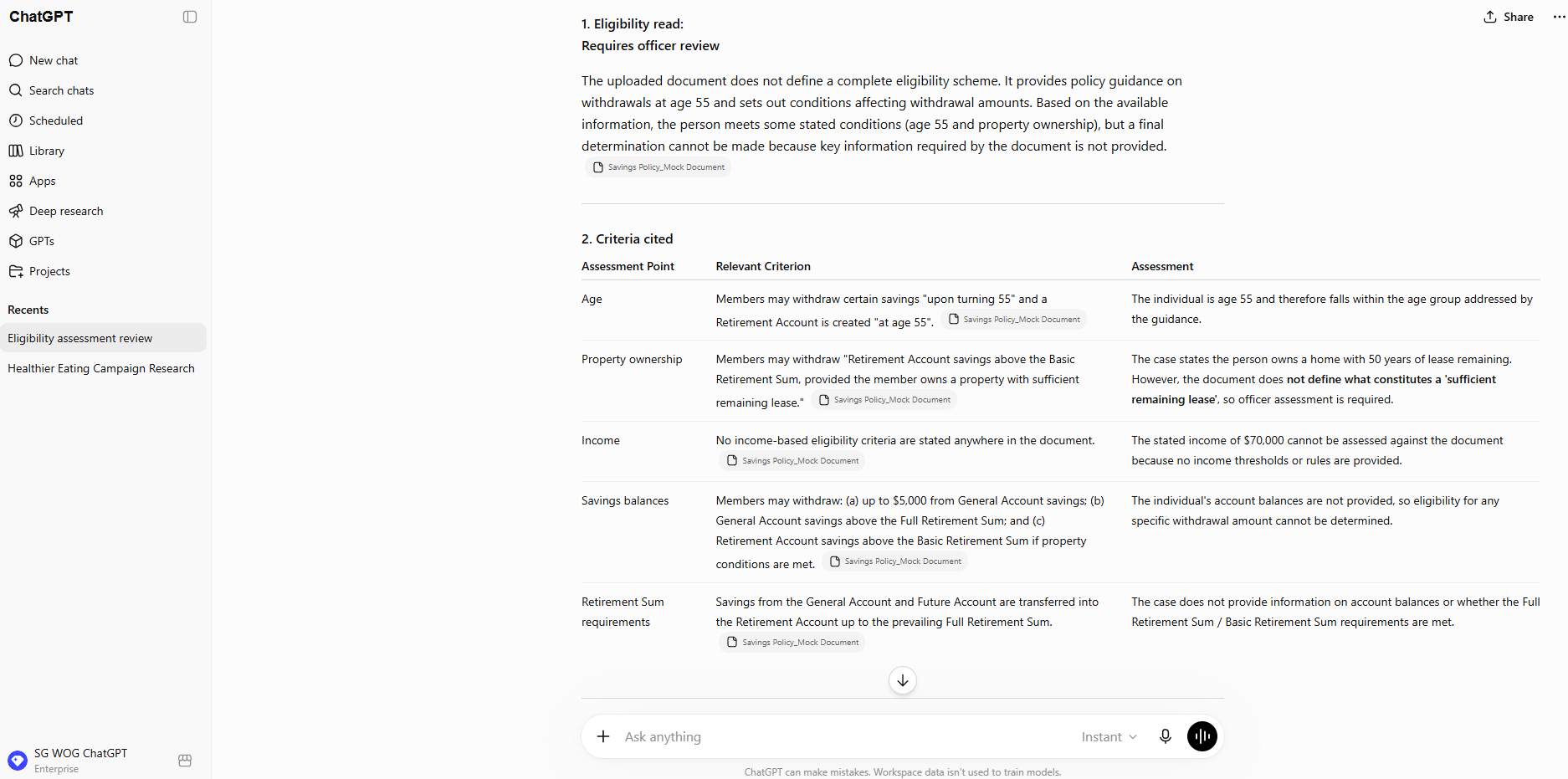
Structure the output as follows:
1. Eligibility read (eligible / ineligible / requires officer review — one line)
2. Criteria cited (the specific clauses or criteria from the uploaded document
that support the read)
3. Documents required (if eligible, list what the citizen would need to submit)
4. Alternative schemes (if ineligible, identify any alternatives mentioned
in the uploaded materials)
5. Officer-judgement flags (any ambiguous points the officer should assess
independently before advising)
Step 4: Review the cited criteria
☑️ Read through the assessment. Check that every criterion cited by the AI matches the source document you uploaded.
☑️ Look for any sections flagged for officer judgement — these are cases where the documents alone are not sufficient to make a definitive call.
👍 What good looks like
A clear eligibility read — eligible, ineligible, or requires officer review — with no ambiguity about where the AI stands.
Every point backed by a specific citation from the uploaded scheme document, not general knowledge.
Clear officer-judgement flags that tell the officer exactly where they need to apply their own professional assessment.
💡 Key tips
Anonymised profiles only. Age, residency, and income band are enough for a solid eligibility read. Never include names, NRICs, or anything identifying — not even initials.
Build the team GPT. Package the scheme documents into a shared Custom GPT for your counter team. Consistent inputs produce consistent outputs — and it's faster than uploading documents each time.
Refresh when criteria change. If the scheme is updated, update the Custom GPT's knowledge base immediately. Outdated documents produce outdated reads.
🛡️ Governance & accountability
No PII, ever. Do not enter names, NRICs, contact details, or any other identifying information. Use anonymised profiles only. This applies every single time.
AI assesses; the officer decides. The eligibility read is a draft assessment — the officer owns the final decision and is accountable for the advice given to the citizen.
Verify against the source. Before advising the citizen, confirm that every cited criterion matches the uploaded scheme document. Do not act on an assessment you haven't checked.
Now it's your turn to try!
Pick a scheme your team handles regularly — gather the current eligibility guidelines and confirm they're cleared for upload.
Run a test case — create an anonymised profile and run it through the prompt.
Check the citations — verify each criterion against the source document and see how the read holds up.
In under two minutes, you'll have a grounded eligibility assessment that would have taken your team 15 minutes to produce by hand with a clear audit trail to back it up.
📚Further Learning: Understanding Context Engineering
Creating a Custom GPT is an example of context engineering in practice. Watch this video to learn how context engineering helps shape AI responses and improve outcomes.

📅Following the 12-Week Learning Plan?
Congratulations on reaching Week 8! This guide is part of a 12-week learning plan designed to help you build practical AI skills. You're well on your way to becoming AI fluent.

Preview the 12-Week Learning Plan
12 Week Learning Plan
↩️Return to: AI 201 Apply Learning Pathway