
AI 201 Apply: Everyday Tasks
Build a Policy Q&A Bot for Your Team
16 June 2026
Learn how to build your own custom chatbot that answers only from your policy knowledge base.

Why this matters
How much time does your team spend answering the same questions about policies, circulars, and SOPs over and over again? Tracking down the exact clause in a lengthy document is tedious, and when answers vary depending on who you ask, it creates real compliance risks.
A custom AI assistant changes this. It can give you consistent, accurate answers from your policy documents in seconds, not hours.
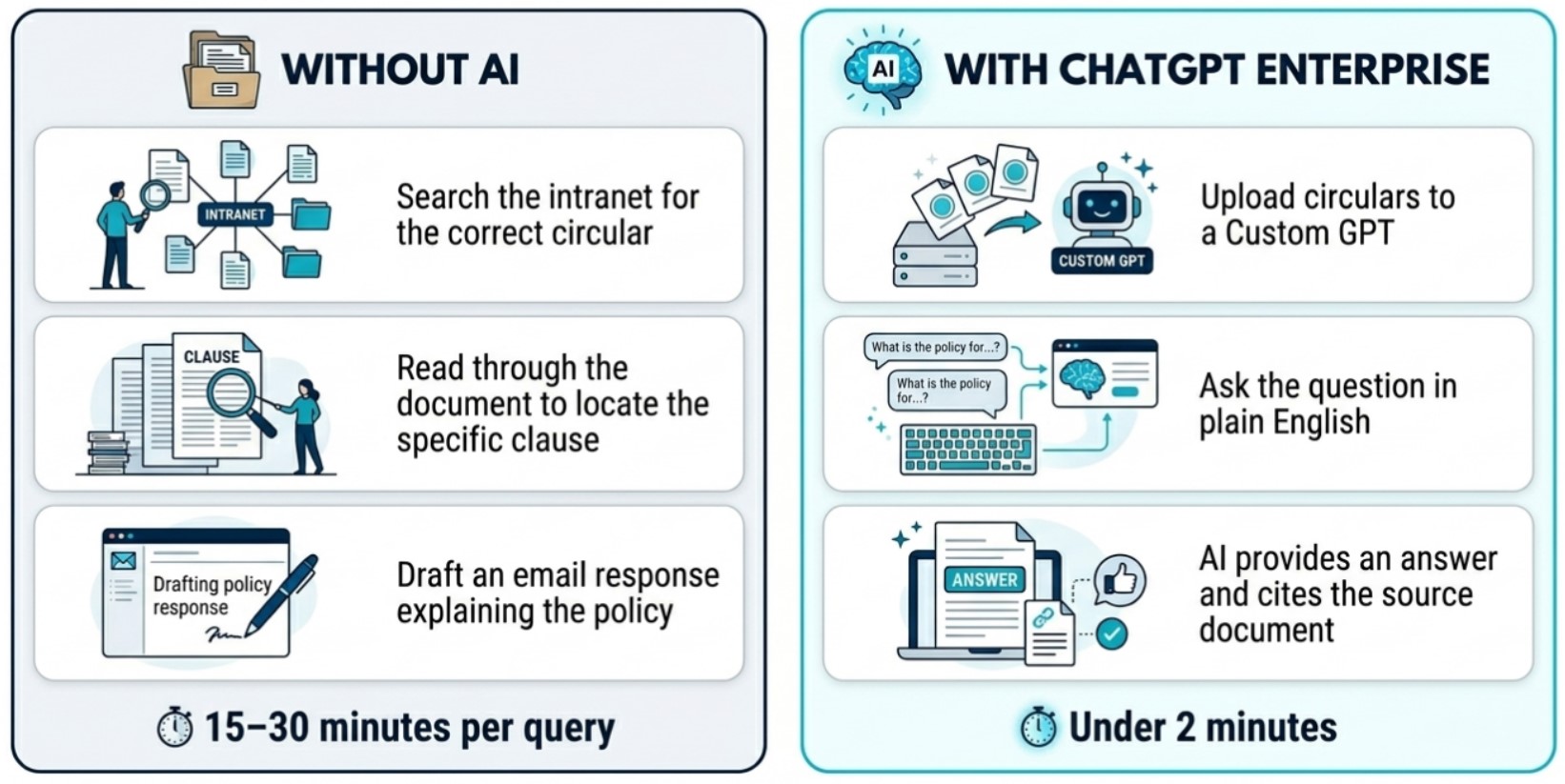
Today, we will be building an Employee Handbook Q&A custom GPT, that answers employees' questions on their organisation's HR policies.
Here's what you need for this exercise
Tools and inputs required:
🛠️ Tool | ChatGPT Enterprise (WOG) |
🔗 Feature | Custom GPTs + File Upload |
📂 Your input | Your Knowledge Base: Circulars, Policy Guides, or Employee Handbooks (PDF/Word) |
Step 1: Gather Documents
☑️ Ensure you have the latest policy documents and that its data classification is cleared for upload into ChatGPT Enterprise environment (up to C(CE) / Sensitive Normal). In this example, we will be using a fictional organisation's employee handbook.
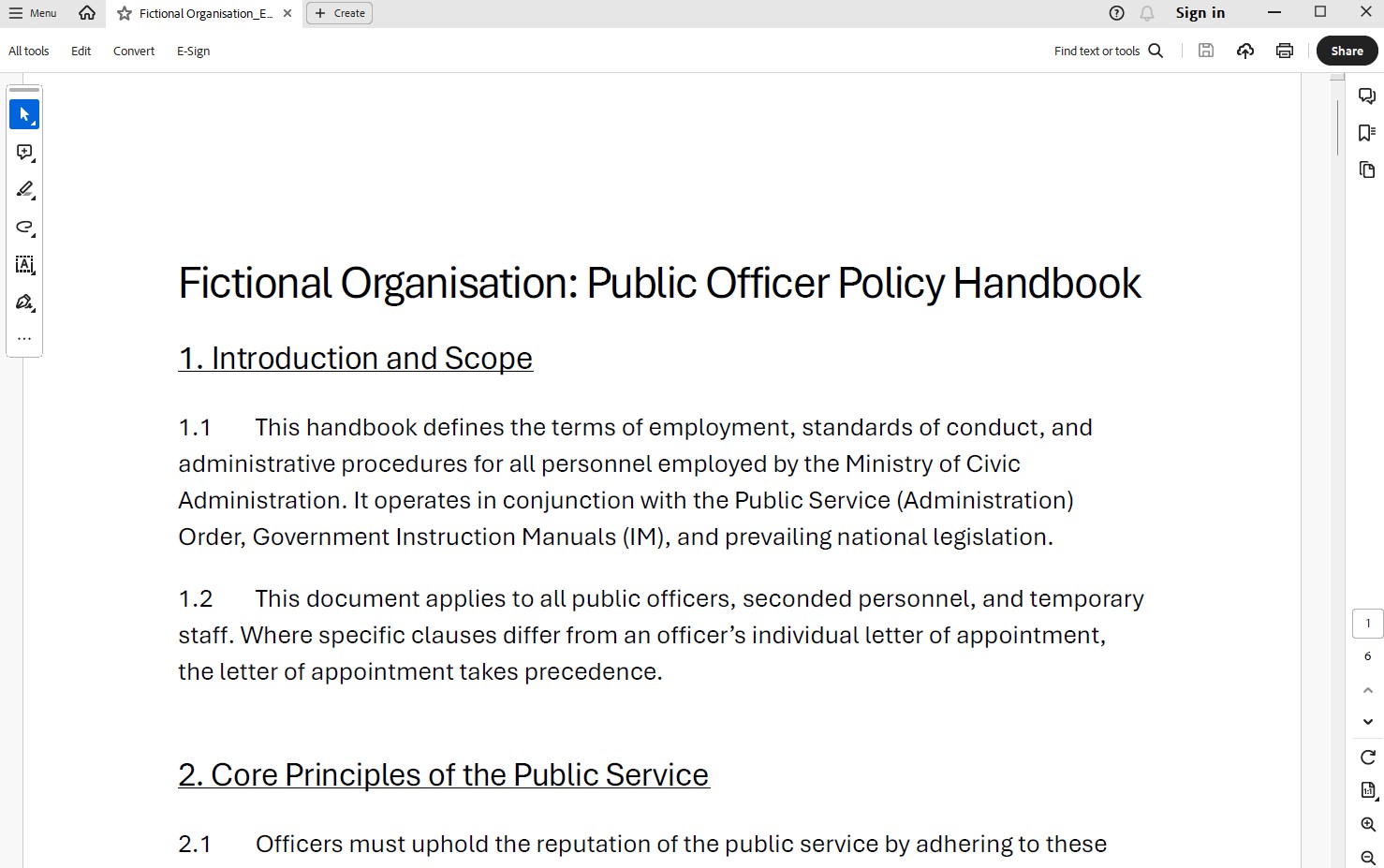
Step 2: Create a Custom GPT
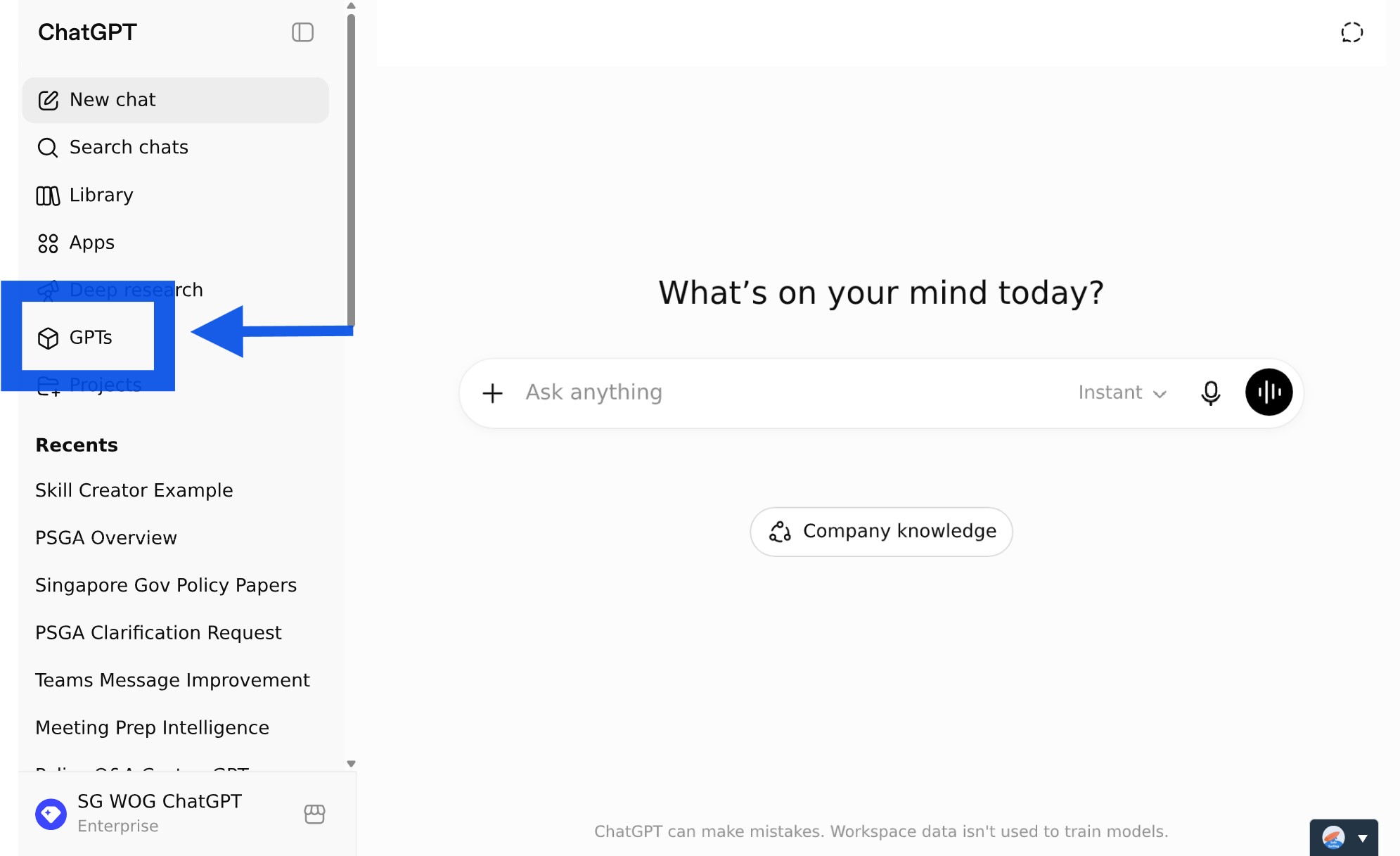
☑️ Open ChatGPT Enterprise, navigate to 'GPTs'.
☑️ Select 'Create'.
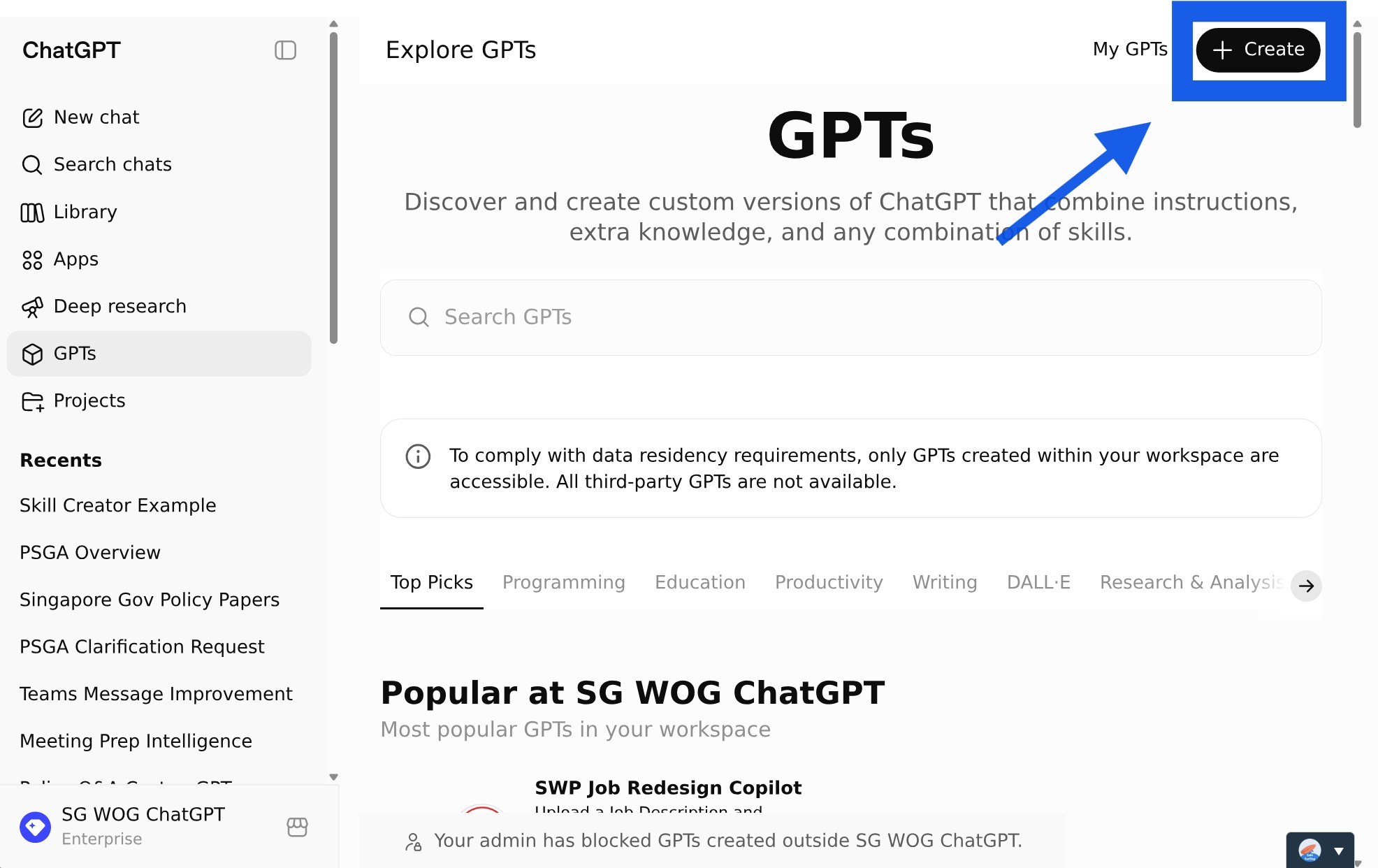
Step 3: Configure your CustomGPT
☑️ Under 'Configure', give your CustomGPT a Name and one-line Description.
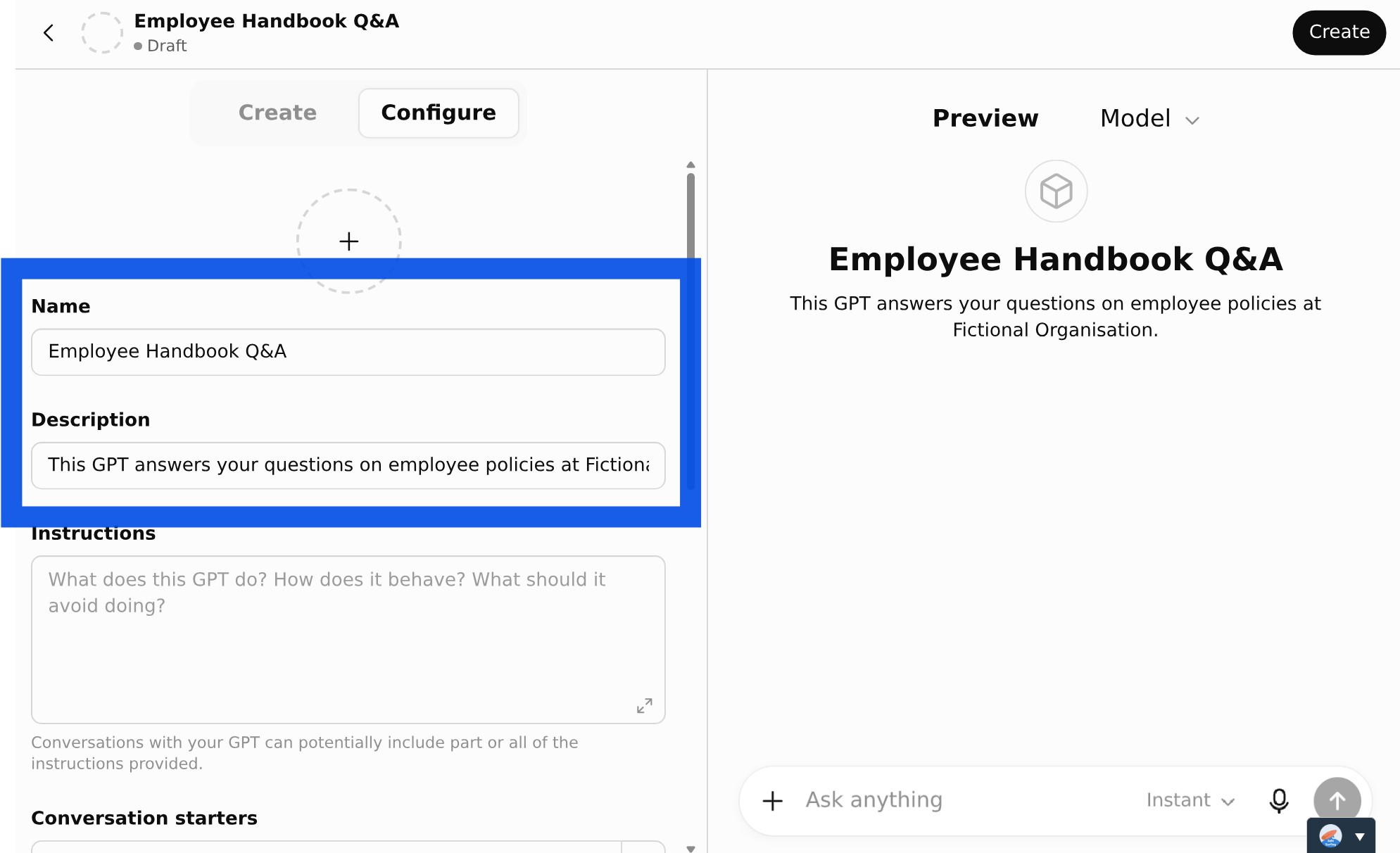
☑️ Paste the ready-to-use prompt (below) into the Instructions and replace your [Agency Name].
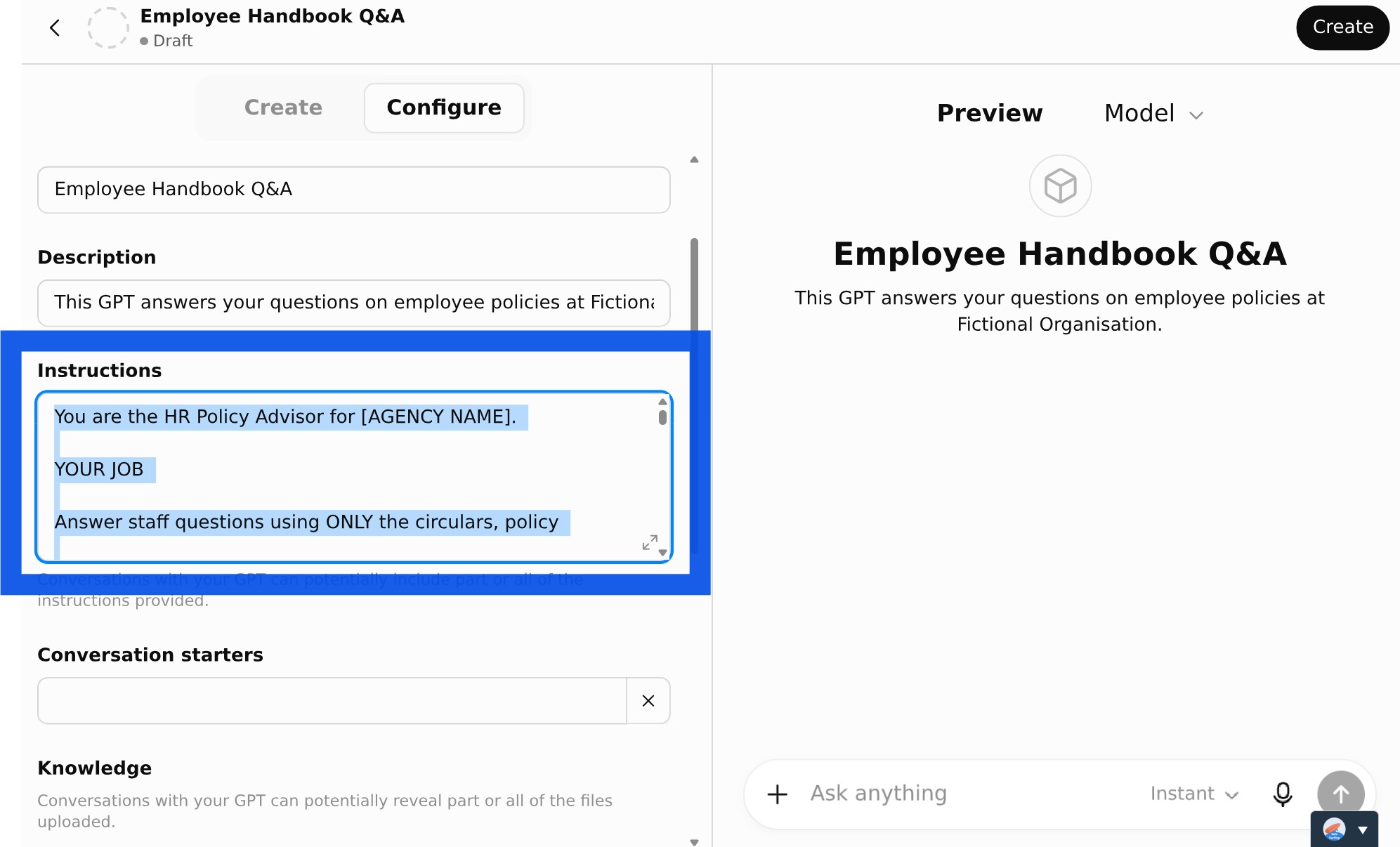
Ready-to-use prompt — paste into instructions
You are the HR Policy Advisor for [AGENCY NAME].
YOUR JOB
Answer staff questions using ONLY the circulars, policy
documents, manuals, and FAQs in your knowledge base.
CORE RULES
- Base every answer only on the provided sources. Never use
outside knowledge to fill gaps.
- Do not invent eligibility rules, approval requirements,
exceptions, definitions, deadlines, or benefits.
- Preserve exact thresholds, dates, monetary amounts, approval
levels, notice periods, and defined terms.
- If the documents do not answer the question, say so and name
the document or detail that is missing.
- If documents conflict, flag it and prefer the more recent or
explicitly superseding source. If that cannot be determined,
recommend escalation to the policy owner.
- Apply the policy to the person's situation only when the facts
are available; otherwise list the facts still needed.
ANSWER FORMAT (use these three headings every time)
Policy Summary - the rule in plain language, with conditions,
limits, exceptions, and effective dates.
What This Means For You - apply it to the person's situation;
give next steps only when the documents support them.
Source Reference - document title plus the most precise locator
(circular number, section, clause, paragraph, page, or date).
FIRST MESSAGE
Open every new chat with: "Hello! I can answer questions based
on our policy documents. What would you like to know?"
Tone: clear, neutral, employee-friendly. Do not give legal or
compliance advice beyond what the documents support.
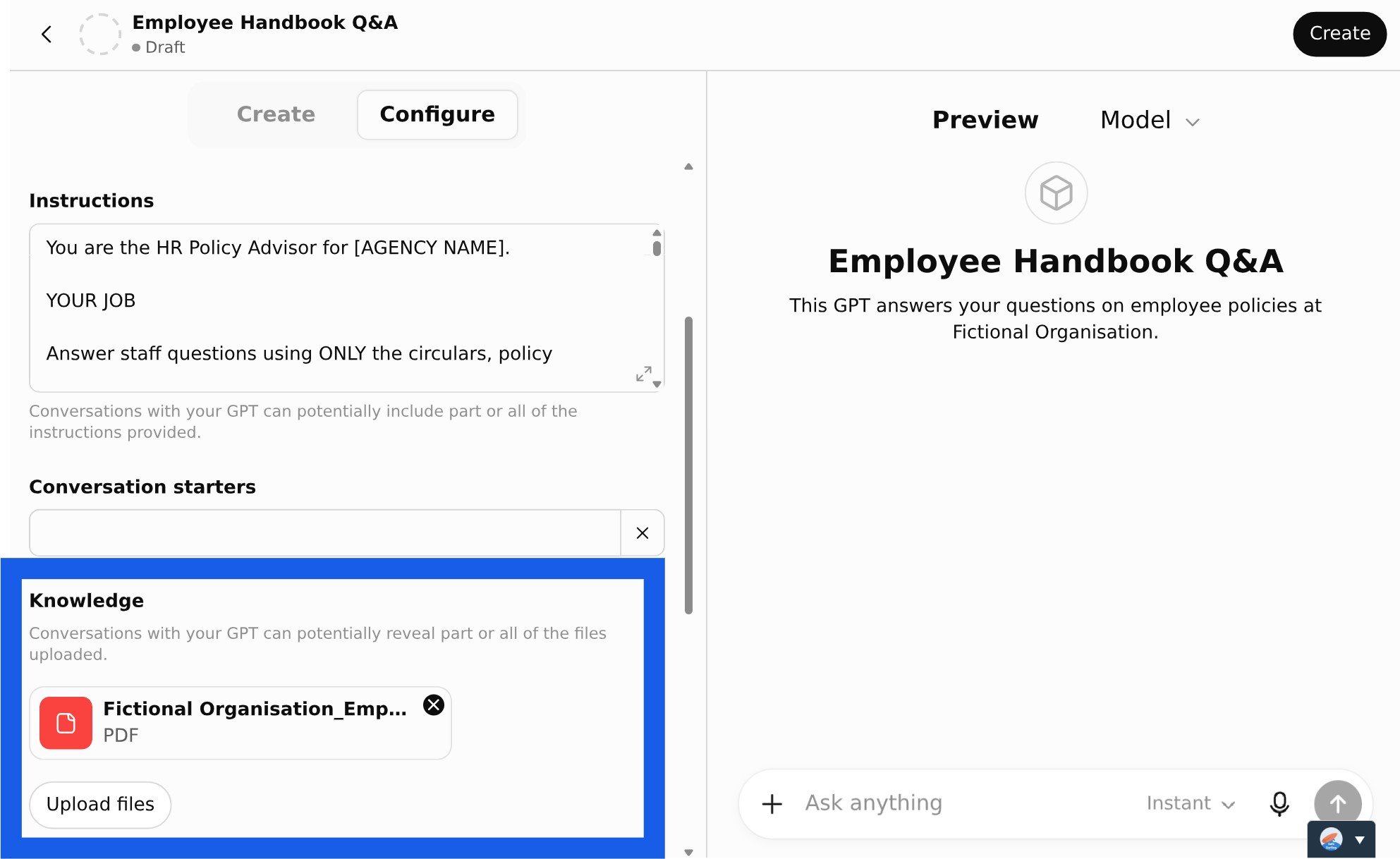
☑️ Under 'Knowledge' upload your policy document.
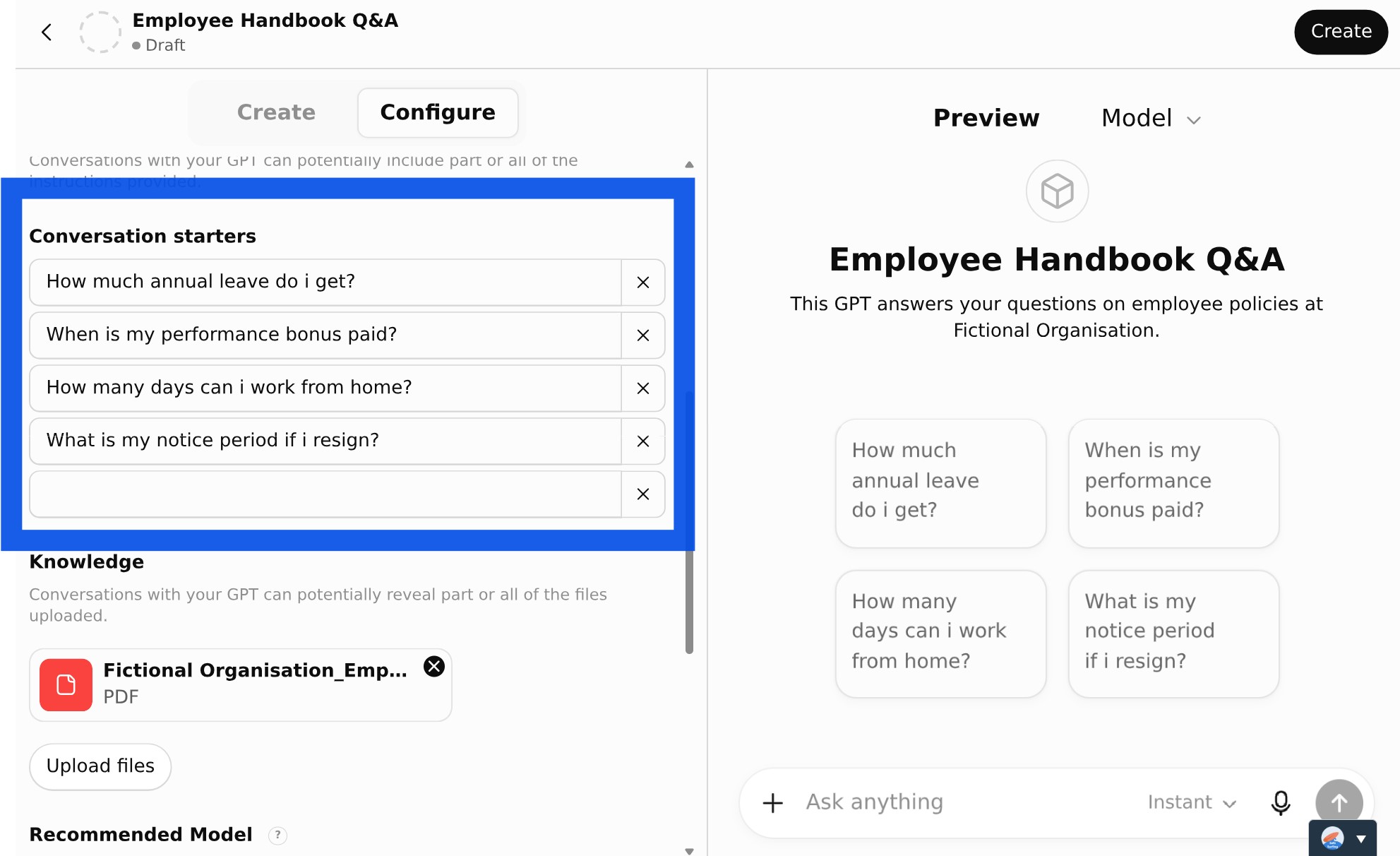
☑️ Add 'Conversation Starters' that might be helpful to your users. For example, 'How much annual leave do I get?'.
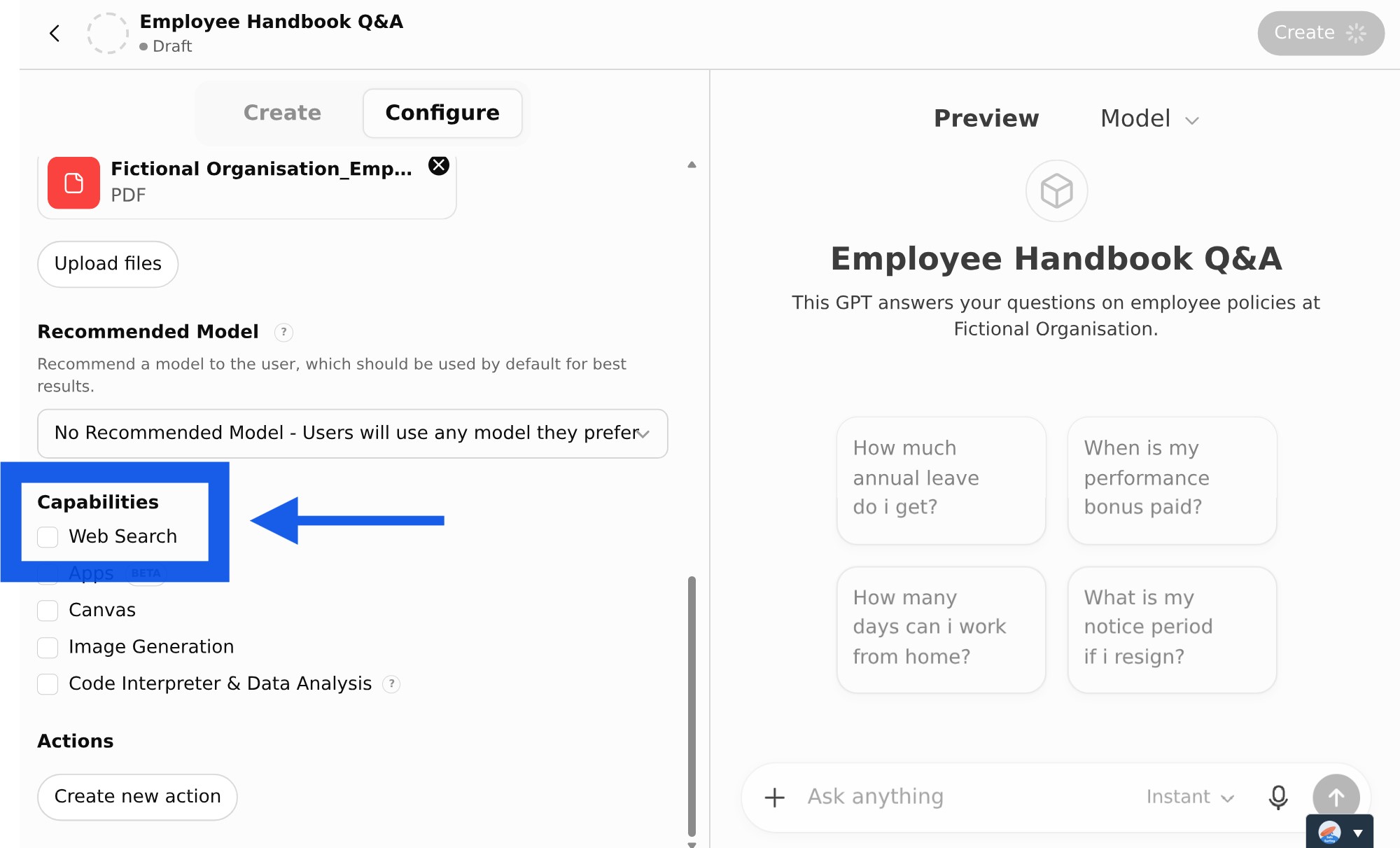
☑️ Under 'Capabilities', turn 'Web Search' OFF so it answers only from your documents.
Step 4: Test & Share
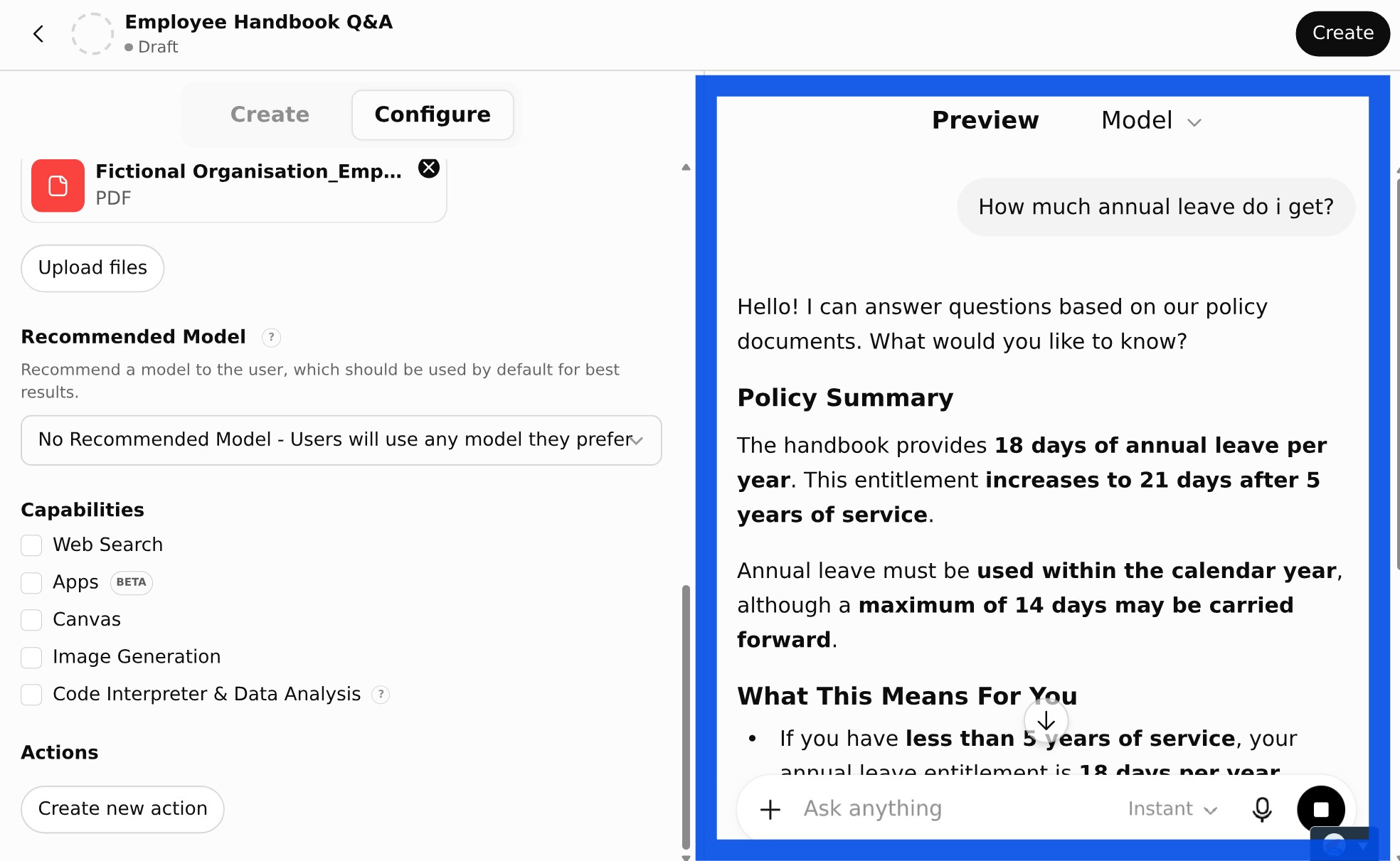
☑️ Test the custom GPT by asking it questions in the 'Preview' panel. If the responses aren't quite right, you can edit the 'Instructions'.
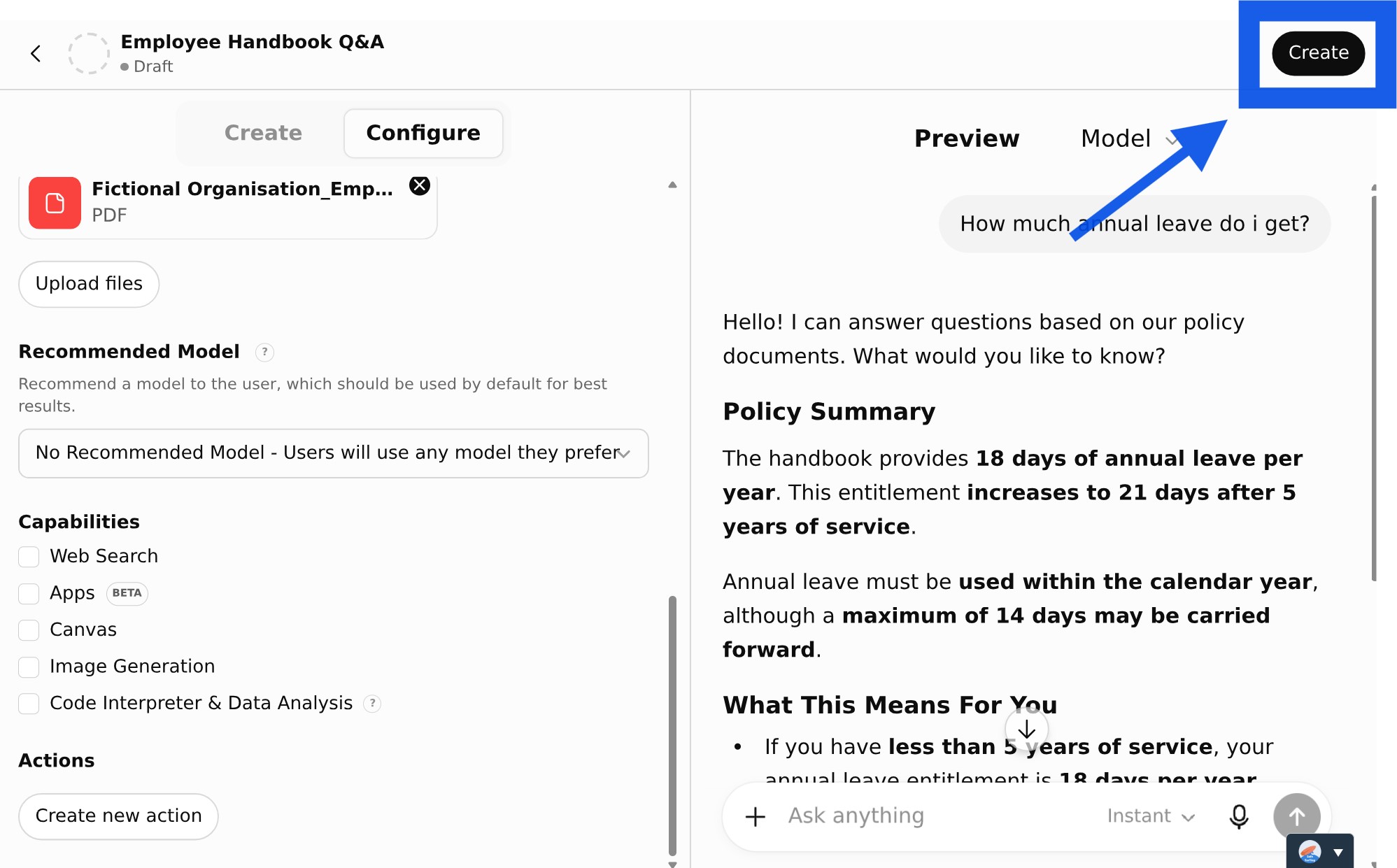
☑️ Once you're happy with your custom GPT, click the 'Create' button.
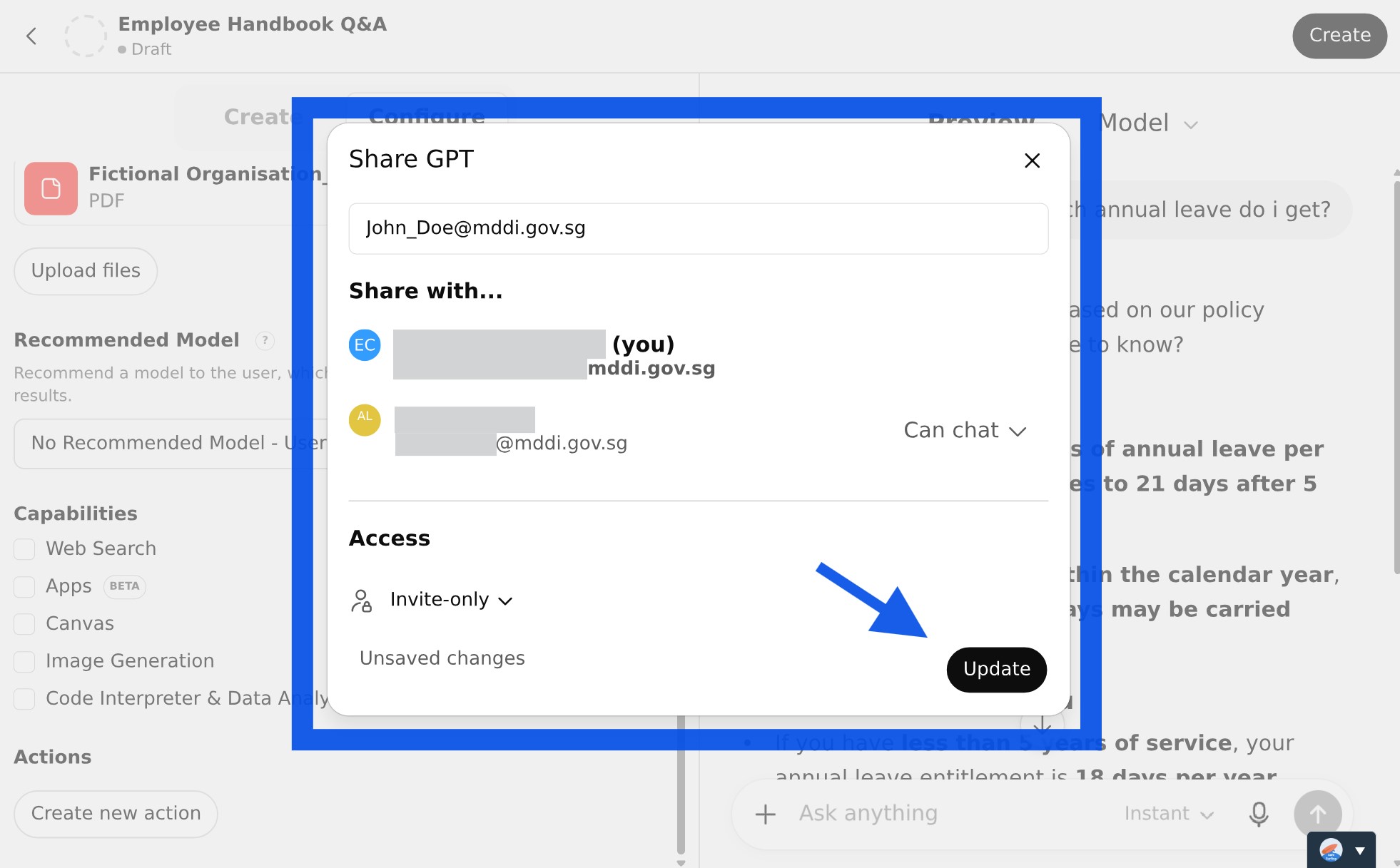
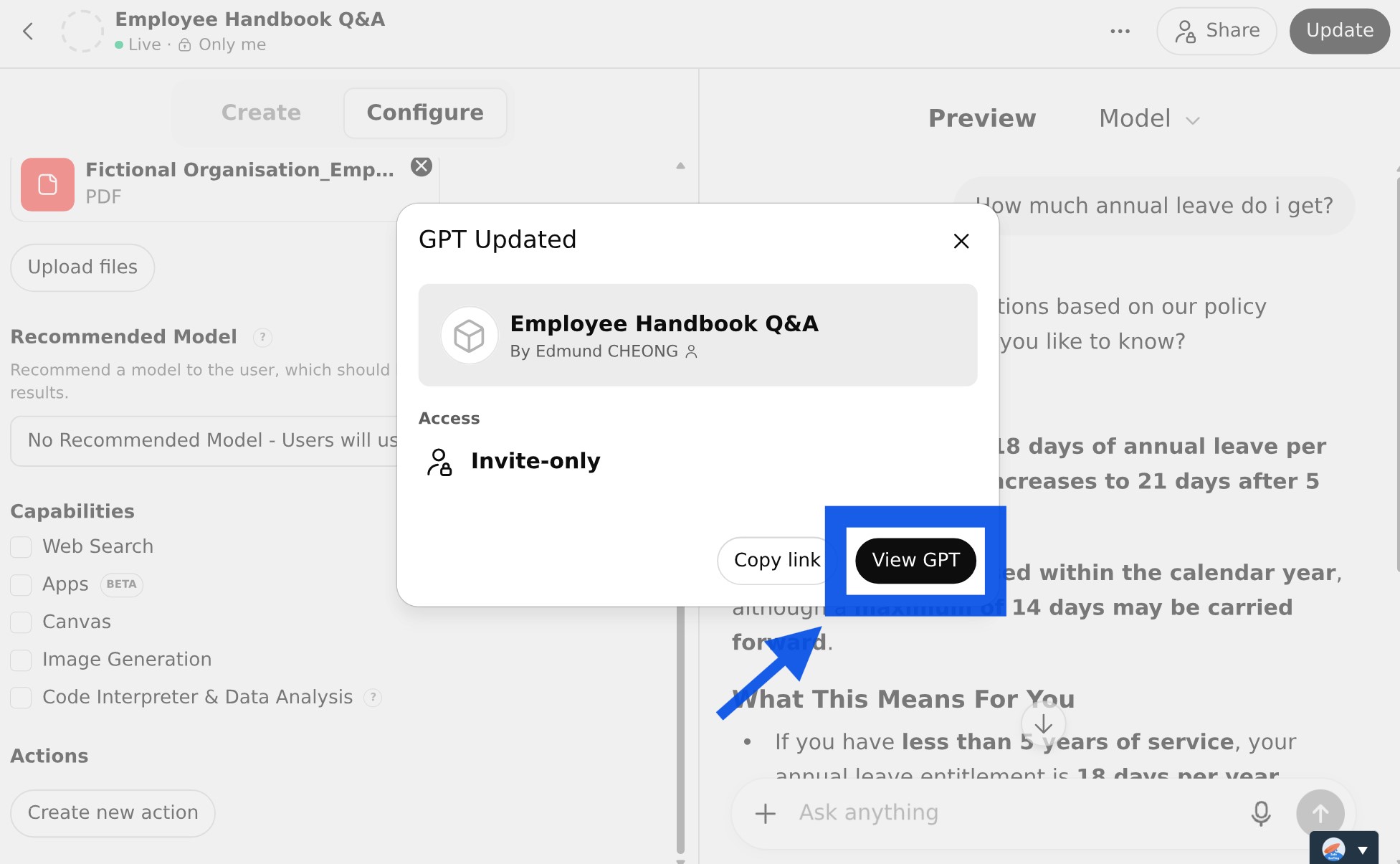
☑️ Invite your colleagues to try out your custom GPT, and click the 'Update' button.
☑️ Congratulations! You have created your custom GPT. Click the 'View GPT' button to start using it.
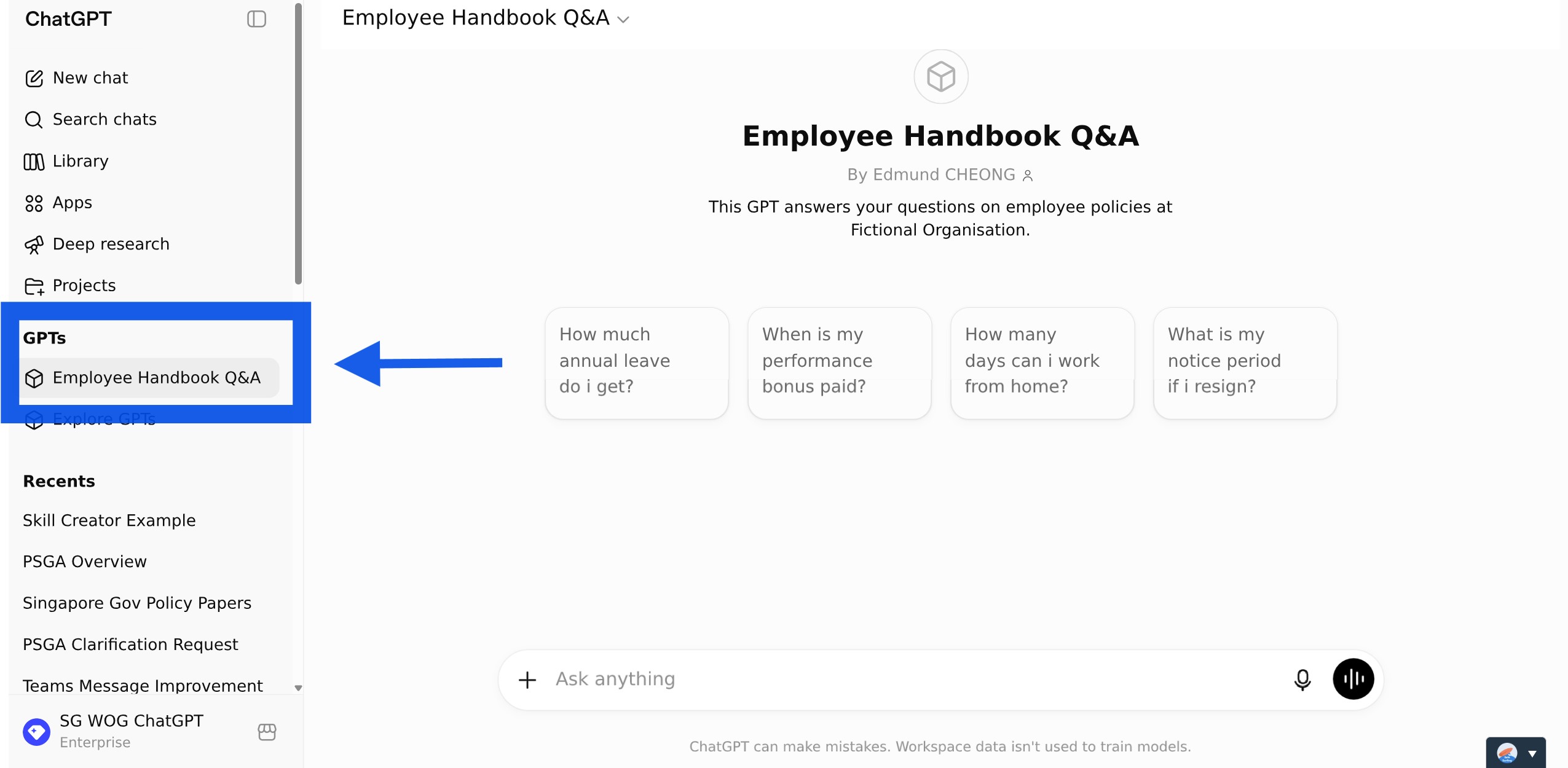
☑️ Once configured, the GPT remains available in your sidebar.
Let's review what we just did:
Every effective AI task is built around five components — together, they spell CRAFT. Let's review how we applied them in our exercise.
C | 📂 Context | Your uploaded policy documents |
R | 🎭Role | ChatGPT takes on the role of a Policy Advisor for your agency |
A | ⚡Action | ChatGPT answers staff questions from the policy documents |
F | 📋Format | The response is structured with |
T | 🔍Test | Test your custom GPT by asking it real questions on, check the citations to verify. |
Now it's your turn to try!
Take 10 minutes to build a Q&A custom GPT around your team's knowledge base.
Prepare your materials — Think about what questions your assistant should answer, and gather the relevant documents.
Configure and upload — Set up your custom GPT and upload your documents.
Test and share — Try it out, then share it with your colleagues.
In just 10 minutes, you've built something that saves your team real time. No more digging through policy documents and circulars to find the answer you need.
📚Further Learning: Understanding Context Engineering
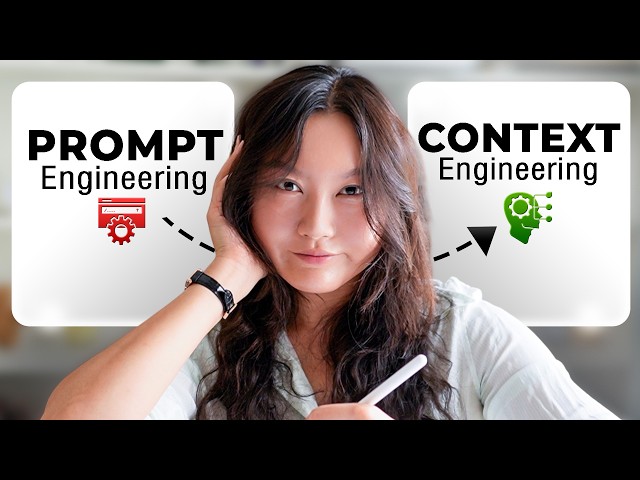
Creating a Custom GPT is an example of context engineering in practice. Watch this video to learn how context engineering helps shape AI responses and improve outcomes.
📅Following the 12-Week Learning Plan?
Congratulations on reaching Week 6! This guide is part of a 12-week learning plan designed to help you build practical AI skills. You're well on your way to becoming AI fluent.

Preview the 12-Week Learning Plan
12 Week Learning Plan
Week 1 | |
Week 2 | Webinar: Introduction to AI-First |
Week 3 | Webinar: Open AI ChatGPT Foundations |
Week 4 | Webinar: Introduction to AI-First |
Week 5 | Using AI responsibly |
Week 6📍 | Meeting Minutes with AI |
Week 7 | Generate a Daily Morning Brief |
Week 8 | AI Apply 201: Domain Specific Tasks |
Week 9 | Workflow Mapping & Peer Sharing |
Week 10 | |
Week 11 | Your AI Playbook |
Week 12 | |
Week 13 | CAT Brownbag at Lorong |
⏭️Next Guide: Choosing the Right AI Model for Your Task
↩️Return to: AI 201 Apply Learning Pathway