
Generate a Daily Morning Brief
Learning Pathway:
AI 201: ChatGPT in Everyday Tasks
24 June 2026
Learn how to build a reusable Morning Brief Skill that reads your Outlook calendar and gives you a one-page executive brief for the day.
Why this matters
Officers often start each day checking their calendar, working out which meetings need preparation, and trying to remember what decisions are coming for them, all before the real work begins. With the help of AI, officers can now produce a one-page brief on i) today's meetings, ii) the top priorities, iii) the decisions or guidance you'll need to make, and iv) what to prepare.
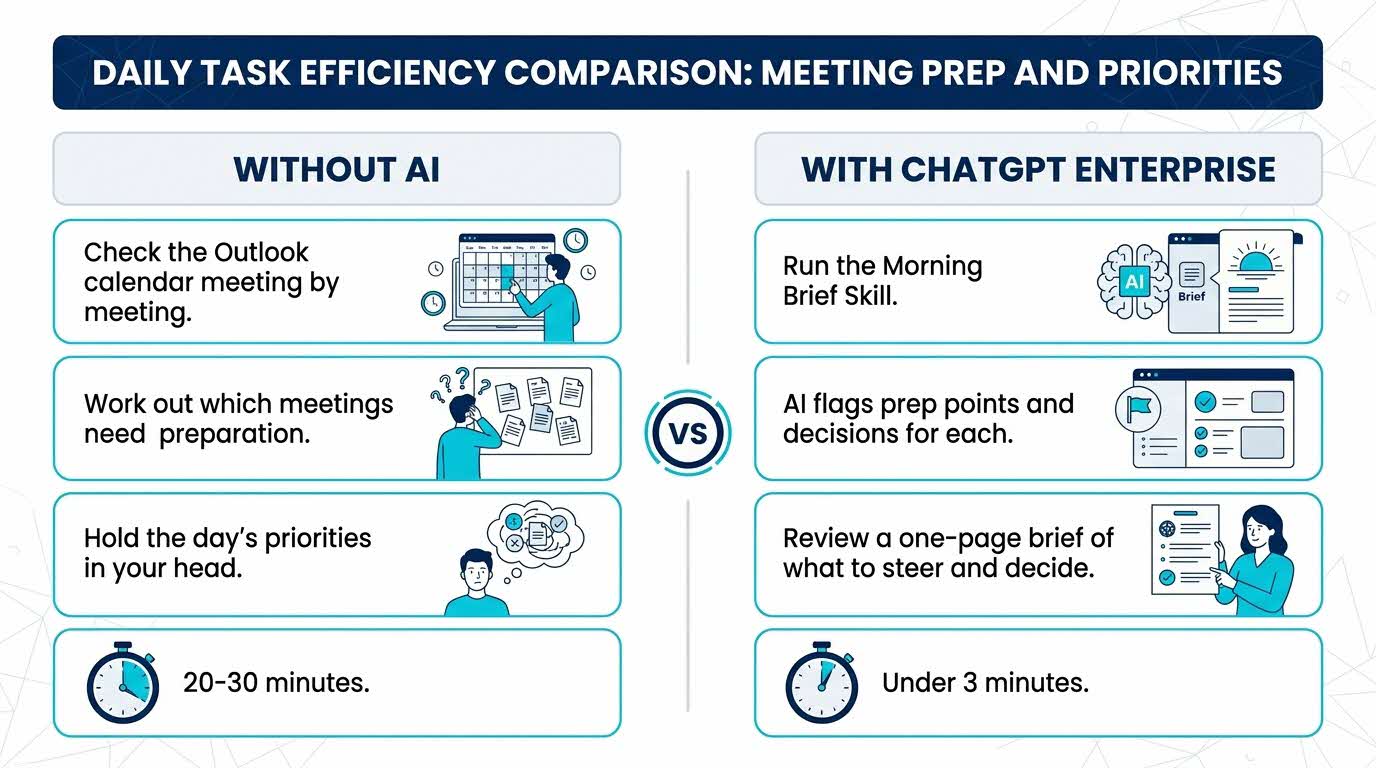
Your five-part recipe - C.R.A.F.T.
Use this structure to guide your thinking. Every effective AI task is built around five components — together, they spell CRAFT:
C | 📂 Context | Your connected Outlook calendar. |
R | 🎭Role (who the AI should act as) | A Chief-of-Staff writing your morning brief. |
A | ⚡Action (what the AI needs to do) | Scan today's meetings, identify top priorities and decisions to be made, and prep the talking points for them. |
F | 📋Format | Today's meetings → Top priorities → Decisions to make → Prep talking/discussion points. |
T | 🔍Test | Run it once to ensure that the AI caught all the meetings and key points before relying on it. |
Here’s what you need for this exercise:
Tools and inputs required
🛠️ Tool | ChatGPT Enterprise (WOG) |
🔗 Feature | Skills, Connectors (Outlook Calendar / M365) |
📂 Your input | Your connected Outlook calendar |
Step-by-step guide
Part A — Connect your Outlook calendar (one-time)
Step 1: Open Plugins. In the left sidebar, click Plugins.
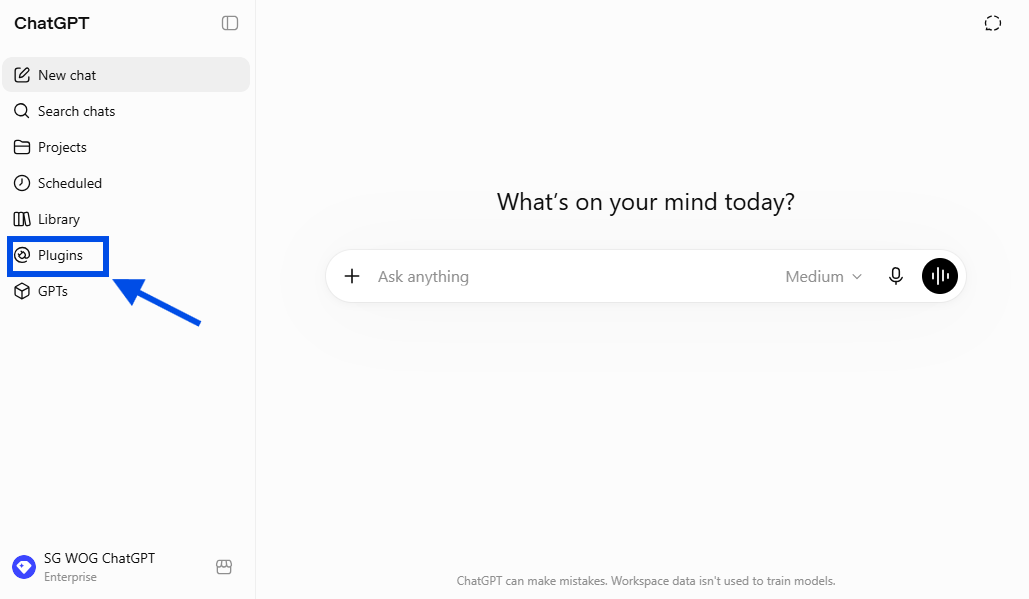
Open Plugins
Step 2: Find and Choose Outlook Calendar. Under Search Plugins, look for Outlook Calendar. Click the '+' button once you find it.
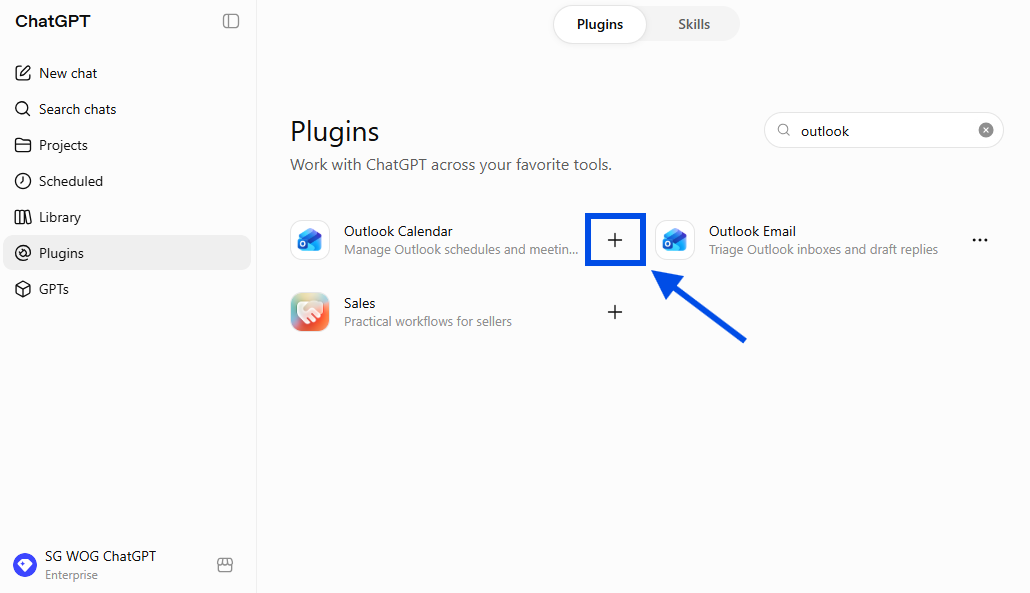
Find 'Outlook Calendar', then click the '+' button.
Step 3: Connect. Click Connect, then Continue to Outlook Calendar.
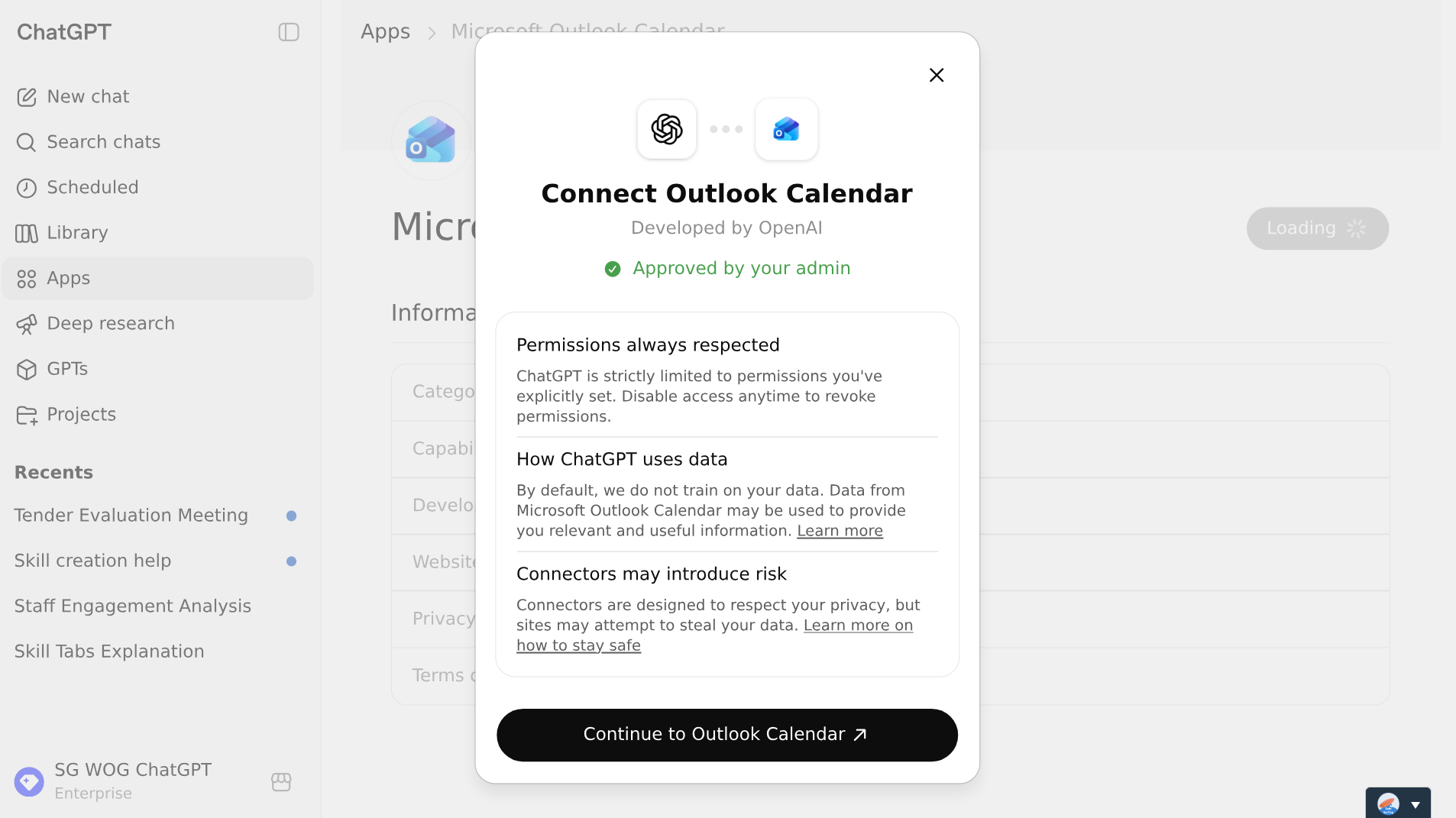
A modal will appear
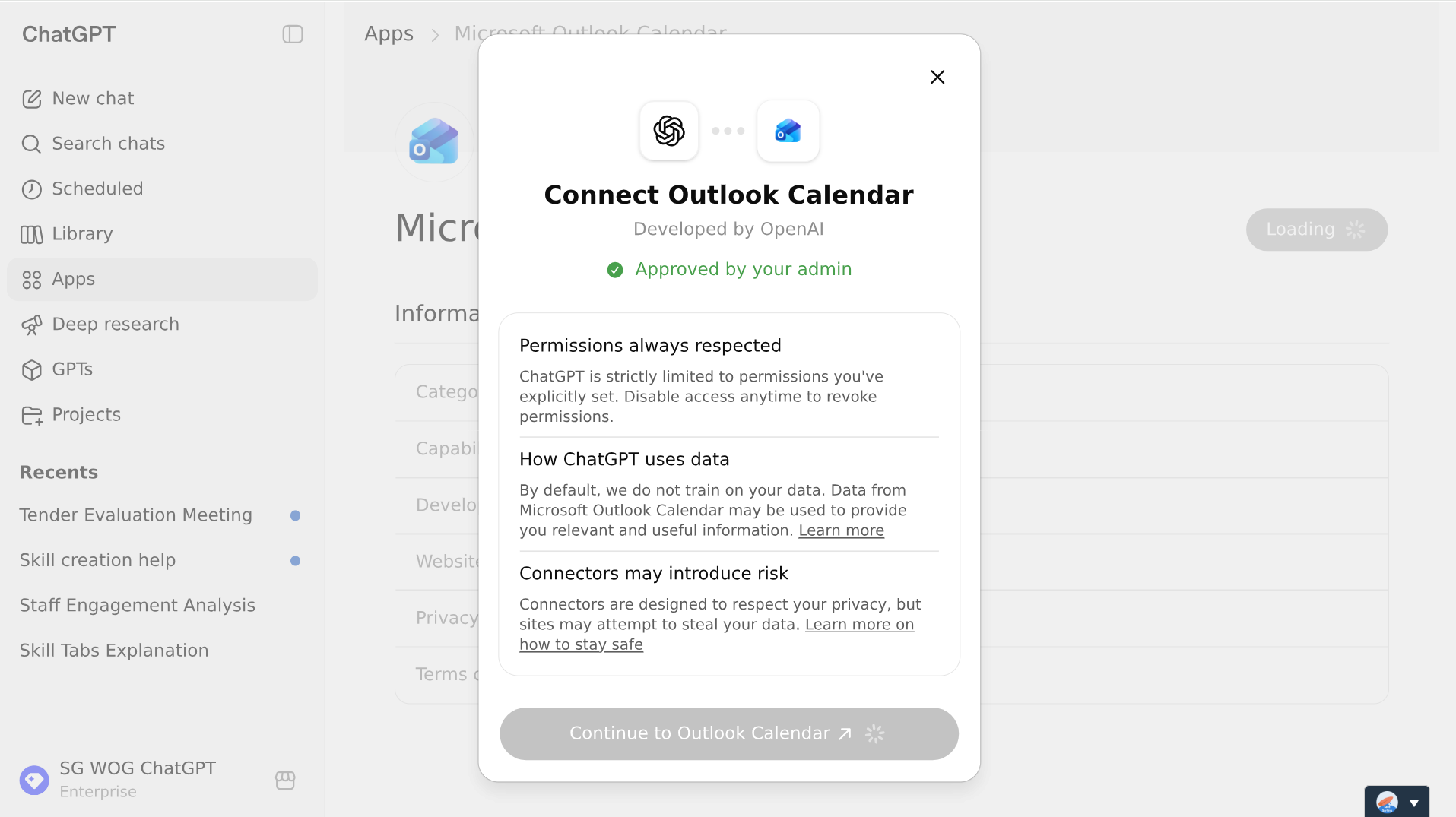
Note: In some cases, connection to Outlook may seem to load “infinitely”, but if you open ChatGPT in another tab after a few minutes, Outlook is already connected.
Step 4: Confirm it's connected and Start Chat.
To confirm that Outlook is connected, go to the Plugins page to check that ‘Outlook Calendar’ can be found under the "Installed" section.
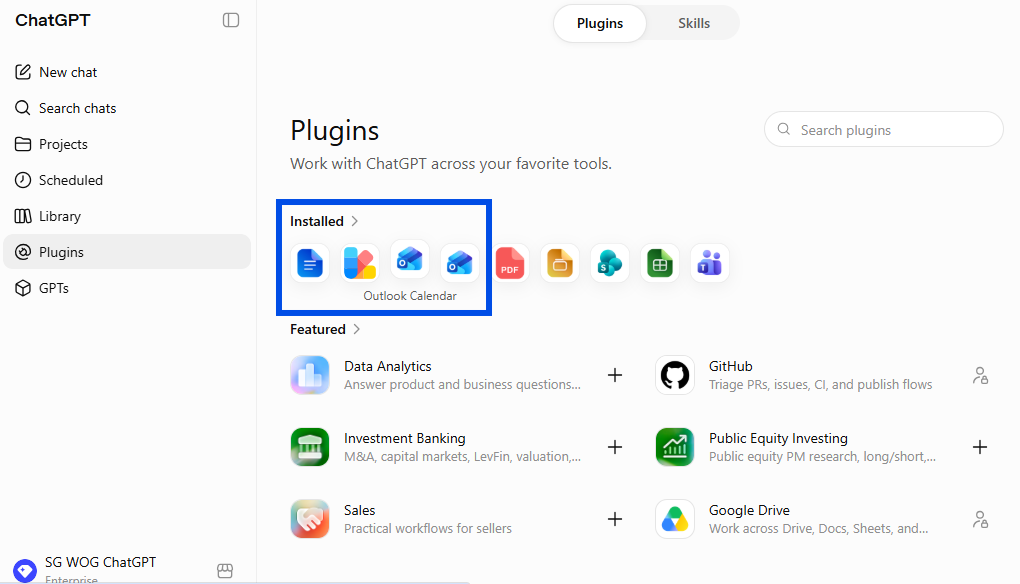
Double check here
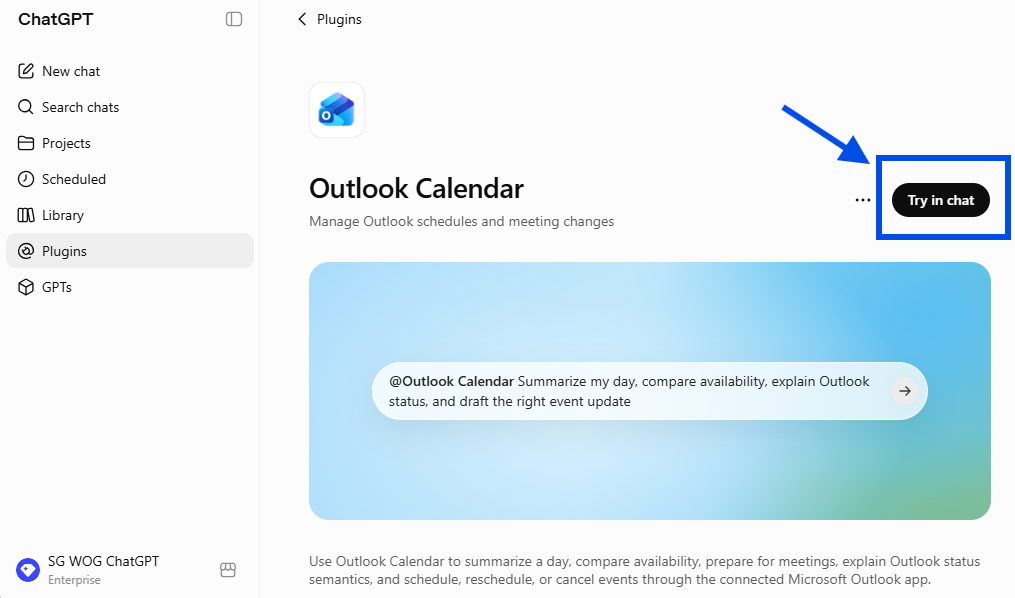
Click the Outlook Calendar icon and double check here too
Part B — Build the Morning Brief Skill
Step 5: Invoke the skill-creator. Start a New chat and type /skill-creator. When the skill-creator pops up, click it.
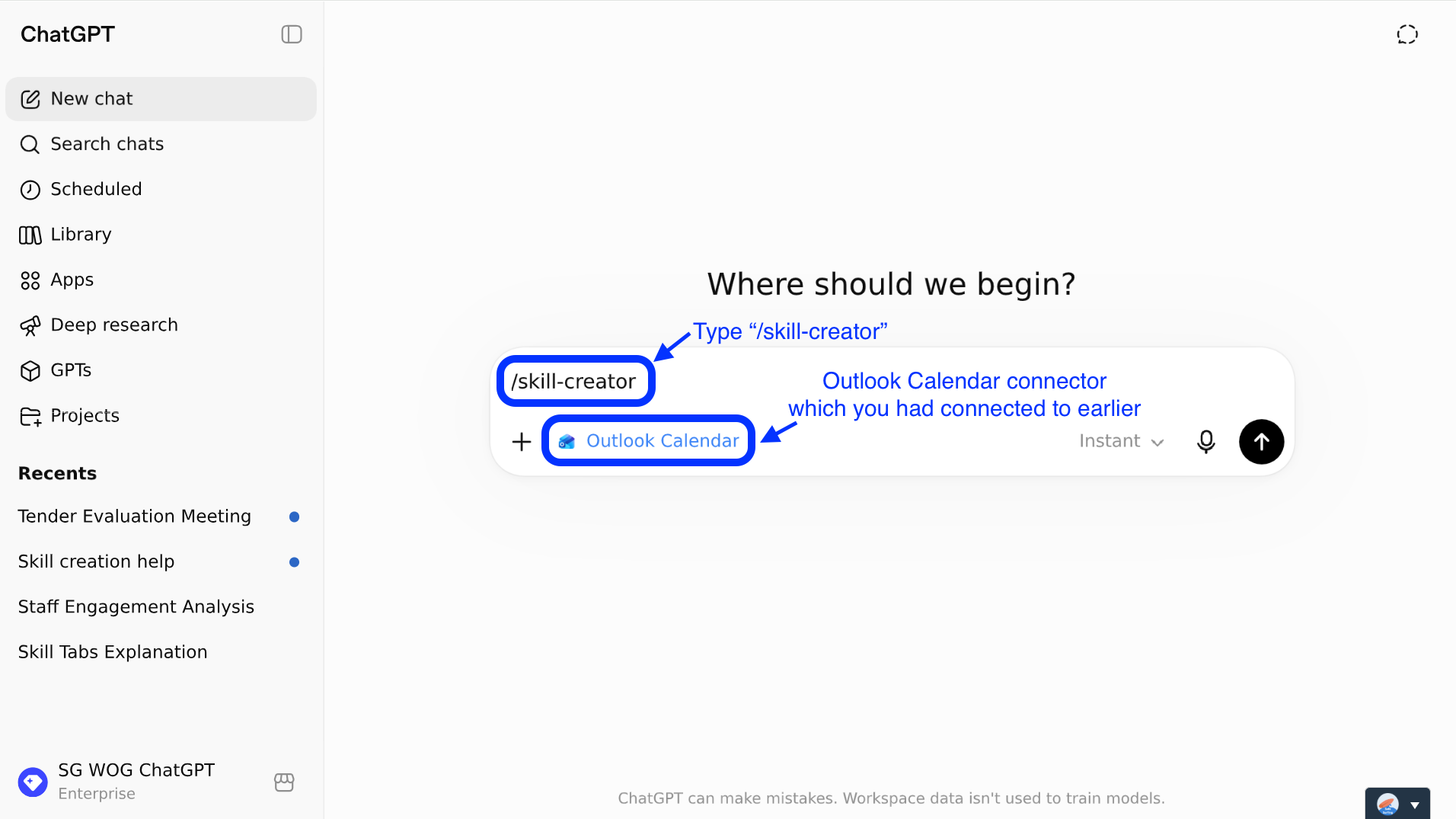
Type '/skill-creator'
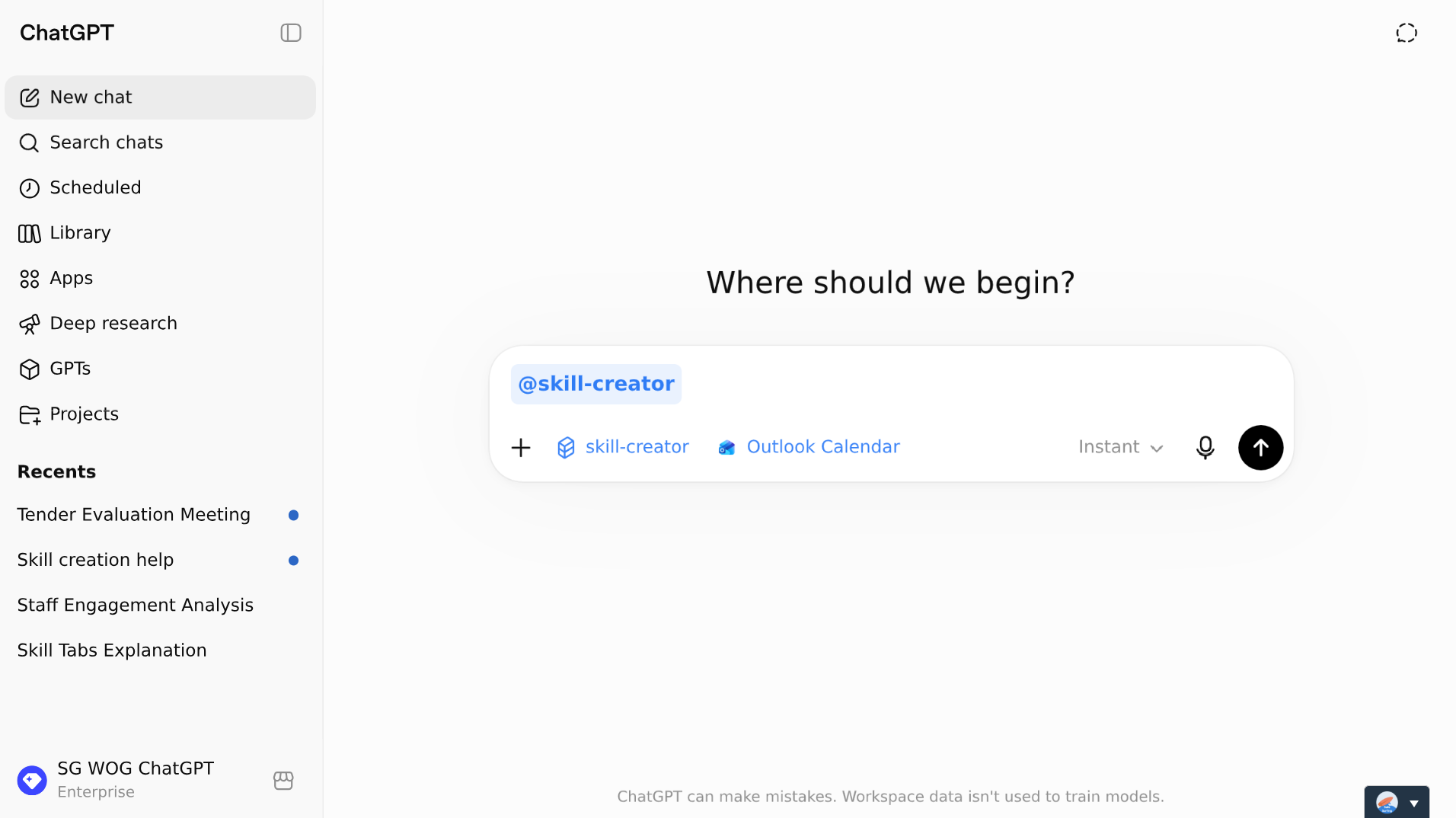
skill-creator invoked (blue bubble)
Step 6: Point it at your calendar. Press the + on the left of the chat bar and choose Company knowledge. You should now see "Company knowledge" and Sources under the chat bar.
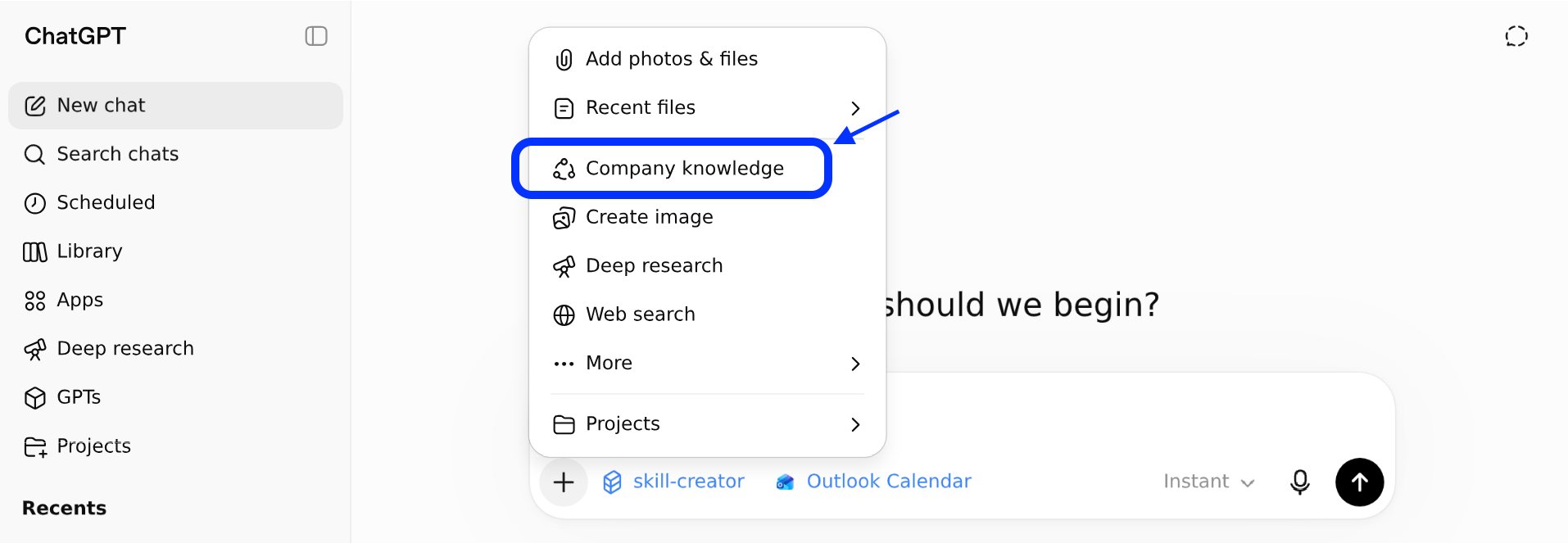
Add context (company knowledge)
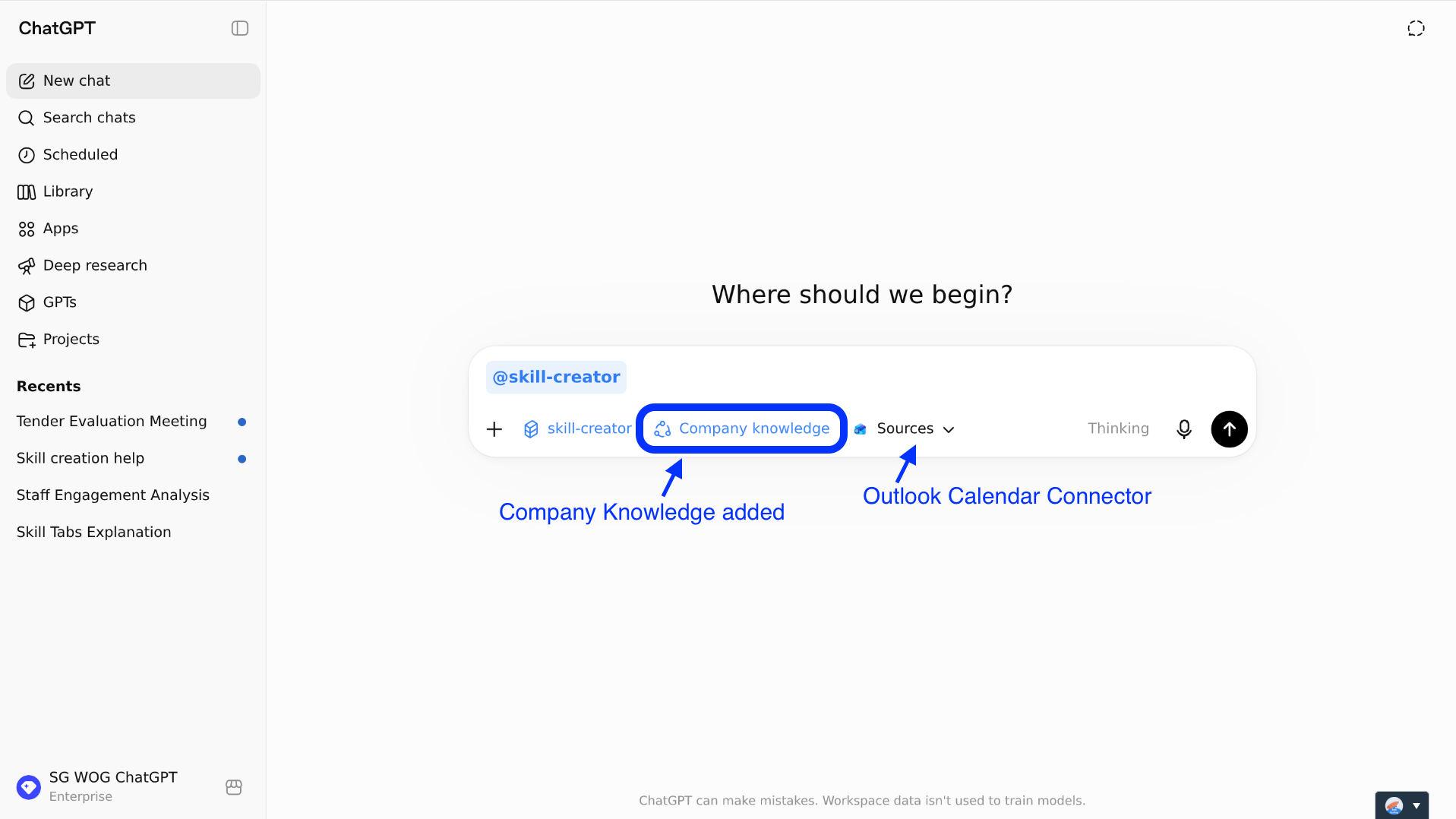
You should now see "Company knowledge" and Sources under the chat bar.
Step 7: Describe the Skill. Tell the skill-creator what you want. Here's an example prompt:
Use this sample prompt
Create a skill that gives me a 1-page executive morning brief based on my Outlook calendar. It should scan my meetings, identify the day's top 3 priorities, key decisions or guidance I may need to give, and preparation points for key meetings. Keep it concise with clear headers. Focus on what I need to steer, decide, or remember.
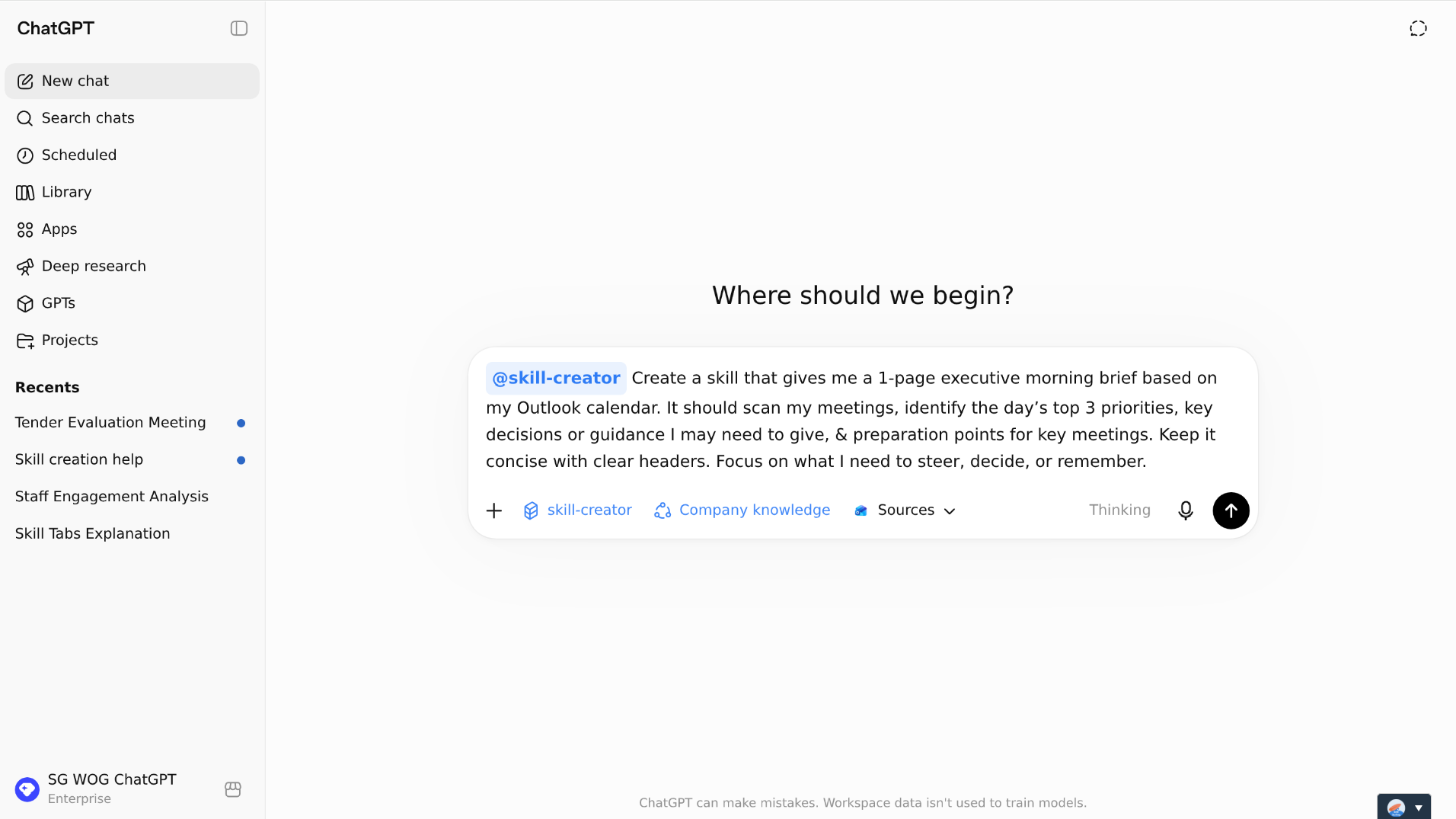
Paste sample prompt
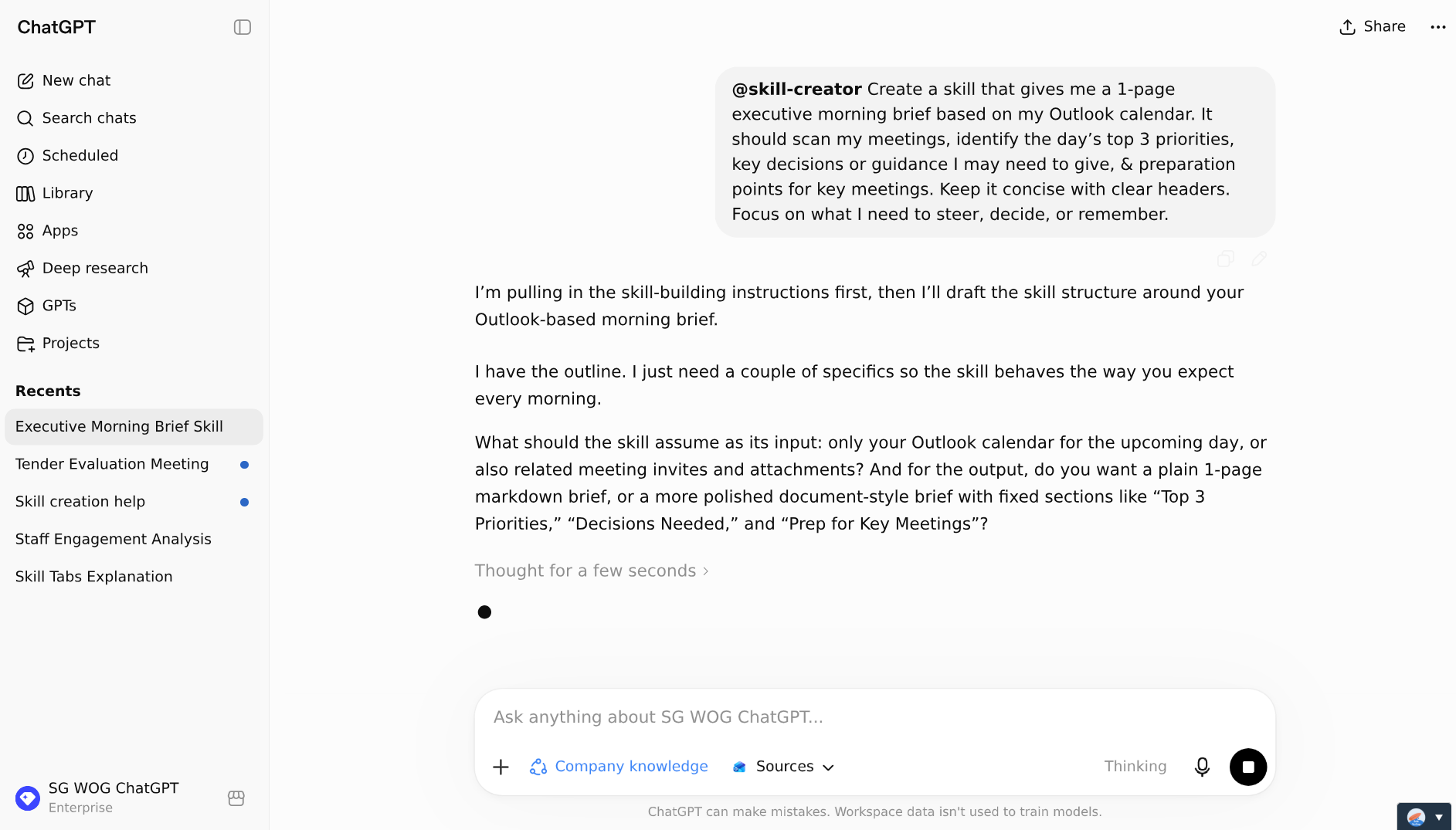
You can continue to iterate with ChatGPT on shaping what the Skill should do.
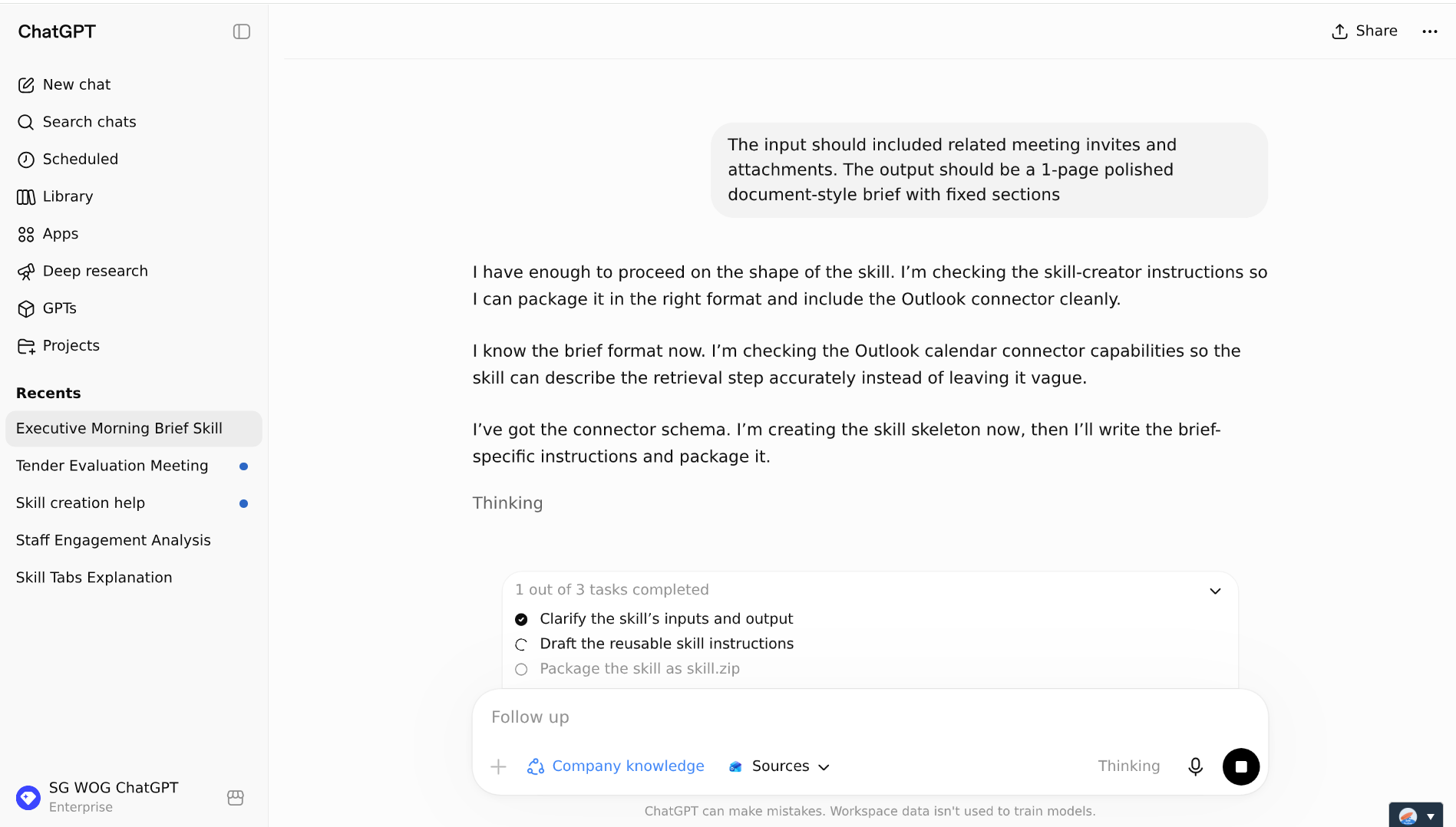
When ChatGPT has enough information, it will start building the skill.
Step 8: Install the Skill. Note: If you see a server error when trying to install a Skill, you might have to update your laptop policies over at the Trellix Agent Monitor (located on the bottom-right of your screen)
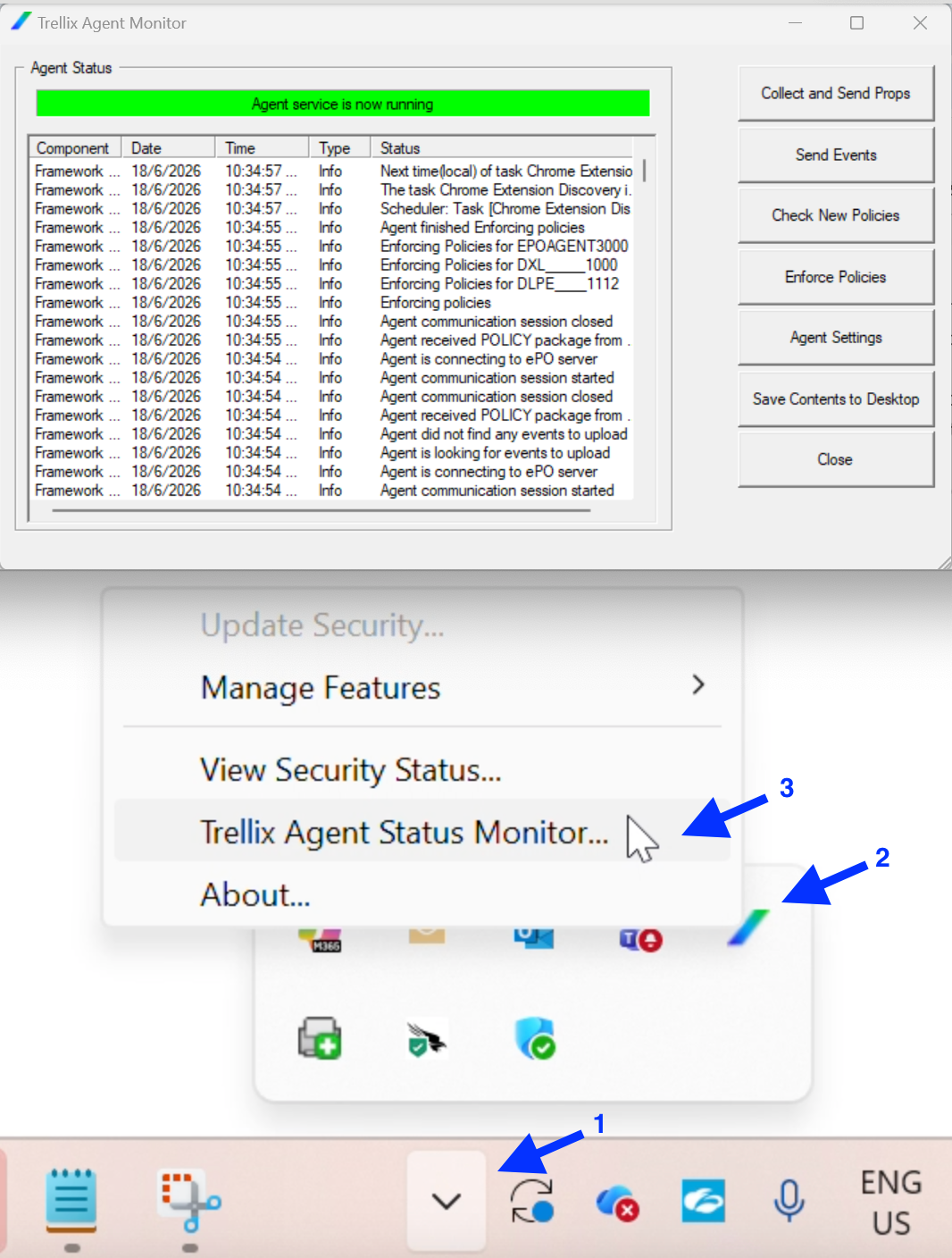
Update computer policies in Trellix
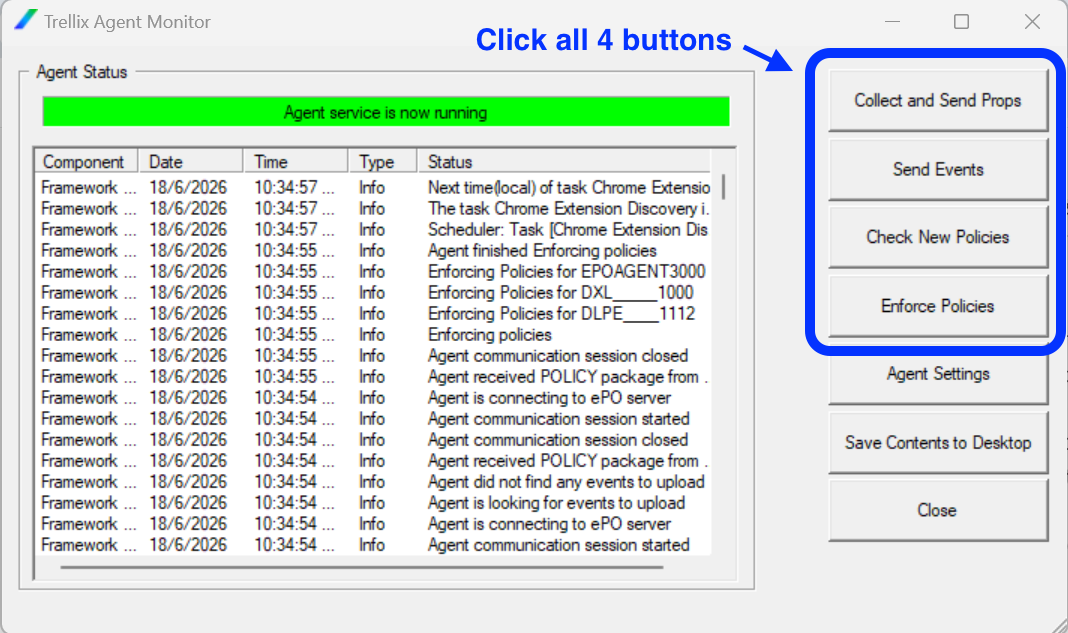
Click all 4 buttons
Step 9: Test it. Click “Try in Chat”.
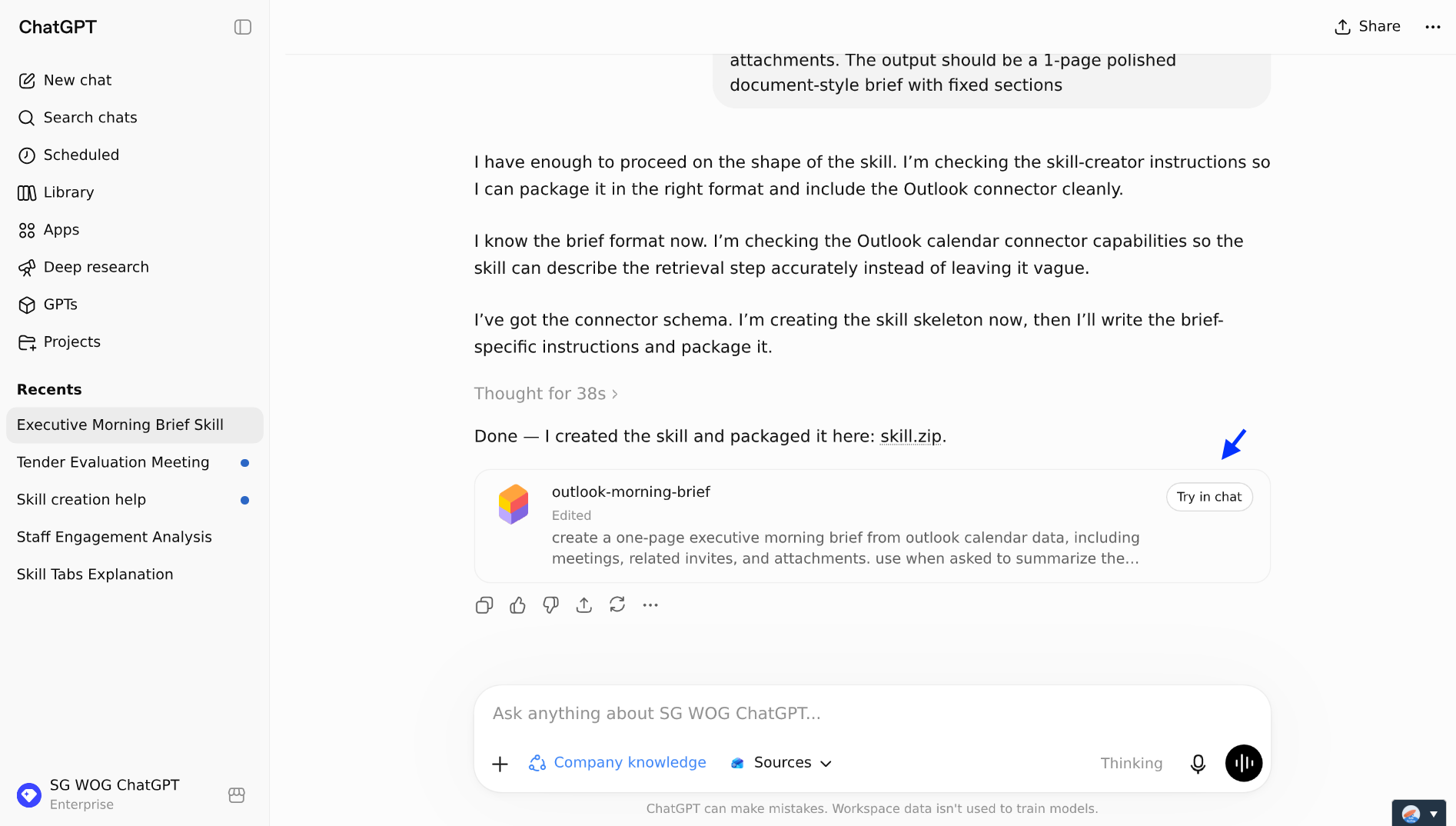
Click 'Try in chat'
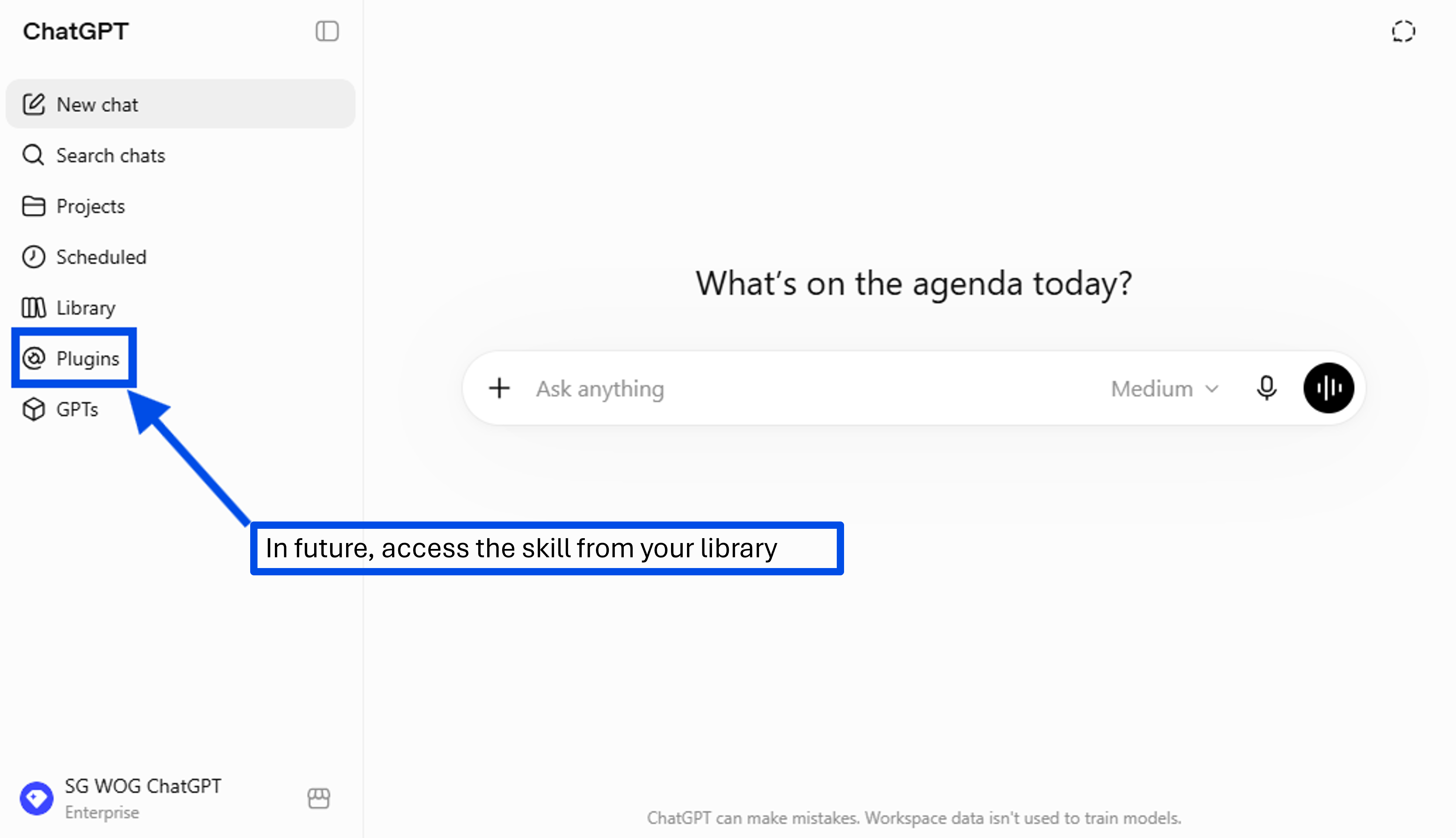
In the future, you can access this skill on the Skills page, under Plugins
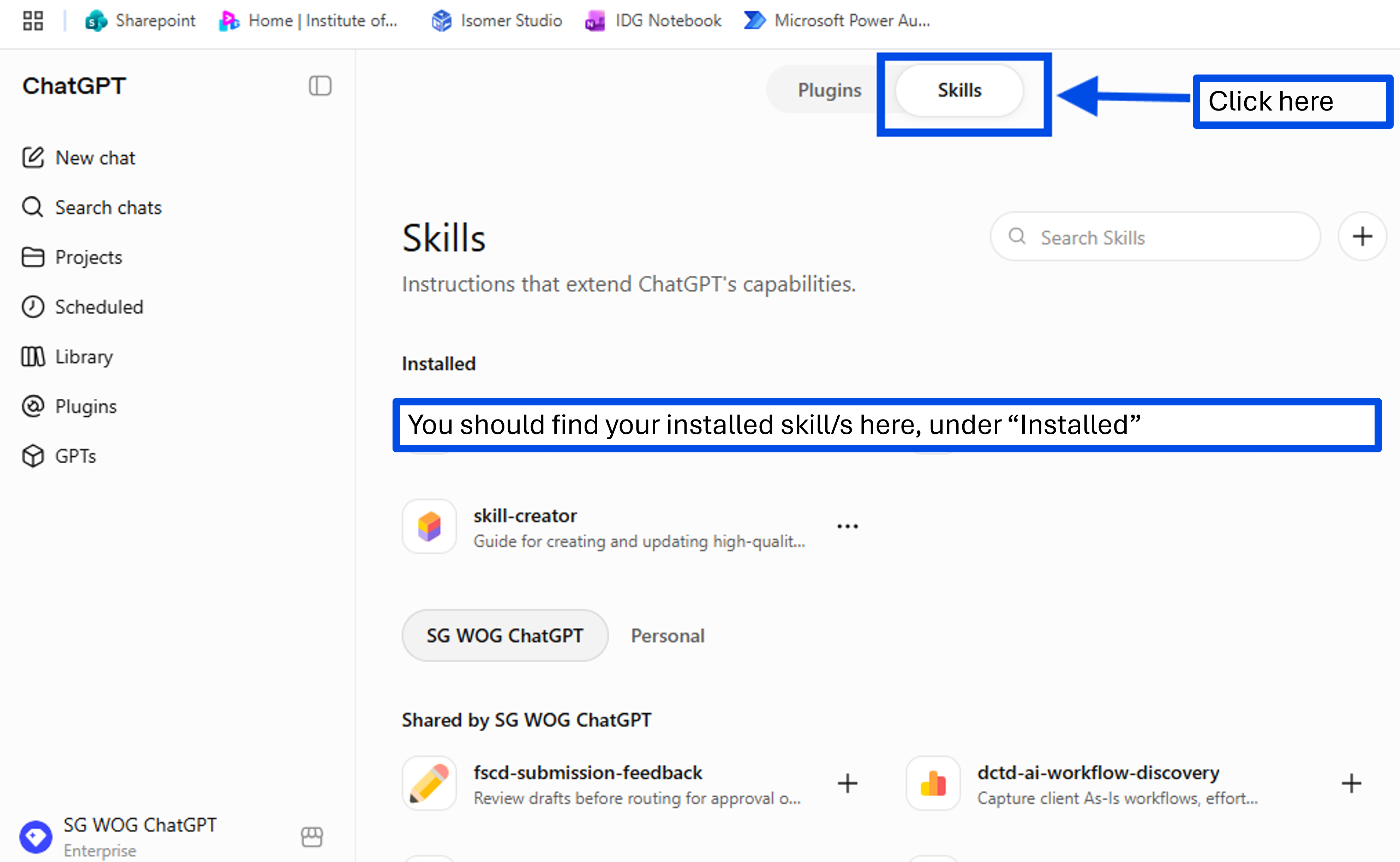
under “Installed”.
Now it's your turn to try!
Take 10 minutes to create a workflow for a daily brief.
📂 Connect your Calendar & Email. Ensure that ChatGPT is linked to your Outlook, so it can fetch any information it needs for your daily brief.
🔍 Test and Share. If this worked well for you, consider saving the workflow as a Skill and share it with others.
Hopefully this will help you start the day right!
📚Further Learning: Watch this video on ChatGPT Skills

📅Following the 12-Week Learning Plan?
Congratulations on reaching Week 7! This guide is part of a 12-week learning plan designed to help you build practical AI skills. You're well on your way to becoming AI fluent.

Preview the 12-Week Learning Plan
12 Week Learning Plan
Week 1 | CSDPAI Literacy Module (opens in new tab) |
Week 2 | Webinar: Introduction to AI-First |
Week 3 | Webinar: Open AI ChatGPT Foundations |
Week 4 | Webinar: Introduction to AI-First |
Week 5 | Using AI responsibly |
Week 6 | Meeting Minutes with AI |
Week 7📍 | Generate a Daily Morning Brief📍 |
Week 8 | AI Apply 201: Domain Specific Tasks |
Week 9 | Workflow Mapping & Peer Sharing |
Week 10 | |
Week 11 | Your AI Playbook |
Week 12 | |
Week 13 | CAT Brownbag at Lorong |
⏭️Next Guide: Search SharePoint with AI
↩️Return to: AI 201 Apply Learning Pathway