
Turn reports into PowerPoint decks with ChatGPT
22 June 2026
Learning Pathway:
AI Apply 201: Everyday Tasks
Use ChatGPT to transform lengthy reports and policy papers into presentation-ready slide decks.
.png)
Today's Exercise
Turning detailed reports and source materials into a clear presentation can take time. AI can help streamline the process by identifying and organising key information into a presentation-ready structure.
Let's build PowerPoint slides from your source material in 3 steps:
Create a presentation outline from a report
Create PowerPoint slides from the outline
Review and refine the slides
Here's what you need for this exercise
Tools and inputs required:
🛠️ Tool | ChatGPT Enterprise (WOG), PowerPoint |
🔗 Feature | "presentations" Skill, Upload feature |
📂 Your input | Report(s), policy paper(s) or other source document(s) |
Step 1: Create a presentation outline
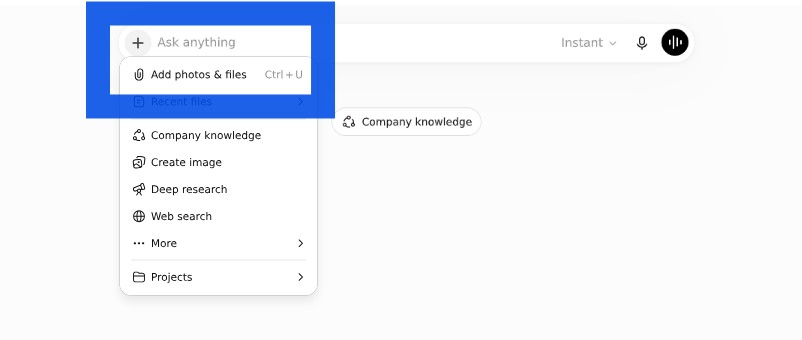
This gives ChatGPT the context it needs to create the presentation outline.
☑️ Open ChatGPT Enterprise (opens in new tab), click '+', then upload your source document.
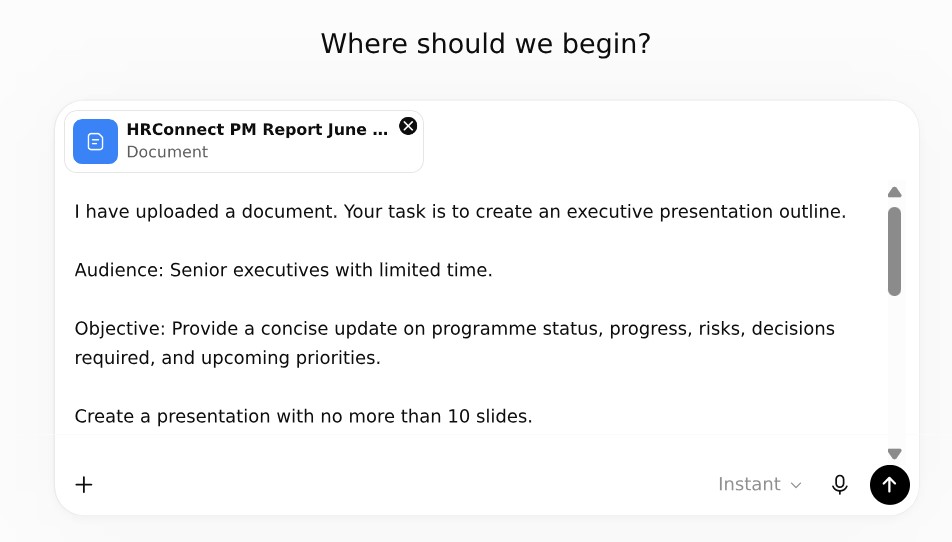
☑️ Ask ChatGPT to create a presentation outline from the document. You can copy the ready-to-use prompt below.
Ready-to-use Prompt
I have uploaded a document. Your task is to create an executive presentation outline.
Audience: Senior executives with limited time.
Objective: Provide a concise update on programme status, progress, risks, decisions required, and upcoming priorities.
Create a presentation with no more than 10 slides.
For each slide provide:
Slide title, Purpose of the slide, Key messages (maximum 3 bullets)
Recommended visuals or charts
Suggested speaker notes (maximum 75 words)
Presentation design principles:
Focus on executive decision-making
Remove unnecessary operational detail
Surface risks and actions clearly
Use plain English
One key message per slide
At the end, identify:
Information that should be removed
Information that should be moved to an appendix
Any missing information that executives may ask about
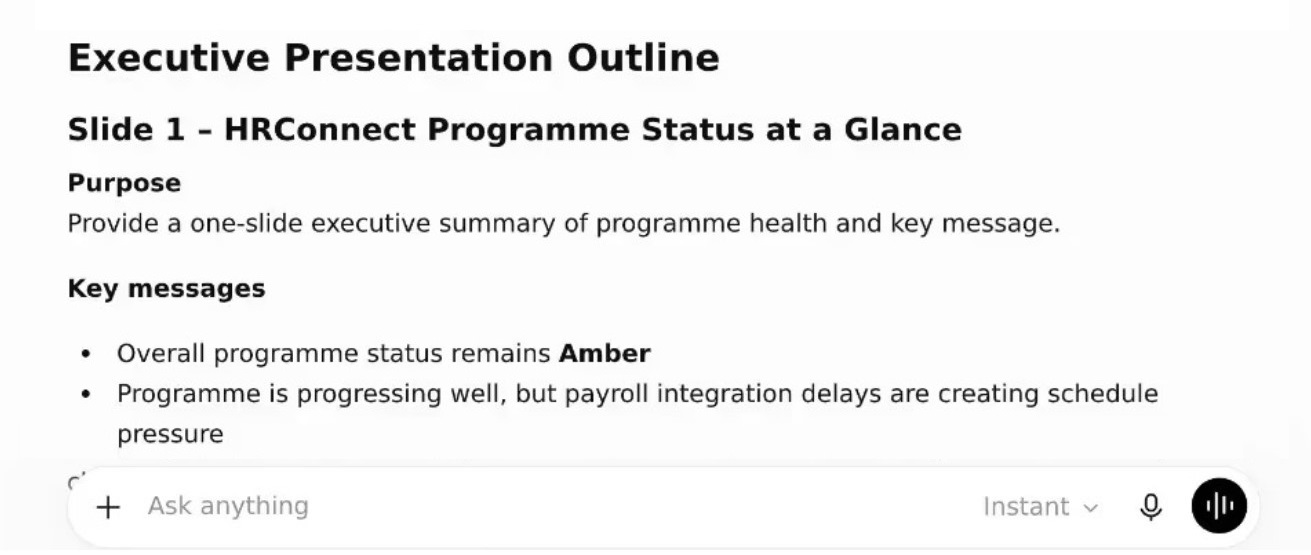
☑️ Review the presentation outline and refine it as needed. You can continue the conversation with ChatGPT to improve specific aspects.
e.g. Support key points with relevant statistics from the source document.
Step 2: Create presentation slides
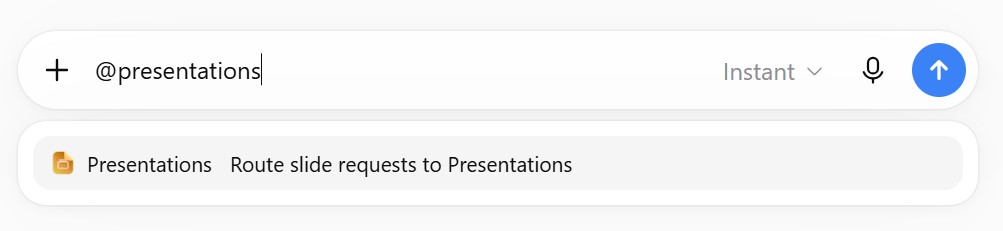
This activates ChatGPT's 'Presentations' skill, which helps you create your slides.
☑️ Type '@presentations' in the chat box and select 'Presentations'.
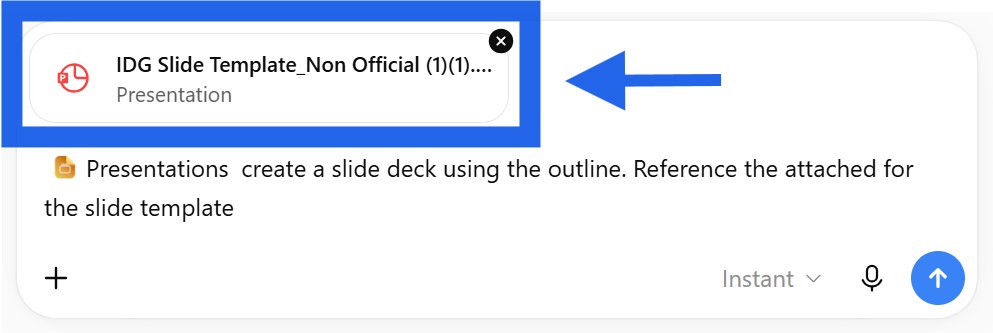
☑️ Ask ChatGPT to create a slide deck using the outline. If you have a preferred template or an existing presentation to reference, upload it to guide the design.
Ready-to-use Prompt
@Presentations Create a slide deck based on the outline below. Follow the structure and visual style of the attached slide template.
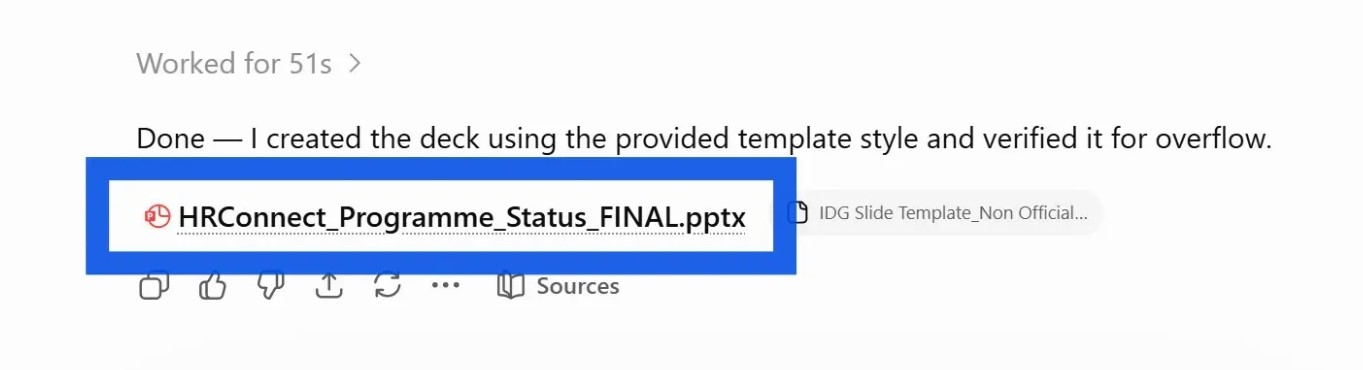
☑️ Once the slides have been generated, click to preview them.
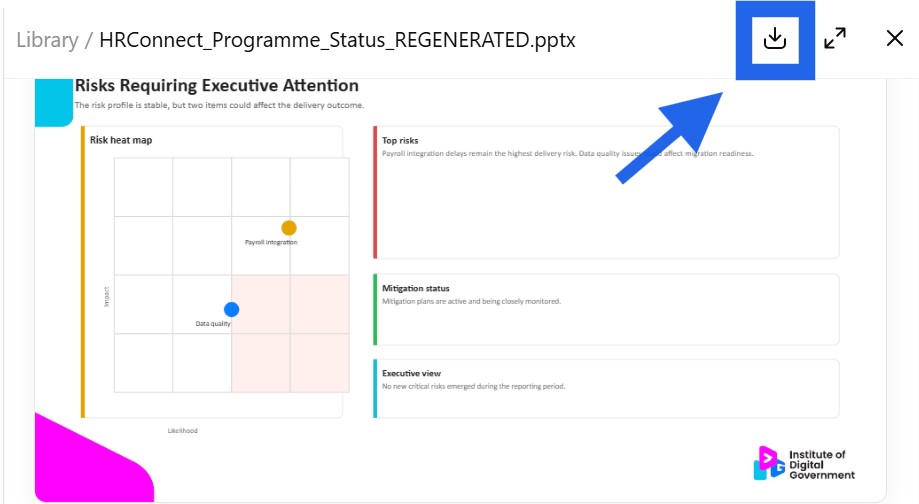
☑️ Download the slides.
Step 3: Edit the presentation
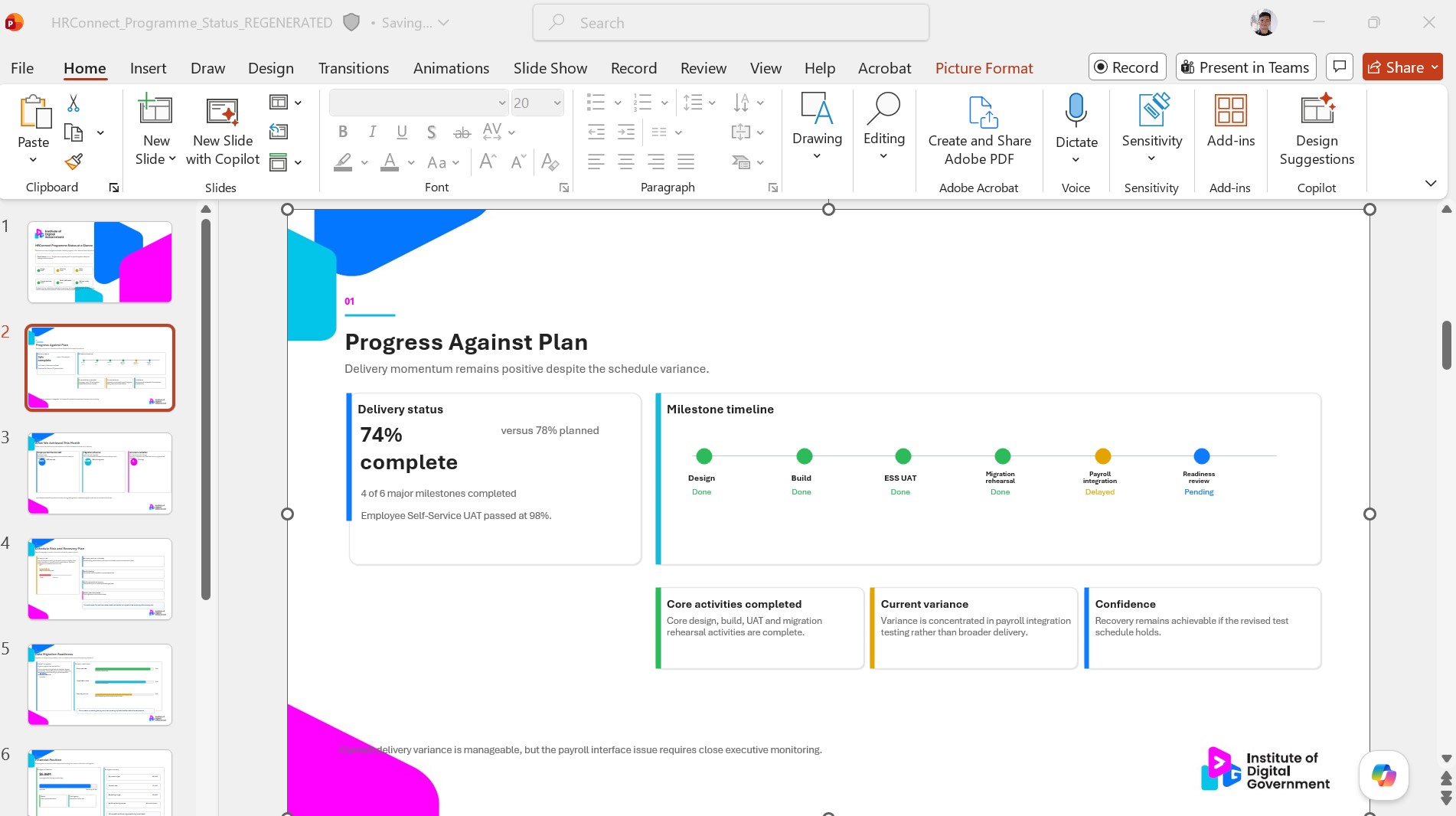
☑️ The first version is likely not perfect. Review and refine the generated slides until you are satisfied.
Now it's your turn to try!
Upload a report, meeting paper, project update or strategy document and ask ChatGPT to create a presentation outline before building the slide deck.