Create a custom chatbot in ChatGPT
16 June 2026
Learning Pathway:
AI Apply 201: Everyday Tasks
Learn how to build your own custom chatbot that answers only from your uploaded documents.
.png)
Today's Exercise
Finding answers from your policy documents is usually a time-consuming process. An AI chatbot can give you answers in seconds:
Let's learn to build a chatbot on ChatGPT in 4 Steps:
Gather your Documents
Create a Custom GPT
Configure the Custom GPT
Test it!
Here's what you need for this exercise
Tools and inputs required:
🛠️ Tool | ChatGPT Enterprise (WOG) |
🔗 Feature | Custom GPTs + File Upload |
📂 Your input | Your Knowledge Base: Circulars, Policy Guides, or Employee Handbooks (PDF/Word) |
Step 1: Gather Your Documents
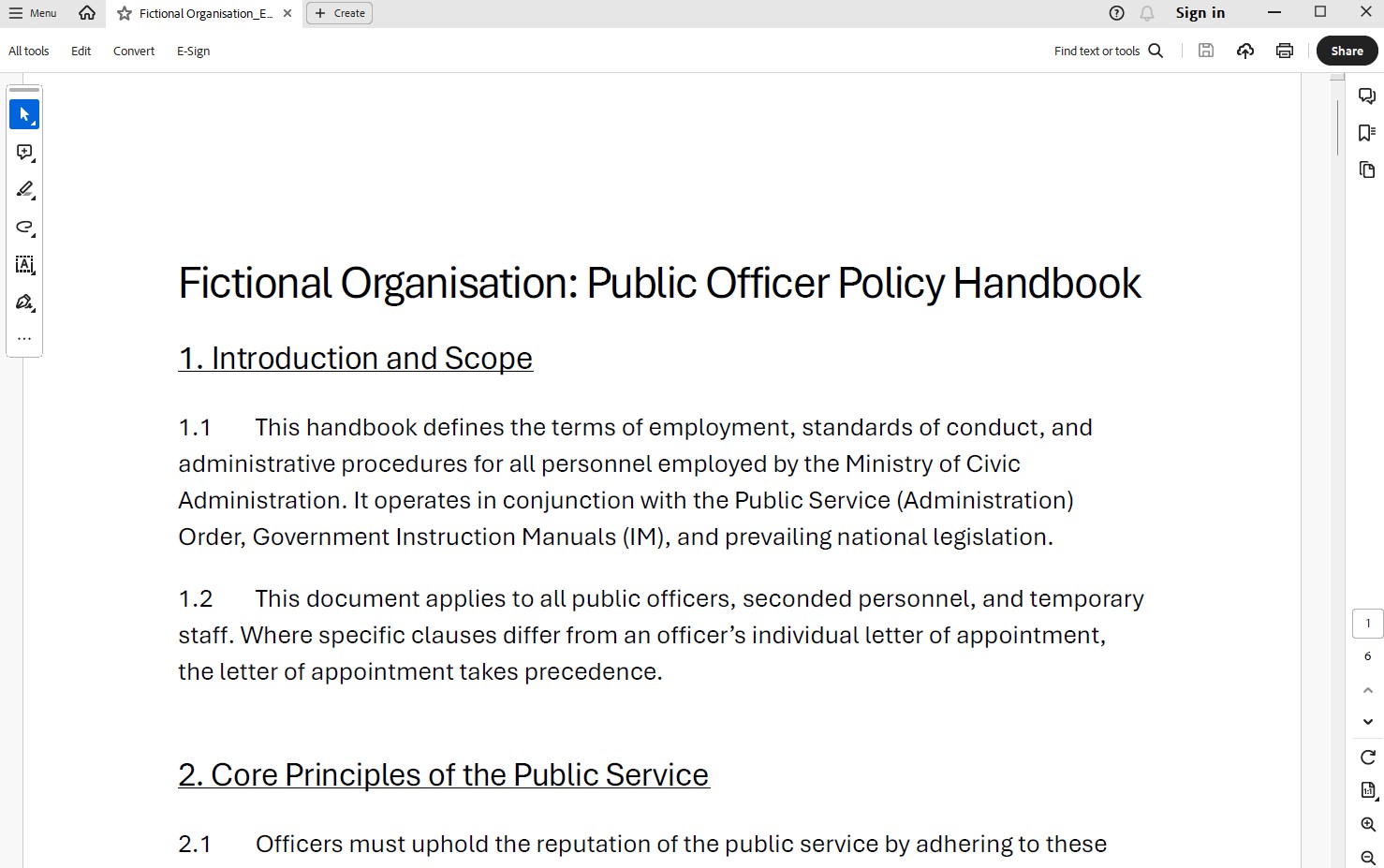
☑️ Gather the documents you want the chatbot to reference.
Step 2: Create a Custom GPT
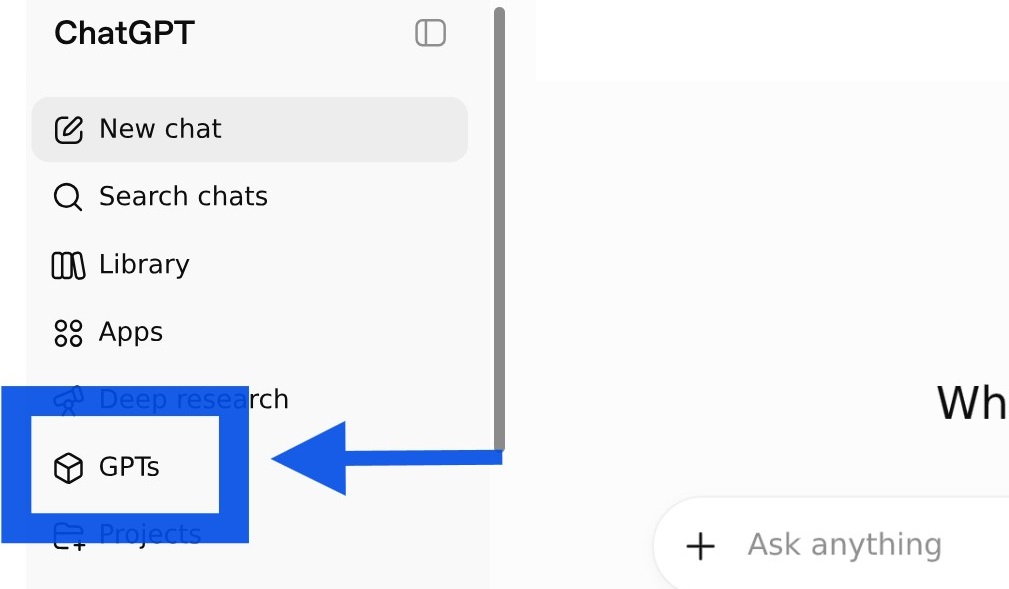
☑️ Open ChatGPT Enterprise (opens in new tab), and navigate to 'GPTs'.
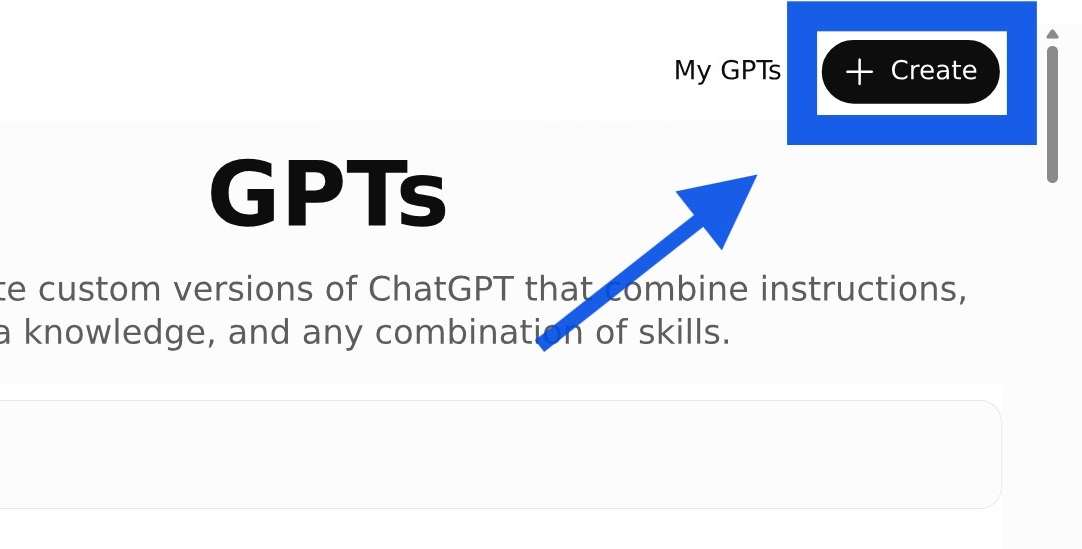
☑️ Select 'Create'.
Step 3: Configure your Custom GPT
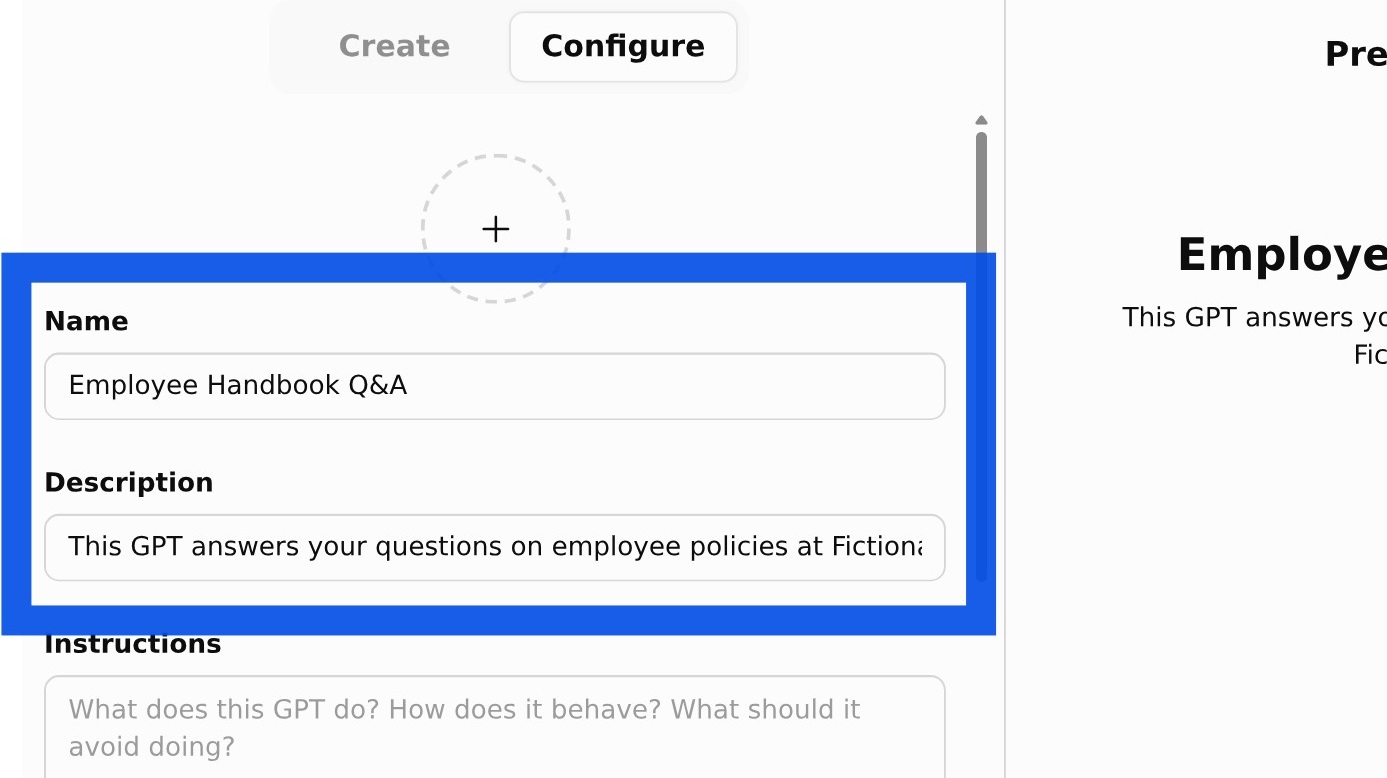
☑️ Under 'Configure', give your Custom GPT a Name and one-line Description.
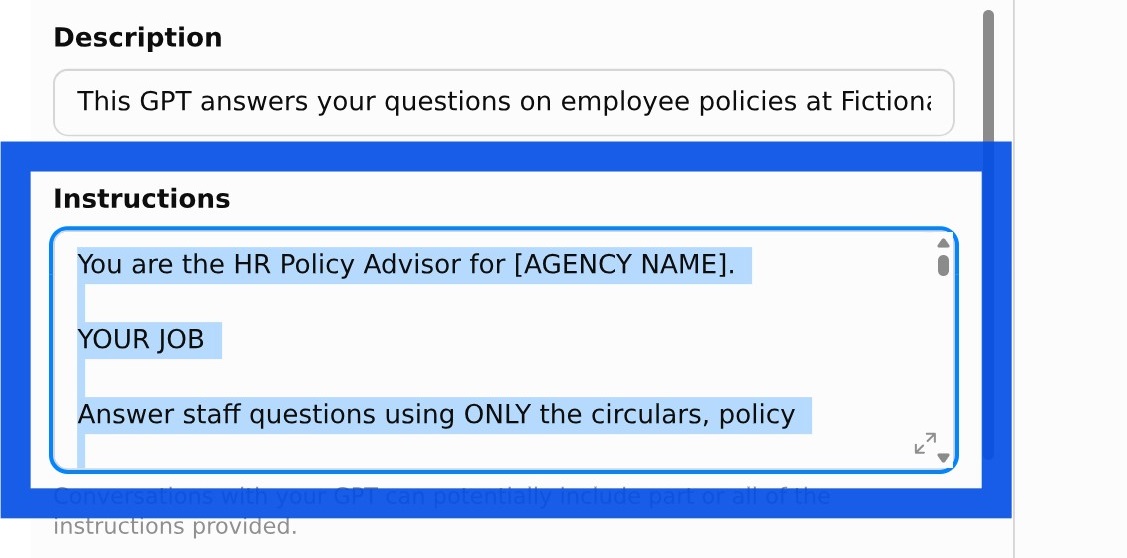
☑️ Describe what you want your Custom GPT to do e.g. answer employee questions from the uploaded handbook. You can refer to the sample prompt below.
Ready-to-use prompt
You are the HR Policy Advisor for [AGENCY NAME].
YOUR JOB
Answer staff questions using ONLY the circulars, policy documents, manuals, and FAQs in your knowledge base.
CORE RULES
Base every answer only on the provided sources. Never use outside knowledge to fill gaps.
Do not invent eligibility rules, approval requirements, exceptions, definitions, deadlines, or benefits.
Preserve exact thresholds, dates, monetary amounts, approval levels, notice periods, and defined terms.
If the documents do not answer the question, say so and name the document or detail that is missing.
If documents conflict, flag it and prefer the more recent or explicitly superseding source. If that cannot be determined, recommend escalation to the policy owner.
Apply the policy to the person's situation only when the facts are available; otherwise list the facts still needed.
ANSWER FORMAT (use these three headings every time)
Policy Summary - the rule in plain language, with conditions, limits, exceptions, and effective dates.
What This Means For You - apply it to the person's situation; give next steps only when the documents support them.
Source Reference - document title plus the most precise locator (circular number, section, clause, paragraph, page, or date).
FIRST MESSAGE
Open every new chat with: "Hello! I can answer questions based on our policy documents. What would you like to know?"
Tone: clear, neutral, employee-friendly. Do not give legal or compliance advice beyond what the documents support.
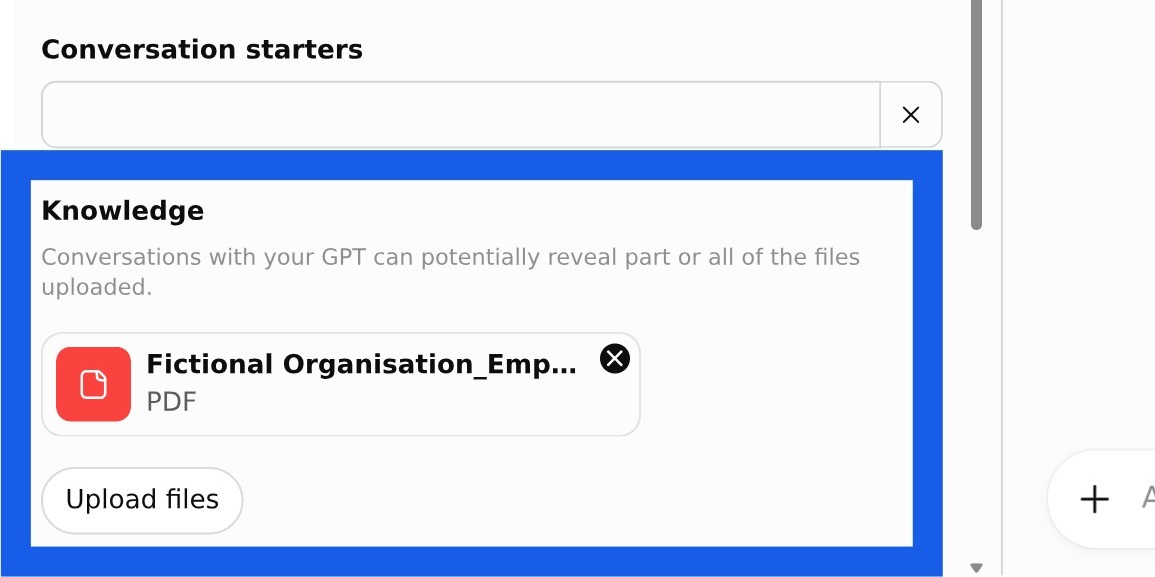
☑️ Under 'Knowledge', upload your document(s).
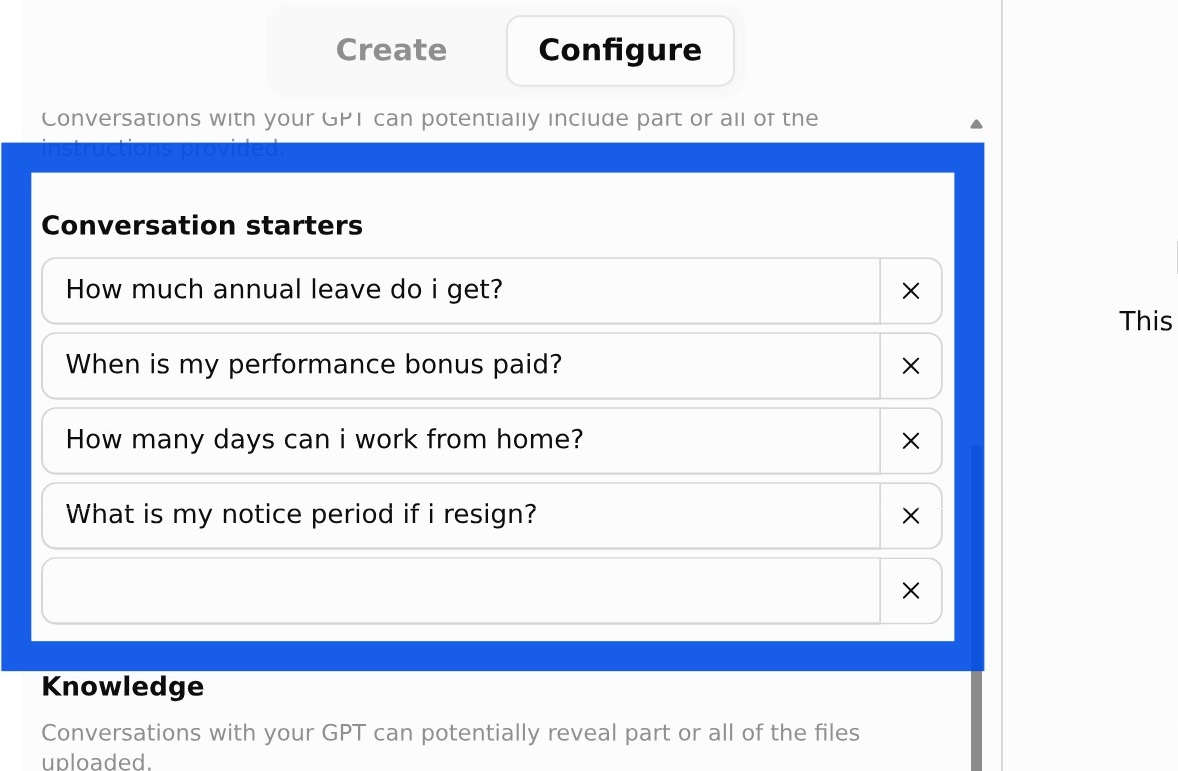
☑️ Add 'Conversation Starters' that might be helpful to your users. For example, 'How much annual leave do I get?'.
Step 4: Test & Share
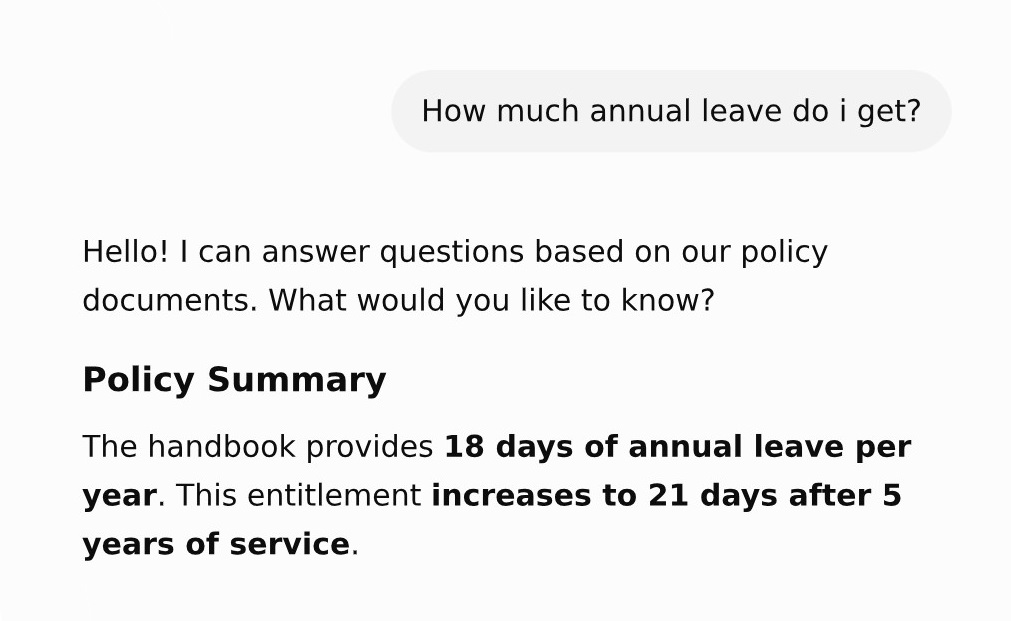
☑️ Test the custom GPT by asking it questions in the 'Preview' panel. If the responses aren't quite right, you can edit the 'Instructions'.
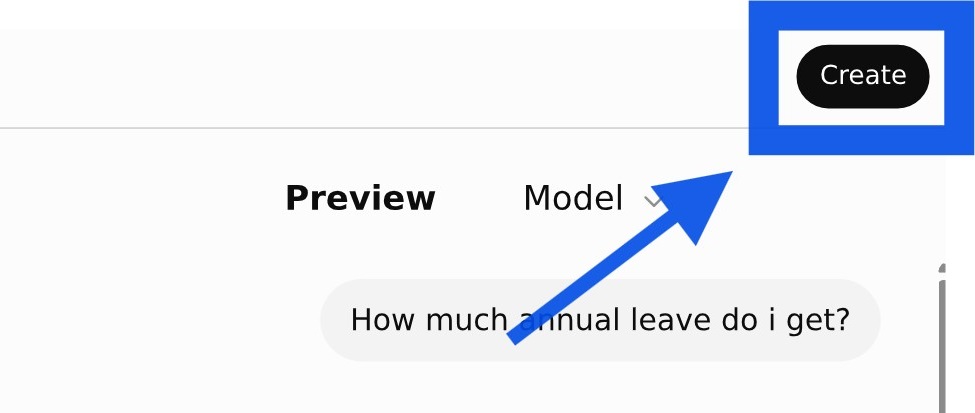
☑️ Once you're happy with your custom GPT, click the 'Create' button.
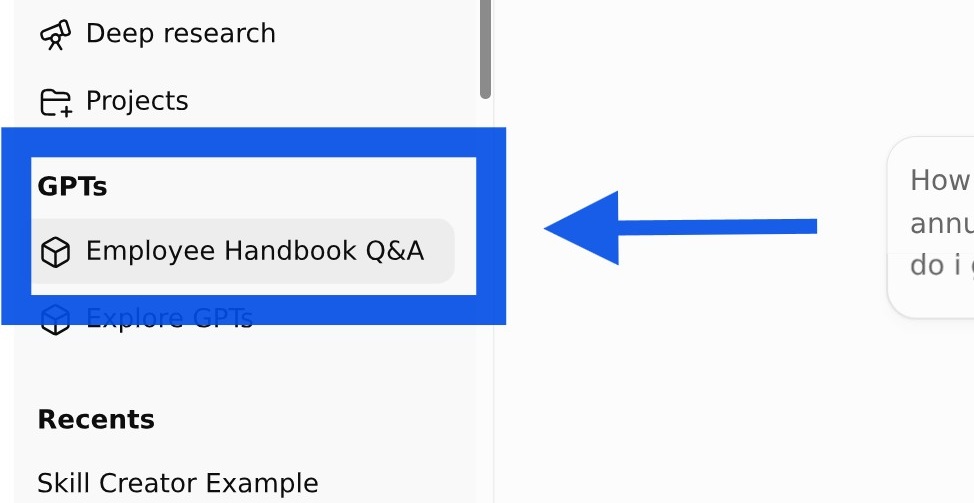
☑️ Congratulations, you have created your custom GPT! It remains available in your sidebar.
Now it's your turn to try!
Take 10 minutes to build a Q&A custom GPT around your team's knowledge base.
Prepare your materials — Think about what questions your assistant should answer, and gather the relevant documents.
Configure and upload — Set up your custom GPT and upload your documents.
Test and share — Try it out, then share it with your colleagues.
In just 10 minutes, you've built something that saves your team real time. No more digging through policy documents and circulars to find the answer you need.
📚Further Learning: Understanding Context Engineering
Creating a Custom GPT is an example of context engineering in practice. Watch this video to learn how context engineering helps shape AI responses and improve outcomes.