
Meeting Minutes with AI
Learning Pathway:
AI 201: ChatGPT in Everyday Tasks
17 June 2026
Learn how to turn messy meeting notes into clean, circulation-ready minutes in minutes.
Today's Exercise
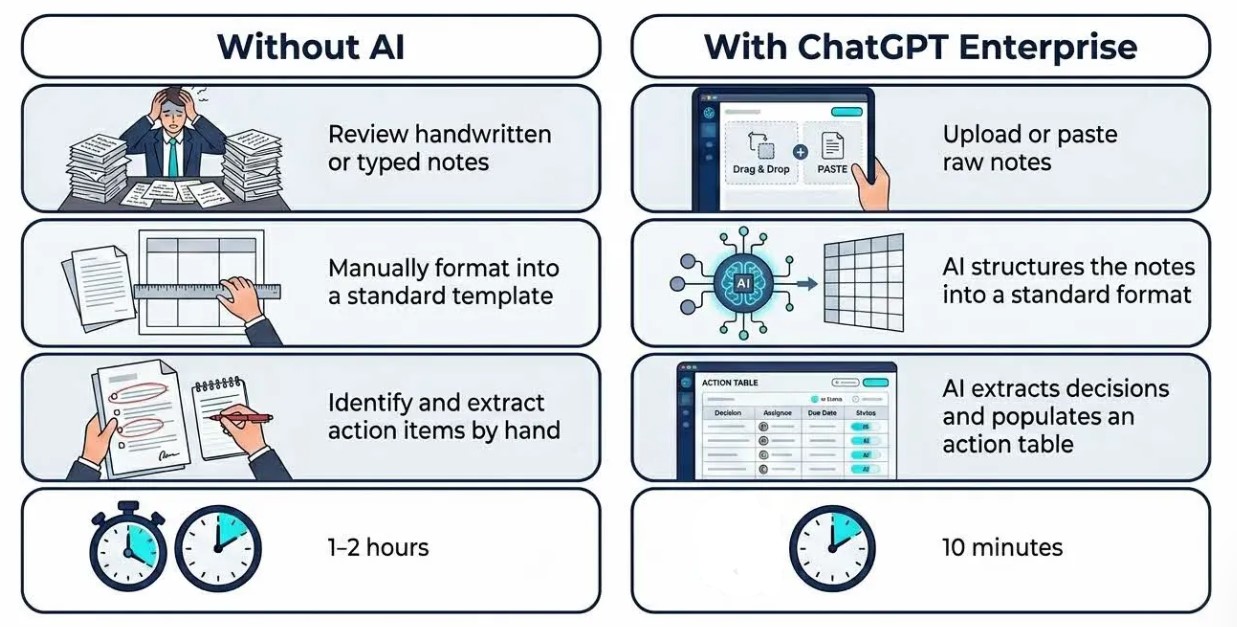
Writing minutes after a meeting is usually a timeconsuming and manual process. AI can help by converting raw meeting notes into clear, structured minutes.
Let's generate meeting minutes from raw notes in 3 simple steps:
Prepare your raw notes
Generate the draft minutes
Review the draft
Here’s what you need for this exercise:
Tools and Input required
🛠️ Tool | ChatGPT Enterprise (WOG) |
🔗 Feature | File Upload |
📂 Your input | Raw notes, Sample of past approved minutes |
Step 1: Gather your notes
☑️ Prepare the raw notes or transcript from your meeting. You can use a tool like Govtech's Transcribe (opens in new tab), or record your Microsoft Teams meetings to generate transcipts.
For practice, you can copy the sample notes below.
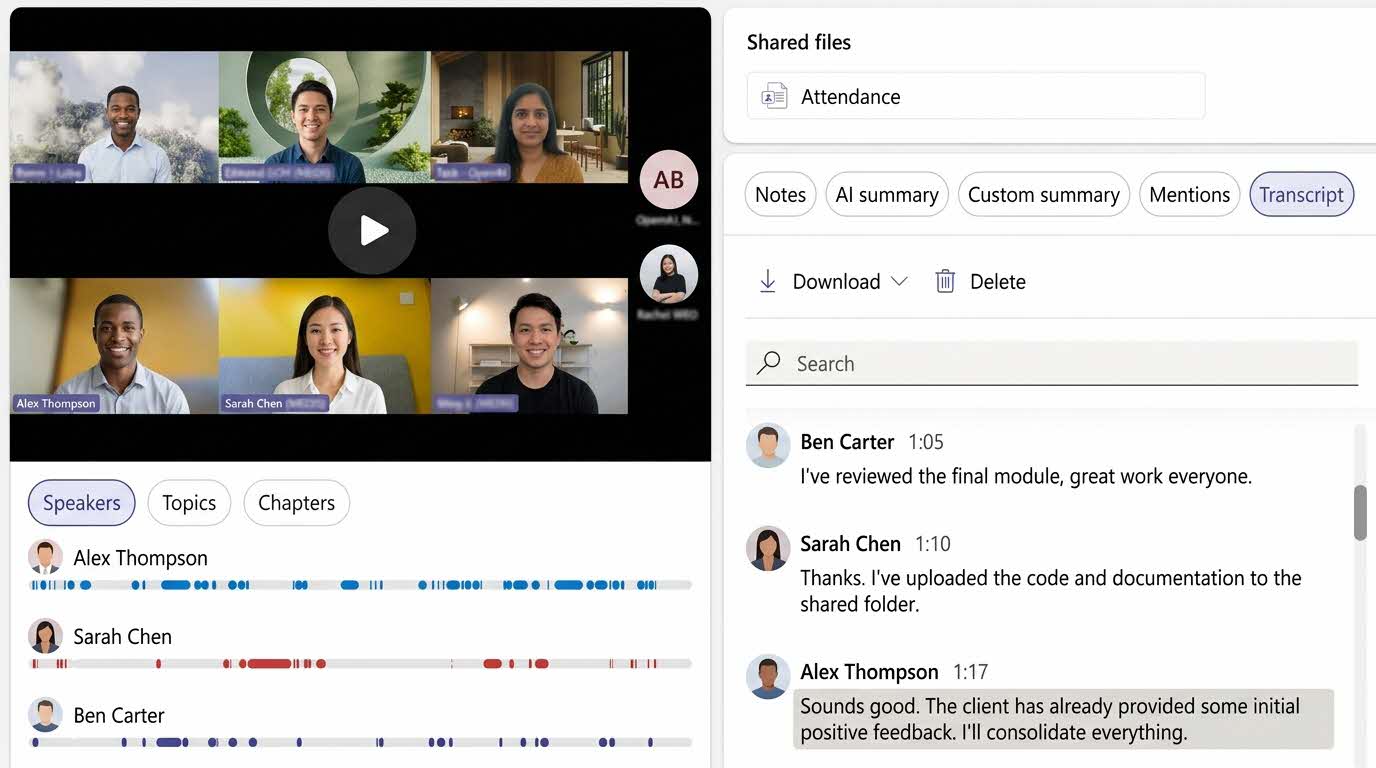
Record your Microsoft Teams meetings to automatically generate a transcript.
Sample Notes: Tender evaluation discussion
Tender Eval mtg 14 jun, MR 4.2, ~2.30pm. present: Priya (chair, Procurement), Daniel (IT), Mei Ling (Finance), Hafiz (User Dept/Ops), Sarah (Legal) joined late. apologies: Wei (away)
re: ITQ for managed helpdesk svc, 3 yr. 4 bids in. shortlist down to 3 after compliance check - VendorA, VendorB, VendorC. VendorD knocked out (missed mandatory ISO cert, non-compliant).
pricing - VendorA cheapest ~$1.42m total, VendorB ~$1.58m, VendorC ~$1.69m. Mei Ling flagged VendorA pricing looks low on Yr1, possible lowballing, manpower rates below market? need clarification. action - Priya to send clarification q to VendorA.
technical - Daniel scored VendorB highest on technical (SLA 99.9%, local L2 team, strong transition plan). VendorA technical ok but transition plan thin, only 2 wks onboarding, Hafiz worried that's too short given our ticket volume. VendorC strong on tooling but proposed offshore L1 - data residency concern, Sarah to advise whether that breaches our data classification reqs.
discussion - Hafiz strongly prefers B on service quality, willing to pay premium. Mei Ling cautioned must justify not picking lowest price, need clear value-for-money writeup. agreed evaluation must follow PQ then price-quality 60/40 weighting as per tender doc.
decisions: VendorD confirmed non-compliant & excluded. proceed to clarification round with VendorA (pricing) and VendorC (data residency) before final scoring. final scoring meeting to be set next week.
actions - Priya: send clarifications to A and C by 17 jun. Sarah: advise on offshore L1 data residency by 18 jun. Daniel: finalise technical scores once clarifications in. Mei Ling: prep value-for-money template. Hafiz: confirm current monthly ticket volume figures for transition assessment.
risk - timeline tight, contract must be awarded before current vendor contract expires end Aug. if scoring slips we may need bridging arrangement. Priya to check bridging options w current vendor as contingency.
next mtg: 23 jun (tbc), final scoring + recommendation to approving authority.
Step 2: Generate the Draft Minutes
☑️Go to ChatGPT enterprise (opens in new tab), and ask to turn your raw notes into meeting minutes. You can use the prompt below.
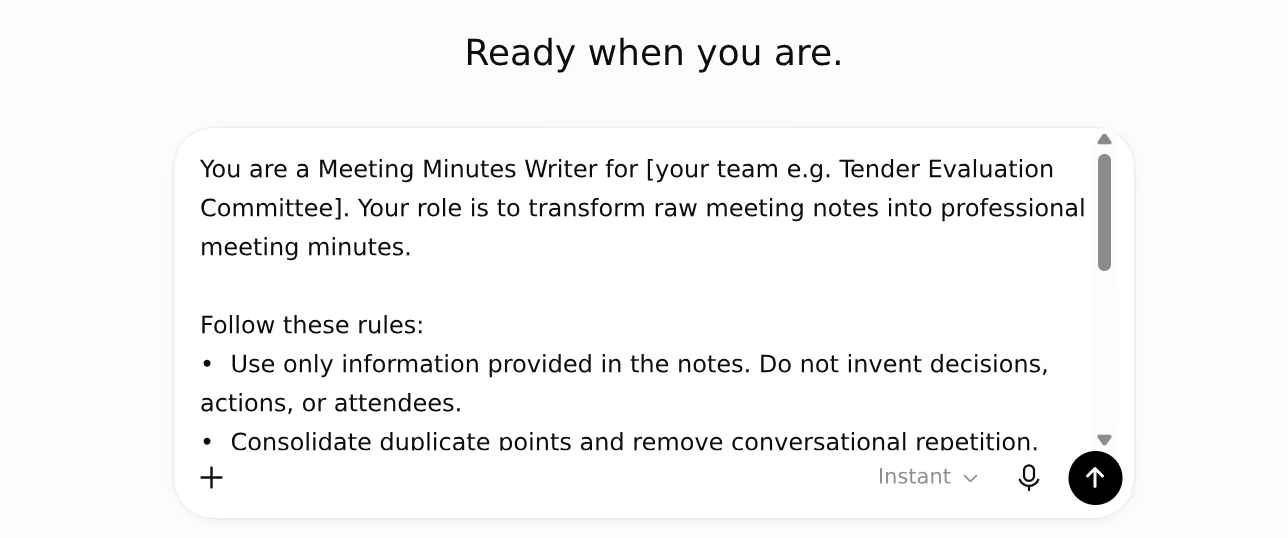
Enter the prompt into a new chat
Use this sample prompt
You are a Meeting Minutes Writer for [your team / committee e.g. "the Tender Evaluation Committee"]. Your role is to transform raw meeting notes into professional meeting minutes.
Follow these rules:
Use only information provided in the notes. Do not invent decisions, actions, or attendees.
Consolidate duplicate points and remove conversational repetition.
If information is missing, indicate "[Not stated]".
Format every meeting using the structure below:
Meeting Details: Date, Title, Chairperson, Attendees
Key Discussion Points: (grouped by topic)
Decisions Made: (bullet points)
Action Items: (table with Action, Owner, Due Date)
Risks or Issues Raised: (bullet points)
Here are the raw notes: [paste your notes here]
☑️ Upload your team's past meeting minutes as reference, as well as the transcript itself.
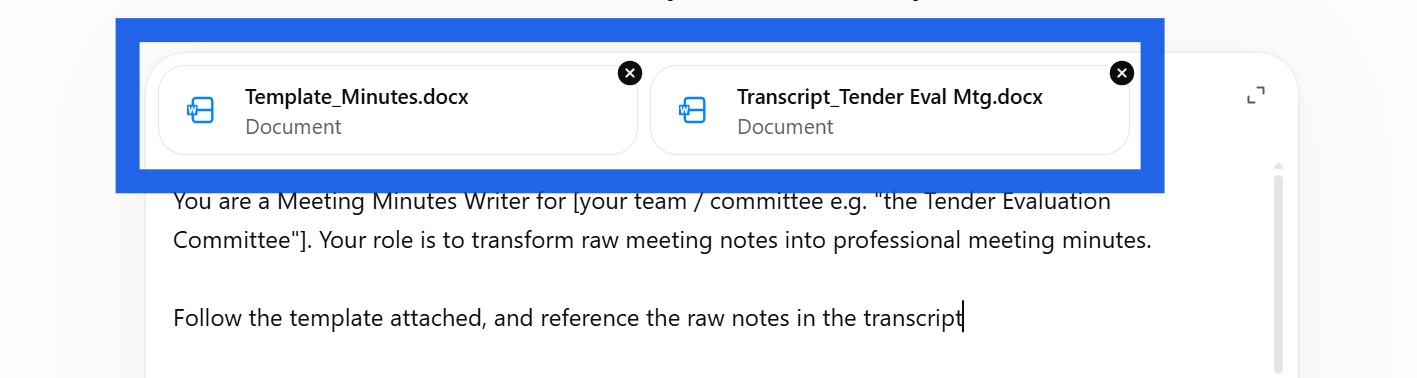
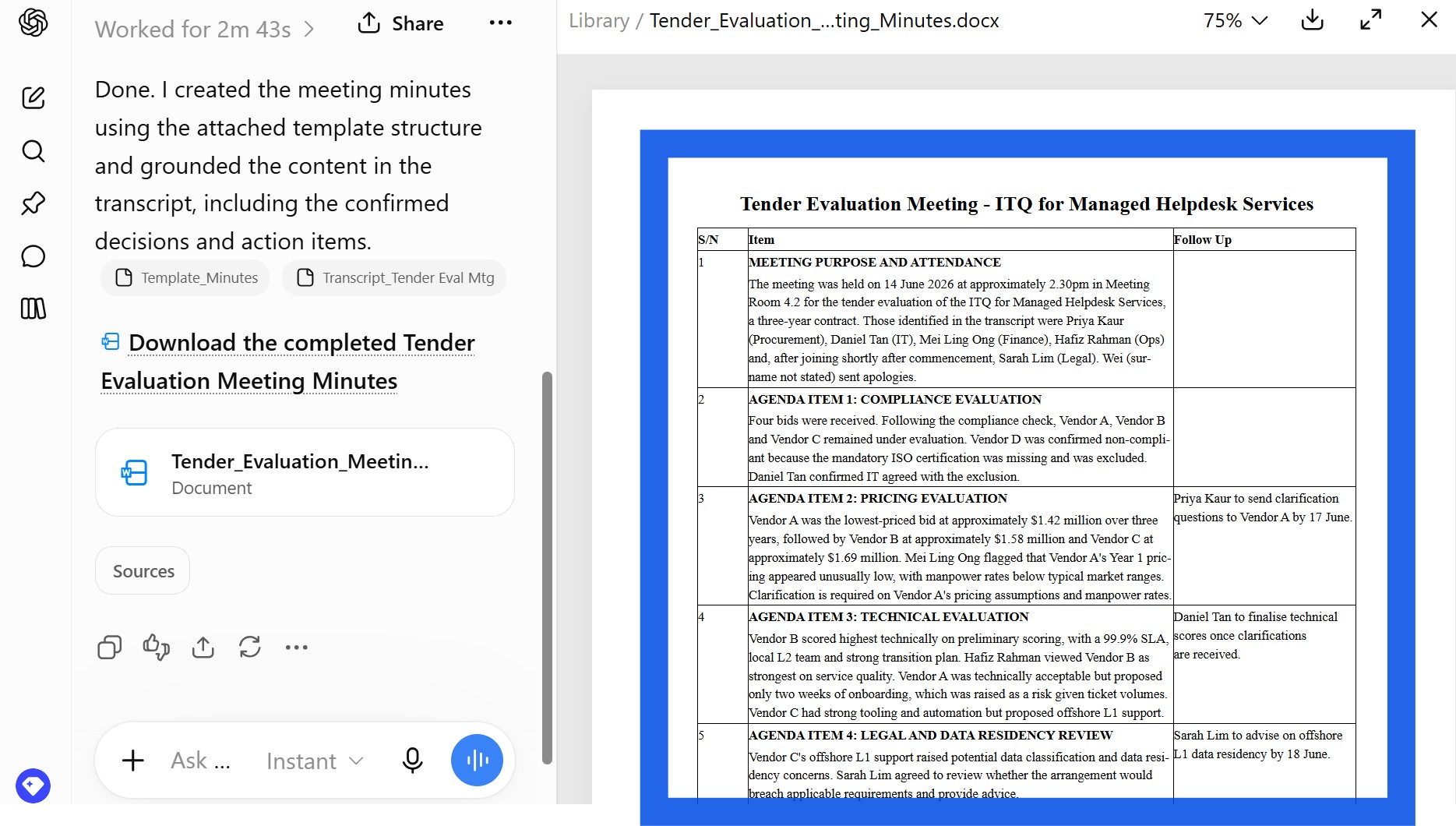
☑️ ChatGPT will generate the minutes from the raw notes, according to your template.
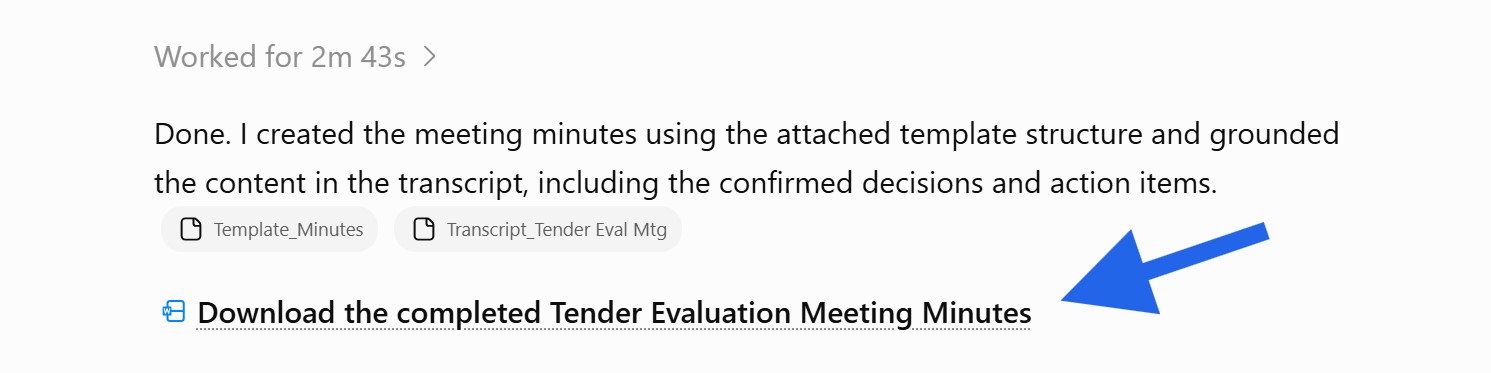
Step 3: Review the draft
☑️ Review the draft and ensure accuracy.
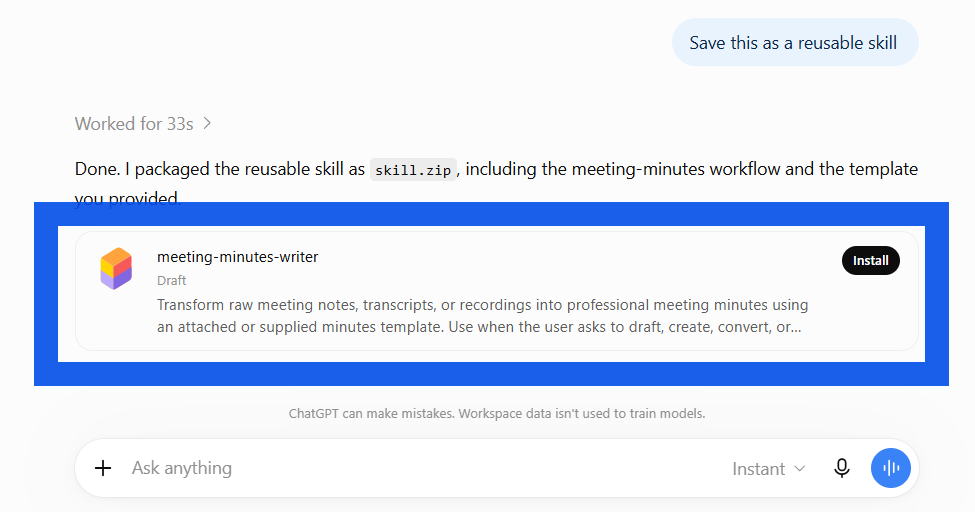
Optional: Save as a reusable skill
☑️ You can ask ChatGPT to 'save this as a reusable skill', and ChatGPT will package your prompt and minutes template as a reusable skill that you can install.
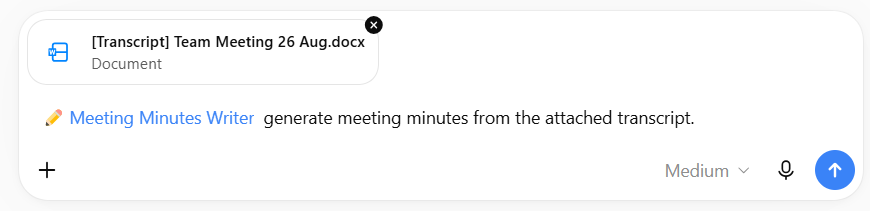
☑️ The next time you need to generate meeting minutes, start a new chat and type '@[name of your skill]' to invoke the reusable skill.
Now it's your turn to try!
Take 10 minutes to generate a clean and concise set of minutes, ready to be circulated.
📂 Prepare your raw notes and templates. If possible, prepare a set of meeting notes that were already approved to help the AI align the tone and exact format that is expected.
⚡ Review Critically. Never let AI invent points. Ensure that it did not miss anything as well.
🔍 Test and Share. If this worked well for you, consider saving the workflow as a Skill and sharing it with others.
You've just cut hours of work producing a clean and concise set of meeting minutes, ready to be circulated.
📅Following the 12-Week Learning Plan?
Congratulations on reaching Week 6! This guide is part of a 12-week learning plan designed to help you build practical AI skills. You're well on your way to becoming AI fluent.

Preview the 12-Week Learning Plan
12 Week Learning Plan
Week 1 | CSDPAI Literacy Module (opens in new tab) |
Week 2 | Webinar: Introduction to AI-First |
Week 3 | Webinar: Open AI ChatGPT Foundations |
Week 4 | Webinar: Introduction to AI-First |
Week 5 | Using AI responsibly |
Week 6📍 | Meeting Minutes with AI 📍 |
Week 7 | Generate a Daily Morning Brief |
Week 8 | AI Apply 201: Domain Specific Tasks |
Week 9 | Workflow Mapping & Peer Sharing |
Week 10 | |
Week 11 | Your AI Playbook |
Week 12 | |
Week 13 | CAT Brownbag at Lorong |
⏭️Next Guide: Building PowerPoint Decks with AI
↩️Return to: AI 201 Apply Learning Pathway