Social Media Adaptation from Press Releases
19 June 2026
Turn one approved press release into platform-ready posts for every channel in a single pass.
Why this matters
Every time a press release goes out, your comms team has to rewrite it four times over adjusting tone for Facebook, trimming to LinkedIn length, crafting an Instagram hook, and scripting a TikTok. Done properly across all channels, that's a half-day of work before anything even goes for approval.
With ChatGPT Enterprise, you upload the approved release once, paste one prompt, and get platform-tailored posts for every channel in under an hour. Your team stays focused on reviewing and approving not rewriting from scratch.

Here's what you need for this exercise
Tools and inputs required:
🛠️ Tool | ChatGPT Enterprise (WOG) |
🔗 Feature | File Upload · Platform-Native Writing |
📂 Your input | A finalised, approved press release or set of key messages (PDF or Word). Do not use a draft, adapt only from content that has cleared internal approval. |
Your five-part recipe - C.R.A.F.T.
C.R.A.F.T.
C | 📂 Context | Your approved press release or key messages, uploaded into the chat. |
R | 🎭 Role | ChatGPT takes on the role of a government social media manager. |
A | ⚡ Action | ChatGPT adapts the source into tailored posts for each named platform. |
F | 📋 Format | One post per platform, within each platform's length and tone conventions. |
T | 🔍 Test | Check every variant preserves the key facts and appropriate government voice. |
Step 1: Confirm your press release is approved
Check that the press release or key messages have cleared your internal approval process. (Do not adapt a draft — any new facts introduced by the AI will not have been through approval.)
☑️ Save the final version as a PDF or Word document, ready to upload.
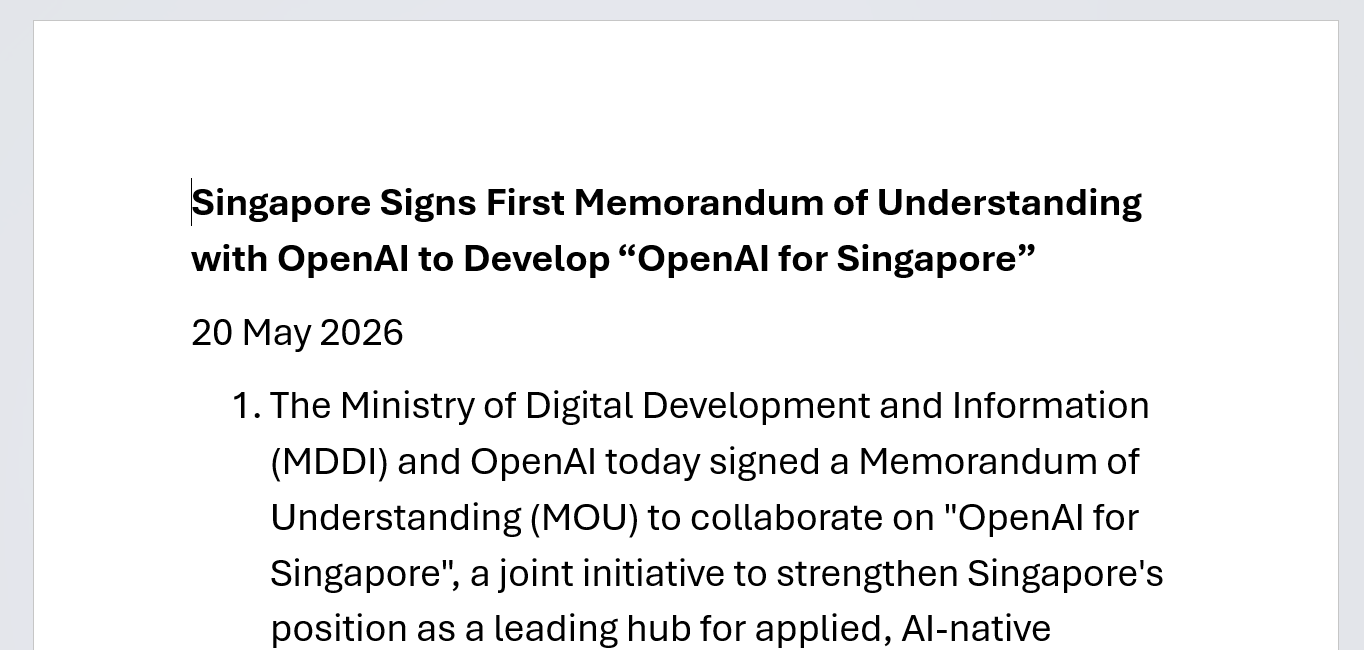
Example of press release: Singapore Signs First Memorandum of Understanding with OpenAI to Develop “OpenAI for Singapore” | Ministry of Digital Development and Information
Step 2: Open a new chat and upload the release
☑️Log in to ChatGPT Enterprise using your work account and click New Chat.
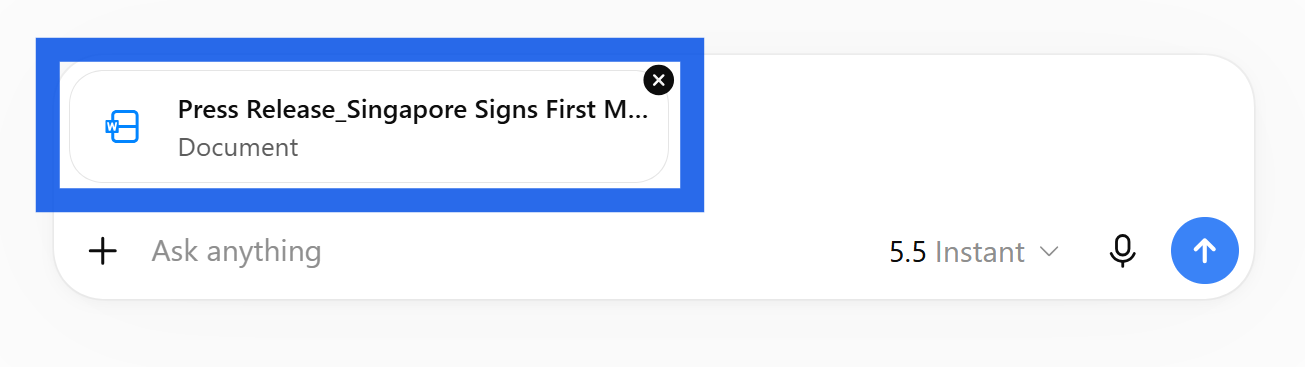
☑️ Click the attachment icon and upload your press release. Alternatively, paste the text directly into the chat if the document is short.

Step 3: Paste the prompt, specify your platforms, and run it
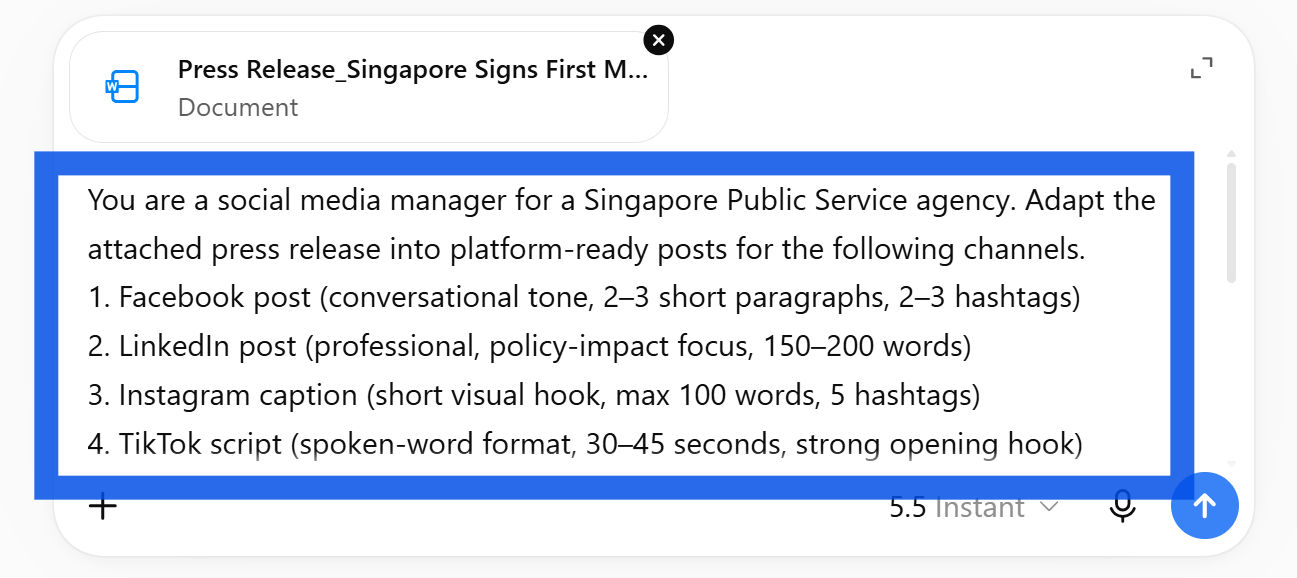
☑️ Copy the ready-to-use prompt below, fill in the bracketed fields, and press Enter.
☑️ If your agency has specific tone rules (e.g. no exclamation marks, avoid jargon), add them to the prompt before running it.
Ready-to-use prompt — paste into instructions
You are a social media manager for a Singapore Public Service agency.
The approved press release for [topic] has been uploaded. Agency: [agency name].
The release has cleared internal approval — do not introduce any facts,
figures, or claims that are not in the source document.
Adapt the press release into platform-ready posts for the following channels.
Each post must preserve all key facts and maintain an appropriate government
voice — clear, accurate, and accessible to a general public audience.
Write in a style suited to each platform — conversational for Facebook,
professional for LinkedIn, punchy for Instagram, spoken-word for TikTok.
If any information in the source is ambiguous or unclear, reflect it
faithfully rather than interpreting it. Mark anything you could not
adapt directly as [Check against source] for the officer to review.
Structure the output as follows:
1. Facebook post (conversational tone, 2–3 short paragraphs, 2–3 hashtags)
2. LinkedIn post (professional, policy-impact focus, 150–200 words)
3. Instagram caption (short visual hook, max 100 words, 5 hashtags)
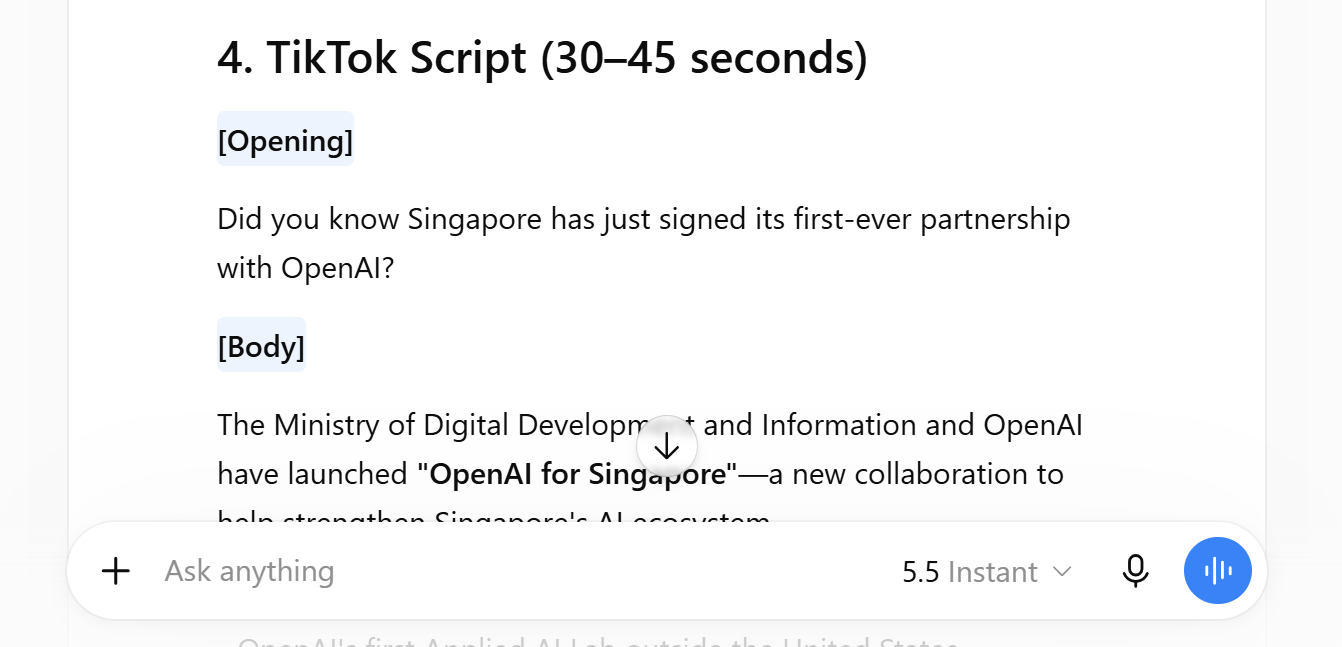
4. TikTok script (spoken-word format, 30–45 seconds, strong opening hook)

Step 4: Review each variant and send for approval
☑️ Read through each platform post. Check that all key facts match the approved source exactly.
☑️ Flag any post where the AI has introduced phrasing or details not in the original release.
☑️ Send all variants through your normal internal approval process before posting. (AI-generated content is a draft until approved.)
👍 What good looks like
One tailored post per platform, in the right length and tone for each channel.
All key facts preserved verbatim from the approved source — nothing added, nothing lost.
Consistent government voice across every variant, ready to go through your normal approval process.
💡 Key tips
Approved content only. Always adapt from a finalised release — never use a draft. The AI cannot tell the difference between approved and unapproved facts.
Add your tone rules upfront. Include house style in the prompt (e.g. "avoid jargon", "no exclamation marks", "refer to Singaporeans, not 'residents'"). This saves a round of edits.
Pair with Deep Research. Use the Campaign Research guide to build your evidence base first, then use this guide to publish. Plan, then post.
🛡️ Governance & accountability
Source must be approved. Only adapt content that has cleared your internal approval process. Never adapt a draft.
No new facts. Every variant must trace directly back to the approved release. If the AI adds something, remove it.
Internal sign-off before posting. All platform variants go through your normal approval workflow — AI output is a starting point, not a final product.

Pro-Tip
Create a Skill for reusability
Once you've run this for a press release, save it as a reusable starter for your whole team:
Save this as a reusable Skill called 'Press Release Socials'.
In future I will provide a press release topic and text, provide me the proposed copywriting for social media.

Now it's your turn to try!
Pick a recent release — find an approved press release your team has published in the last few months.
Run the prompt — upload it into ChatGPT Enterprise and generate posts for all four platforms.
Compare the output — see how it holds up against what your team originally posted.
In under an hour, you'll have a complete set of platform-ready posts that would have taken most of the day to write by hand.
📅Following the 12-Week Learning Plan?
Congratulations on reaching Week 8! This guide is part of a 12-week learning plan designed to help you build practical AI skills. You're well on your way to becoming AI fluent.

Preview the 12-Week Learning Plan
12 Week Learning Plan
↩️Return to: AI 201 Apply Learning Pathway