
Search SharePoint using ChatGPT
Learning Pathway:
AI 201: ChatGPT in Everyday Tasks
2 July 2026
Use ChatGPT to retrieve and synthesise information across your Sharepoint.
.png)
Today's Exercise
Have you ever spent hours digging through SharePoint folders to find the information you need? ChatGPT can search and reference SharePoint content that you have access to.
Generate a brief from your SharePoint files in 3 simple steps:
Connect SharePoint to ChatGPT
Search your SharePoint
Review your brief
Here's what you need for this exercise
Tools and inputs required:
🛠️ Tool | ChatGPT Enterprise (WOG) |
🔗 Feature | SharePoint Connector |
📂 Your input | Your Knowledge Base: The project's past meeting minutes & records |
Step 1: Connect SharePoint to ChatGPT
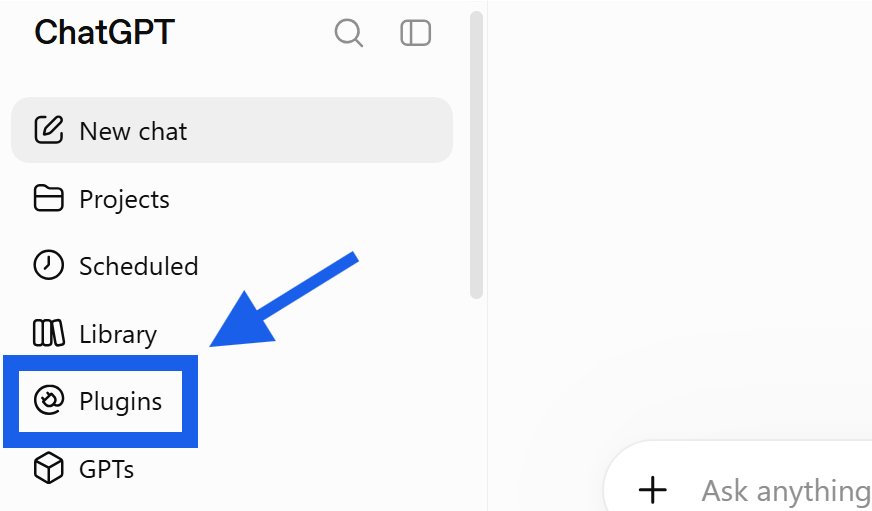
☑️ Open ChatGPT Enterprise (opens in new tab), navigate to 'Plugins'.
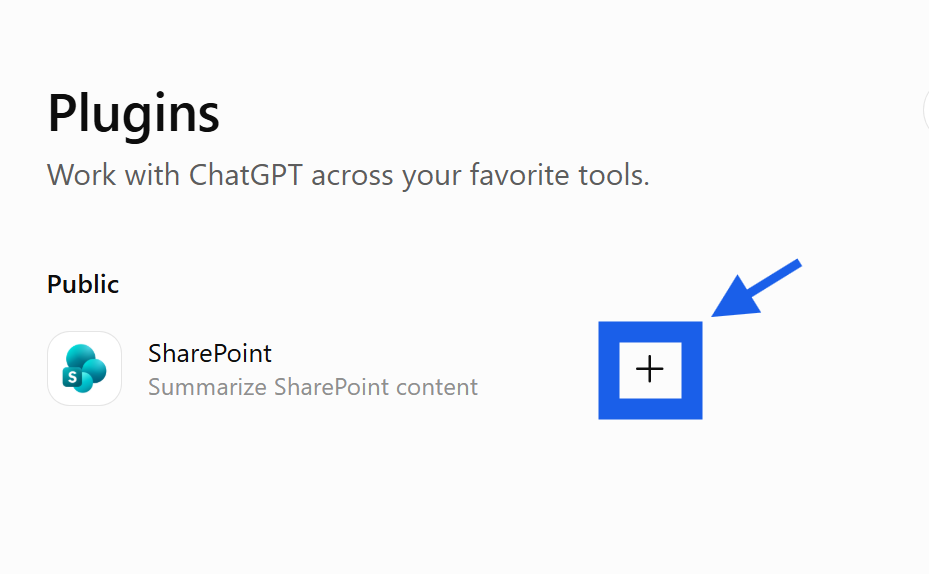
☑️ Look for 'SharePoint' and click '+'.
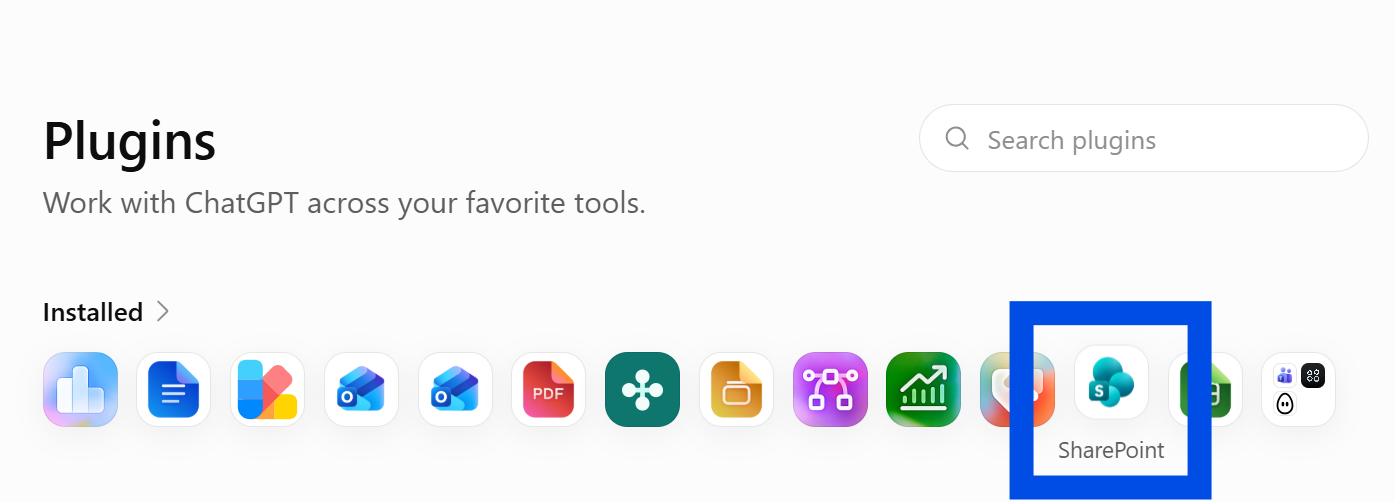
☑️ You will now see SharePoint under your 'Installed' plugins
Step 2: Search your SharePoint
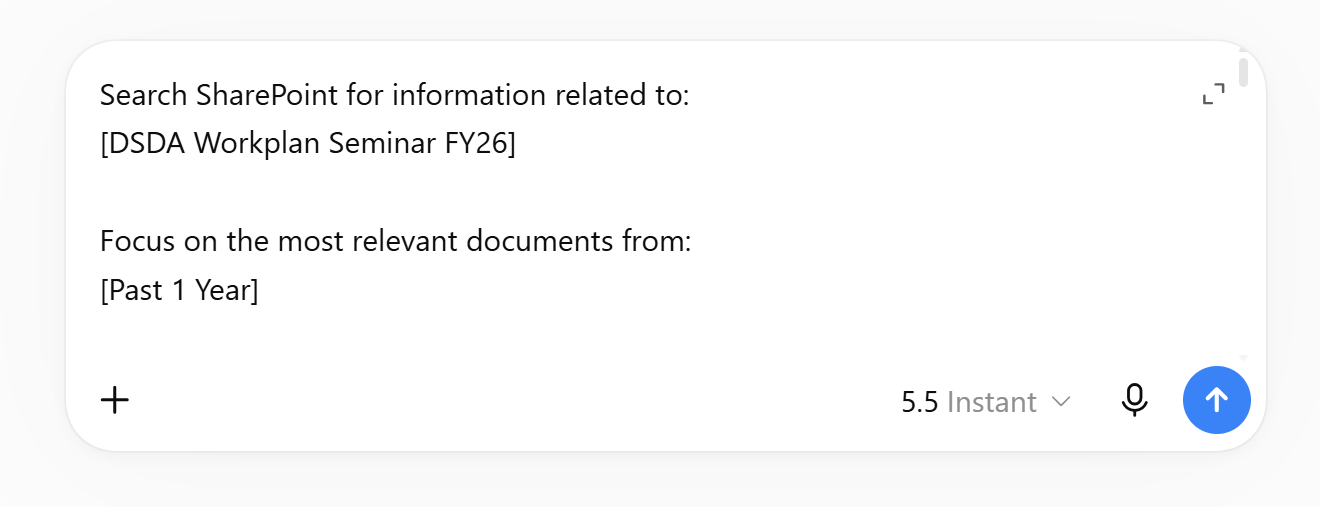
☑️Ask ChatGPT to search for the relevant records, and provide a synthesised briefing note. You can copy the ready-to-use prompt below.
Ready-to-use prompt
Search SharePoint for information related to:
[topic / project / programme / committee / initiative]
Focus on the most relevant documents from:
[time period, if applicable]
Review and synthesise information across all relevant documents, including meeting minutes, reports, project papers, presentations, decision logs and other supporting materials.
Provide:
1. Overview
What this topic is about
Current status
Key objectives or outcomes
2. Key Findings
Important decisions
Major developments
Significant updates or changes
Issues raised or resolved
3. Actions and Responsibilities
Present as:
Action | Owner | Due Date | Status |
|---|
If ownership or due dates are not available, indicate this clearly.
4. Open Issues and Risks
Outstanding questions
Unresolved matters
Key risks or concerns
Dependencies requiring attention
5. Important Dates and Milestones
Upcoming deadlines
Planned activities
Future decision points
Significant events
6. Executive Summary
Provide a concise summary covering:
What has happened
What is important now
What requires attention next
Consolidate information across all relevant documents and remove duplication.
For all significant findings, cite the source document and date.
Present the output so it can be read in under 3 minutes.
3. Review the brief
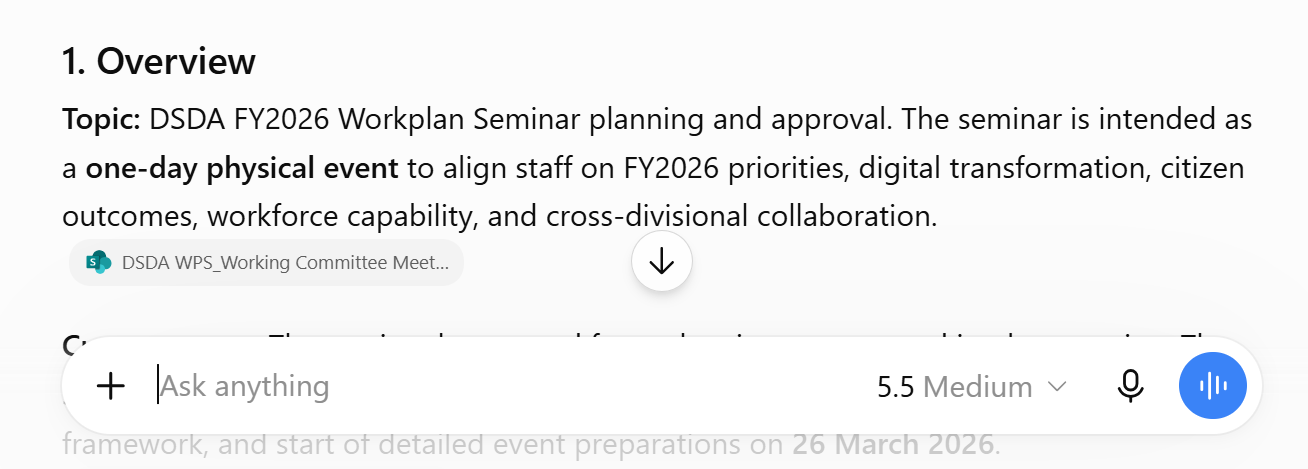
☑️ Your consolidated briefing is now ready! Review it, and check its sources for accuracy.
Now it's your turn to try!
Connect ChatGPT to your SharePoint, and ask it questions about your work. For example, "What is the latest status of [your project] according to the documents in my SharePoint?"
The SharePoint connector is a great tool to use when you need to cross reference and look through multiple documents for information.