
Summarise Teams chats with ChatGPT
Learning Pathway:
AI 201: ChatGPT in Everyday Tasks
24 June 2026
Use ChatGPT's Microsoft Teams connector to quickly understand lengthy message threads.
.png)
Today's Exercise
Ever returned from leave to hundreds of Teams messages? The Teams connector lets ChatGPT summarise conversations you can access, highlighting key decisions, actions, and issues.
Catch up on a Teams chat in 3 simple steps:
Connect Teams to ChatGPT
Search your Teams chat
Review the brief
Here's what you need for this exercise
Tools and inputs required:
🛠️ Tool | ChatGPT Enterprise (WOG) |
🔗 Feature | Microsoft Teams Connector |
📂 Your input | Connected Microsoft Teams account |
Step 1: Connect Teams to ChatGPT
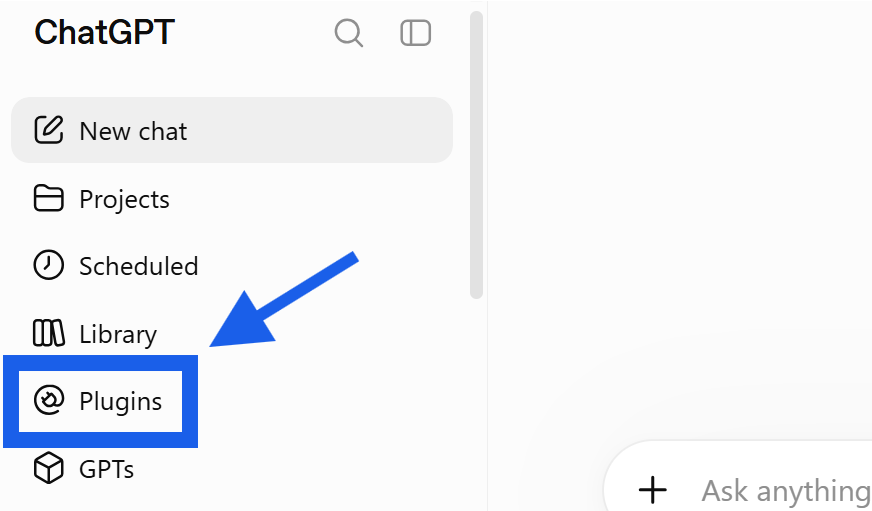
☑️ Open ChatGPT Enterprise (opens in new tab), navigate to 'Plugins'.
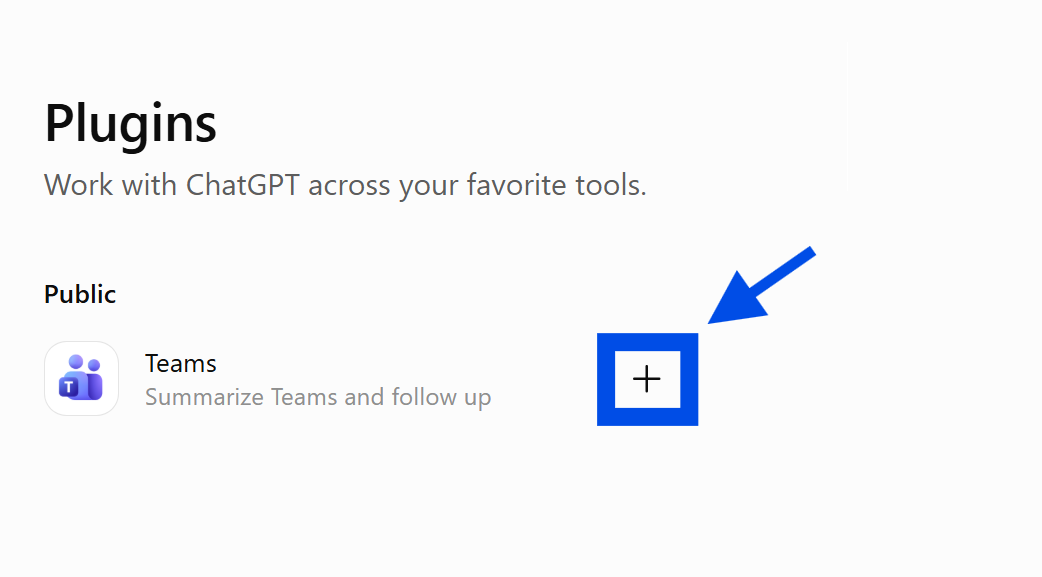
☑️ Look for 'Teams' and click '+'.
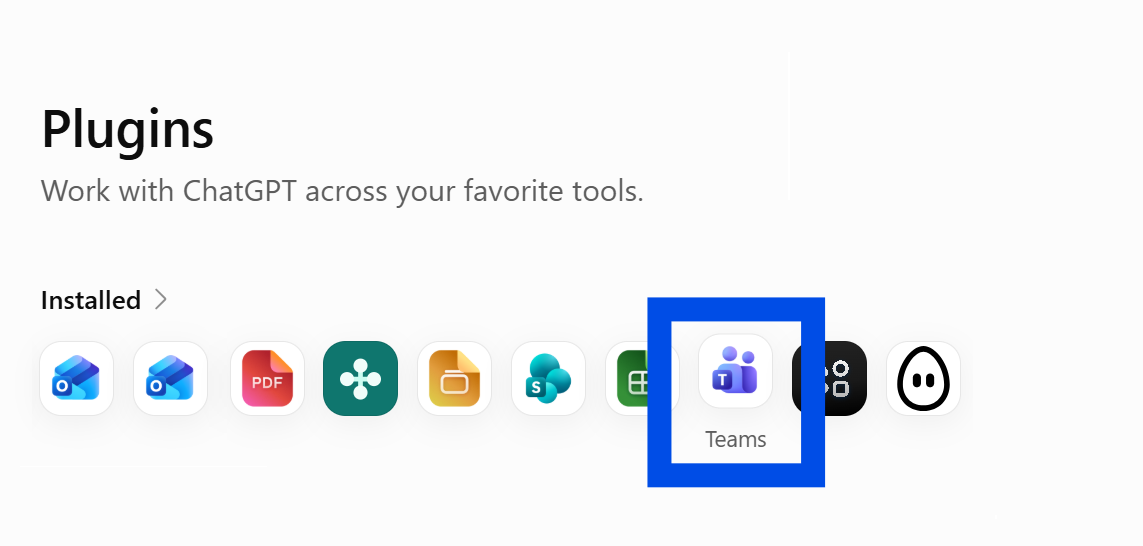
☑️ You will now see Teams under your 'Installed' plugins
Step 2: Search your Teams chat
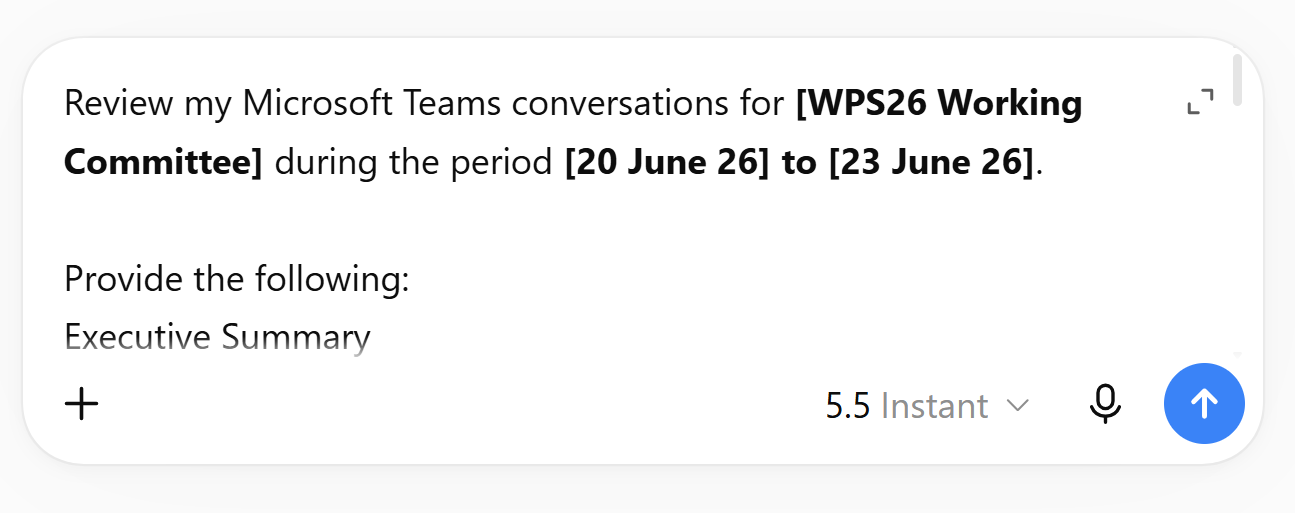
☑️ Ask ChatGPT to summarise the chat history from the Teams channel. You can copy the prompt below.
Ready-to-use prompt
Review my Microsoft Teams conversations for [Channel Name] during the period [Start Date] to [End Date].
Provide the following:
Executive Summary
Summarise the main topics discussed and significant updates.
Decisions Made
List confirmed decisions, agreements reached and issues resolved.
Action Items
Create a table showing:
Action
Owner
Status (Open / In Progress / Completed)
Outstanding Issues
List unresolved questions, risks or dependencies.
What I Need to Know
Identify the top three actions or decisions that require my attention.
Focus on decisions and actions rather than repeating individual messages.
3. Review the brief
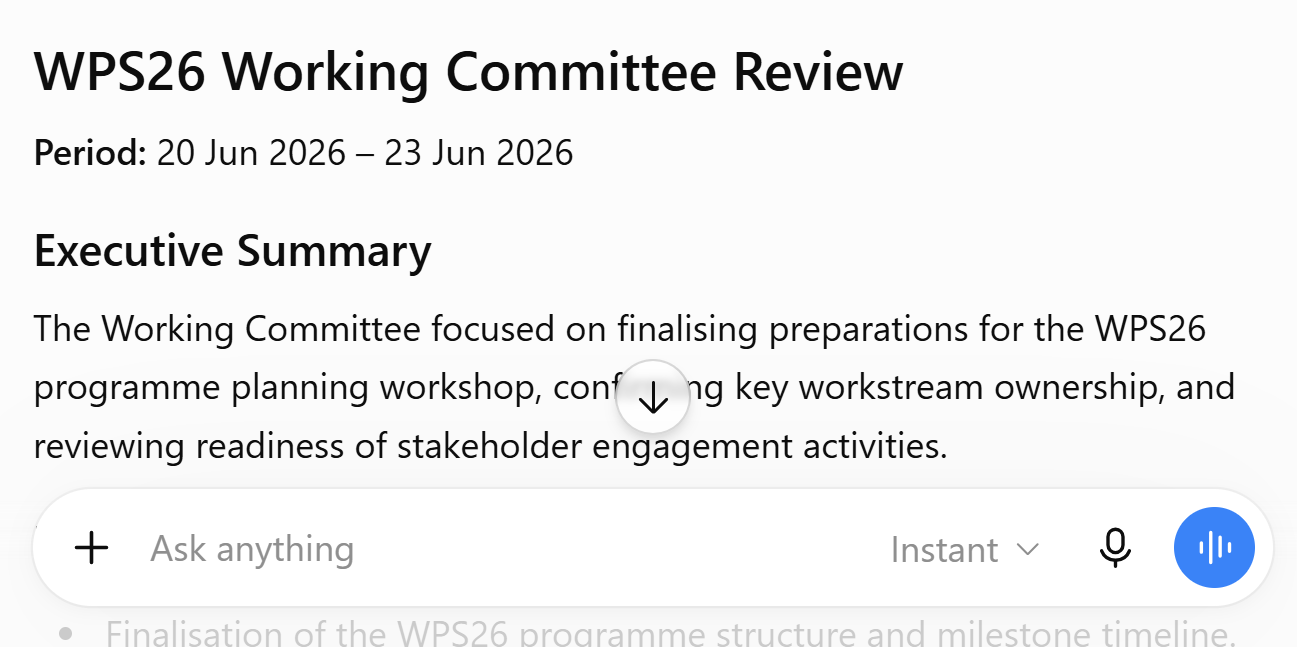
☑️ Review the brief and check the source Teams channel to validate any important decisions.
Now it's your turn to try
Connect ChatGPT to Microsoft Teams and ask for a brief.
For example:
"Review conversations in [Teams Channel] from the last 2 weeks and provide a summary of decisions, actions and outstanding issues."
The Teams connector is particularly useful when you need to catch up quickly without reading every message individually.