
Introduction to Enterprise AI
9 October 2026
Explore the AI tools and capabilities available for work.
What's enterprise AI?
Enterprise AI is AI that is provided and managed by an organisation for use at work.
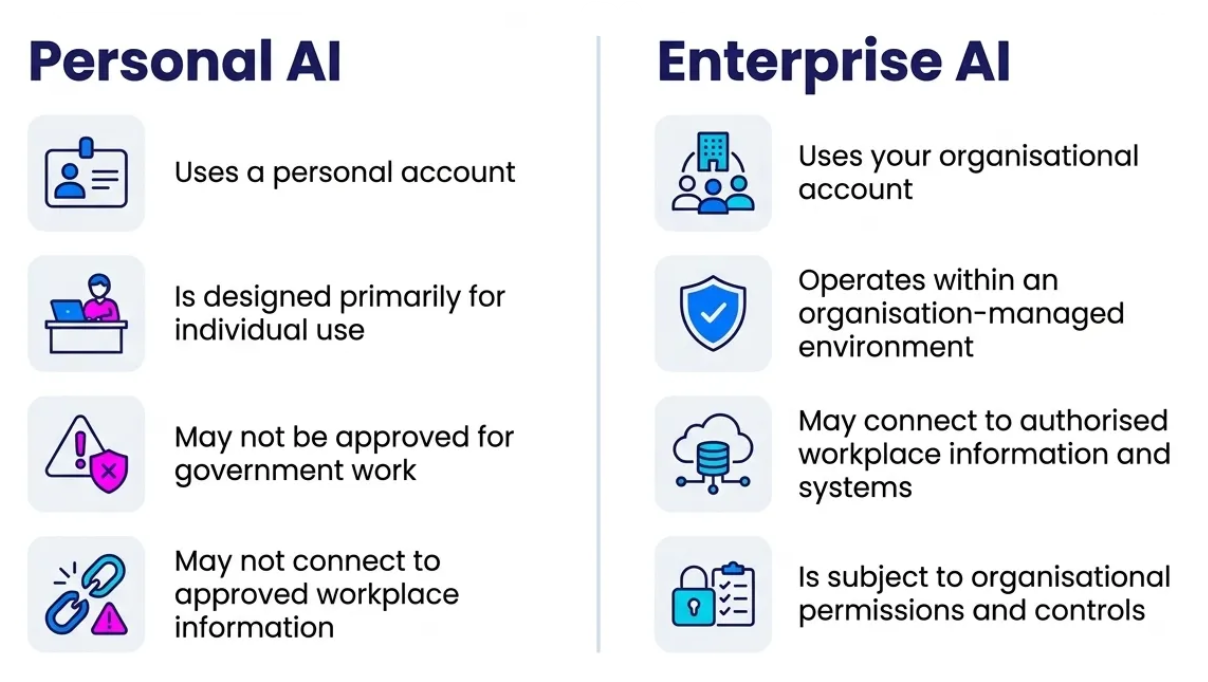
The same AI product e.g. ChatGPT, may be available through both personal and organisation-managed accounts. They should not be treated as interchangeable.
What does an enterprise AI environment look like in government?
ChatGPT:
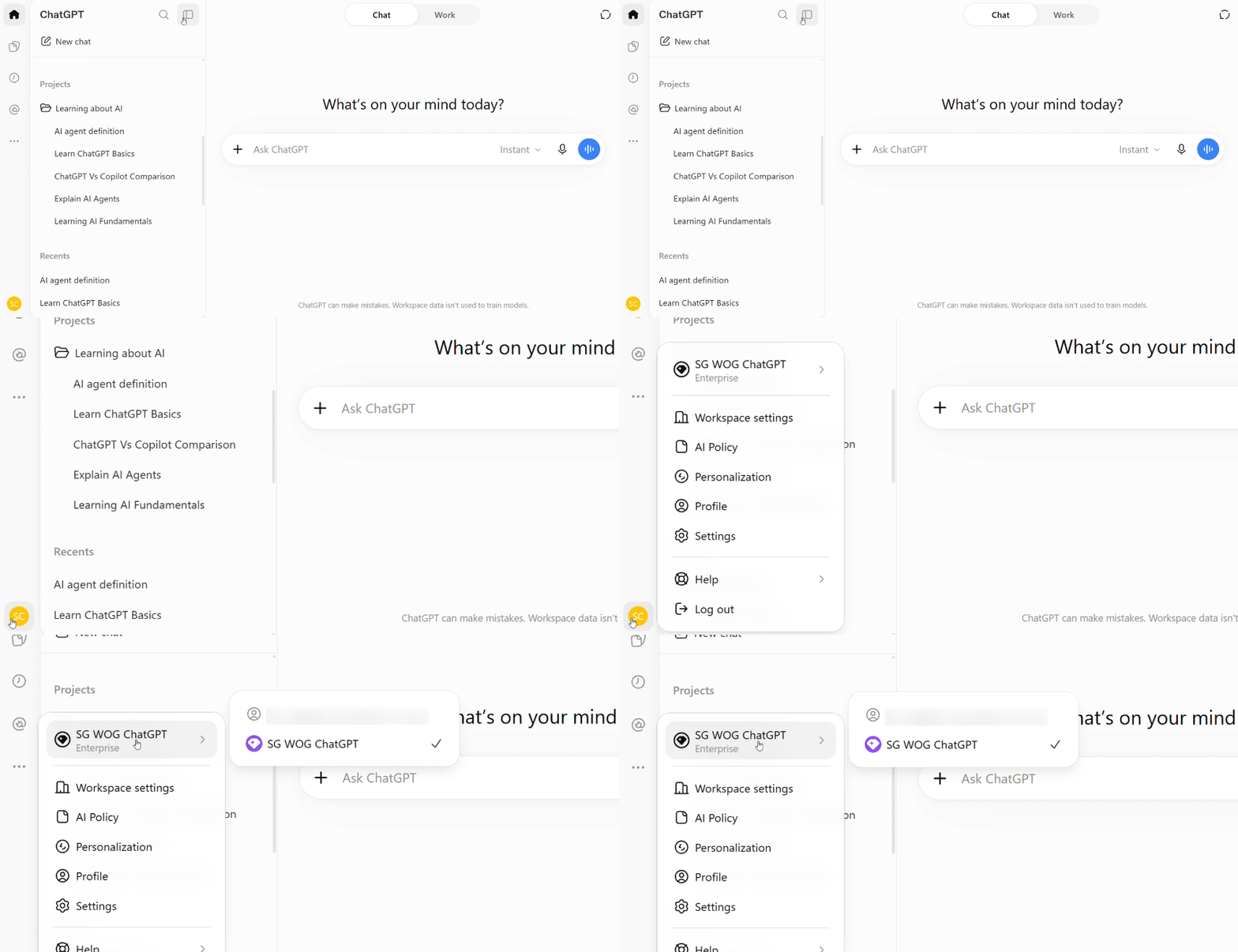
WOG ChatGPT Enterprise is the Whole-of-Government deployment of ChatGPT Enterprise, designed to provide public officers with a secure, enterprise-grade AI workspace for everyday work.
Copilot:
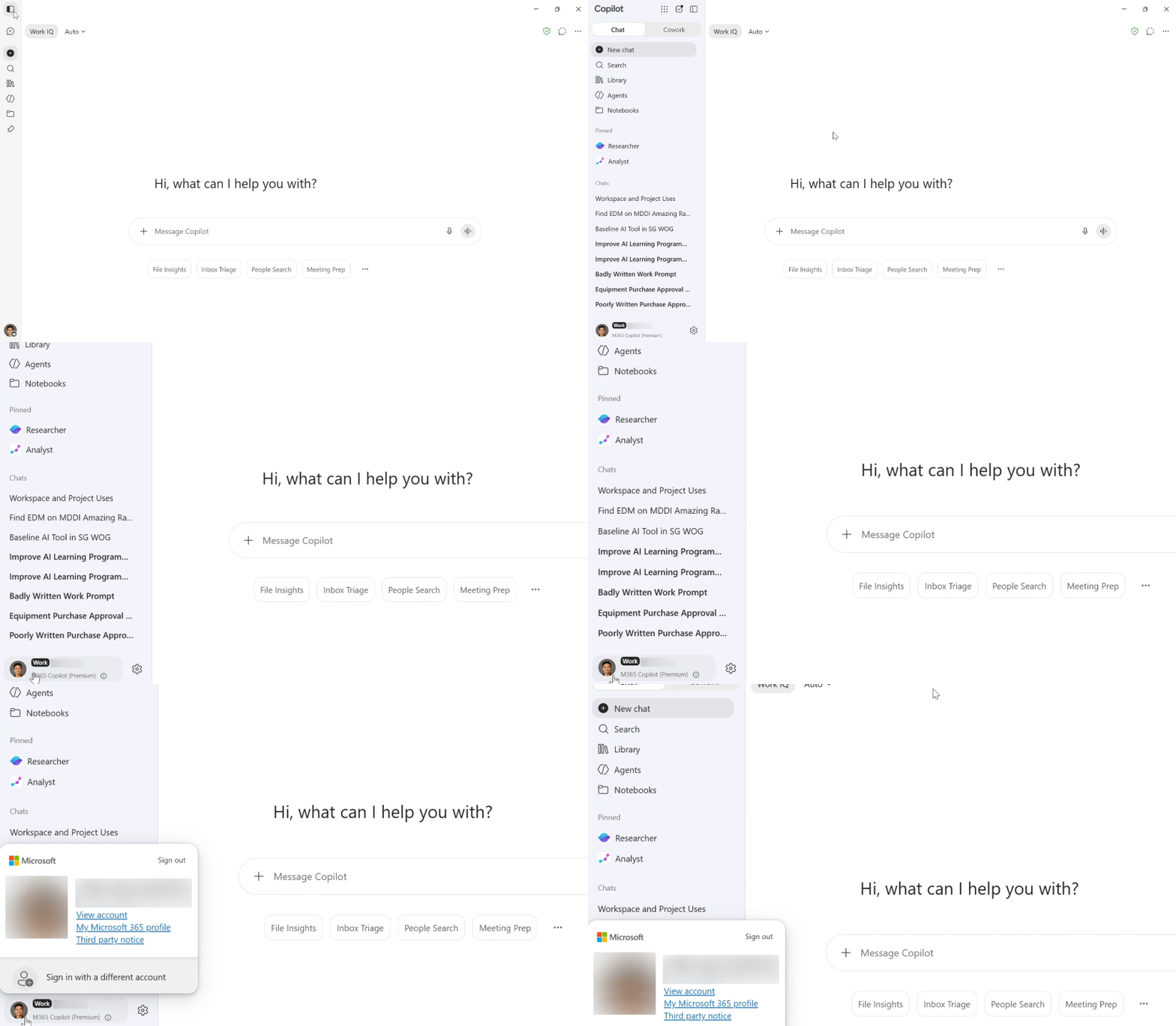
M365 Copilot works across Microsoft 365 apps, including Word, Excel, PowerPoint, Outlook and SG-Teams, to help you draft, summarise, analyse and collaborate more efficiently.
Common enterprise AI capabilities
When thinking of how to use enterprise AI, it's useful to start with what you want to do:
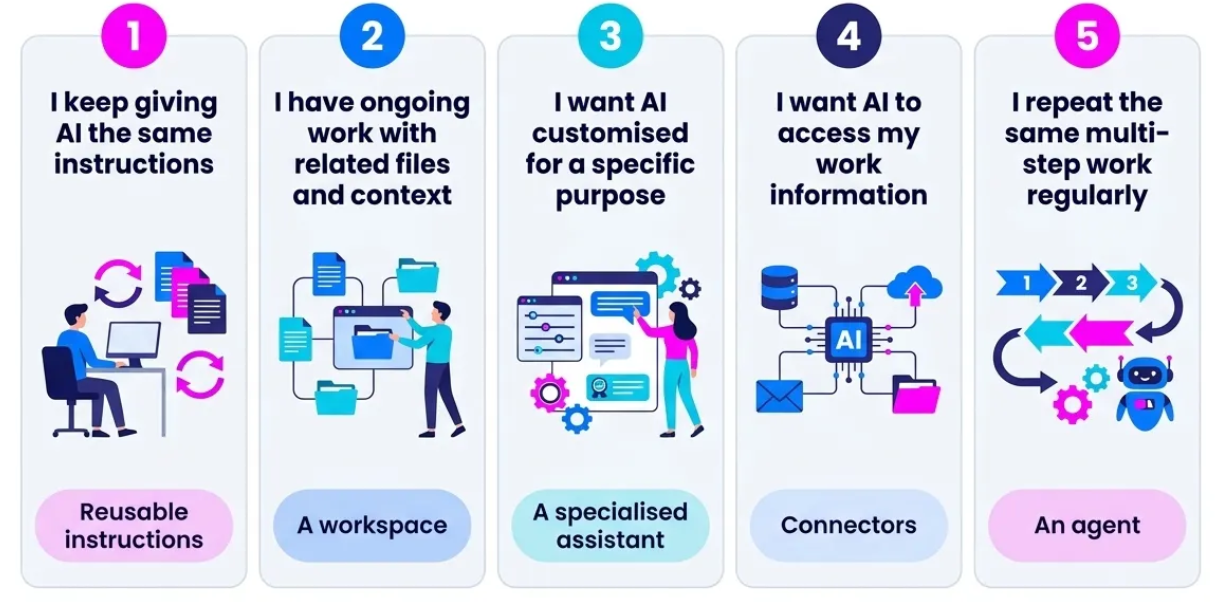
Different products may use different names for similar ideas. Focus first on what you need the AI to do.
1. Reusable Instructions
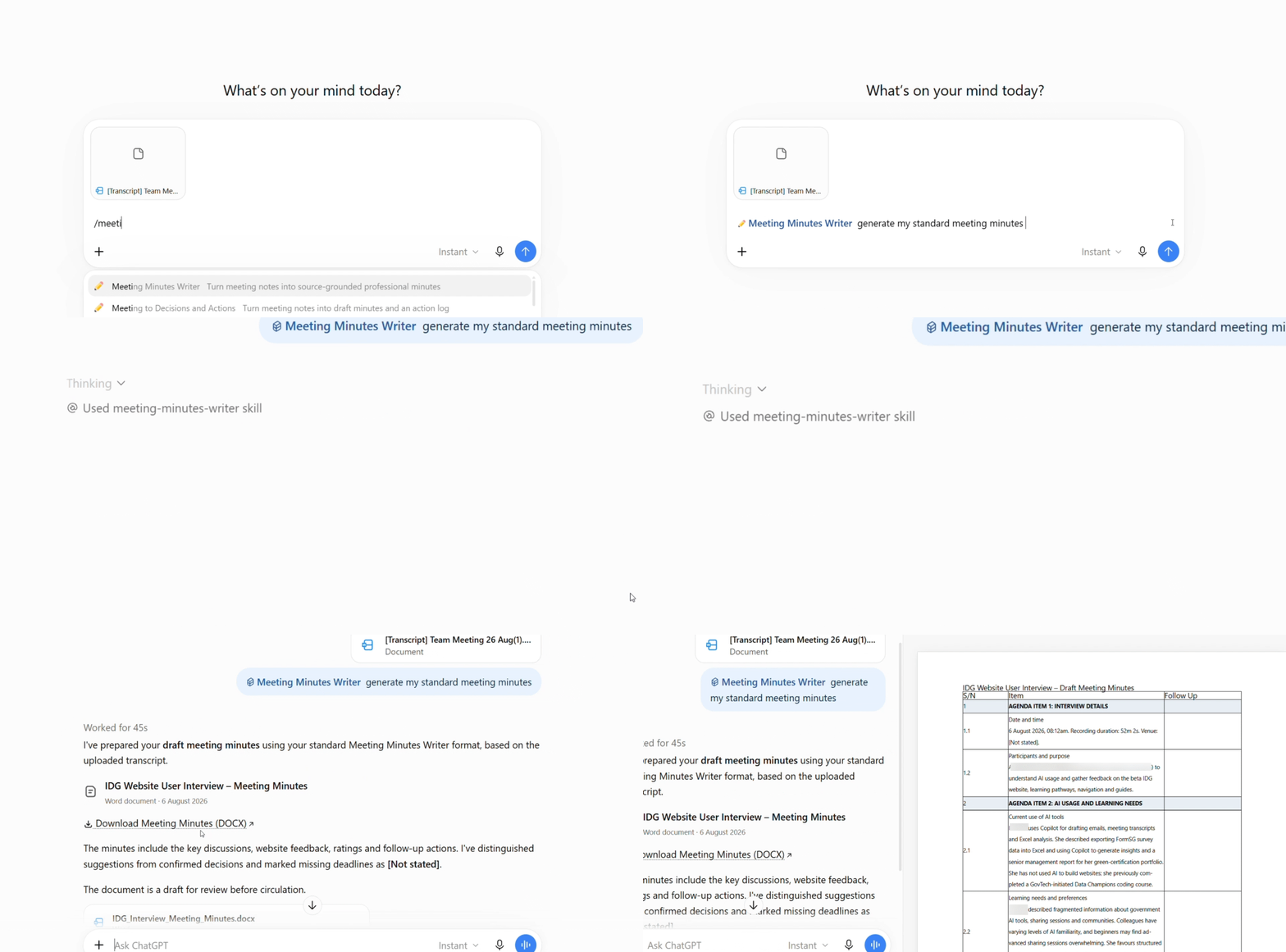
Instead of explaining the same method every time, reusable instructions can capture how you want the AI to work.
For example:
A ChatGPT Skill can apply the same structure, tone and format whenever you prepare meeting minutes.
Product examples:
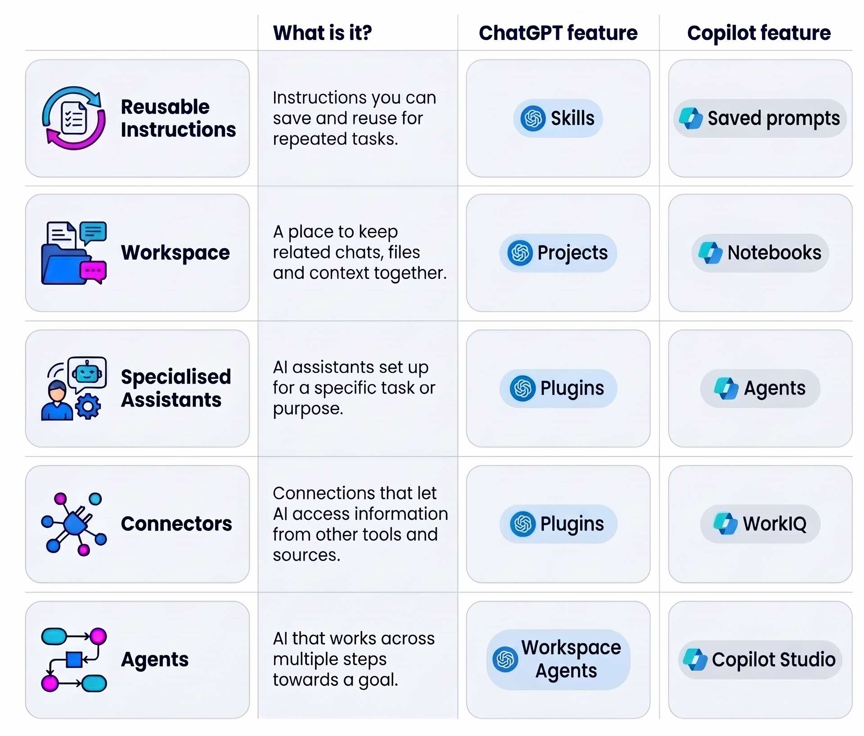
Skills (ChatGPT), Saved Prompts (Copilot)
2. Workspaces
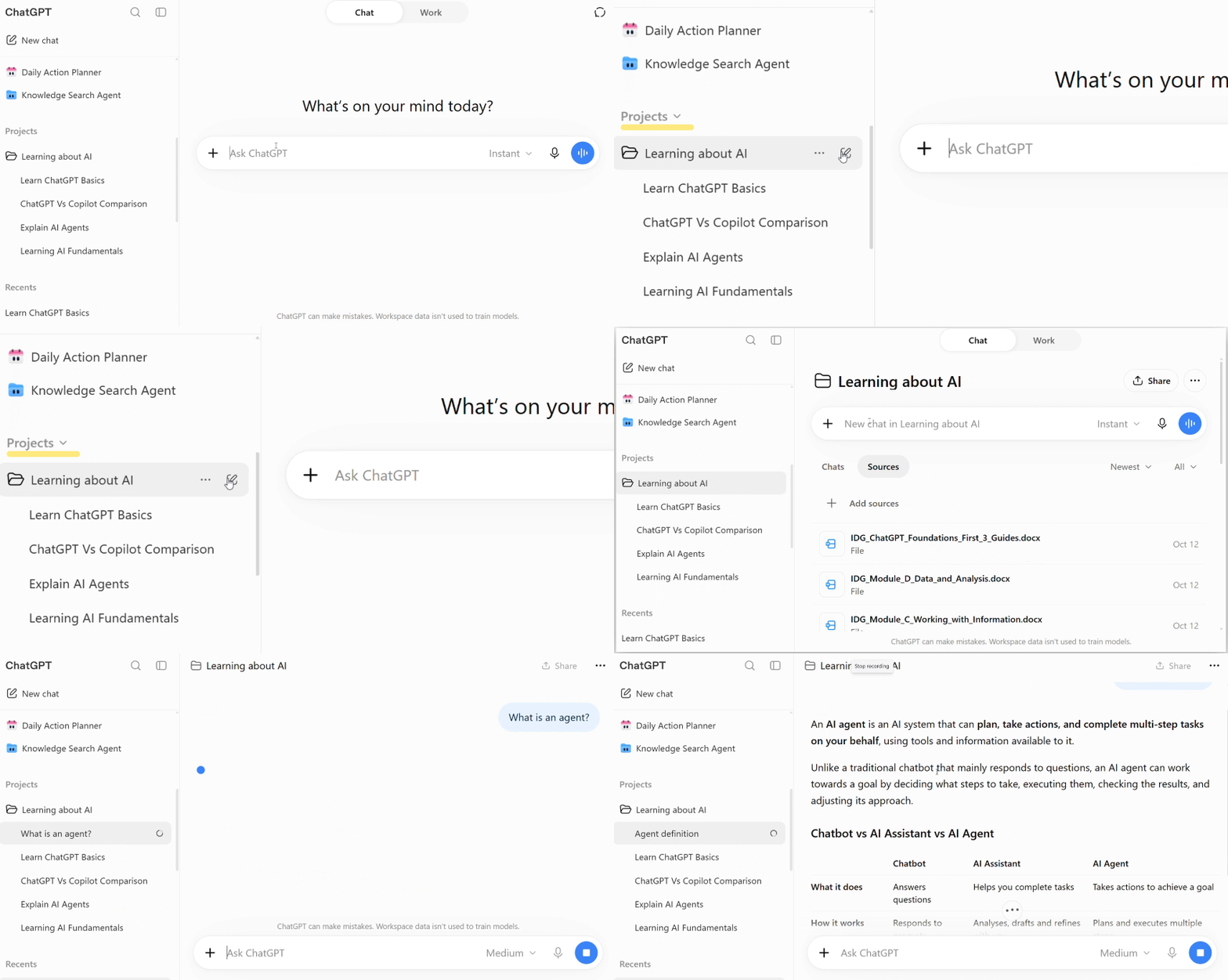
A workspace can keep related conversations and files together. This give the AI ongoing context for a specific piece of work, so you don’t have to explain everything again each time.
Product examples:
Projects (ChatGPT), Notebooks (Copilot)
3. Specialised assistants
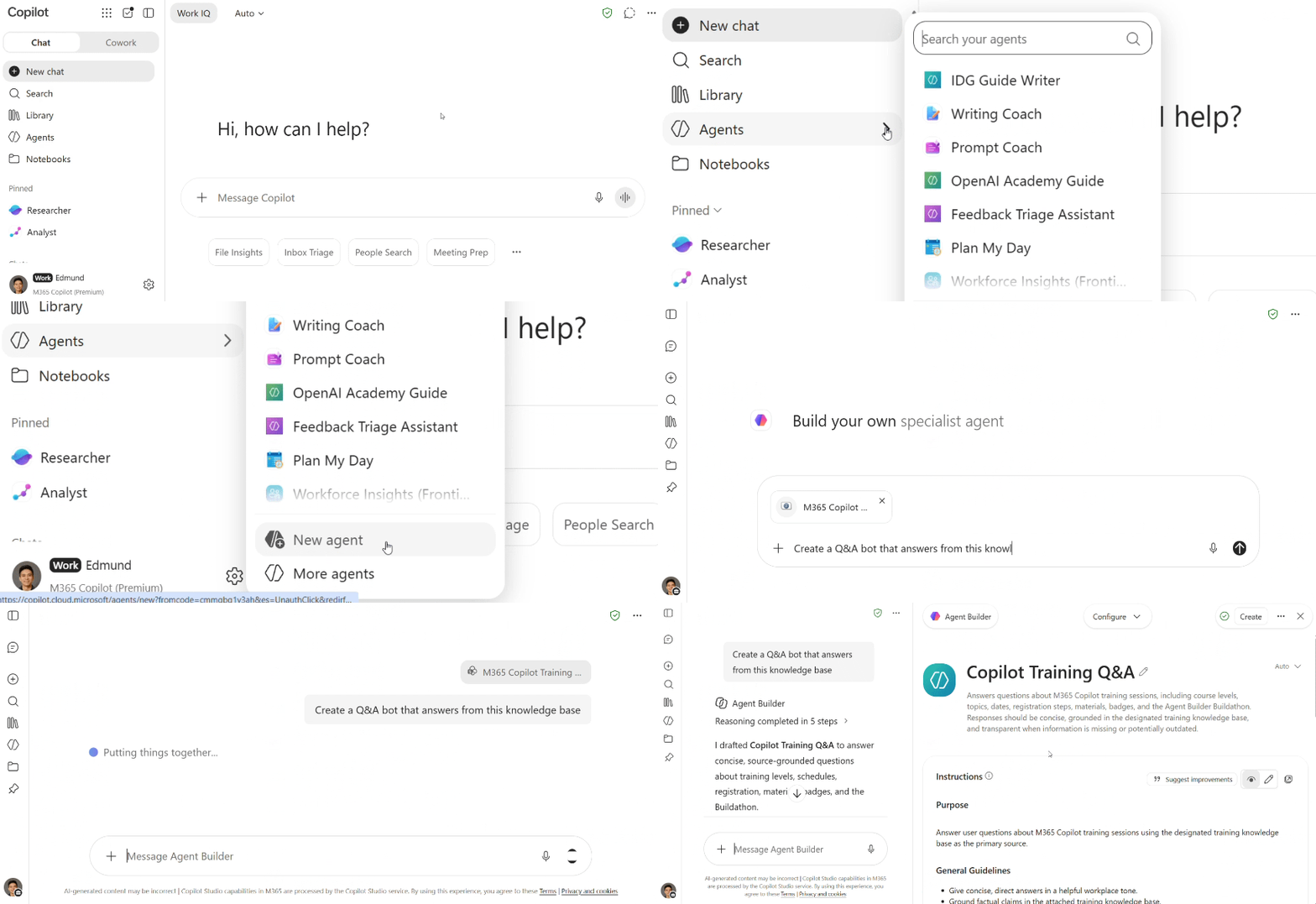
A specialised assistant combines instructions, knowledge and capabilities to help with a defined purpose.
For example:
Create a Q&A assistant that answers questions based on provided knowledge base only.
Product examples:
Plugins (ChatGPT), Agents (Copilot)
4. Connectors
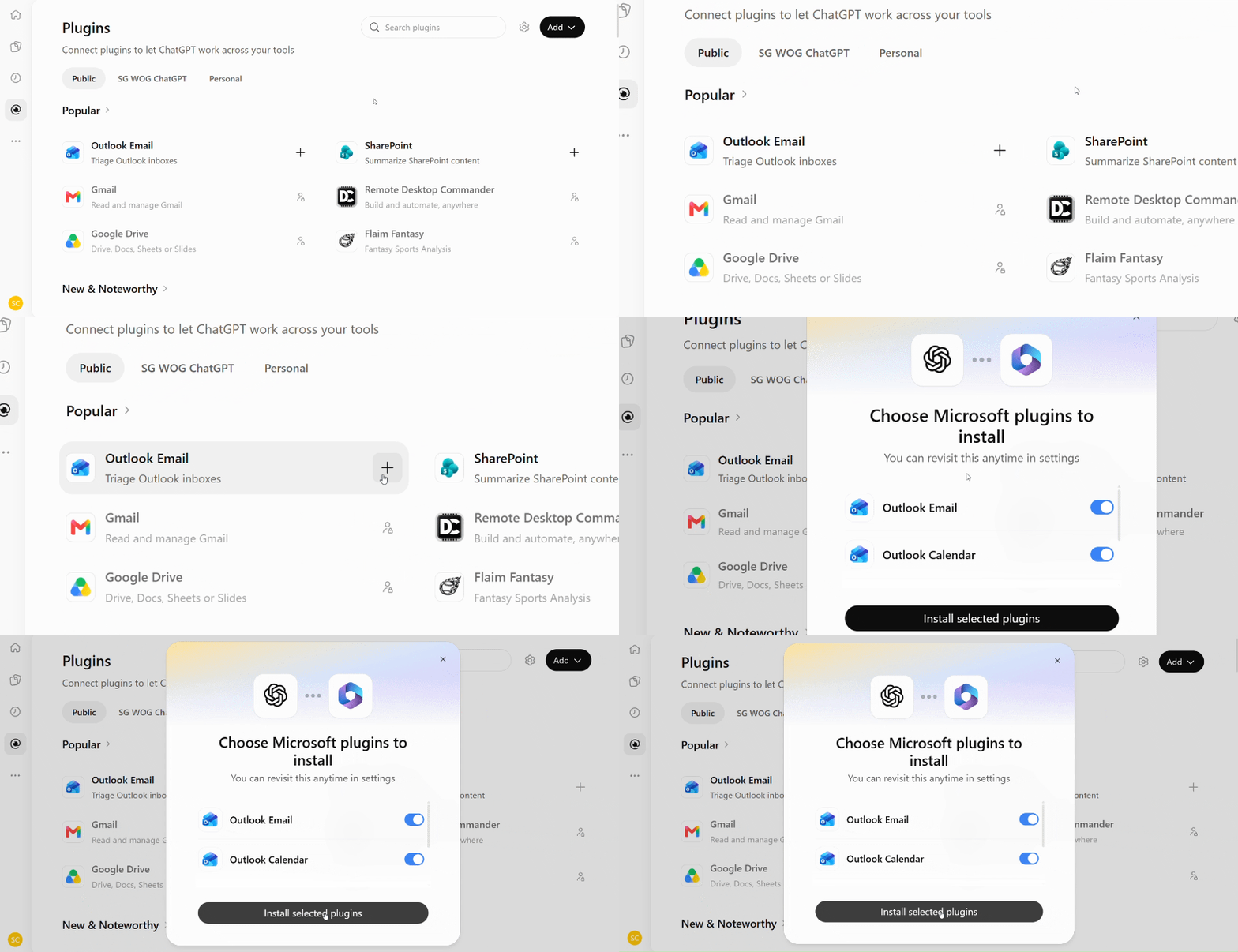
Connectors let you connect AI tools to your approved work information and files.
For Example:
Connecting your Outlook Email and Calendar to ChatGPT
Product Examples:
Plugins (ChatGPT), WorkIQ (Copilot)
5. Agents
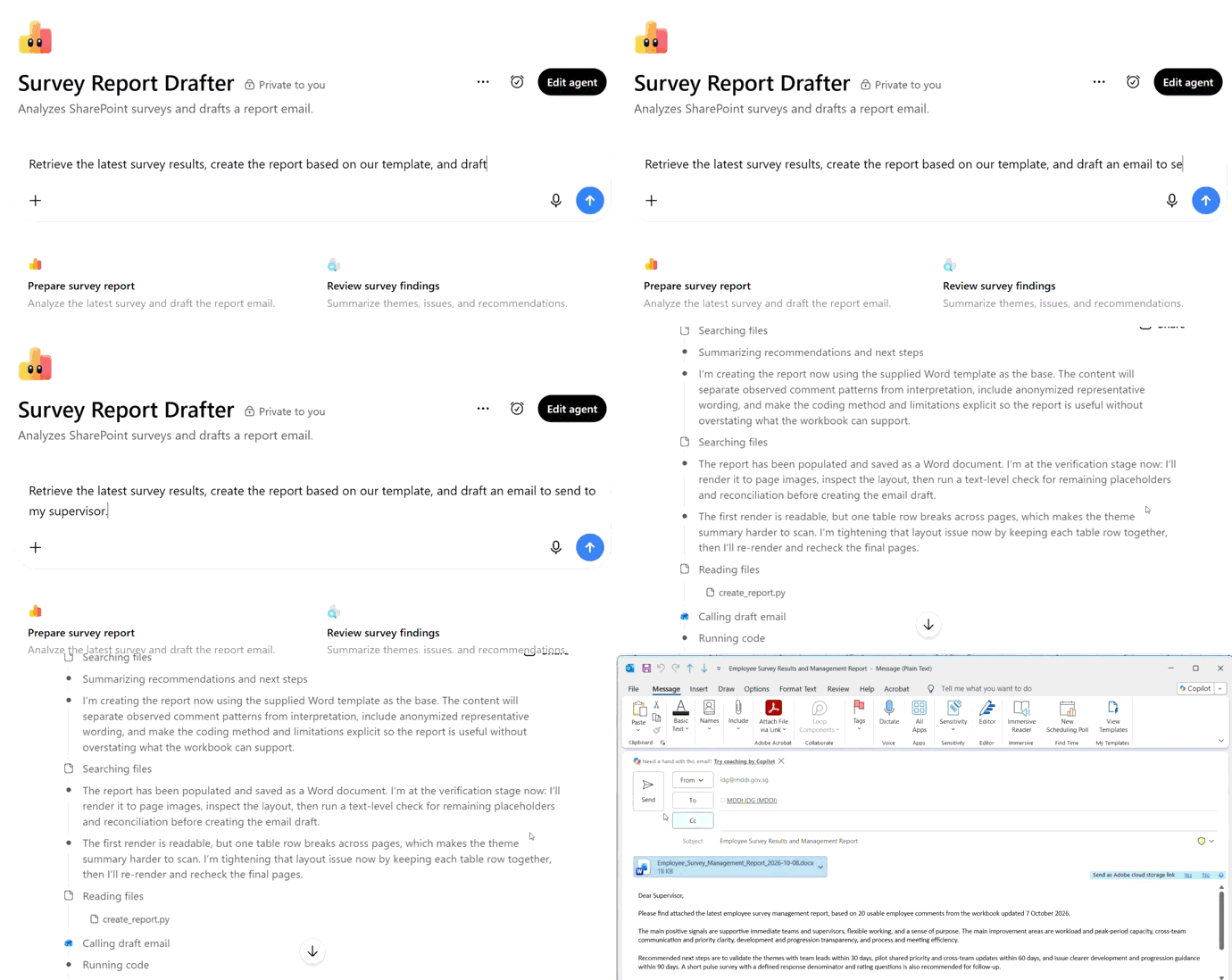
An agent works across multiple steps towards a defined goal using reusable instructions and approved capabilities.
For example:
An agent that goes from retrieving the latest survey results, to generating a ready-to-send reporting email.
Product Examples:
Workspace Agents (ChatGPT)
Different names, similar concepts
ChatGPT and Copilot offer similar capabilities, but they may use different names. Here’s a quick guide to how they compare.
Test your knowledge
Think about these workplace tasks. What capability would you start with?
1. You frequently ask AI to rewrite submissions using the same writing principles and format.
Consider: Reusable instructions
You already know how you want the AI to perform the task. Reusing those instructions saves you from explaining the approach each time.
2. You are researching a topic over several weeks and want your files and AI conversations kept together.
Consider: A workspace
The work continues over time and benefits from keeping related context together.
3. You want AI to find relevant information across workplace files, emails and meetings.
Consider: A connector
A connector gives AI access to relevant workplace information, while abiding by your organisational permissions.
Key takeaway
Enterprise AI is designed for work, using organisation-managed environments and capabilities.
Start with what you need AI to do, rather than the product or feature name.
Different tools may use different names for similar capabilities, such as reusable instructions, workspaces, assistants, connectors and agents.