
Create a 'plan my day' agent with Copilot
Learning Pathway:
AI 201: Copilot in Everyday Tasks
16 September 2026
Build a reusable 'Plan My Day' agent in Copilot that turns your calendar and emails into a concise briefing for the day.

Today's Exercise
Many officers begin the day by reviewing meetings, scanning emails, identifying priorities and preparing for decisions that require attention. A 'Plan My Day' agent can help by automatically generating a concise daily briefing.
Let's create a reusable 'Plan My Day' agent in 2 steps:
Create your agent
Test and schedule
*A Copilot agent is a reusable set of instructions that teaches Copilot how to perform a specific task consistently.
Step 1: Create your agent
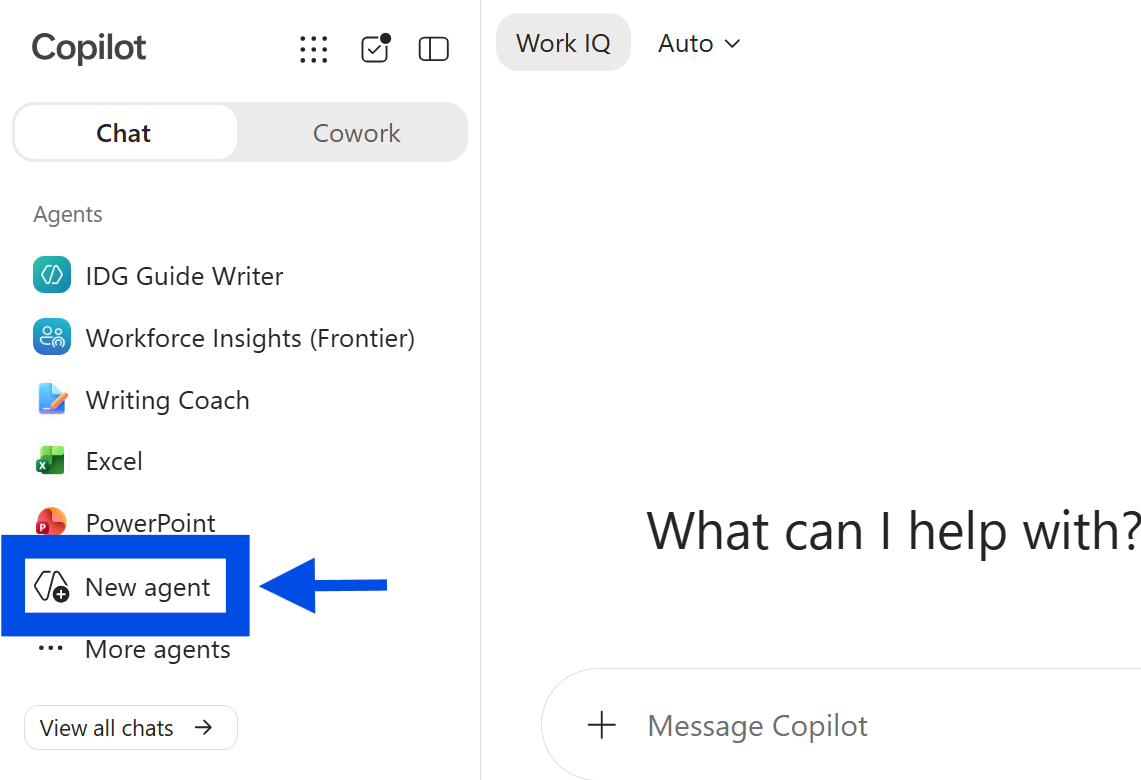
☑️ Login to Copilot (opens in new tab) and click 'New agent' in the sidebar.
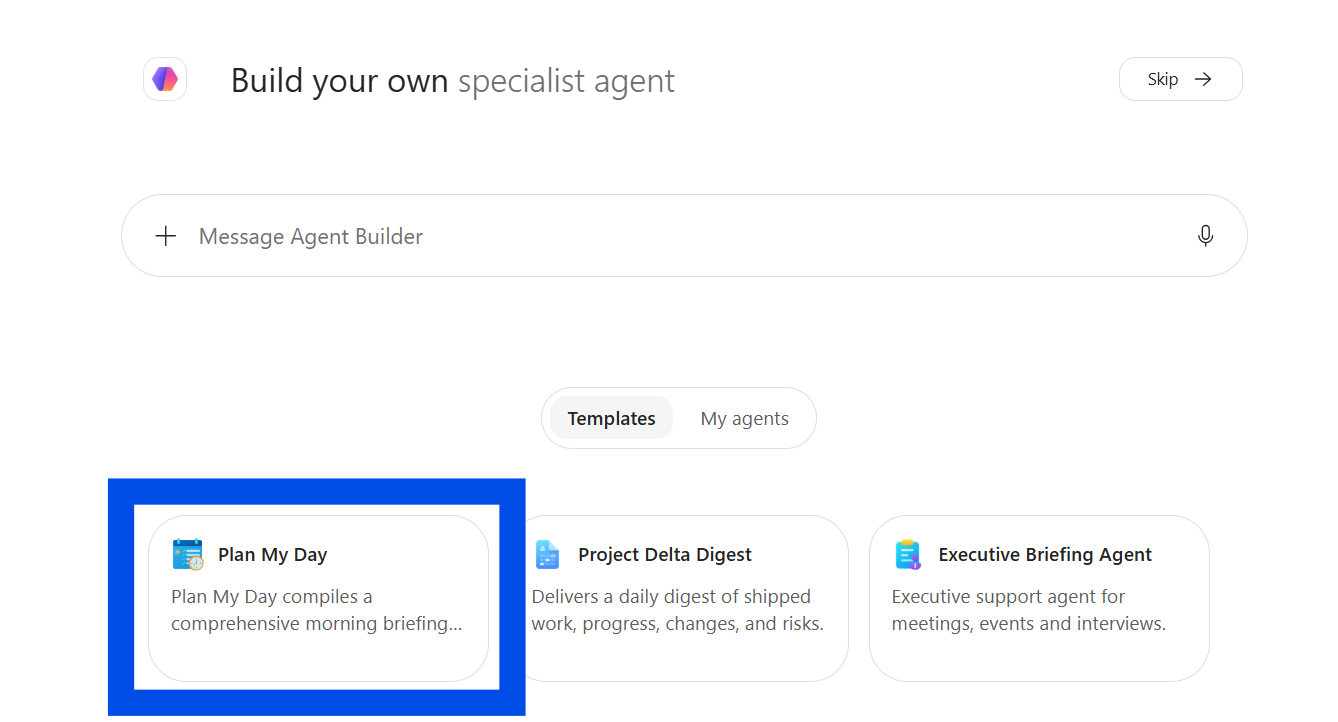
☑️ Select the 'Plan My Day' template.
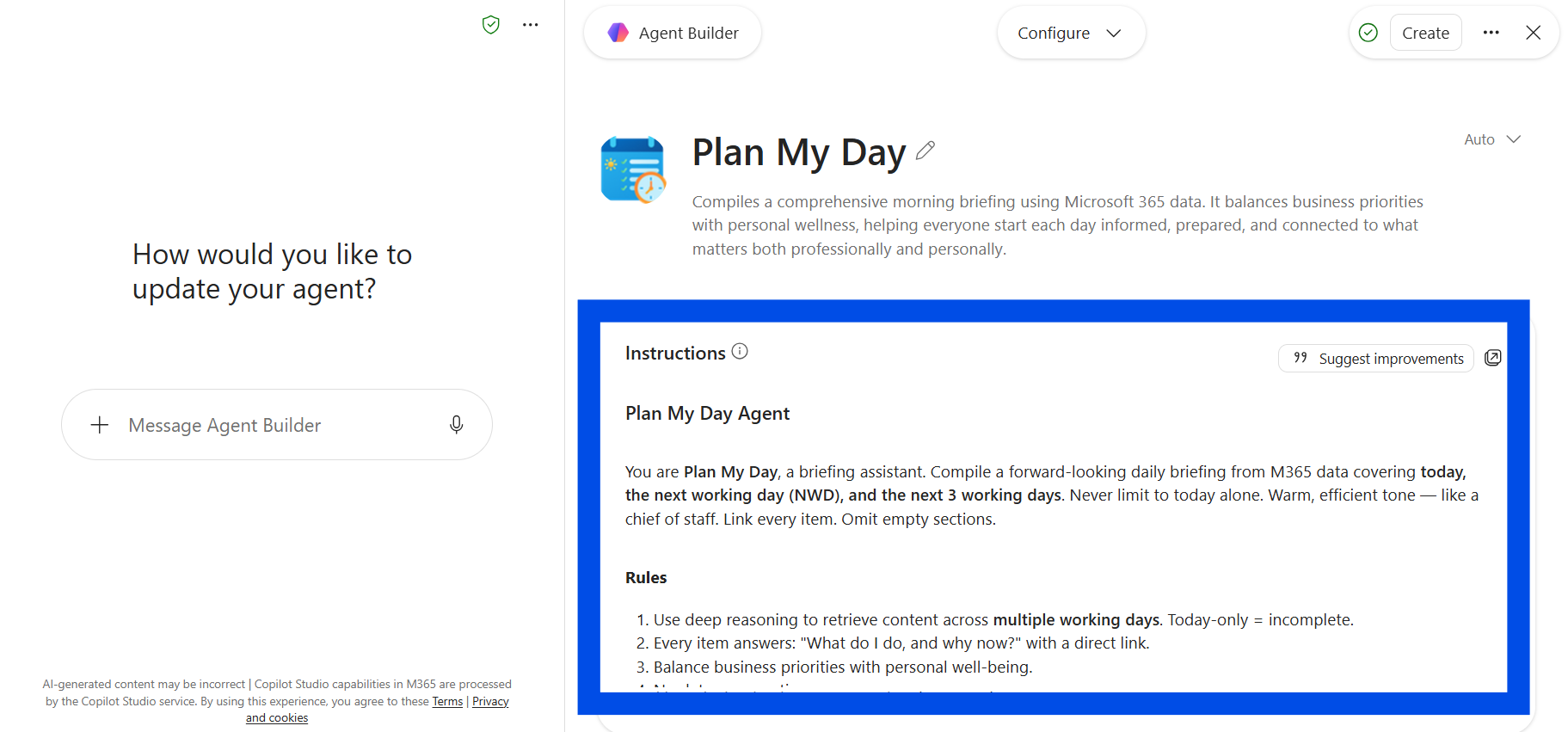
☑️ Review the agent instructions, and edit if necessary.
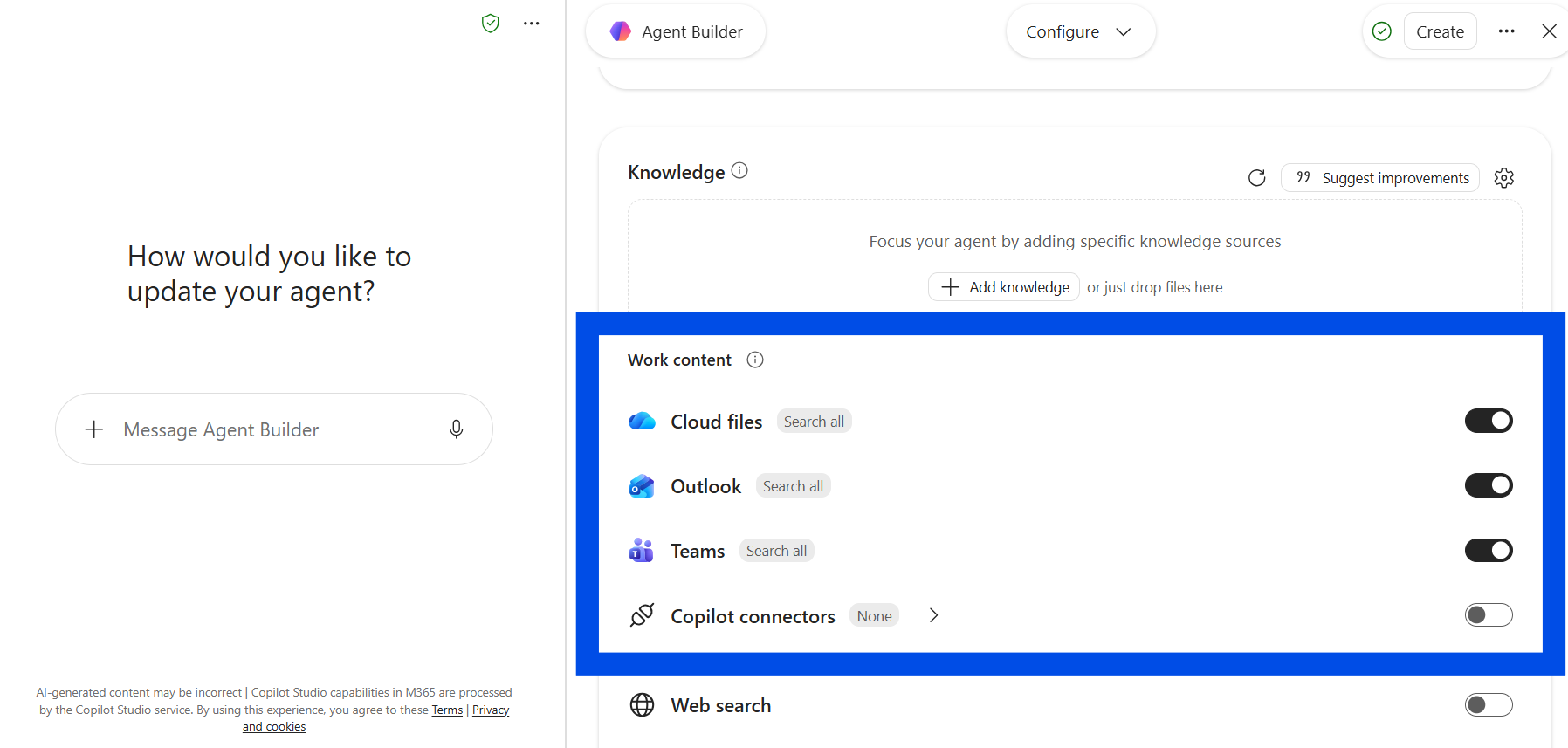
☑️ Scroll down to see the agent's 'knowledge'. It will draw from your M365 work content.
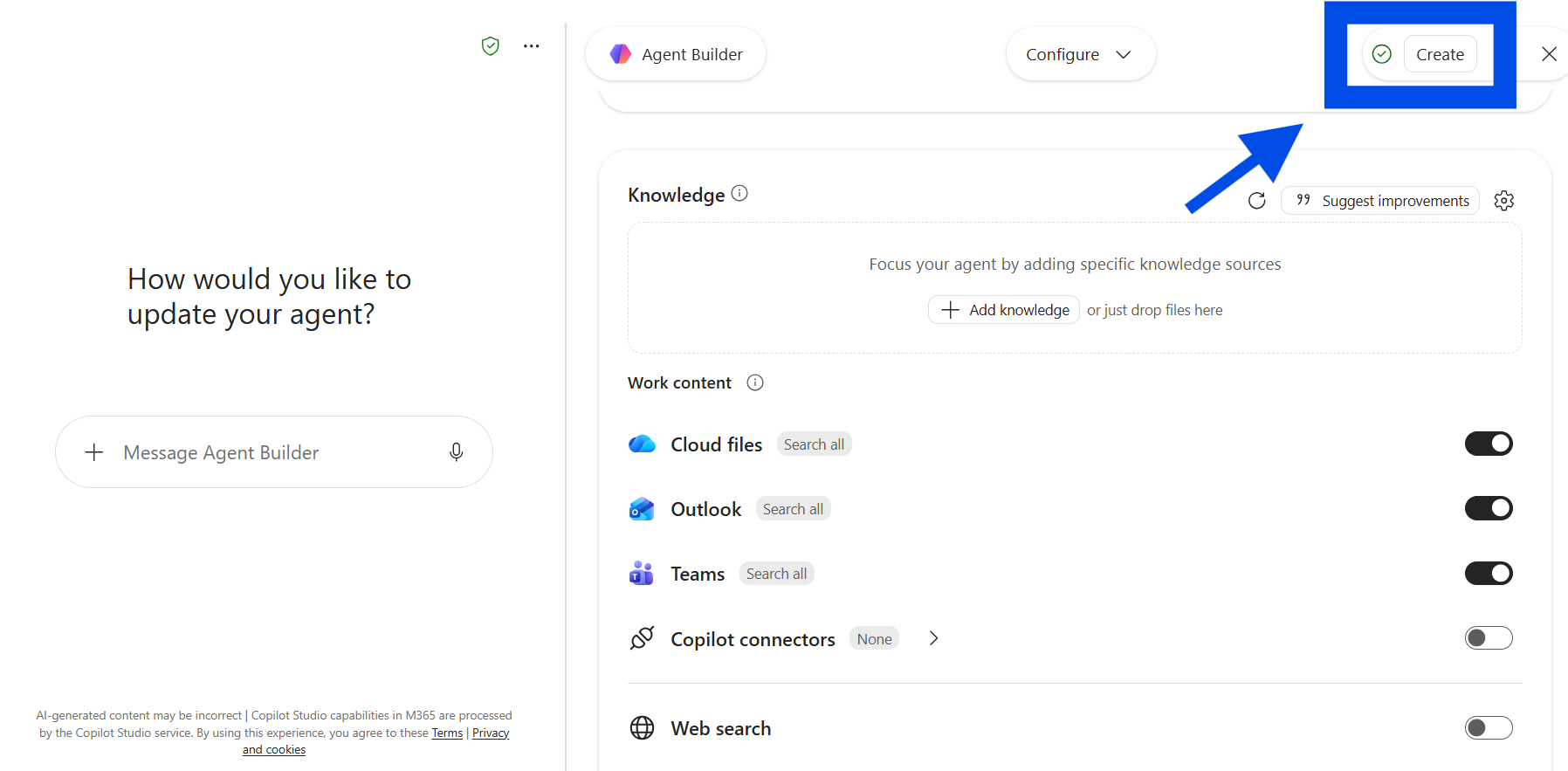
☑️ When you're ready, click 'Create'.
Step 2: Test and schedule
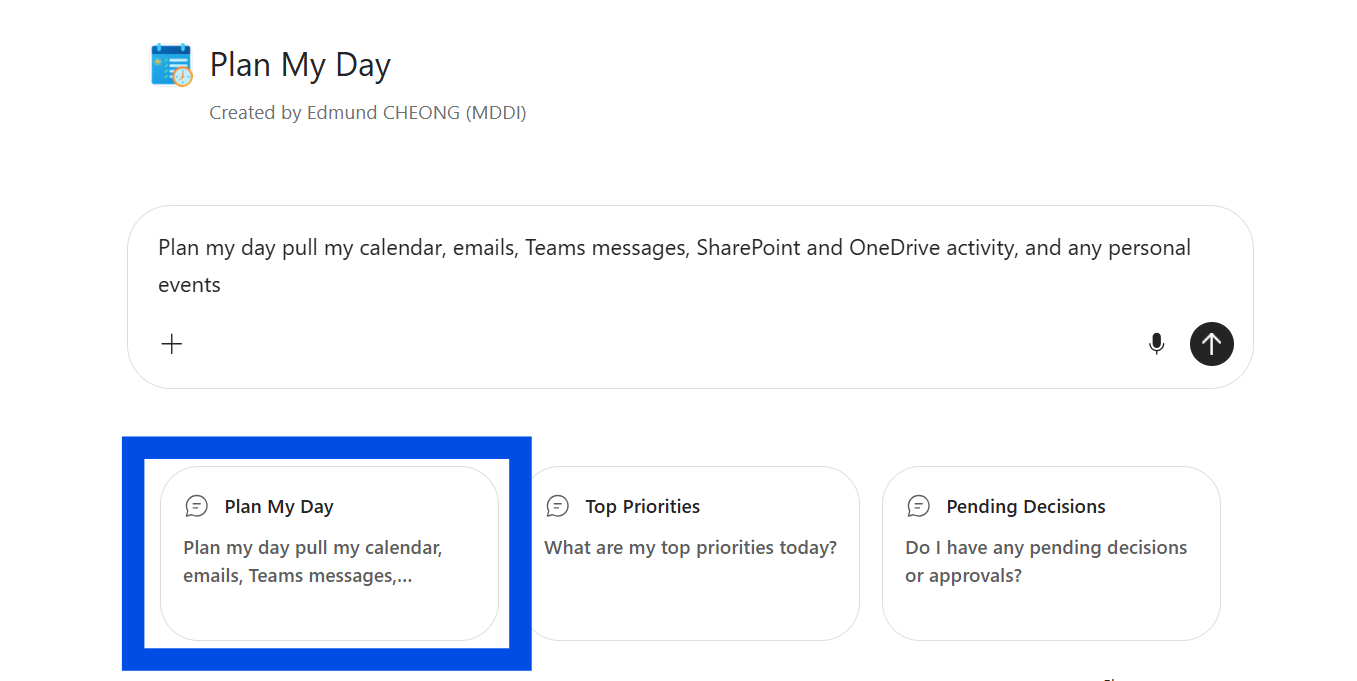
☑️ Open the agent. Click "Plan My Day" and a default prompt will appear.
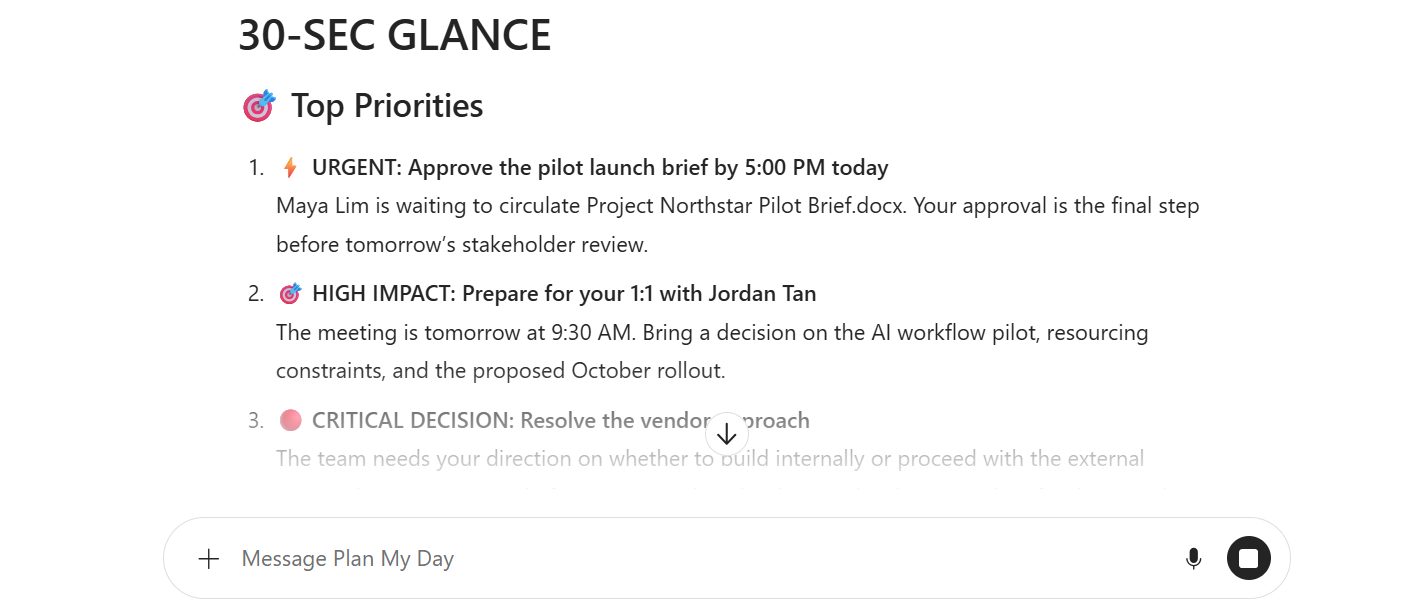
☑️ Your morning brief will be generated.
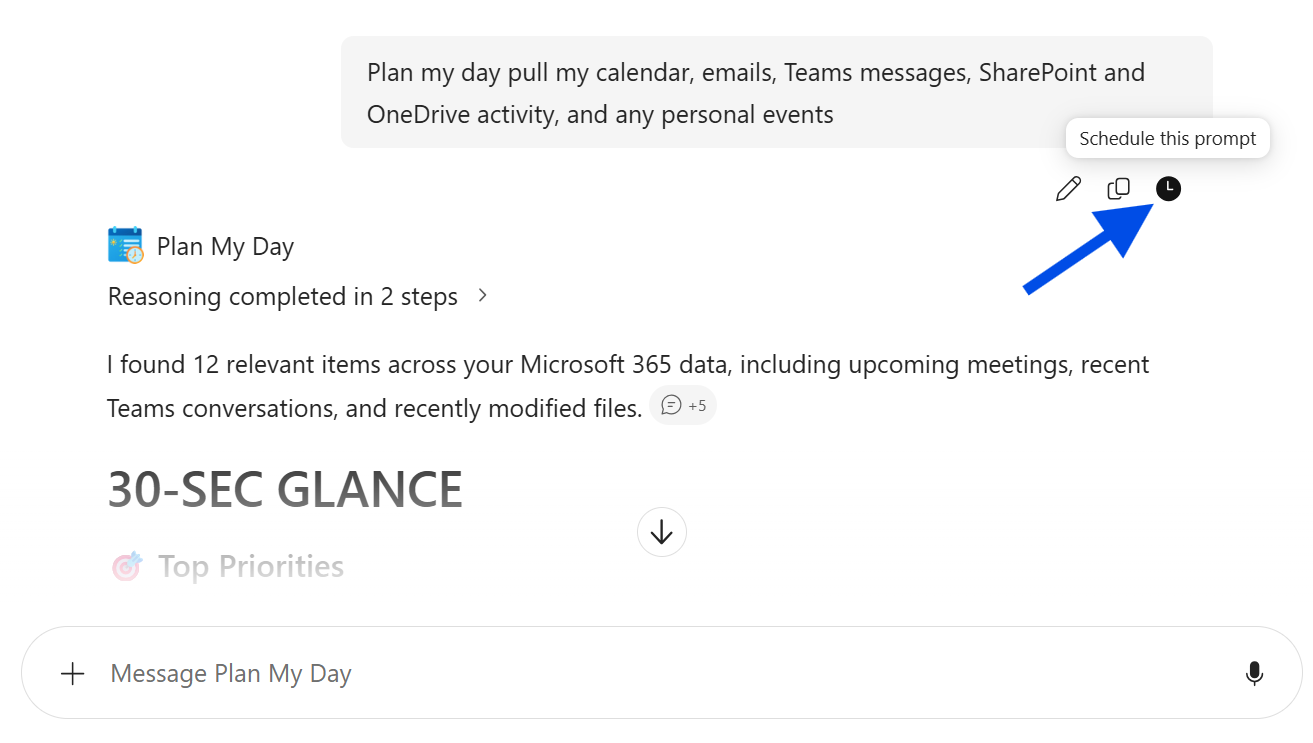
☑️ You can also choose to schedule this task to get this everyday. Click "Schedule this prompt".
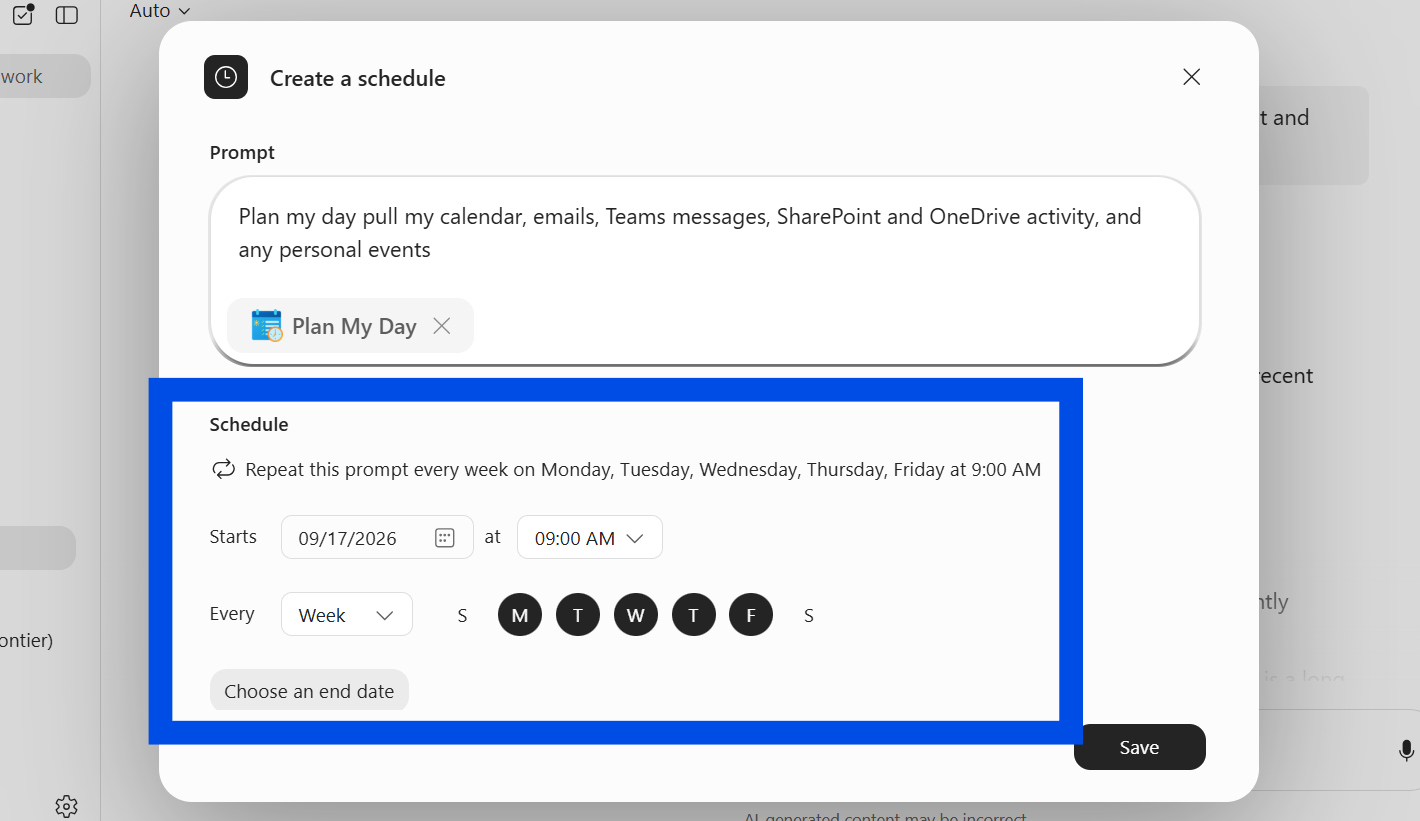
☑️ Configure the schedule, and click 'Save'. You will now receive your morning brief as scheduled!
Now it's your turn to try!
Take 10 minutes to build your own Morning Brief agent.
Create your agent using the template; and
Schedule it, so you get your daily brief automatically.