
Introduction to vibe coding
7 July 2026
Learning Pathway:
AI Build 301
Learn what is vibe coding and how to use the Spaceship platform to quickly build, test, and share secure working prototypes.

Today's Exercise
Traditionally, testing new digital ideas used to take months of planning, approvals, and development. With vibe coding, AI can turn plain-English instructions into working applications, helping teams test ideas, gather feedback, and learn faster.
In this exercise, you will use Spaceship, the Government's internal AI development platform, to build a simple HDB resale price explorer in 3 simple steps:
Describe your app
Review the plan, and build
Test and share
Here's what you need for this exercise:
Tools and inputs required:
🛠️ Tool | Spaceship |
📂 Your input | A short description of the application you want to build. |
📊 Data source | Public HDB resale transaction data from data.gov.sg. (opens in new tab) |
Step 1: Describe what you want to build
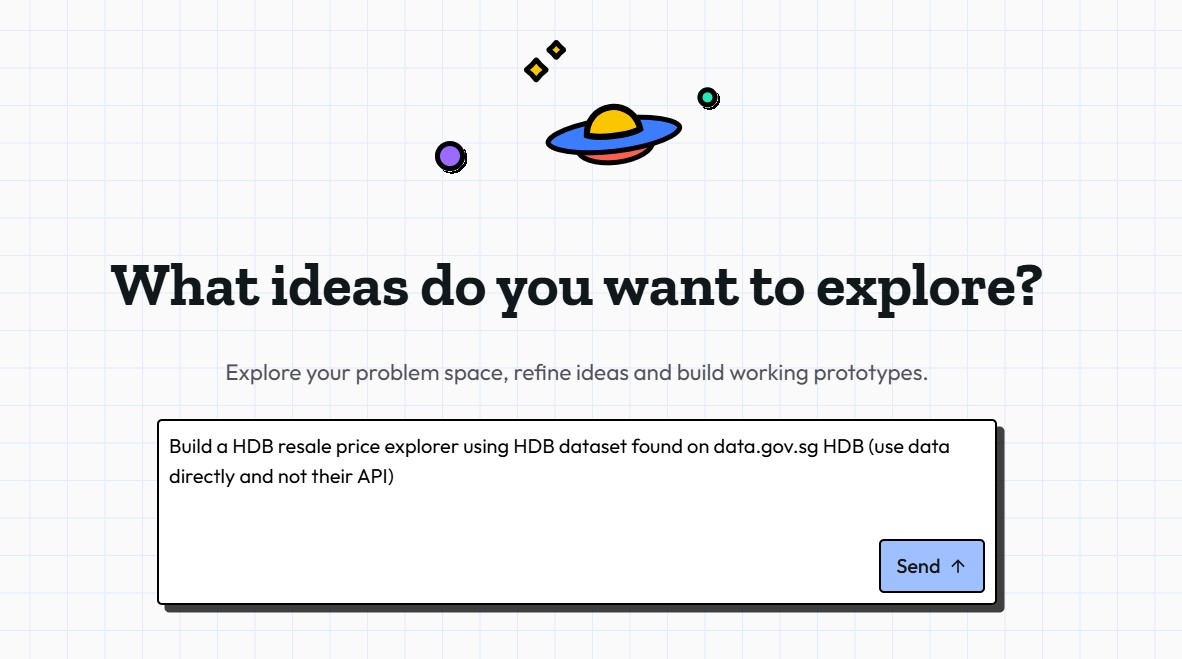
☑️ Sign in to spaceship.gov.sg (opens in new tab) and describe what you want to build using the prompt template provided. [Note: Spaceship is in its pilot phase, register your interest here (opens in new tab) to be whitelisted]
Ready to use prompt
Build a HDB resale price explorer using HDB dataset found on data.gov.sg (opens in new tab) HDB (use data directly and not their API)
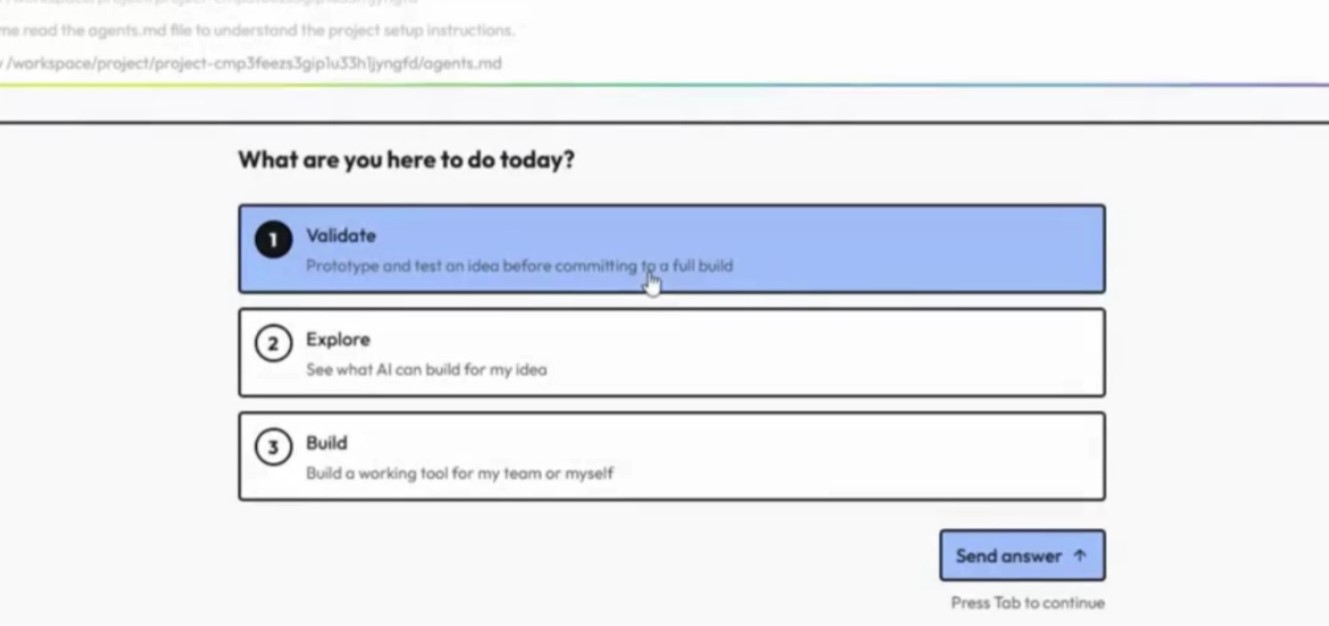
☑️ If Spaceship asks follow-up questions, answer them as best you can. It will refine the the blueprint based on your responses.
Step 2: Review the plan and build
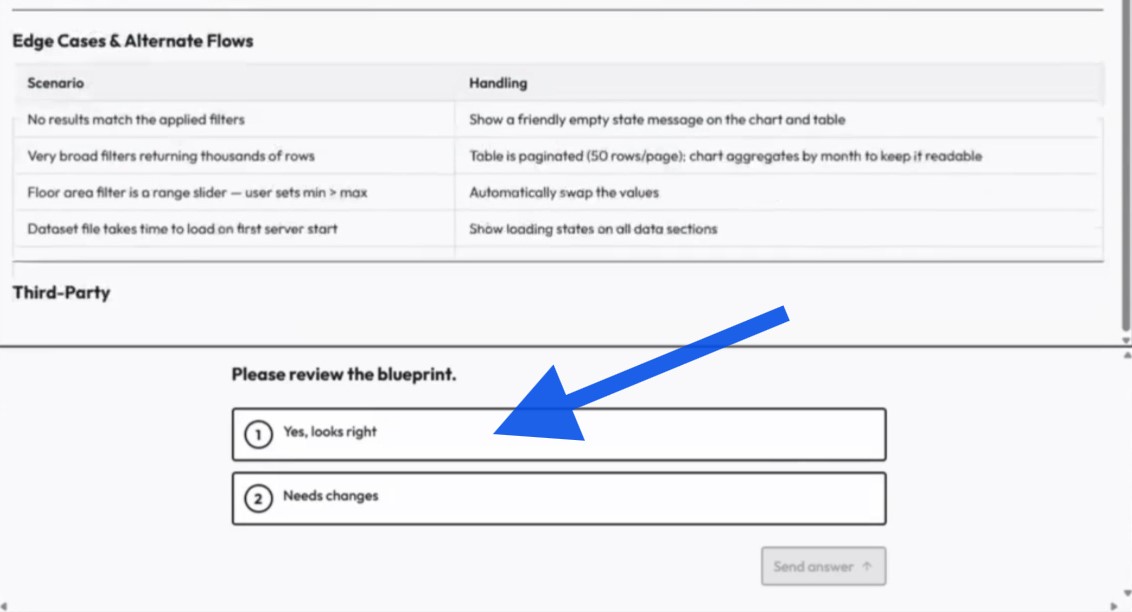
☑️ Review the blueprint and confirm it matches what you want to build.
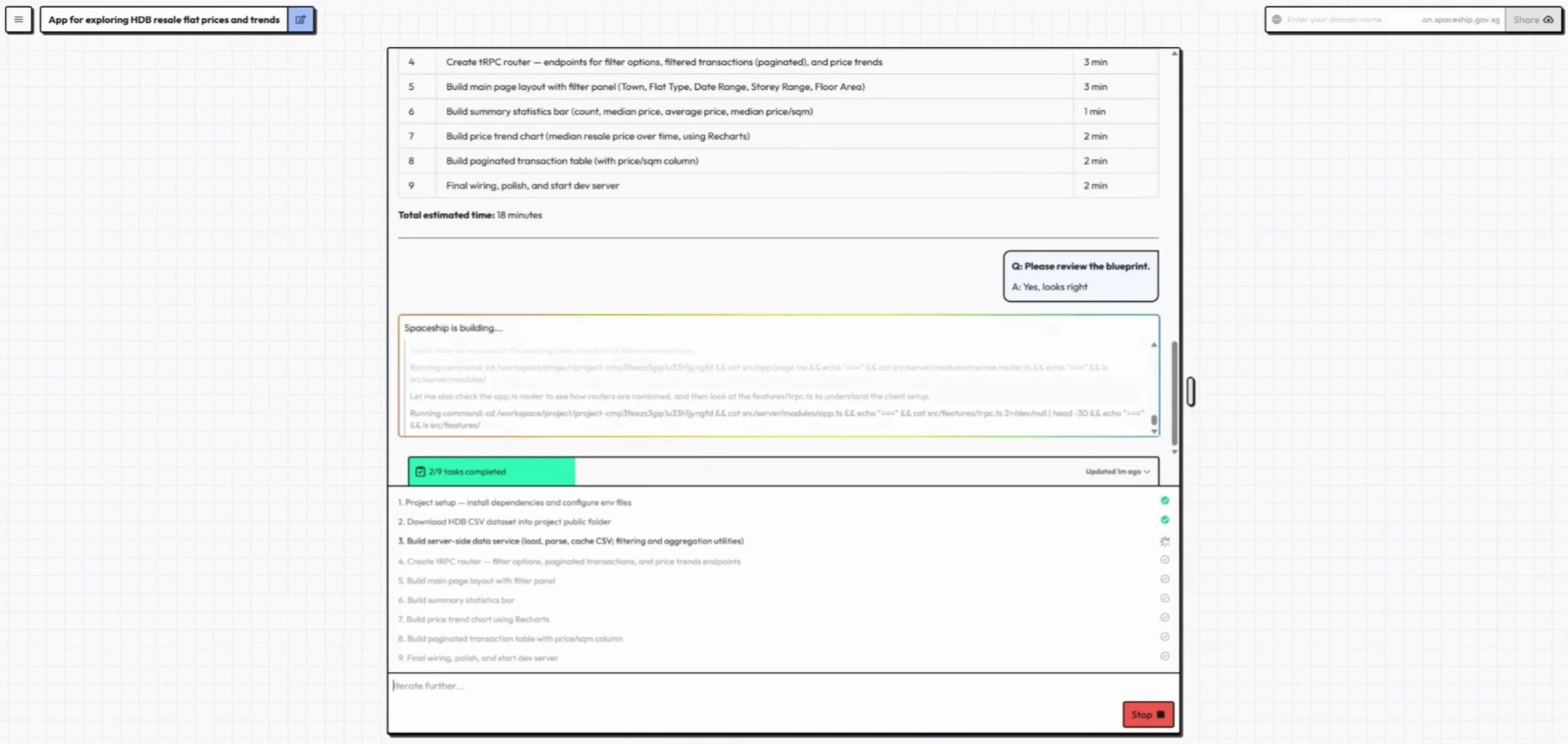
☑️ Spaceship will start building your app. It will automatically generate the code, run tests, resolve issues where possible and deploy the prototype. You can watch the build process in real time.
Step 3: Test and share
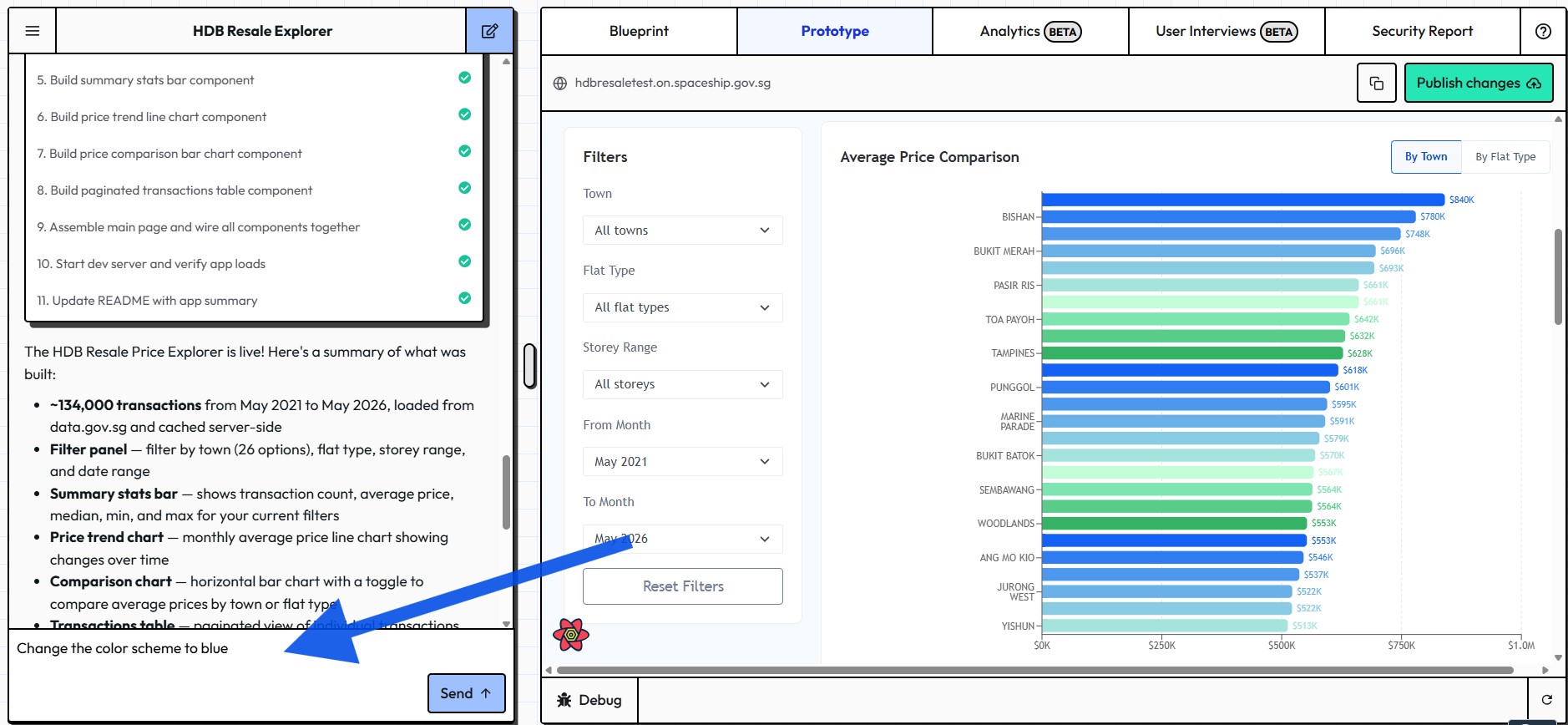
☑️ Open the preview and explore the application. If you would like changes, simply describe them in the chat and Spaceship will update the application.
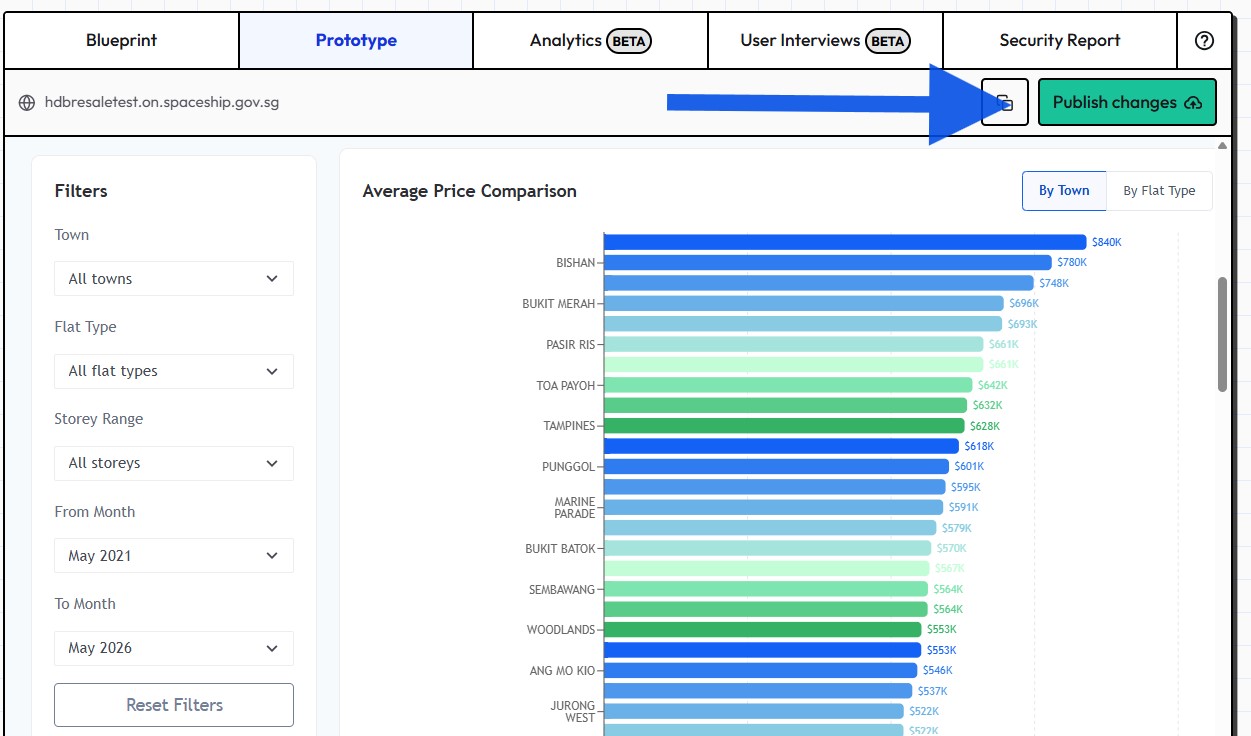
☑️ When you are satisfied, publish the prototype. You can then share the URL with your colleagues.
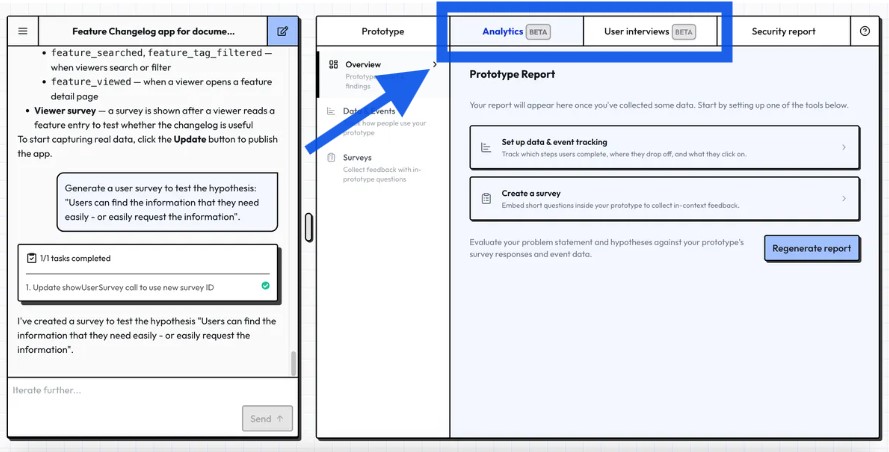
☑️ You can use the Analytics and User Interviews tabs to understand what users do, what they think, and where the prototype can be improved. Learn more about this feature here. (opens in new tab)
Now its your turn to try!
Visit spaceship.gov.sg (opens in new tab), choose a small workplace problem and build your first prototype. Start with a simple idea, test it with colleagues, gather feedback and iterate. You may be surprised how quickly an idea can become a working application when you let AI handle the coding.
Spaceship is currently in its pilot phase, register your interest here (opens in new tab) to be whitelisted.