
Introduction to Workspace Agents
20 October 2026
Learn what an AI agent is, and set up your own ChatGPT workspace agent.

Today's Lesson
You may already use AI to help with individual tasks. Agents go one step further: they can work towards a goal across multiple steps.
In this guide we will:
Learn what is an agent
Understand what powers an agent
Set up a workspace agent in ChatGPT
Explore the components of the workspace agent
Here's what you need for this exercise
Tools required
🛠️ Tool | ChatGPT Enterprise (WOG) |
🔗 Feature | Workspace Agents |
1. First, what is an Agent?
You can think about AI in three levels of increasing autonomy and complexity:
.jpg)
An agent is an AI system that works towards a goal across multiple steps, using reusable instructions and capabilities within set boundaries.
Depending on how it is set up, an agent can:
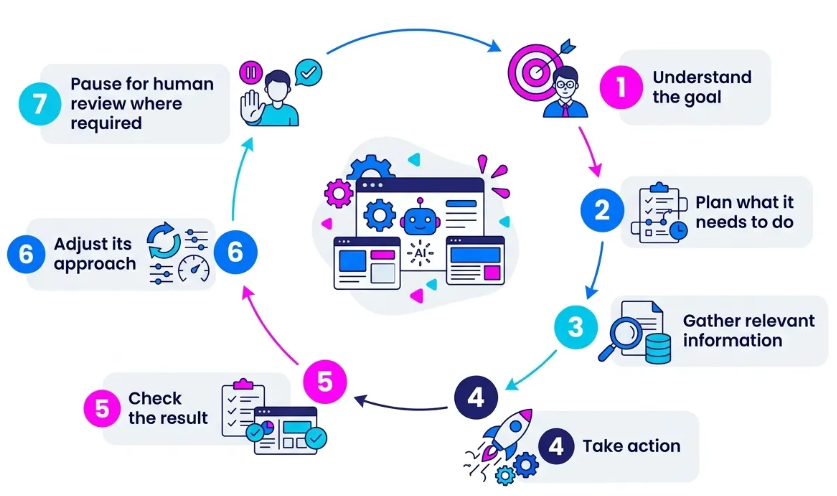
For example, instead of asking ChatGPT separately to check your meetings, review emails and prepare a brief, you could give an agent the overall goal of helping you prepare for the day ahead.
The agent then works through the workflow using the information and capabilities available to it.
2. What powers an agent?
Behind the scenes, four components work together.
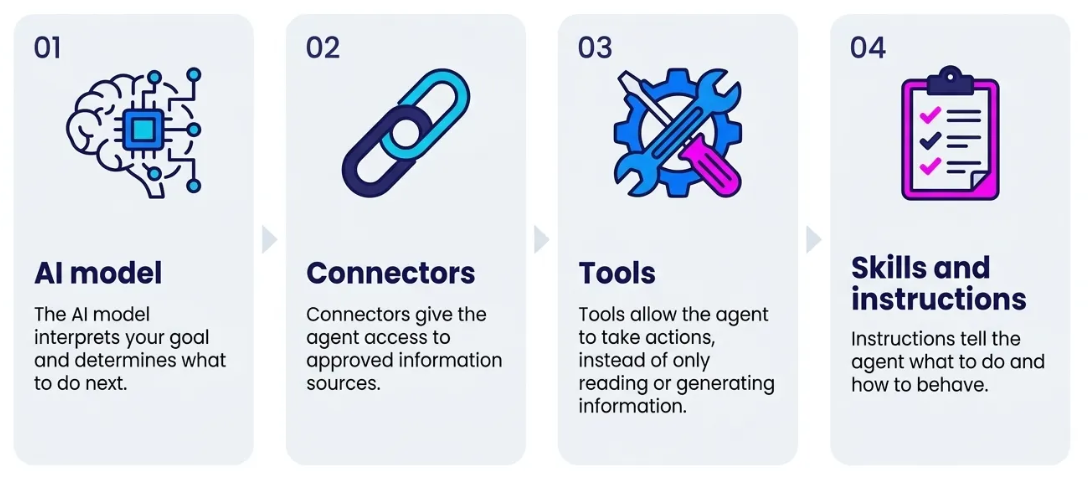
Together, these components allow an agent to gather information, work through a task and produce a useful result.
3. Set up a workspace agent in ChatGPT
Let's set up a 'Chief of Staff' workspace agent in ChatGPT.
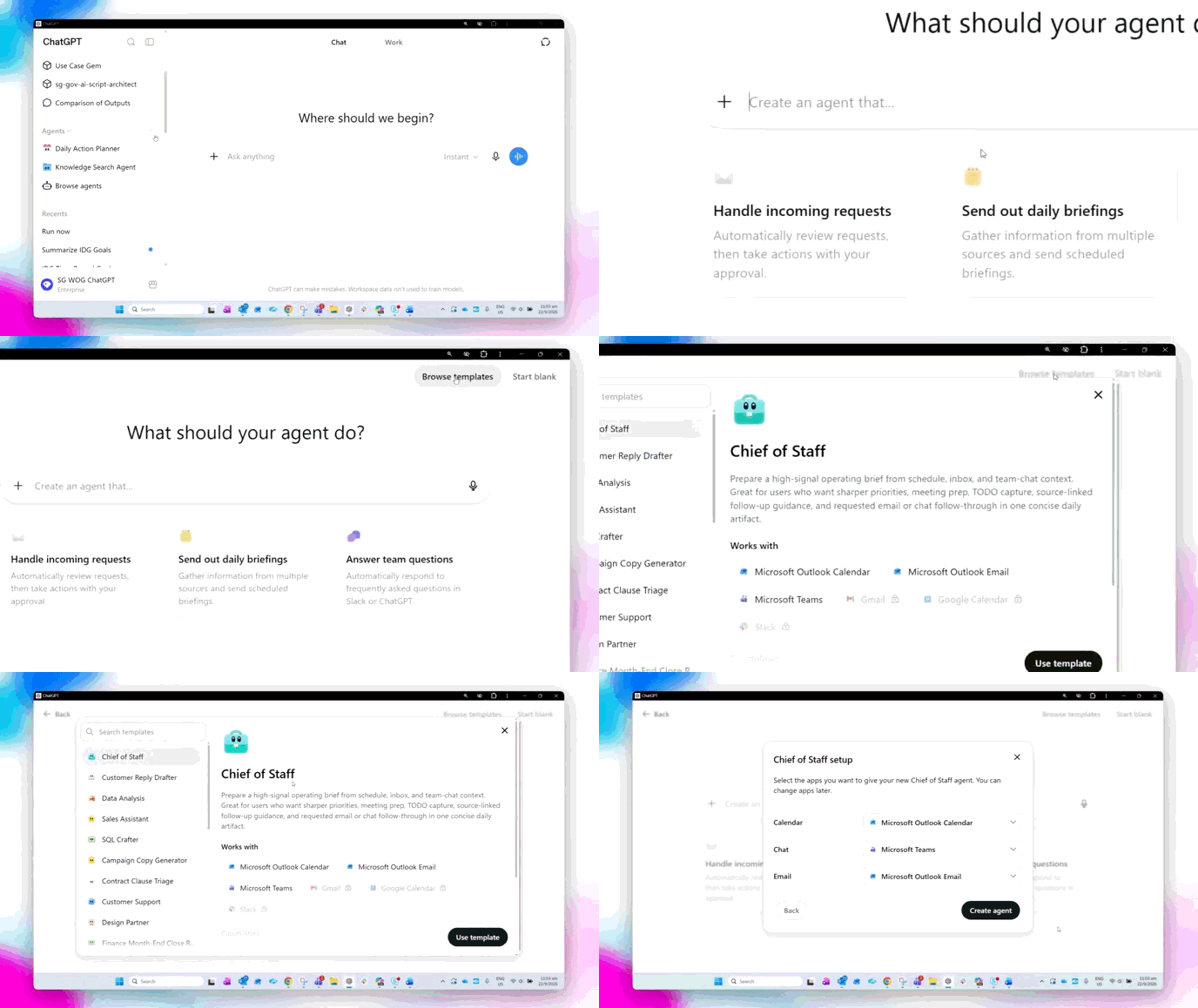
✅ Log in to ChatGPT Enterprise (opens in new tab). Go to 'create agent' → 'browse templates' and create an agent with the 'Chief of Staff' template.
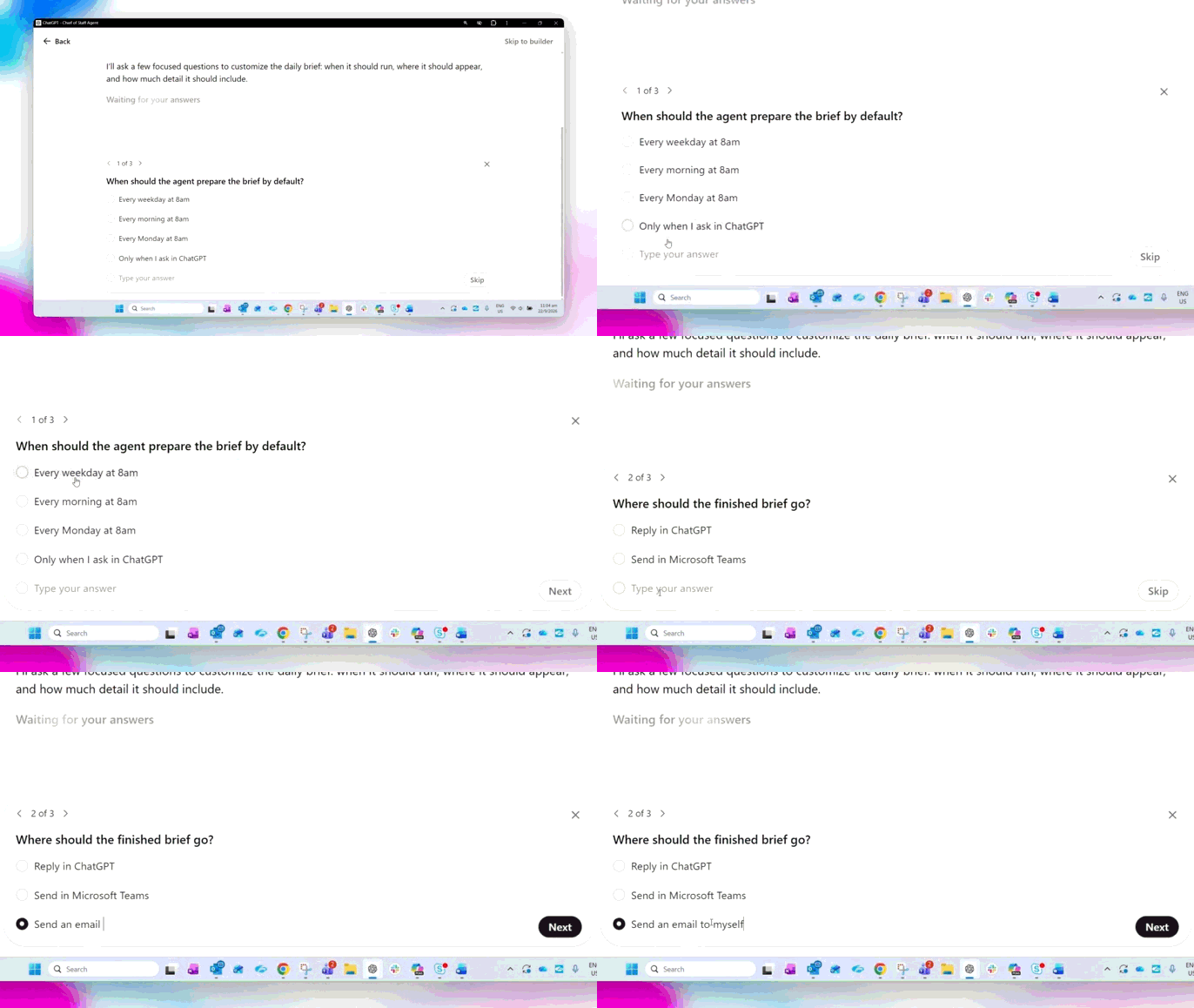
✅ The agent builder may ask some follow up questions. Answer them to customise your agent.
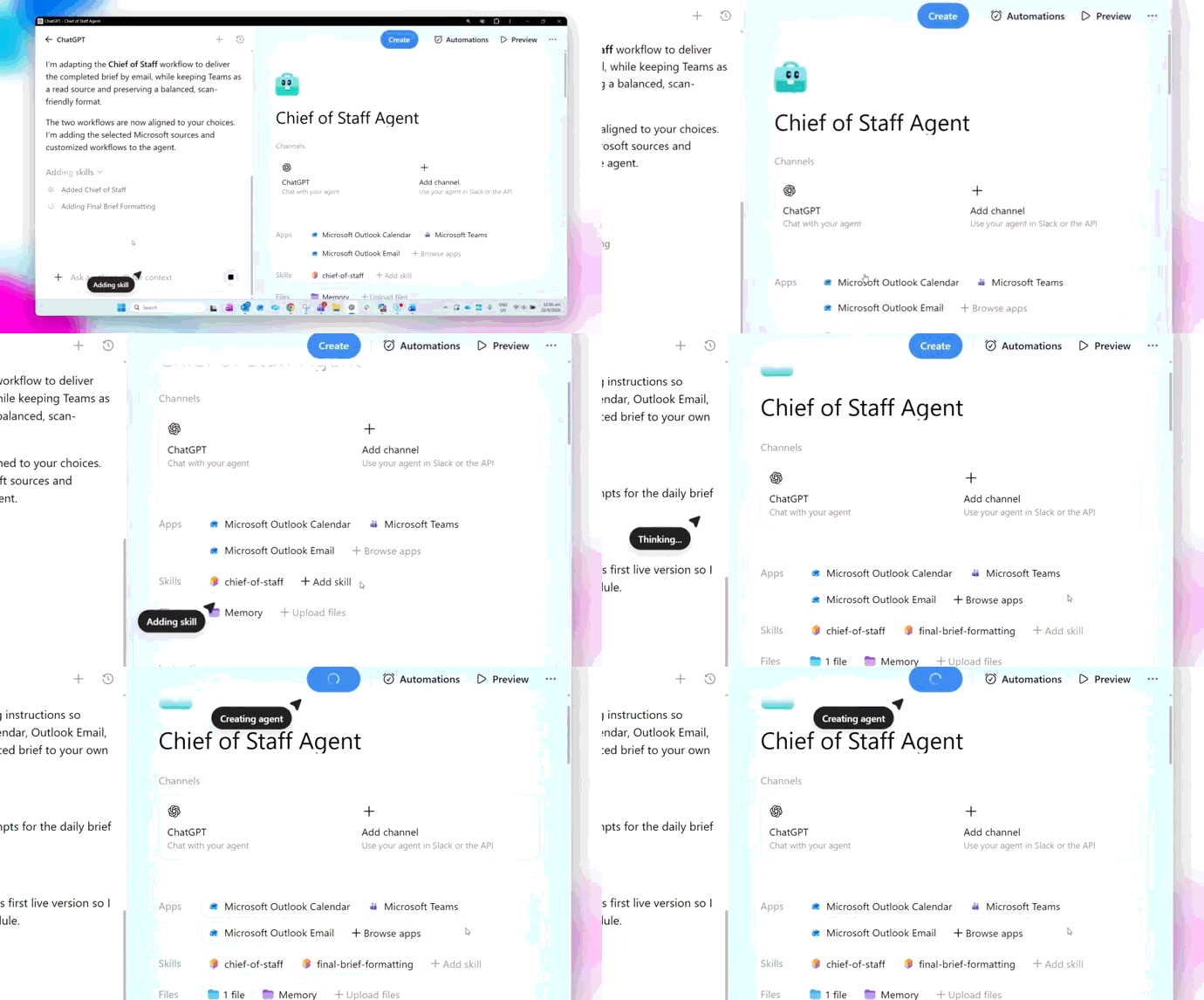
✅ ChatGPT will start building your agent.
4. Explore the components of the agent
Now that we have created the agent, lets explore it's components.
Connectors:
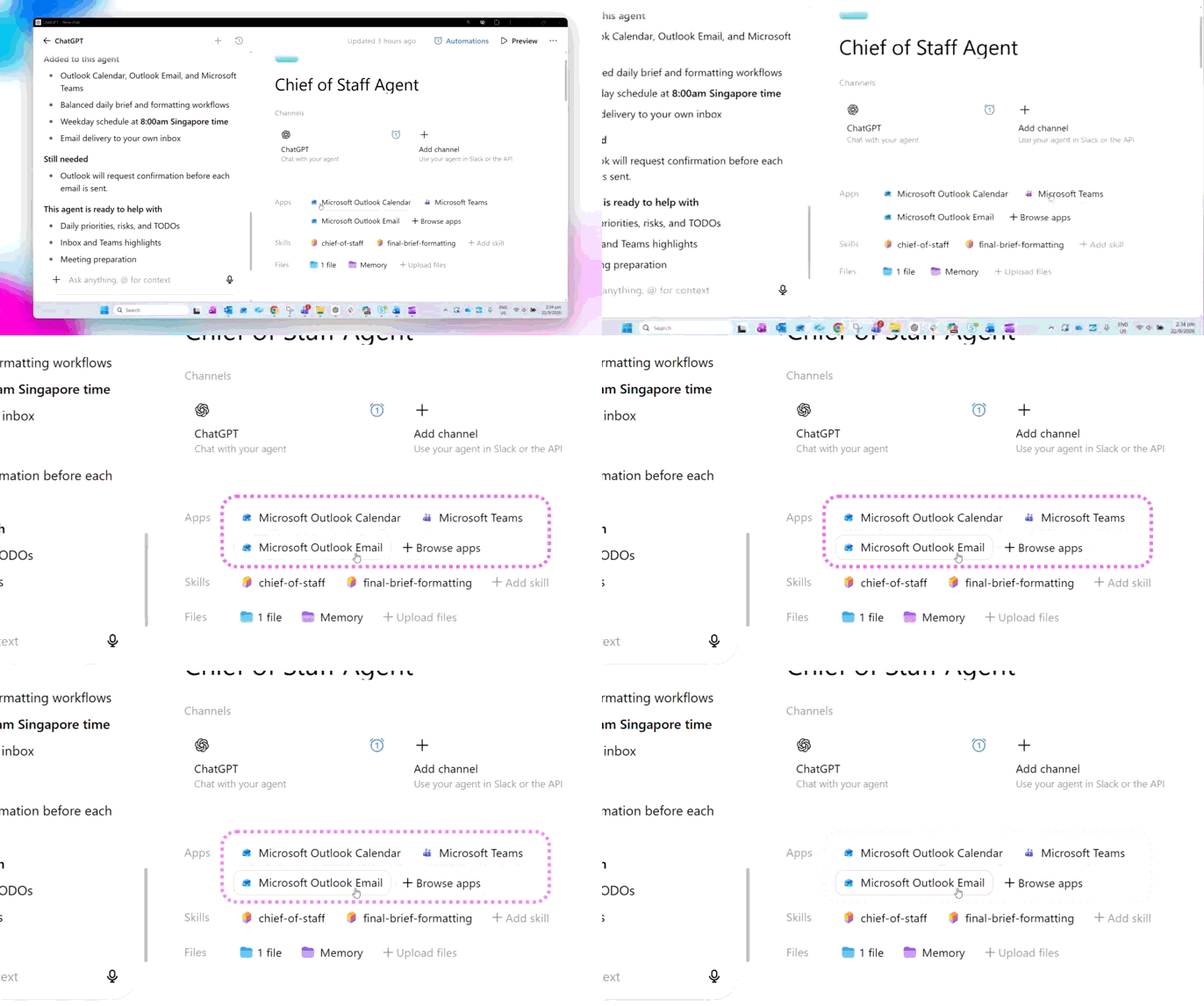
✅ Connectors: The Chief of Staff agent needs information to prepare your daily brief. In this example, it is connected to:
Outlook Calendar
Outlook Email
Microsoft Teams
Tools:
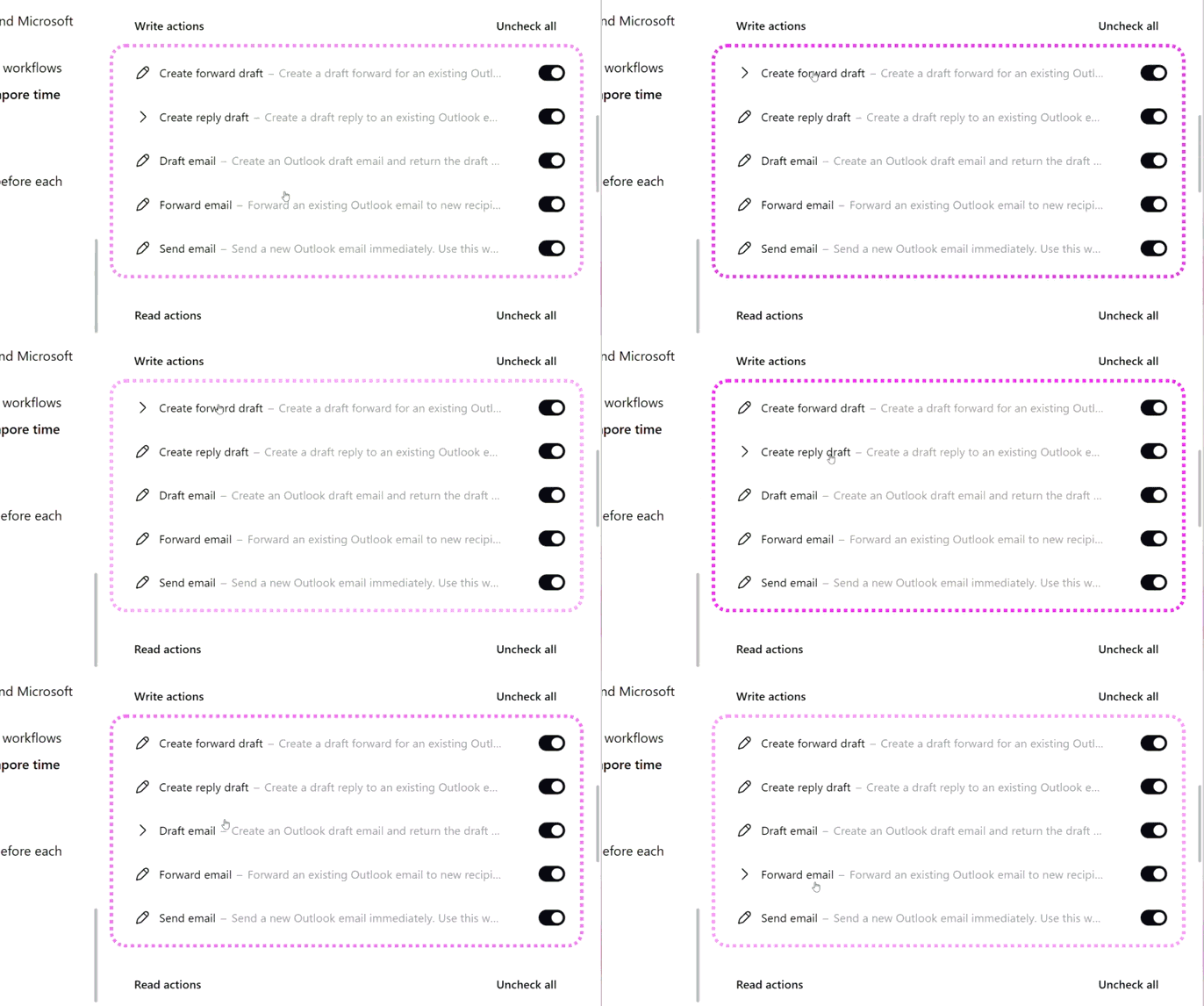
✅ Tools: After the daily brief has been prepared, the agent can use its available tools to draft and send an email to the user.
Skills & Instructions
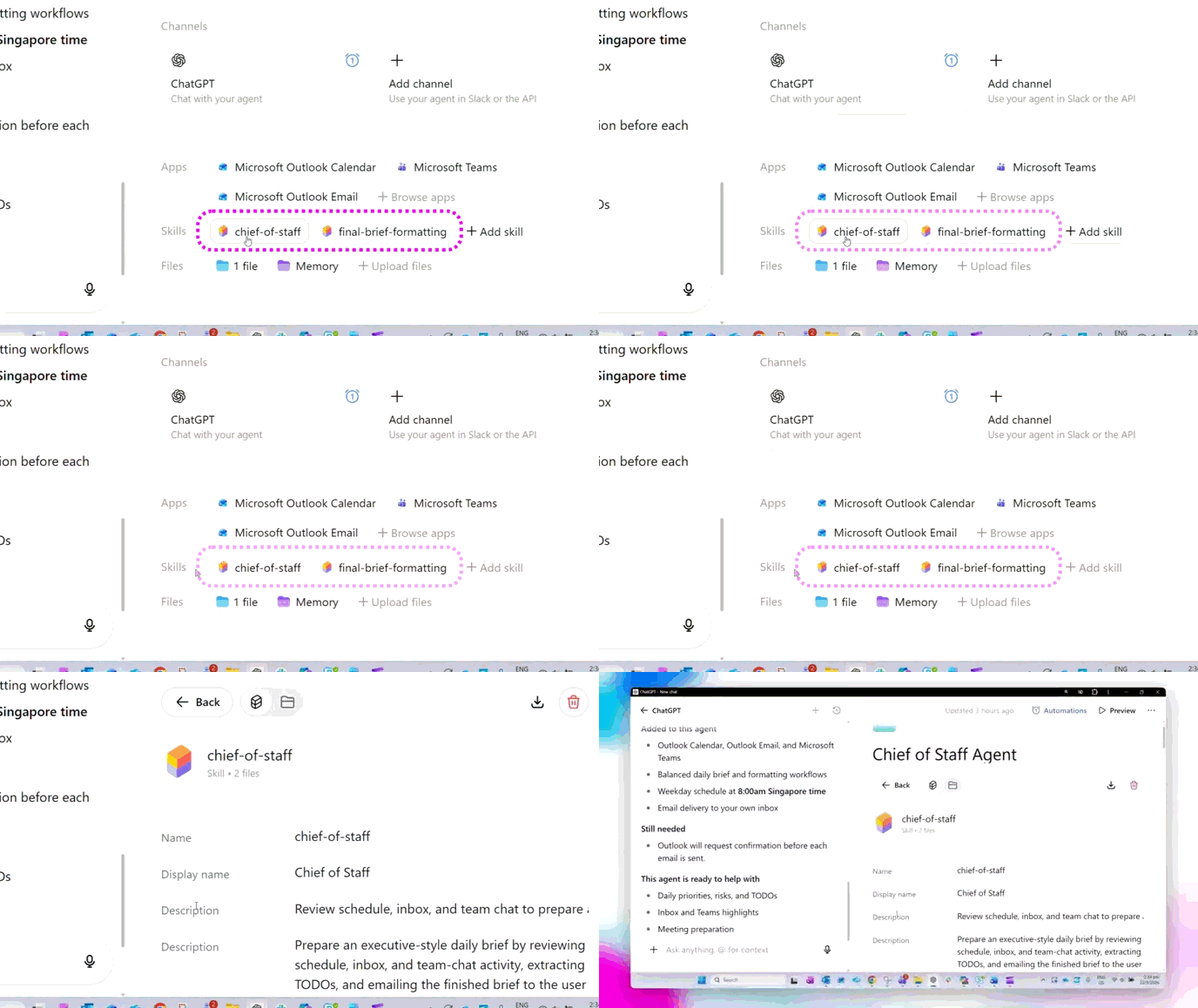
✅ Skills & Instructions: These tell the agent how it should carry out the task, and gives a repeatable way of carrying out the work.
Let's test the agent
Now let’s see what happens when the agent runs.
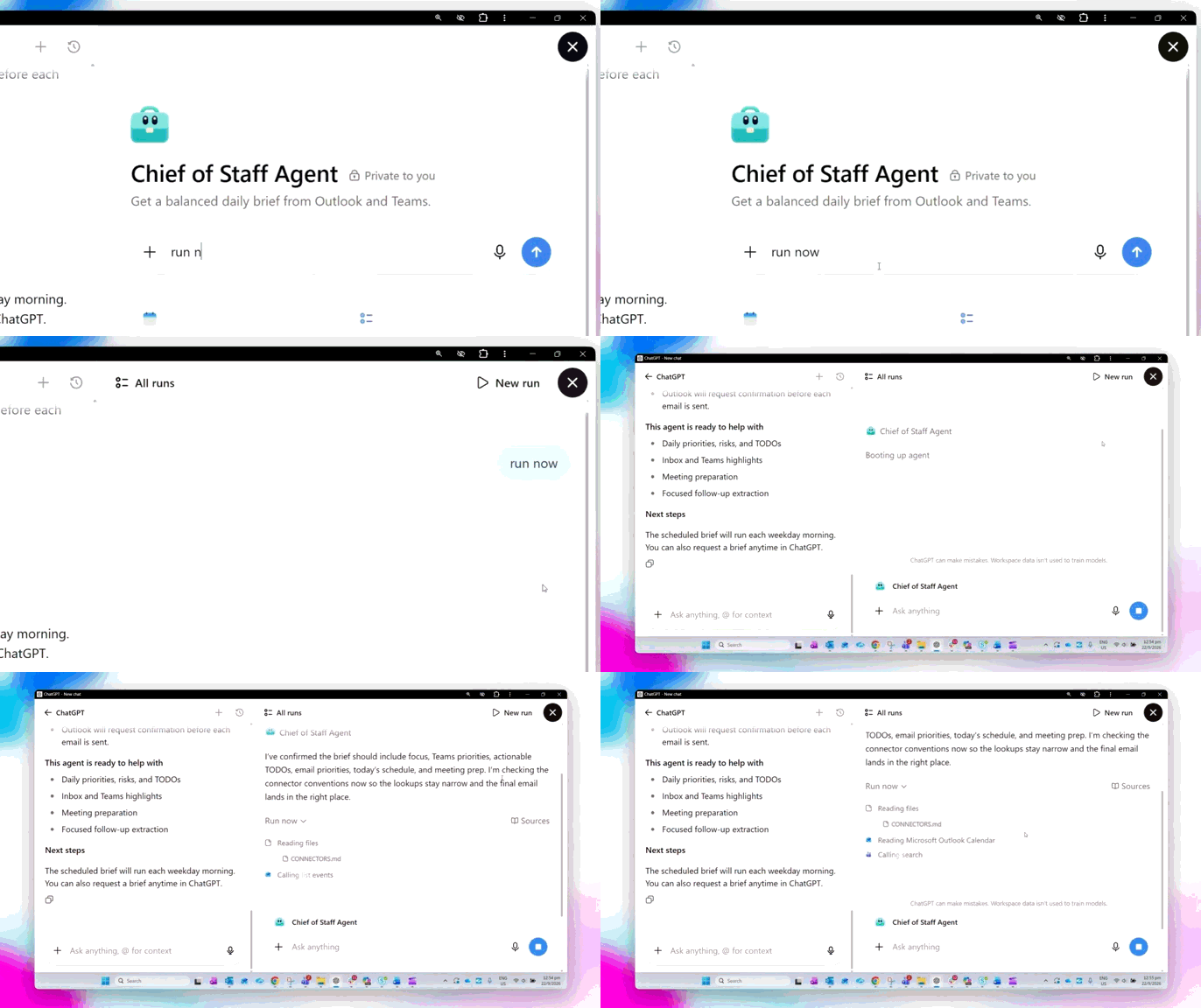
✅ Run the Chief of Staff agent manually. It will search its connected sources and prepare your daily brief.
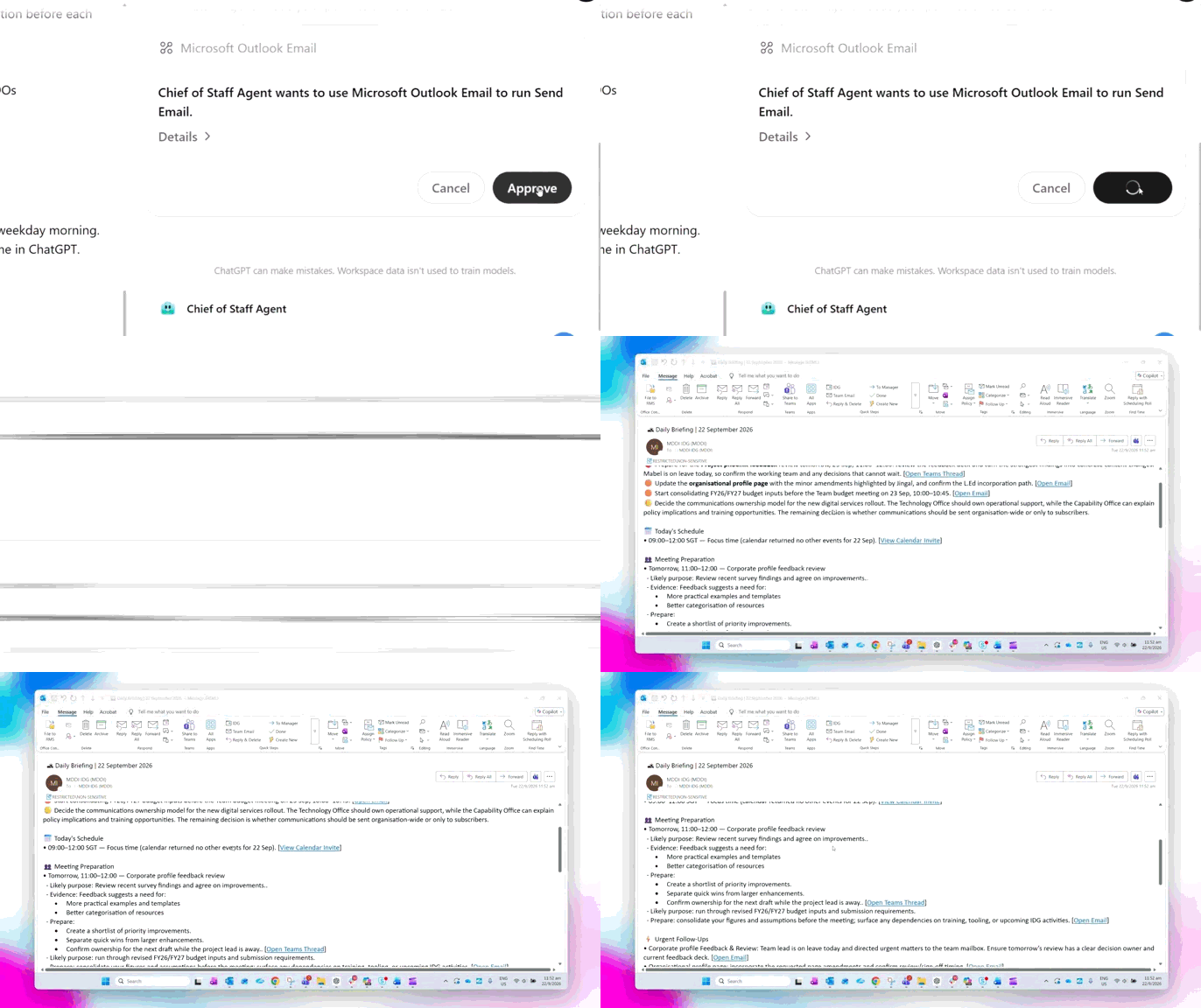
✅ The agent then sends the daily brief to your email. You may need to approve the action.
⚡Review and refine
Review the brief and check important information against the original sources.
If you're not happy with the result, refine the agent's instructions and try again. Testing and improving your agent is part of the creation process.
Now it’s your turn to try!
You have seen what makes an agent different from a chatbot or AI assistant.
Go to Create Agent in ChatGPT and exploring the available templates.
Look at the connectors, tools, instructions and skills available to an agent and see if you can identify the role each one plays.
Start with a clear, repeatable workflow where you can easily review whether the agent has produced the right result.