
Help AI remember the right context
4 November 2026
Learn how context windows, Projects and memory help AI use the right information at the right time.

AI works better when it understands what you are working on. However, it does not necessarily keep everything you have ever shared in mind. In this lesson, we will learn about:
Why AI can only keep so much context
When to start a fresh chat
Using Projects for ongoing work
Using Memory for information that carries across all chats
1. AI can only keep so much in context
When you chat with AI, it uses information from the conversation to understand what you are asking.
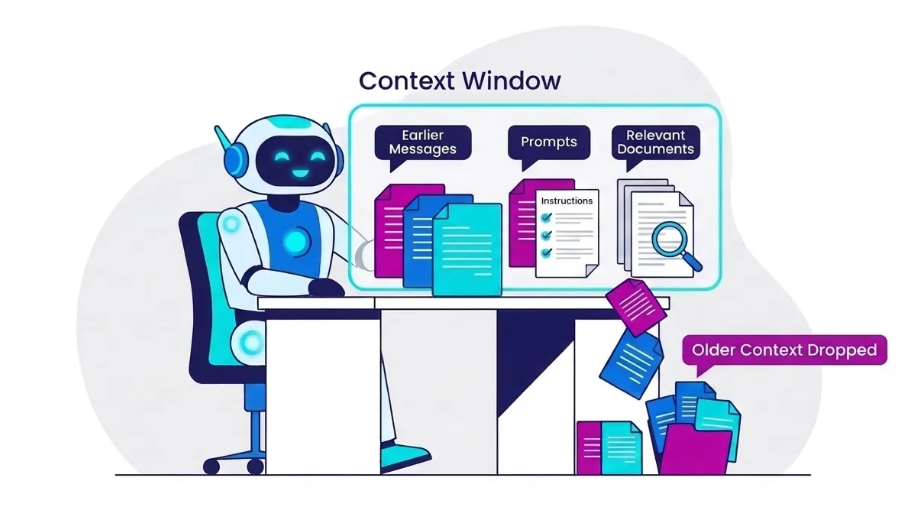
✅ Think of the AI as working at a desk. Your prompt, earlier messages, instructions and relevant documents are materials placed on that desk.
✅ The desk has limited space. This limit is known as the context window.
For example, you could start with: “Help me develop a learning guide on AI.”
Later, you might simply say: “Make the introduction shorter.”
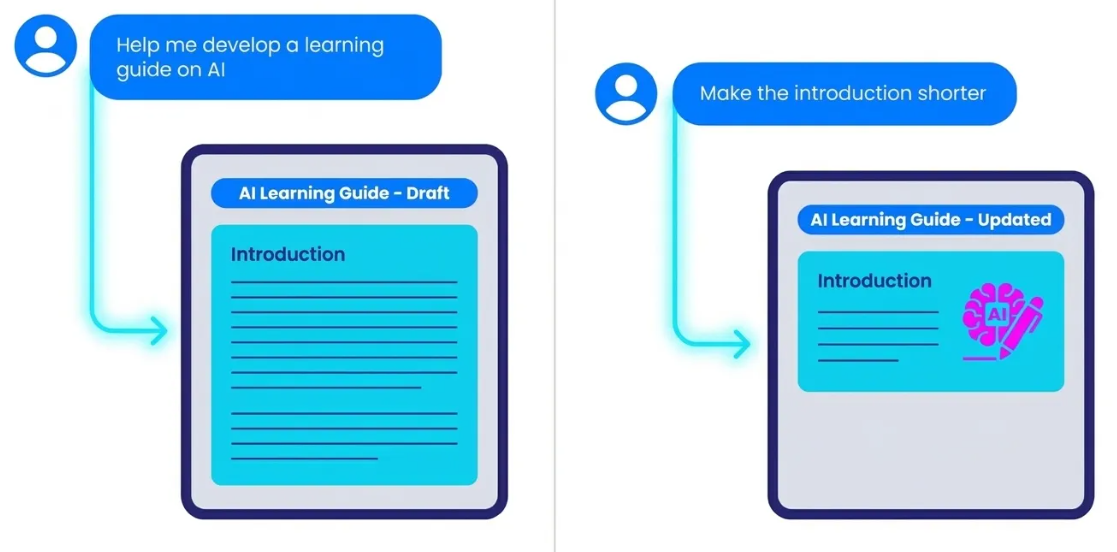
✅ AI understands which introduction you mean because your earlier conversation is still part of the available context.
As the conversation becomes longer, more information competes for space and attention. Older messages may be omitted, summarised or become less influential.
Signs that AI may not be using the right context:
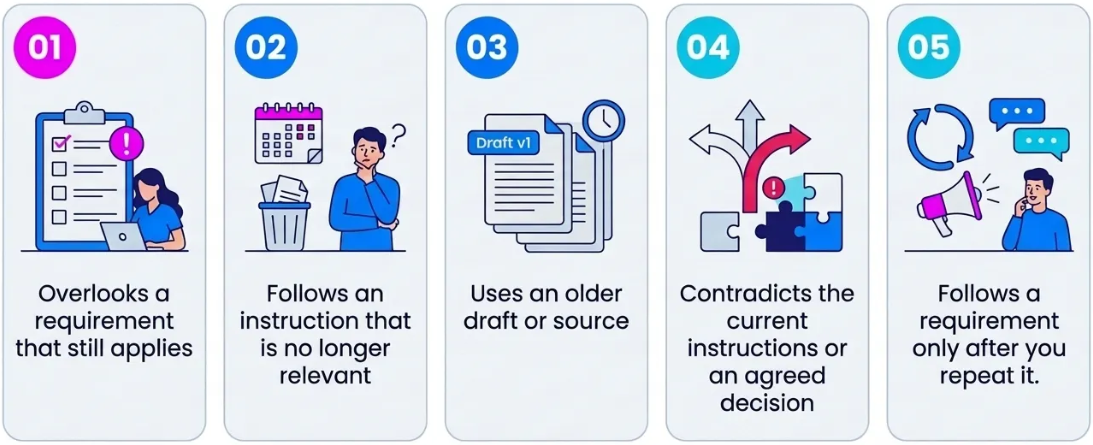
❌ Do not assume that AI will always use something correctly just because you mentioned it earlier in a long conversation. If a requirement is important, metion it again.
✅ For example: “Use the latest draft. Write for a senior management audience and keep the briefing note under two pages.”
2. Know when to start a fresh chat
You do not have to keep everything in one long conversation so that AI “remembers”. Starting a fresh chat can help AI focus by removing outdated instructions and irrelevant discussion.
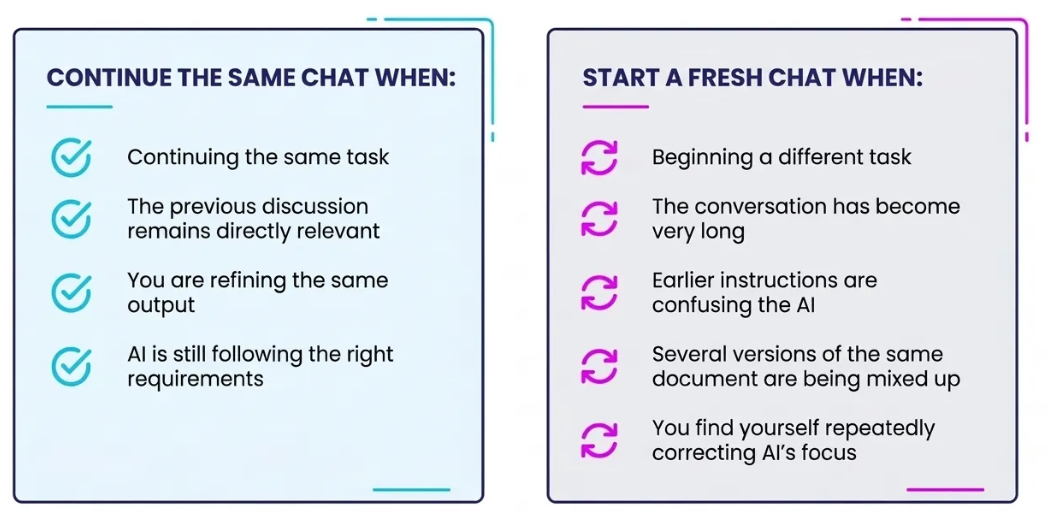
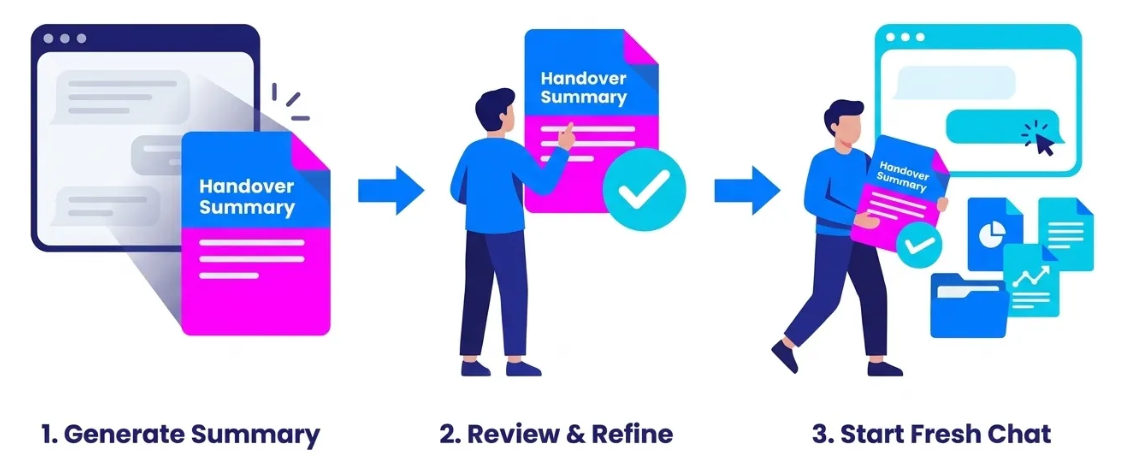
Before leaving a long conversation, ask AI to create a short handover summary. You can use the prompt below.
Ready-to-use prompt
Create a concise handover brief for a new AI chat based on our conversation.
Preserve only the context needed to continue the work effectively:
Goal: What I am ultimately trying to achieve.
Current state: Where the work stands now. Prioritise the latest position if earlier ideas were changed or superseded.
Key context: Facts, assumptions, constraints, preferences, and requirements the new AI needs to know.
Decisions made: What we have already agreed, rejected, or settled.
Important details: Preserve any wording, examples, structures, data, sources, names, or instructions that would be costly to reconstruct.
Open issues: Questions or decisions that remain unresolved.
Next steps: What should logically happen next.
Do not retell the conversation chronologically. Remove repetition, abandoned ideas, and conversational filler.
Do not invent or infer missing information. Clearly distinguish confirmed information from unresolved assumptions.
Write the result as a self-contained context brief that I can paste into a new chat and immediately continue working from.
✅ Check the summary and correct anything important. You can then use the corrected summary to begin a fresh chat, together with the latest source material.
3. Use Projects for ongoing work
A Project can keep related chats, files and instructions together for a continuing body of work. For example, in ChatGPT, you could create a Project called Service Improvement Review.
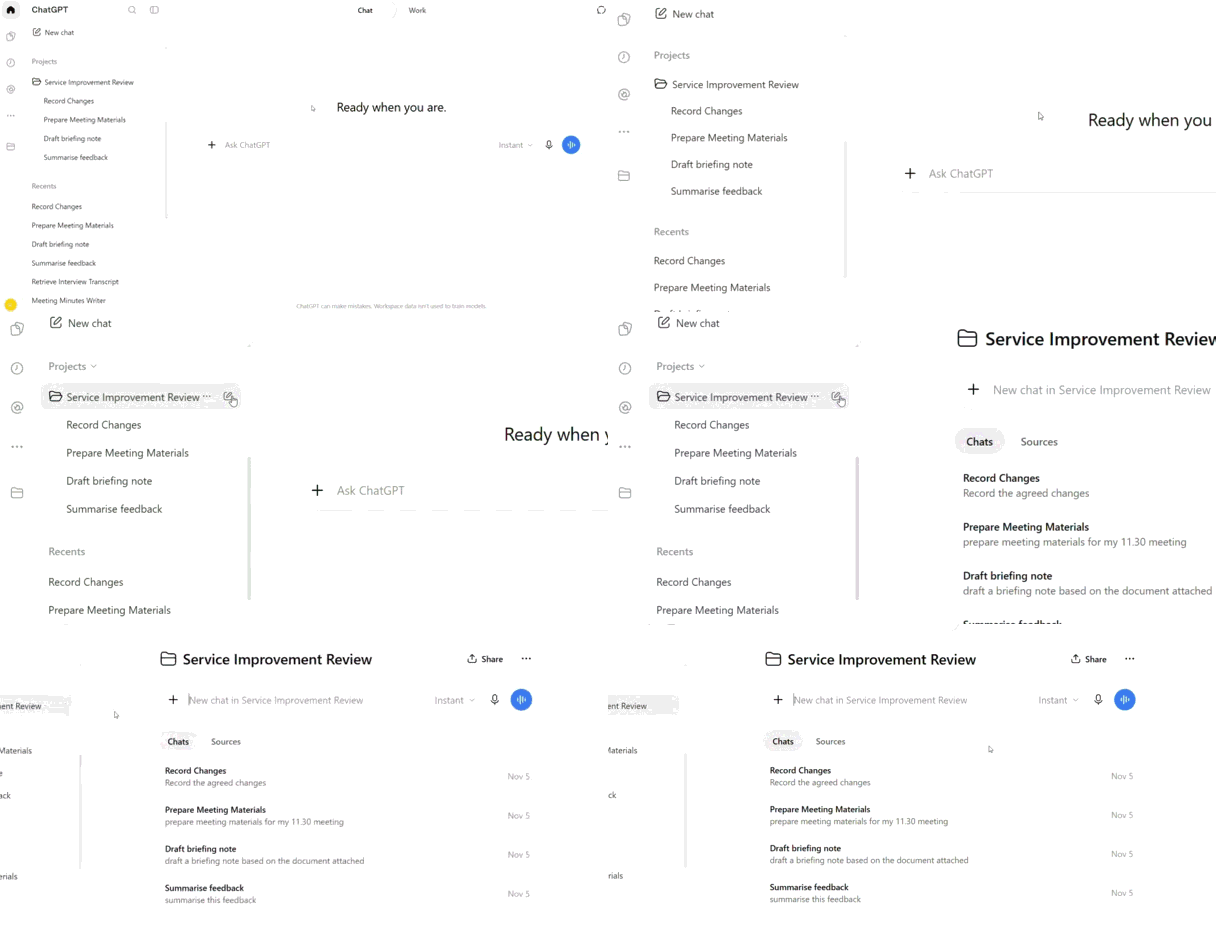
✅ Think of it as a folder that stores all chats on the same topic. This keeps each chat focused, while letting relevant context from each chat support later work.
❌ But do not assume ChatGPT will use every earlier chat or detail. Restate important information in the current chat, or save it as a Project source.
Project sources are the files and reference material that chats in the Project can draw on.
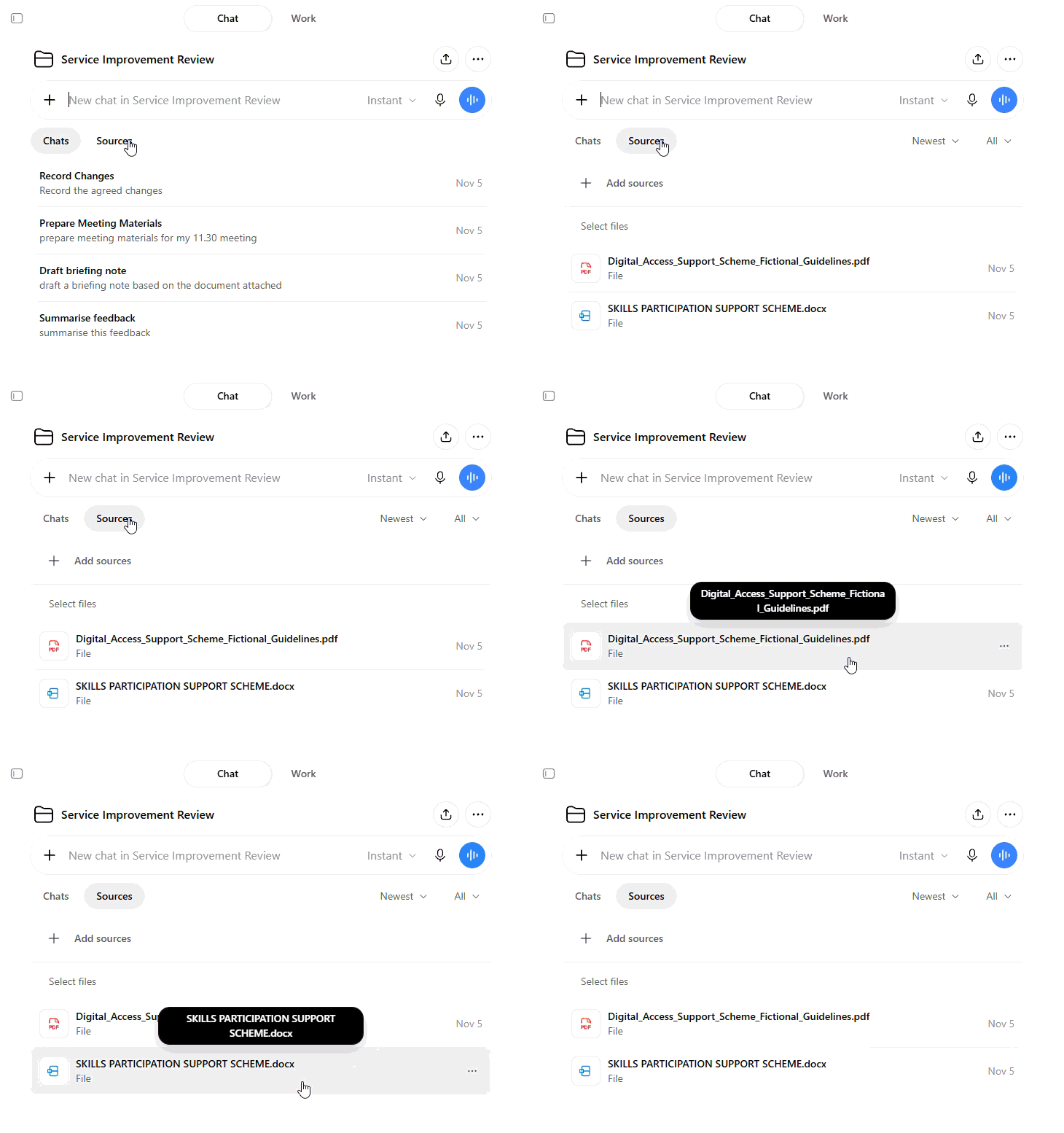
✅ Useful sources you can upload might include:
The current workplan
Relevant policies and guidance
Accompanying data and research
Project instructions are useful for recurring requirements for your project, such as the audience, tone and format.
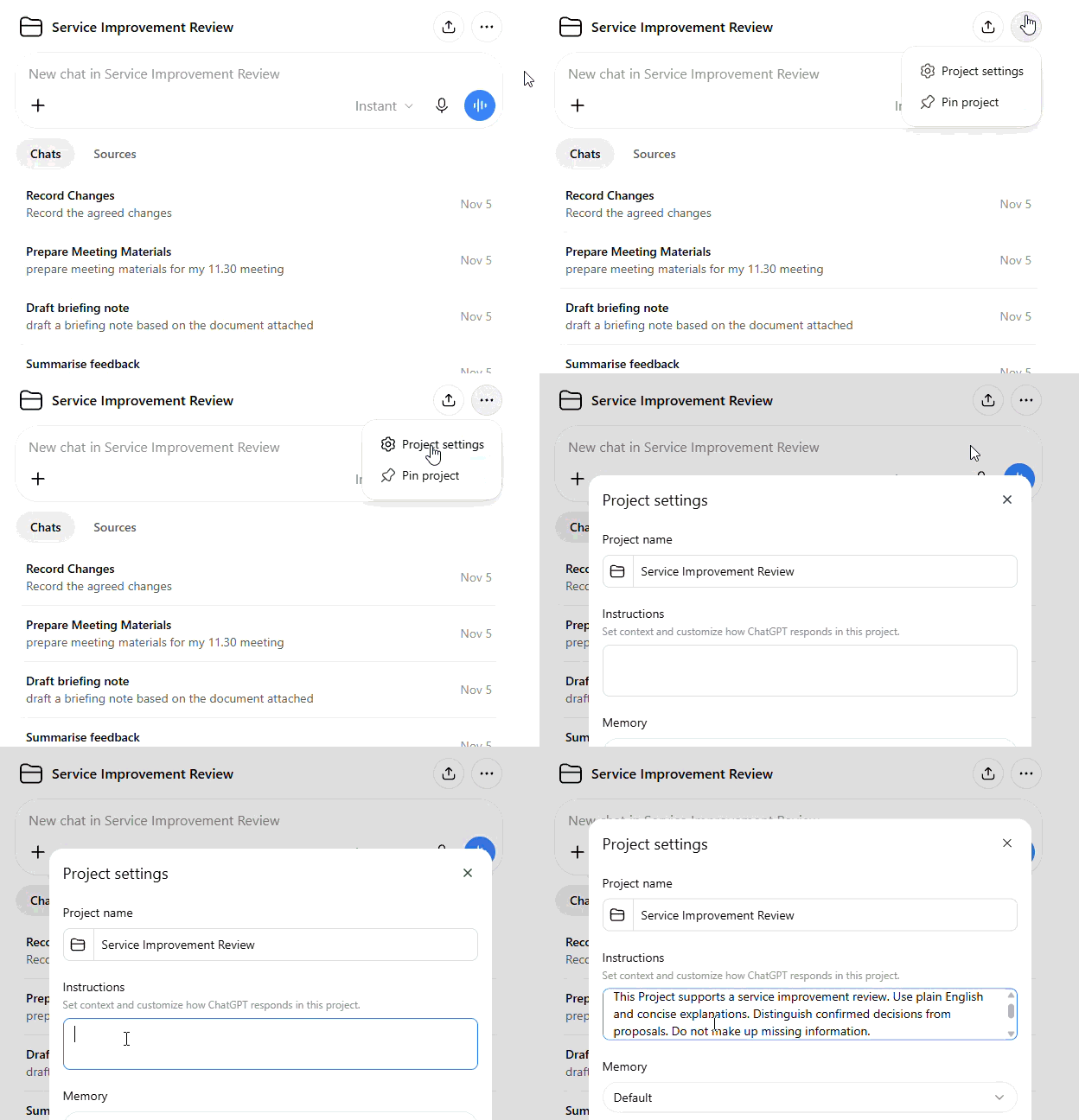
✅ For example: “This Project supports a service improvement review. Use plain English and concise explanations. Distinguish confirmed decisions from proposals. Do not make up missing information.”
4. Use memory for information that carries across all chats
Memory can help AI use relevant information about you across all conversations, where the feature is available and enabled.
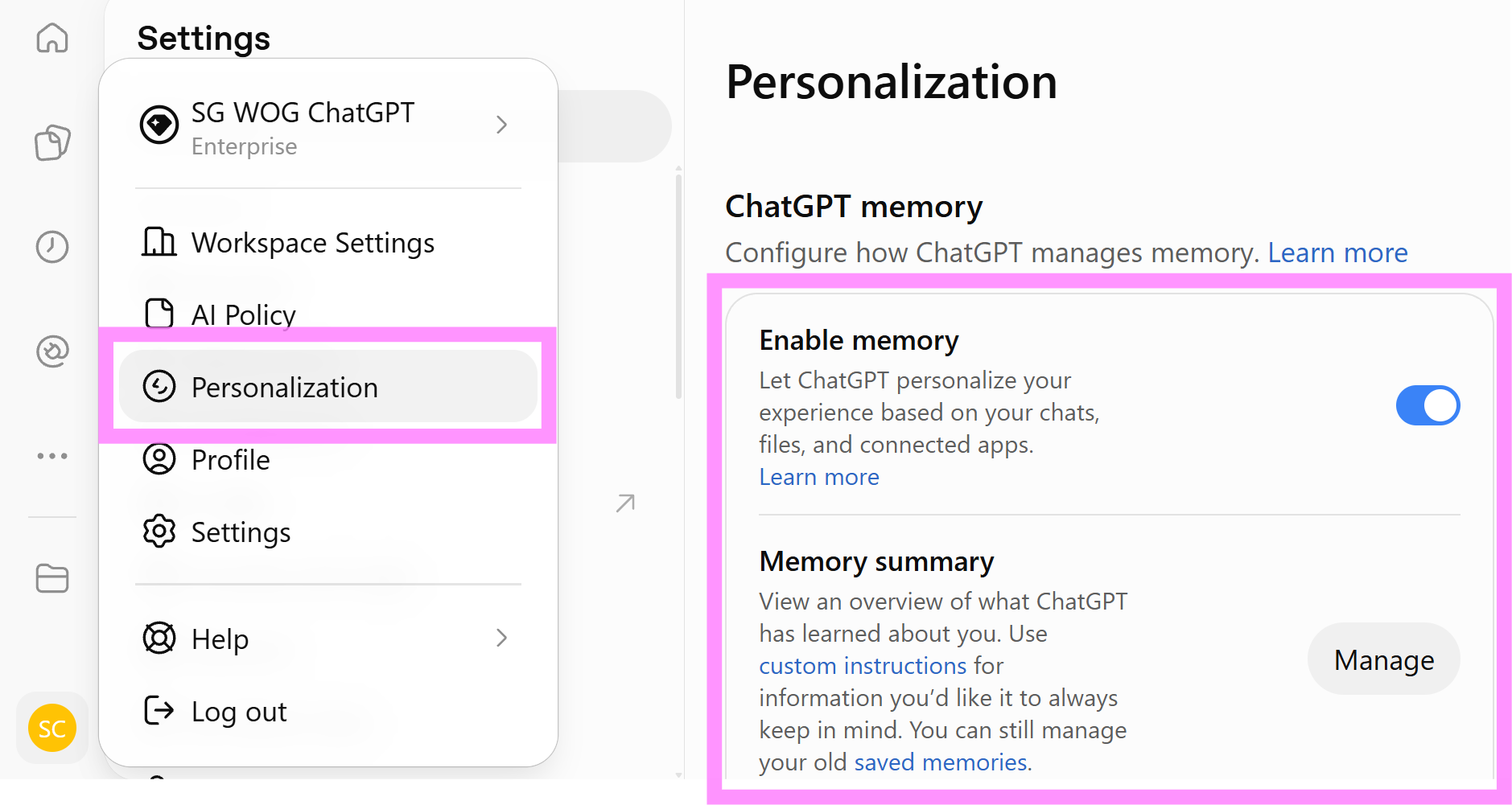
✅ In ChatGPT, go to 'personalization' to 'enable memory', and view a summary of what ChatGPT has learned about you.
You can also add Custom Instructions, for instructions that you want to apply to all chats.
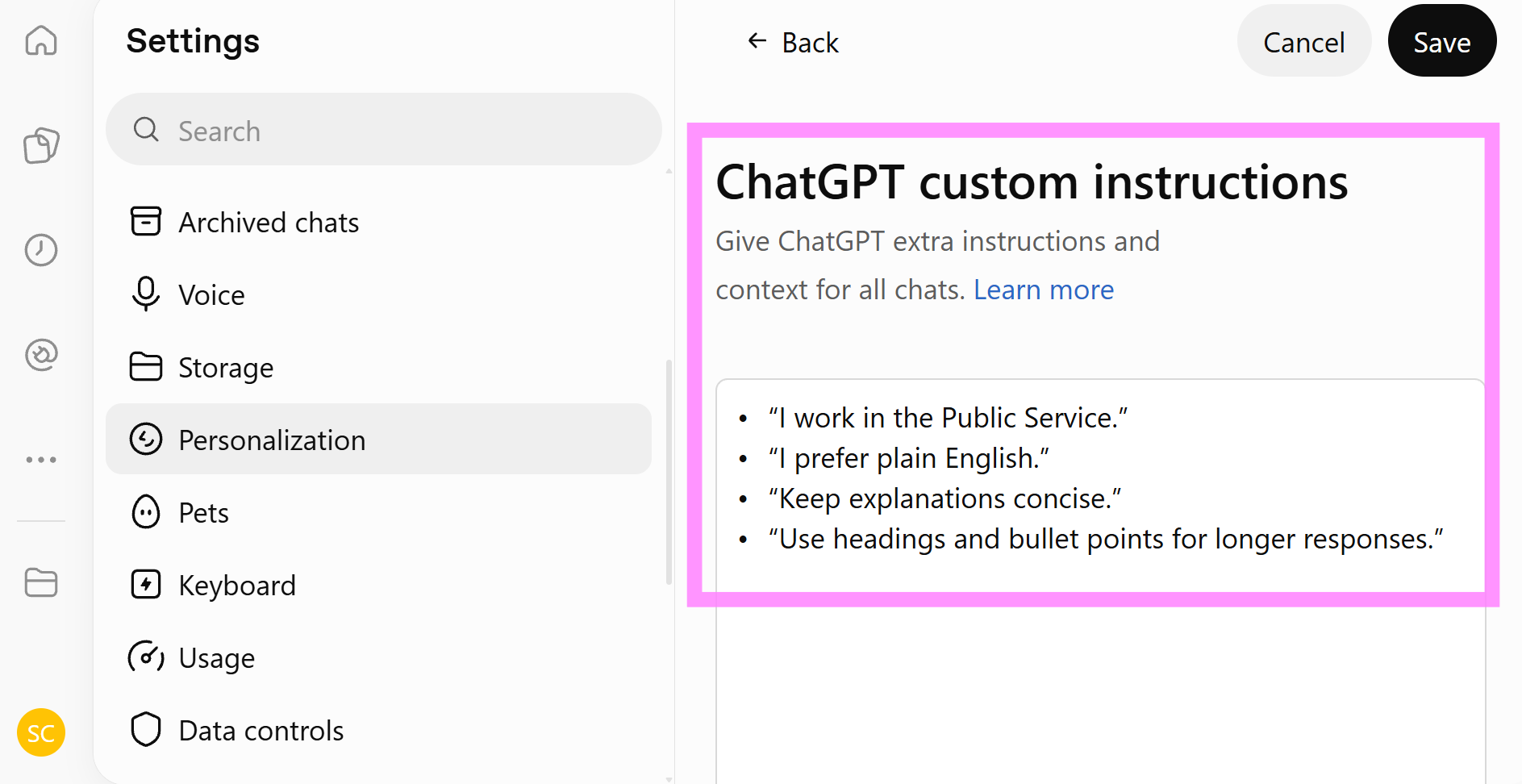
✅ In ChatGPT, go to 'personalization' and then 'custom instructions'.
Bringing it together
Heres a simple way to think about where your context should go:
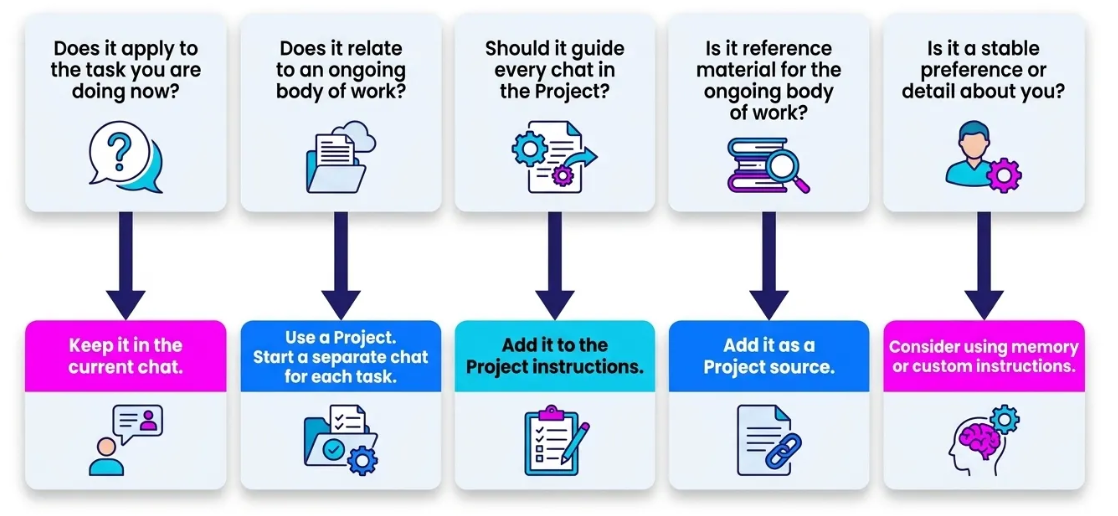
✅ Whatever you choose, provide the authoritative source when a fact, policy, figure or decision must be correct. Check the output against that source before using it.