
3. Create a Workspace Agent in ChatGPT
11 November 2026
Learn how to create a Workspace Agent in ChatGPT to automate repetitive, multi-step tasks.

Today's Exercise
Workspace agents can help you automate repetitive workflows that involve several steps, tools or sources of information.
Now that you know what agents do and when to use them, let's create your first workspace agent in ChatGPT. This guide will cover the following:
Map out your workflow
Create your agent
Explore your agent
Test your agent
Here's what you need for this exercise:
Tools & inputs required
🛠️ Tool | ChatGPT Enterprise (WOG) |
🔗 Feature | Workspace Agents |
📂 Your input | Your workflow prompt [DOCX, 14.21 KB] (opens in new tab) |
1. Map out your workflow
Before creating an agent, first map out what you want it to do.
Let's use a meeting minutes workflow. At the end of every workday, you want the agent to:
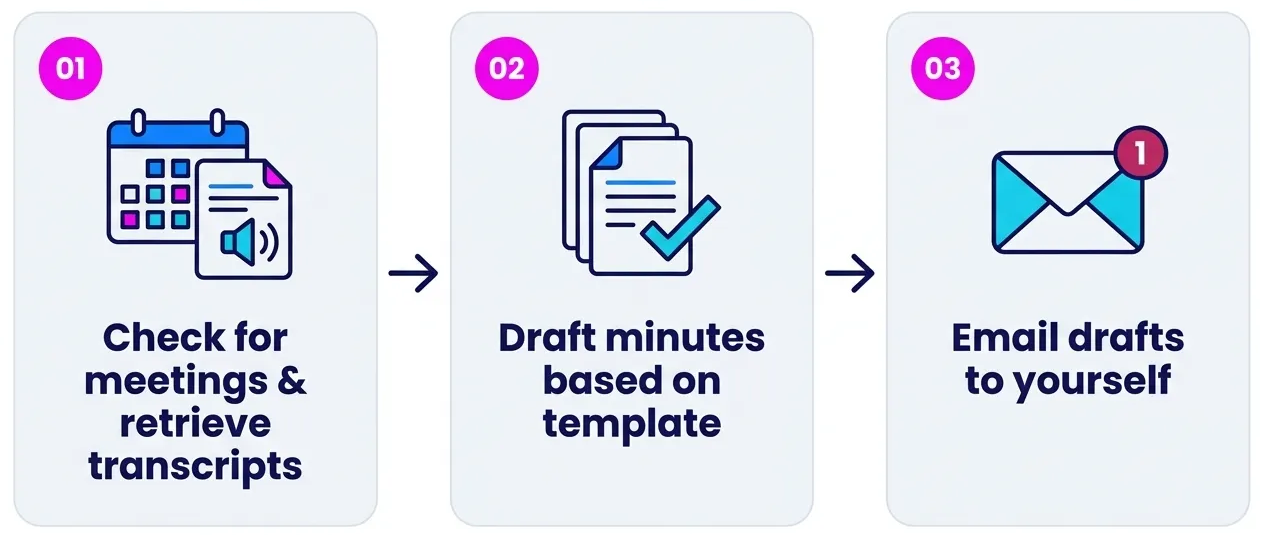
☑️ Writing the workflow out first helps you identify what your agent will need.
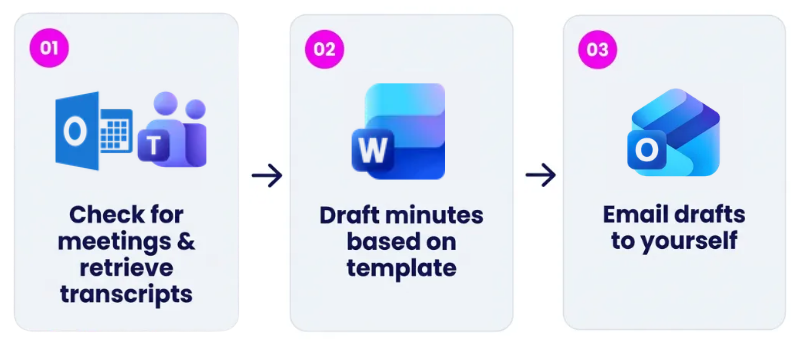
☑️ In this case, the agent will have to:
Use Outlook Calendar to find your meetings, Microsoft Teams to access recorded transcripts.
Draft minutes based on an approved uploaded template in a Microsoft Word document.
Use Outlook Email to send the draft to yourself.
2. Create your agent
Once you have mapped out the workflow, you are now ready to create the agent.
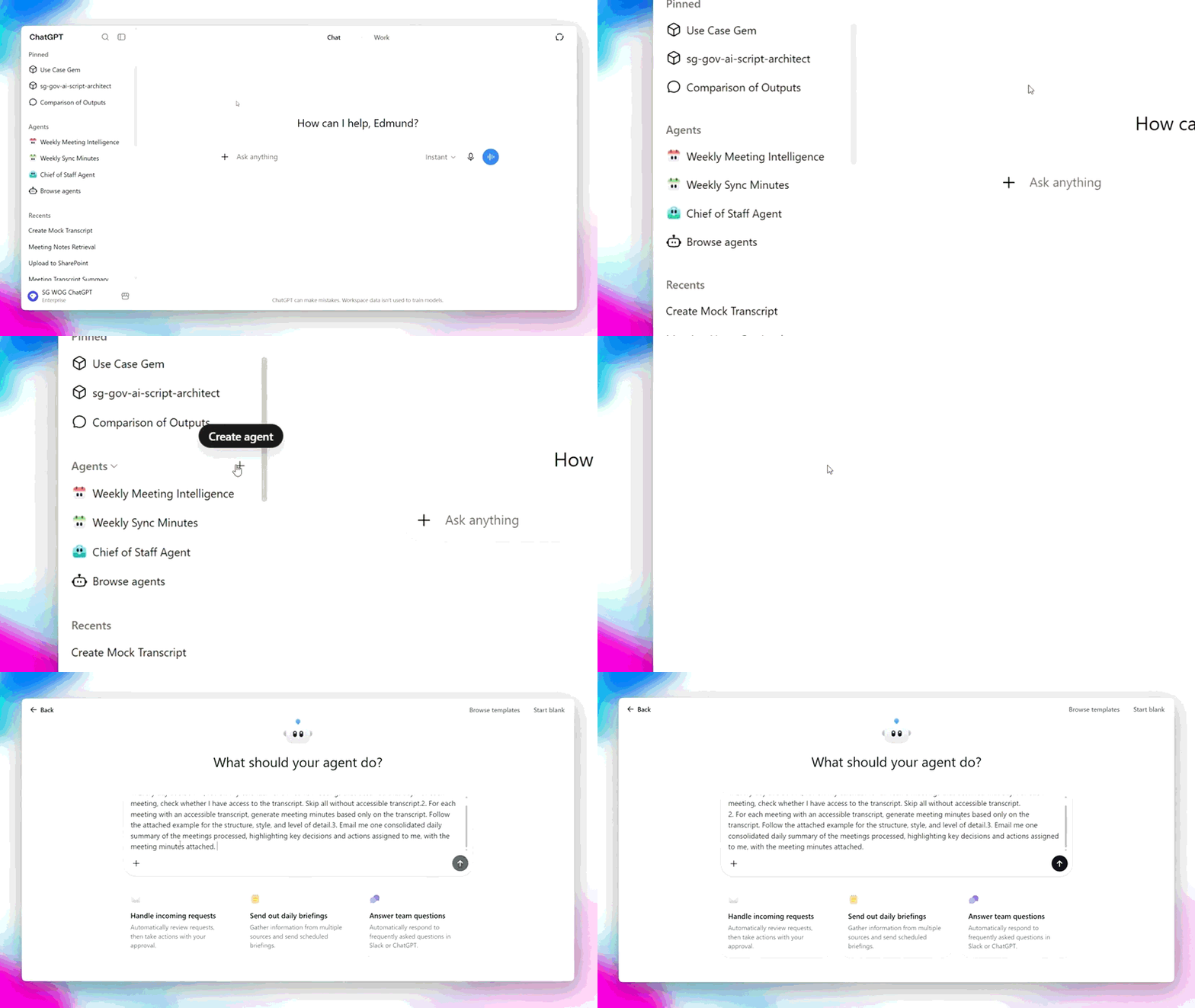
☑️ Login to ChatGPT Enterprise (opens in new tab), click 'Create Agent' and provide the step by step instructions for the agent. You can use the prompt below.
Ready-to-use prompt
1. Every workday at 5:30 PM, review my calendar for all Microsoft Teams meetings that occurred that day. For each meeting, check whether I have access to the transcript. Skip any meeting without an accessible transcript.
2. For each meeting with an accessible transcript, generate meeting minutes based only on the transcript. Follow the attached example for the structure, style, and level of detail. Clearly capture key discussion points, decisions, action items, owners, and due dates where stated.
3. Email me one consolidated daily summary of the meetings processed, highlighting key decisions and actions assigned to me, with the meeting minutes attached. If no accessible transcripts are available that day, end the workflow.
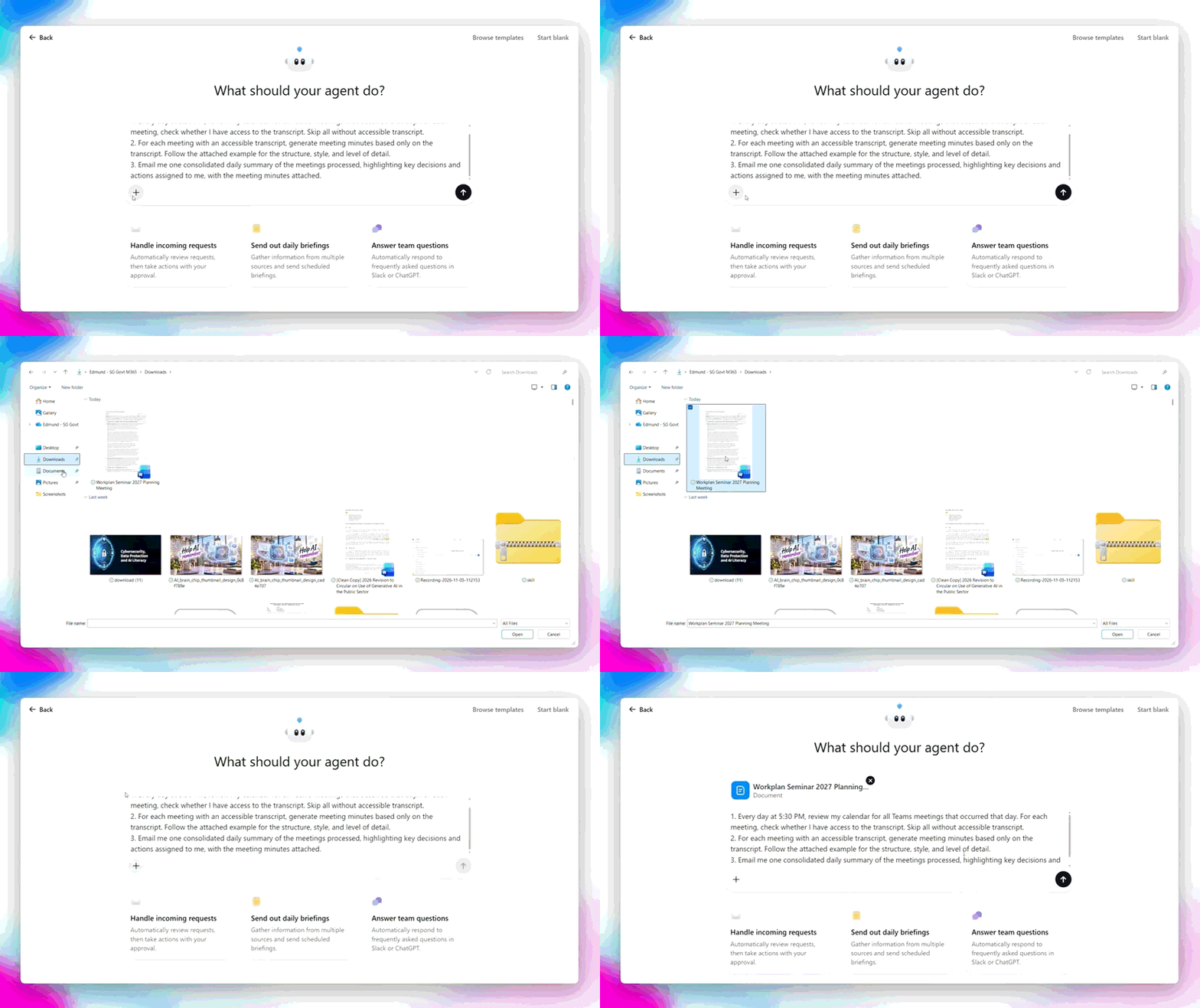
☑️ Next, upload your approved meeting minutes template or an example of a good set of minutes, and build your agent.
Remember, you can upload up to C(CE)/SN data within Enterprise AI tools.
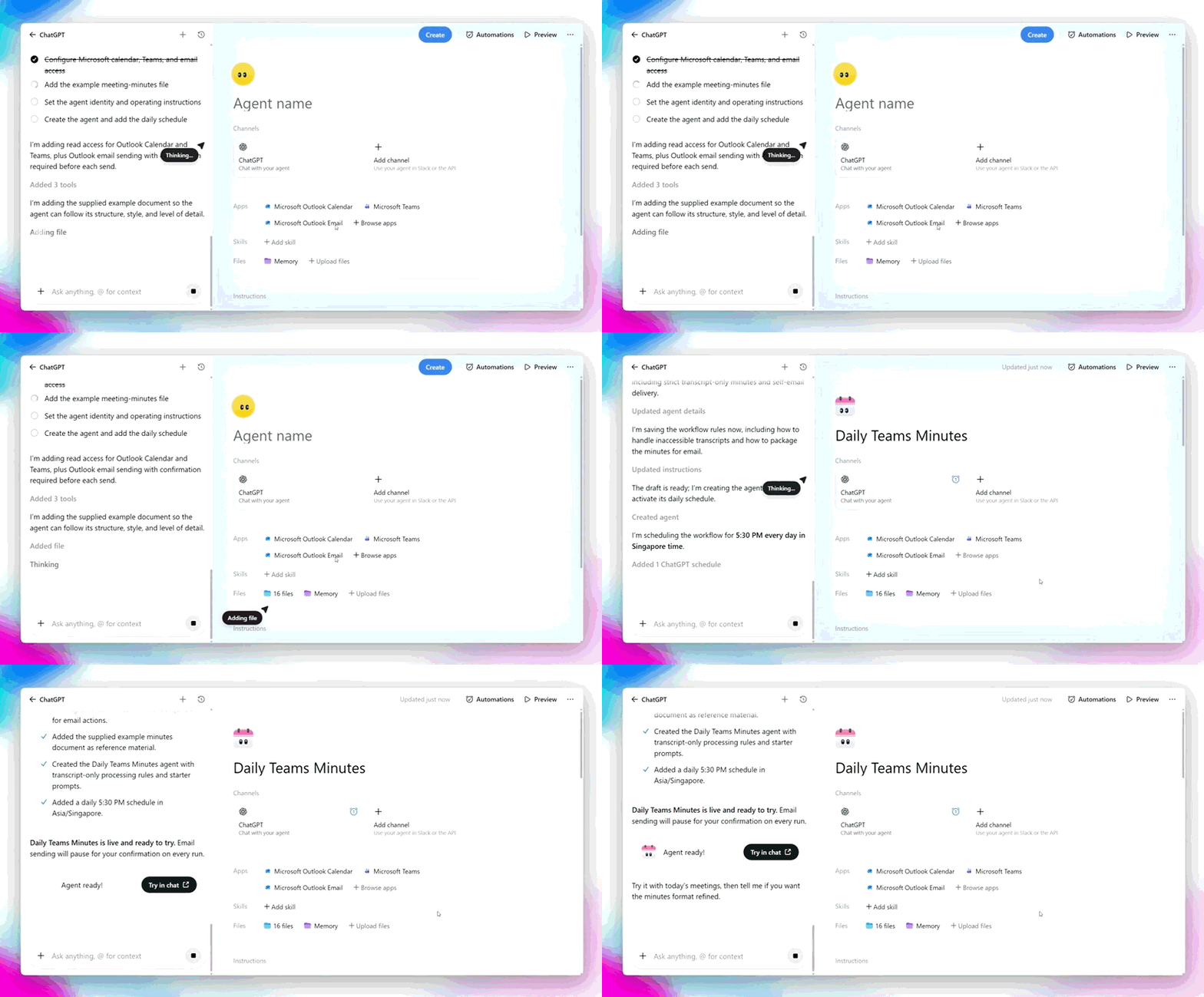
☑️ The agent builder will create your agent.
3. Explore your agent
Let's take a look at what you just built.
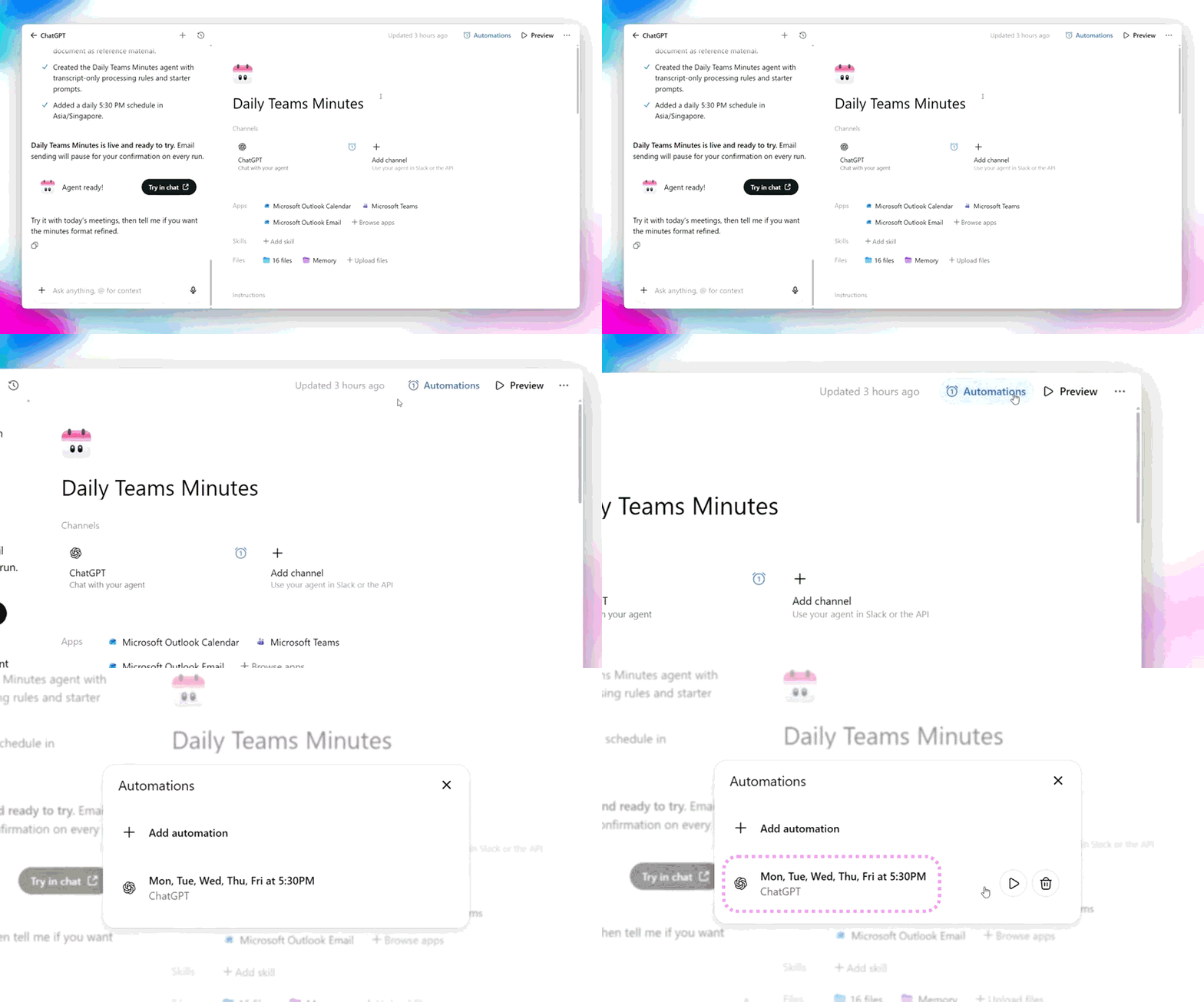
☑️ Schedule: The agent runs at 5.30pm every workday.
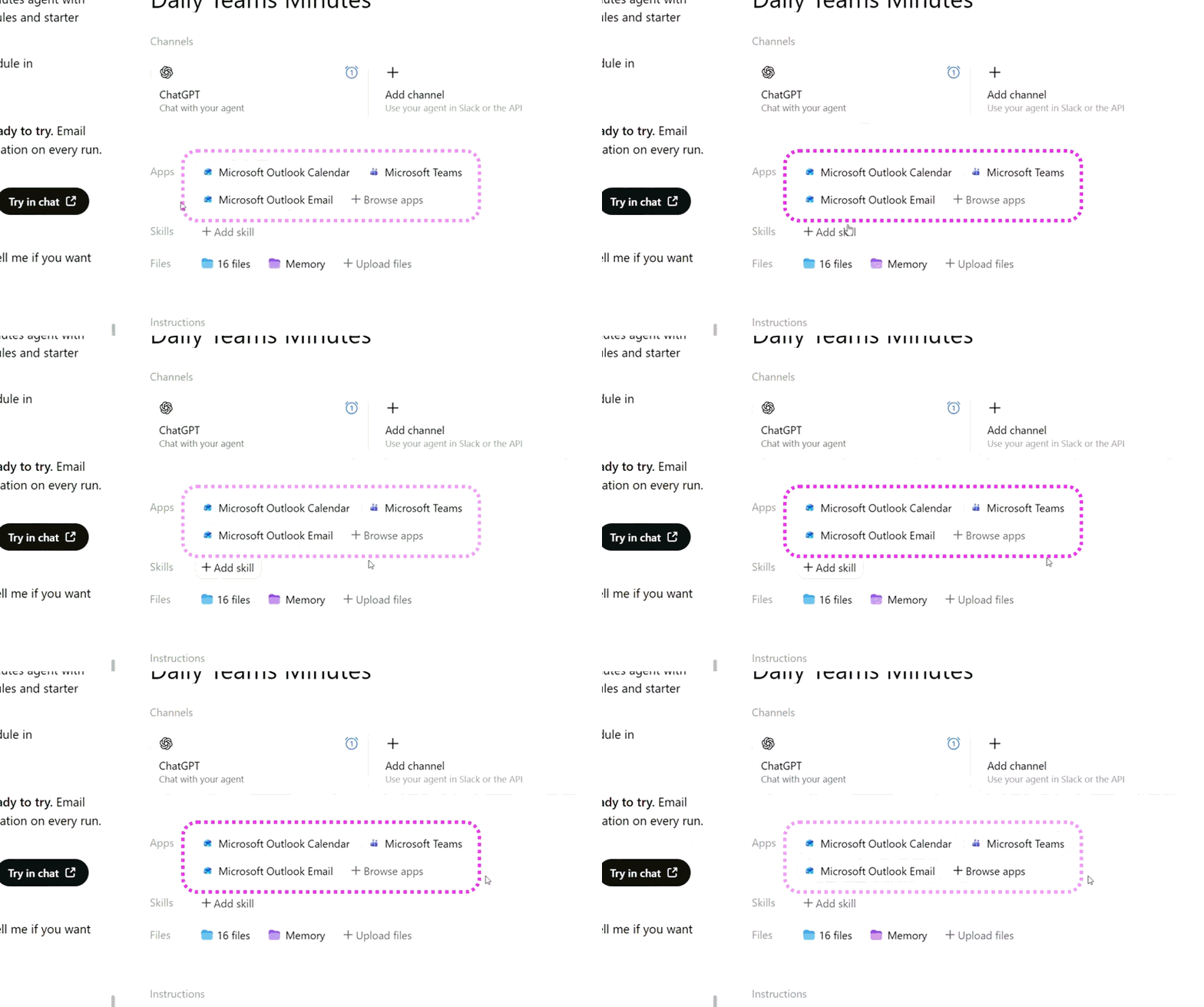
☑️ The agent uses:
Outlook Calendar to find relevant meetings
Microsoft Teams to access available transcripts
Outlook Email to prepare and send the results
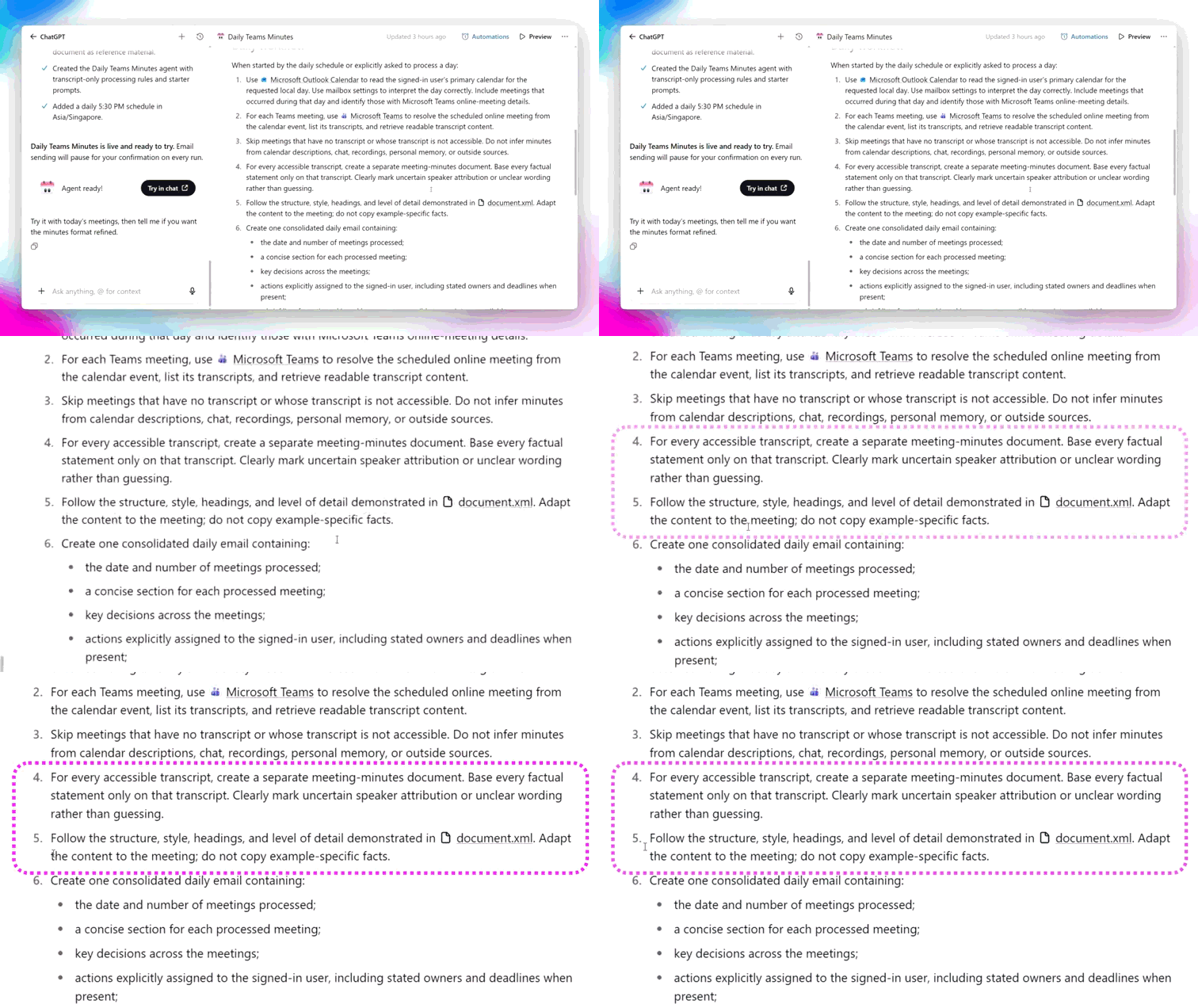
☑️ The instructions tell the agent:
Which meetings to process
How to structure the minutes using the template
How to draft and send the email
4. Test your agent
It is always important to test and improve your agents before relying on them.
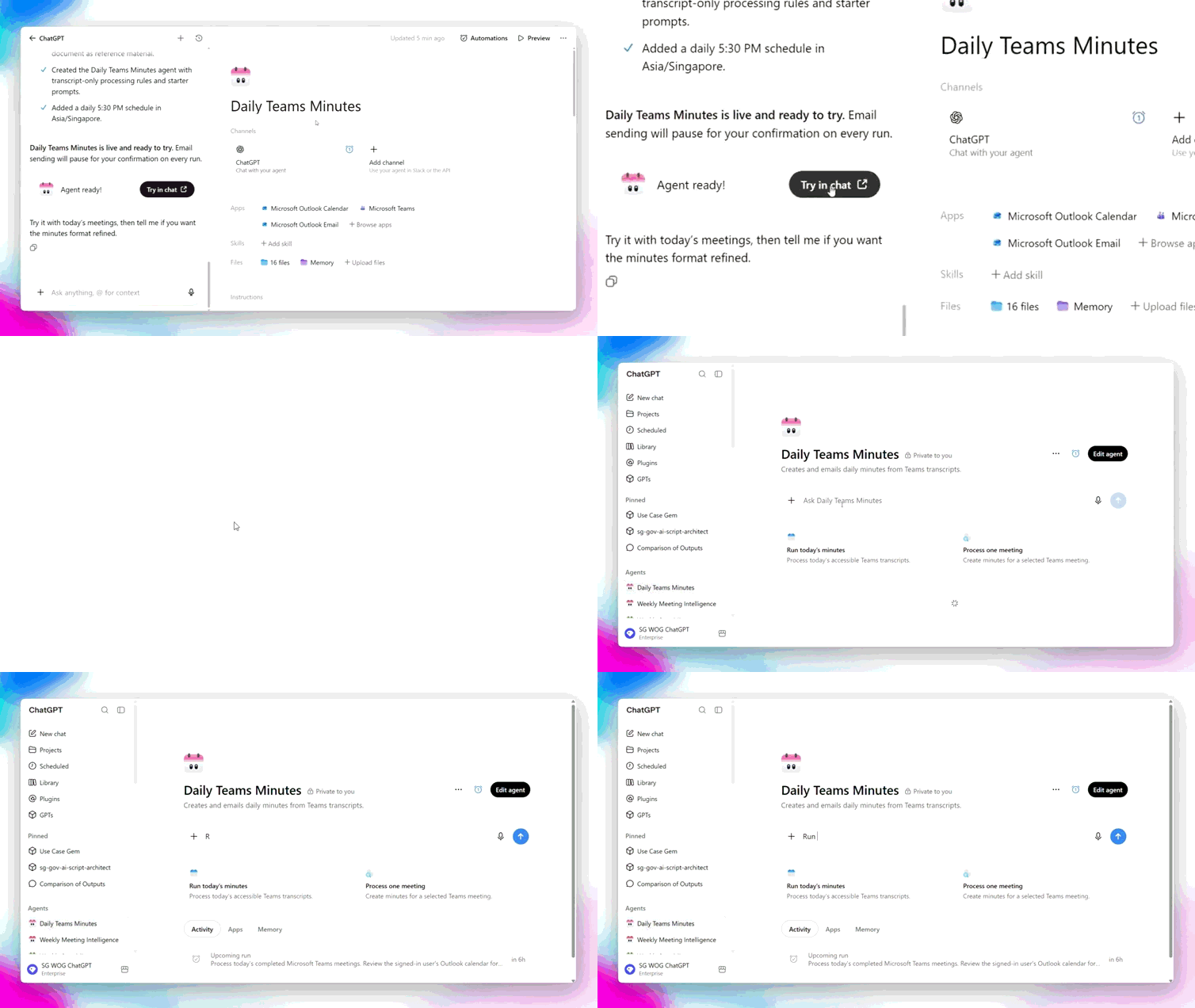
☑️ Select 'Try in chat' and ask the agent to 'run now', if you had a Teams meeting earlier today with an accessible transcript.
Otherwise, ask it to use an earlier meeting with an accessible transcript.
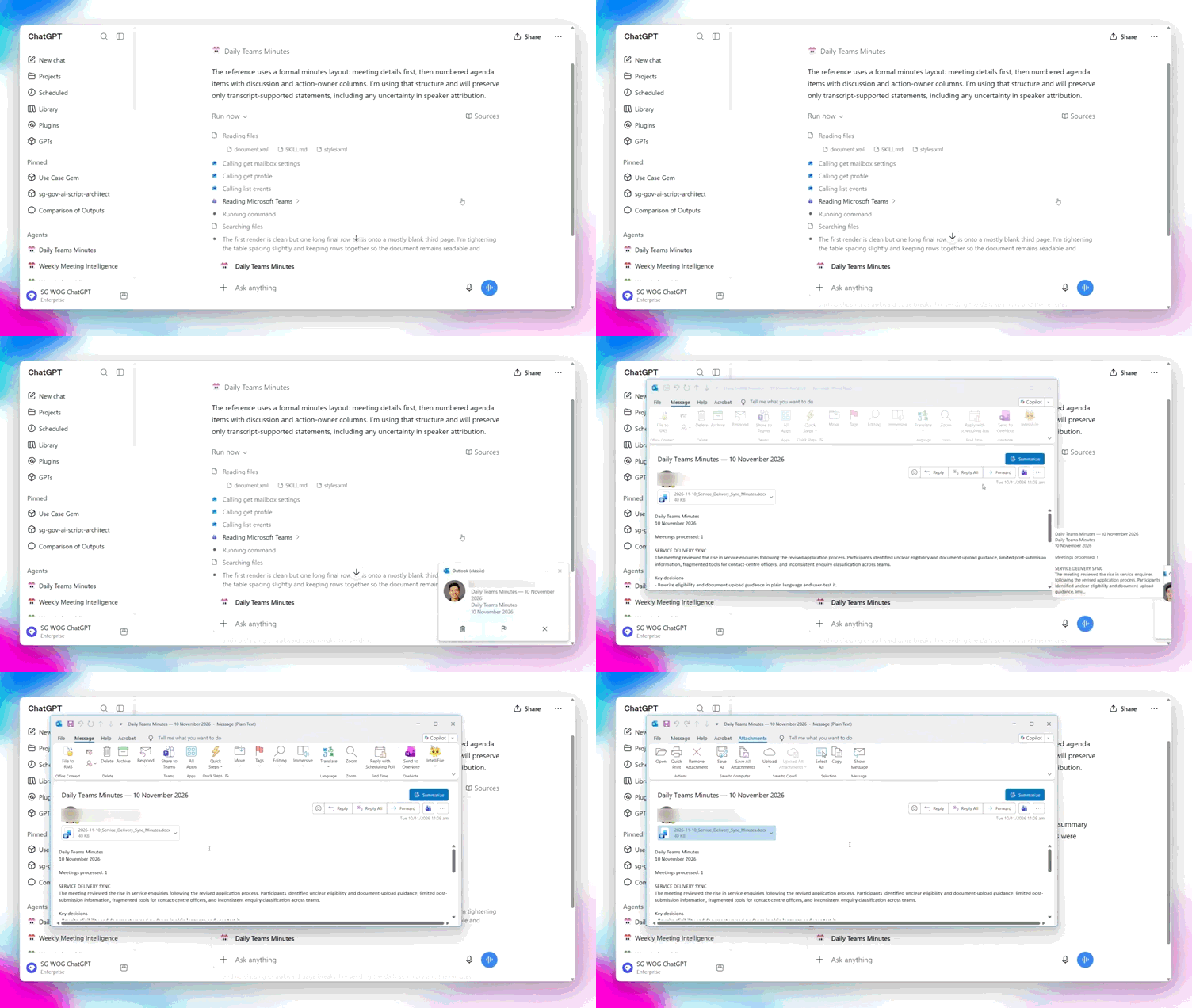
☑️ The agent will run the workflow, and send you an email with the draft minutes.
Remember - an agent can prepare the first draft, but you remain responsible for checking its work.
Compare the draft minutes against the original transcript. Pay particular attention to:
Decisions: Does the draft accurately reflect what was agreed?
Action items: Did it identify the correct actions items?
Owners: Were actions assigned to the correct people?
Deadlines: Are dates and timelines accurate?
Context: Did the agent miss any nuance that changes the meaning?
Be especially careful if the minutes will be treated as an official record or shared with others.
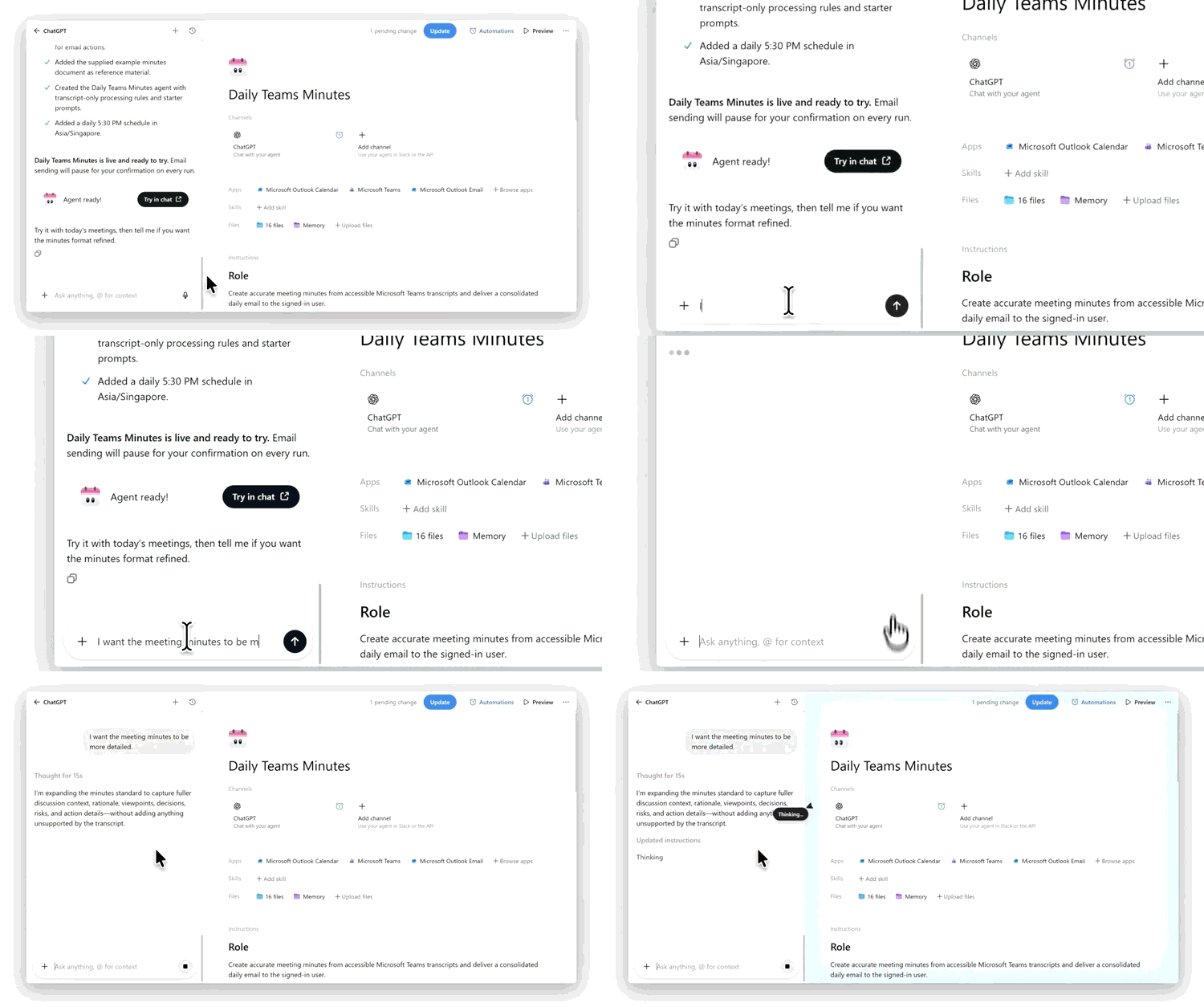
☑️ Based on your test, continue the conversation to improve the agent.
If the minutes are not detailed enough, let the agent know.
If the format is inconsistent, provide a better example or more explicit template.
This build → test → review → improve cycle is an important part of creating useful agents.
Now it's your turn to try!
Once you're comfortable with the meeting minutes workflow, think about another repetitive task you regularly perform. For example:
Preparing a daily brief from several sources
Summarising reports received during the week
Preparing information before recurring meeting
Map the workflow first, then build the simplest version, test it carefully, and improve it over time.