
7. Create a skill in Copilot for slide creation
27 October 2026
AI Tool
Copilot
Learn how to create a reusable skill that turns your plain slides into branded presentations.

Today's Exercise
Creating presentations often involves repeating the same formatting work, such as choosing layouts, applying colours and arranging content consistently.
A skill is a reusable set of instructions that teaches AI how to perform a particular task or workflow. Instead of explaining your slide requirements each time, you can package them as a skill and use them repeatedly.
Let’s create a skill that helps Copilot turn an outline or an existing presentation into slides based on your template, in 3 steps:
Create the slide creation skill
Install the skill
Test the skill
Here's what you need for this exercise
Tools and inputs required:
🛠️ Tool | Copilot |
🔗 Feature | Skills in Powerpoint |
📂 Your input | Your slide template |
1. Create the slide creation skill
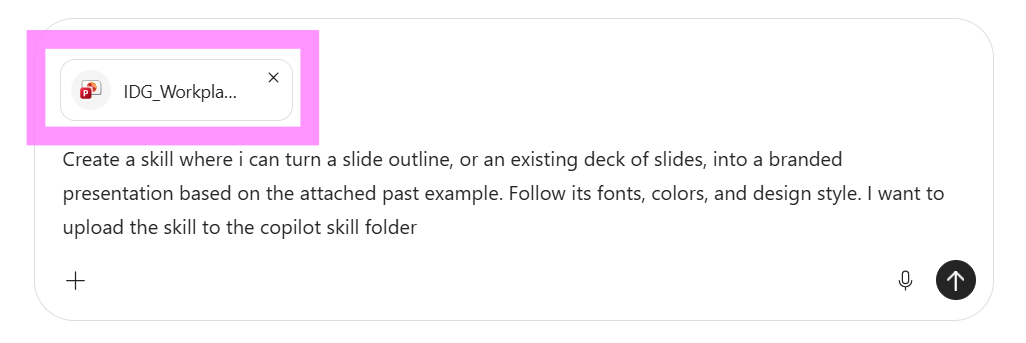
☑️ Open Copilot, (opens in new tab) and attach past slides whose design style you want to replicate. Ask Copilot to create a skill that uses them as a reference.
Ready-to-use prompt
Create a skill where i can turn a slide outline, or an existing deck of slides, into a branded presentation based on the attached past example. Follow its fonts, colors, and design style. I want to upload the skill to the copilot skill folder
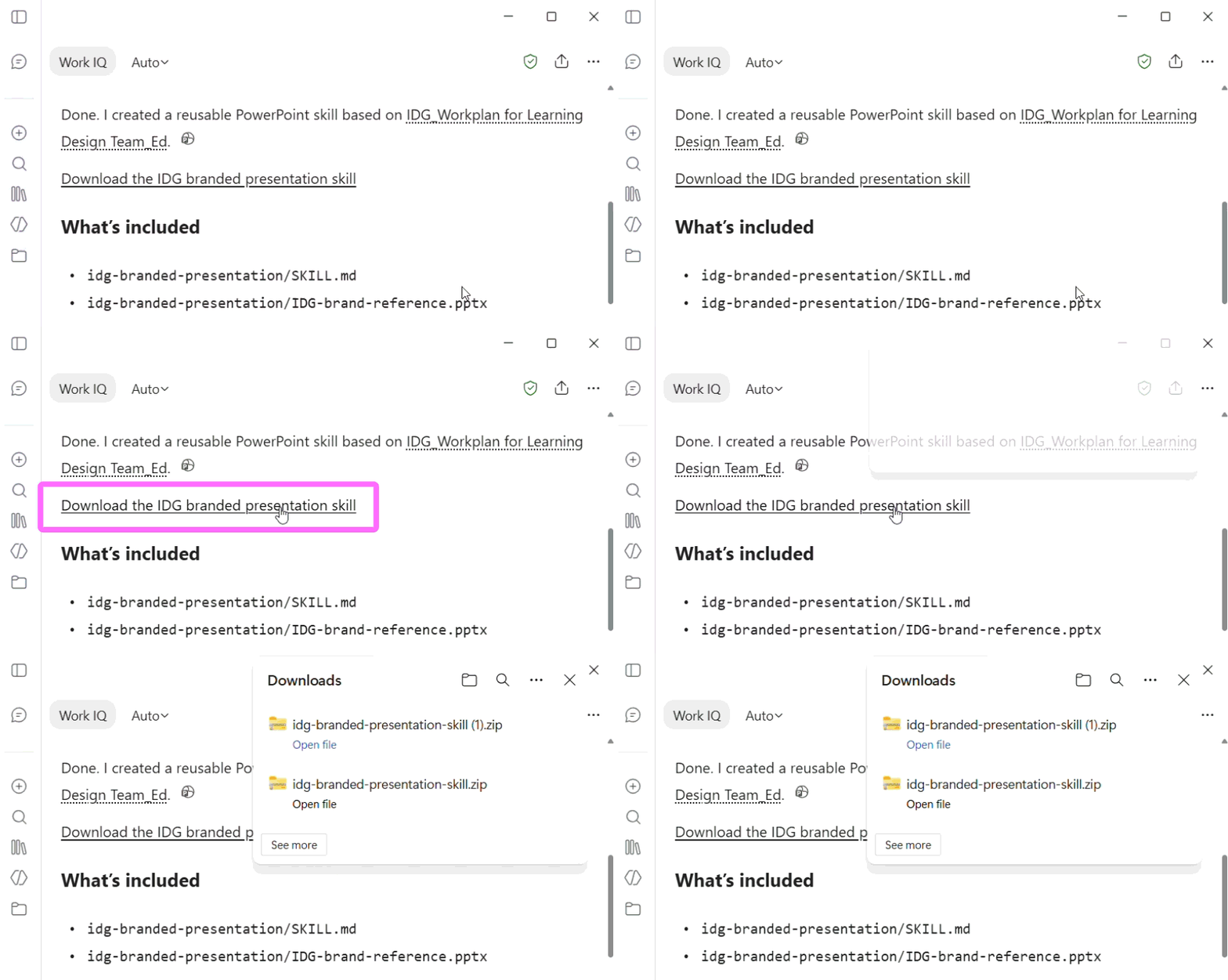
☑️ Download the completed skill file.

☑️ The skill will download as a ZIP file. Extract the ZIP file before moving on to the next step.
2. Install the Skill
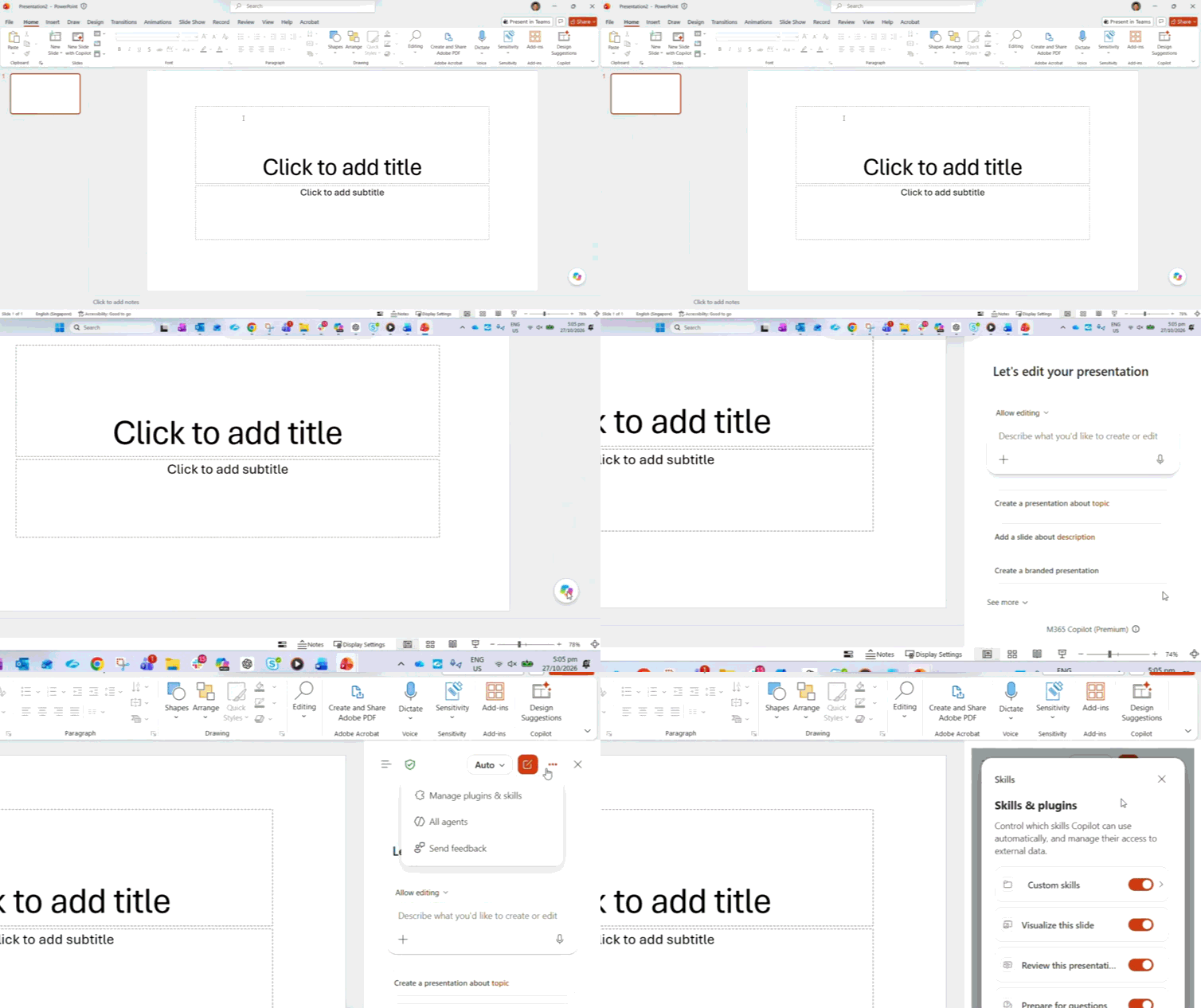
☑️ Open Powerpoint, navigate to Copilot, then go to 'Manage plugins & skills'.
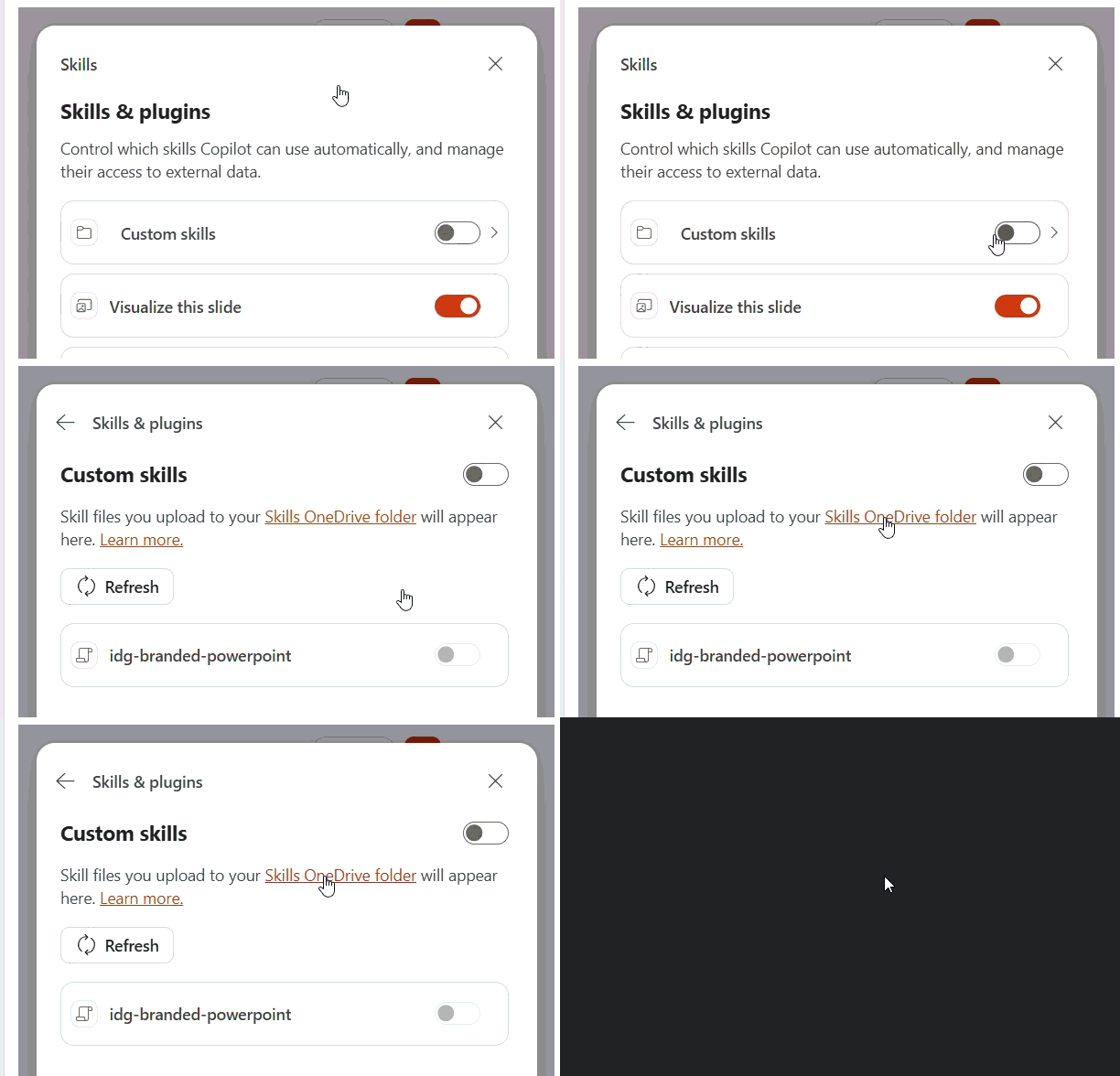
☑️ Go to Custom skills, and open the 'Skills OneDrive folder'. This is where you will store your skill files.
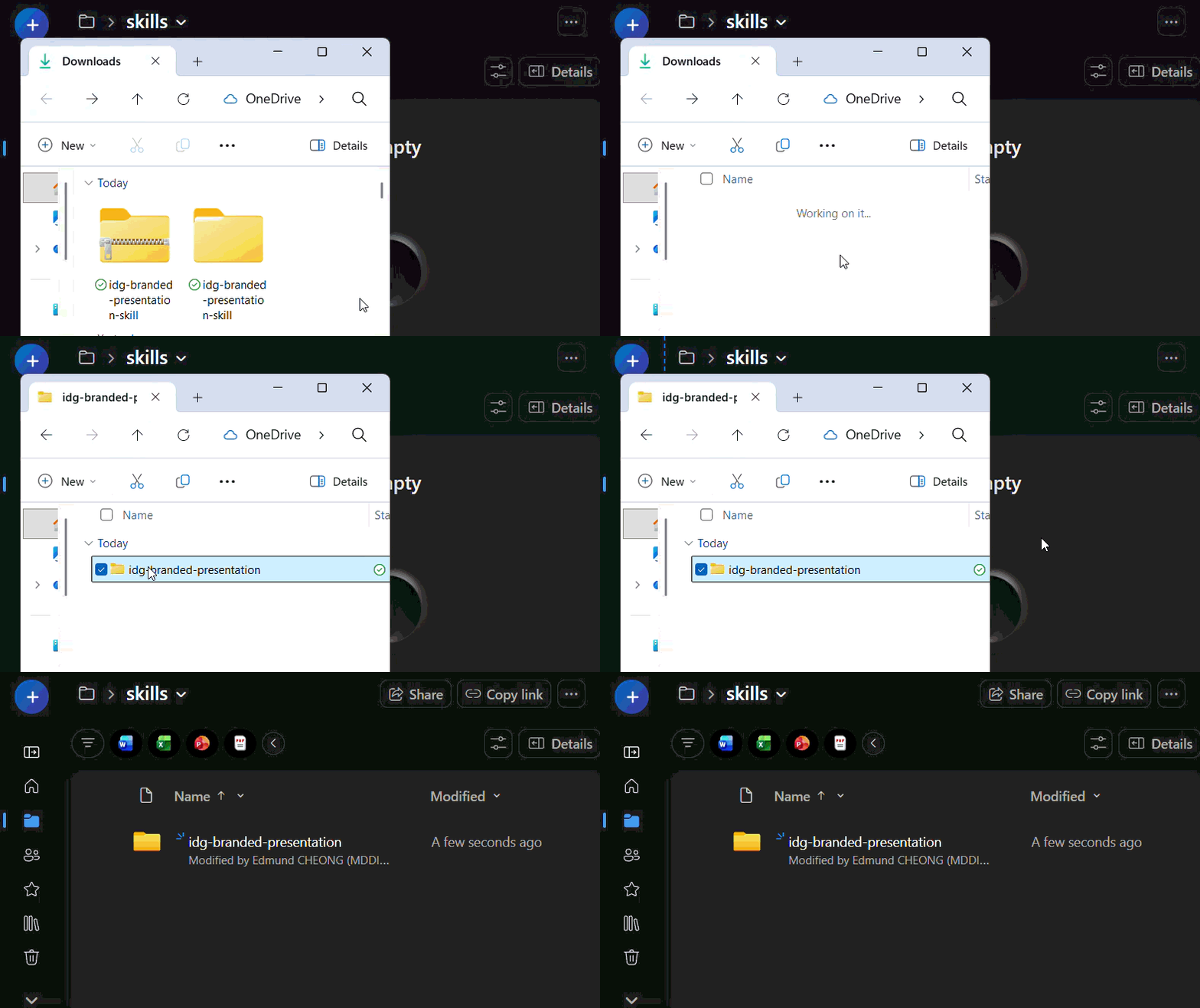
☑️ Upload the skill to the 'Skills OneDrive folder'.
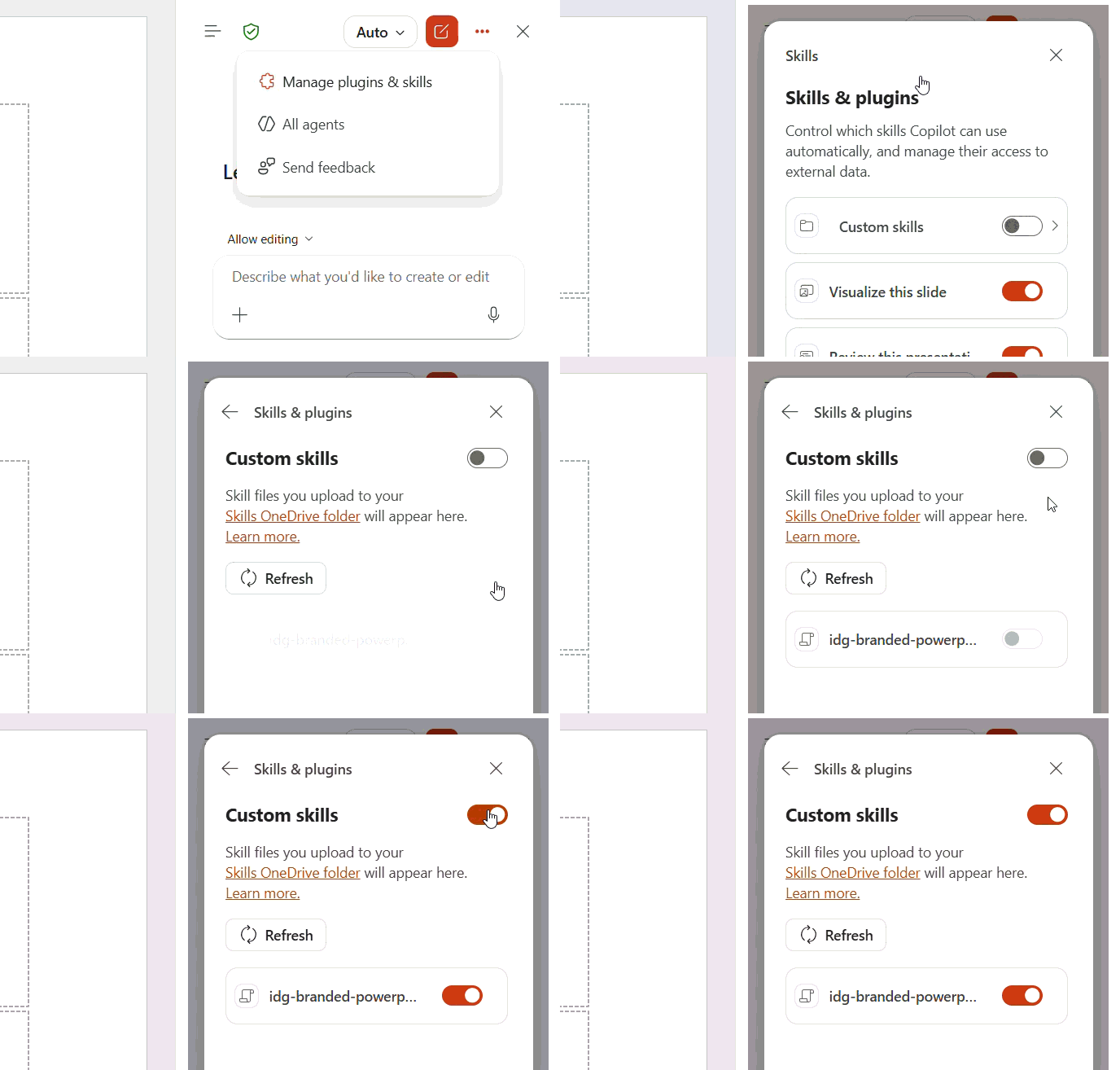
☑️ Back in Powerpoint, turn on Custom skills under the Copilot tab. You should see your new skill active.
3. Test the Skill
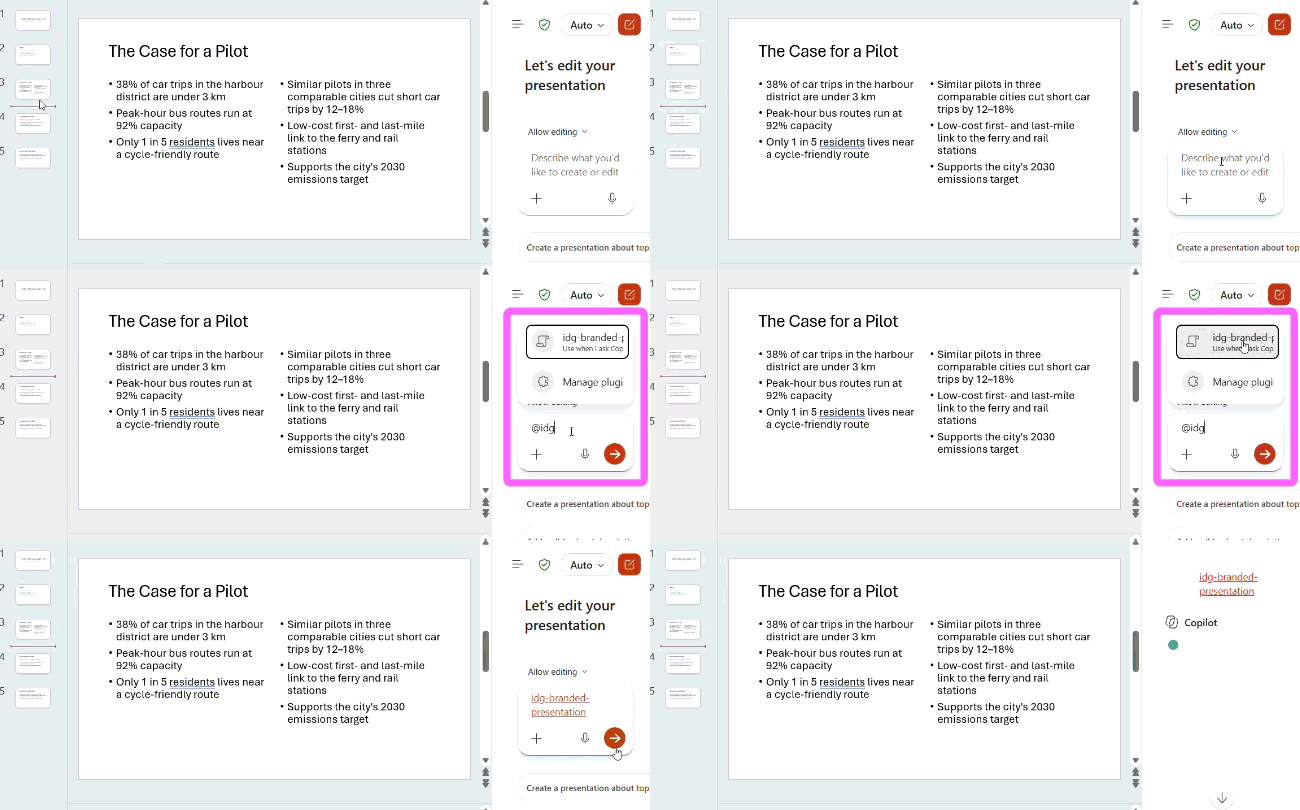
☑️ Type '@' followed by your skill name to select your skill. Try using it on existing slides or with a presentation outline.
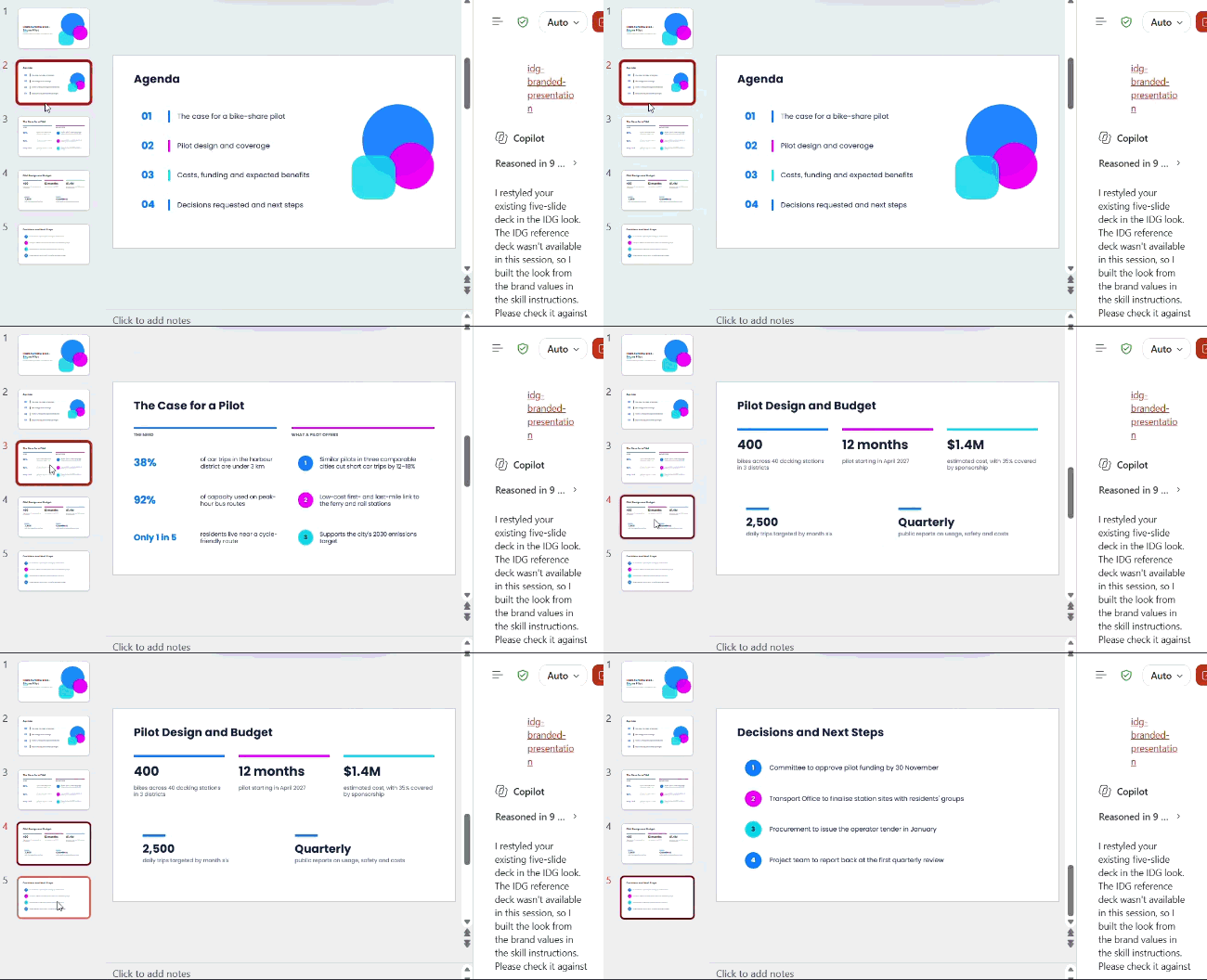
☑️ Your slide deck will be generated! Review it and manually edit as necessary.
Now it's your turn to try
Take 10mins to create your own skill for creating slides:
📂 Create your skill: Upload your past slides to Copilot and create the skill.
⚡ Install your skill: Upload the skill files to your Skills OneDrive folder, then turn on Custom skills in PowerPoint.
🔍 Test your skill: Try it with an existing presentation or a presentation outline.
You can now reuse the skill whenever you want to create slides based on the same design style.