Build a scheme eligibility chatbot with ChatGPT
19 June 2026
Build a chatbot that can give you quick answers on your scheme's guidelines.

Today's Exercise
Imagine you're a public officer assessing eligibility for a public scheme. Instead of manually checking policy circulars and criteria against a citizen's profile, you can use ChatGPT Enterprise to describe an anonymised case and receive a grounded assessment in minutes.
Let's build a 'Scheme Eligibility' chatbot in 3 simple steps:
Gather your documents
Create a chatbot with Plugins
Test it!
Here's what you need for this exercise
Tools and inputs required:
🛠️ Tool | ChatGPT Enterprise (WOG) |
🔗 Feature | Plugin Creator |
📂 Your input | The relevant scheme guidelines or eligibility documents (PDF or Word) |
Step 1: Gather your documents
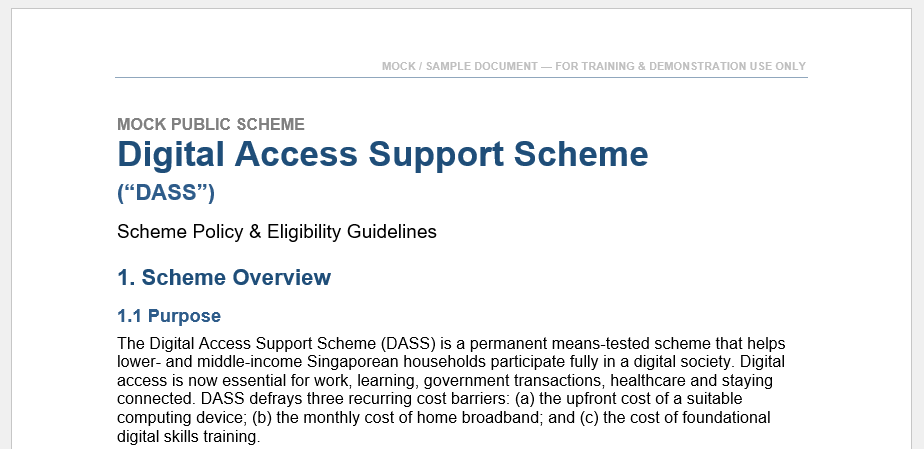
☑️ Prepare the policy documents you want the chatbot to reference. Use this sample for this exercise Digital Access Support Scheme Fictional Guidelines [PDF, 246.37 KB] (opens in new tab)
Step 2: Create a custom GPT
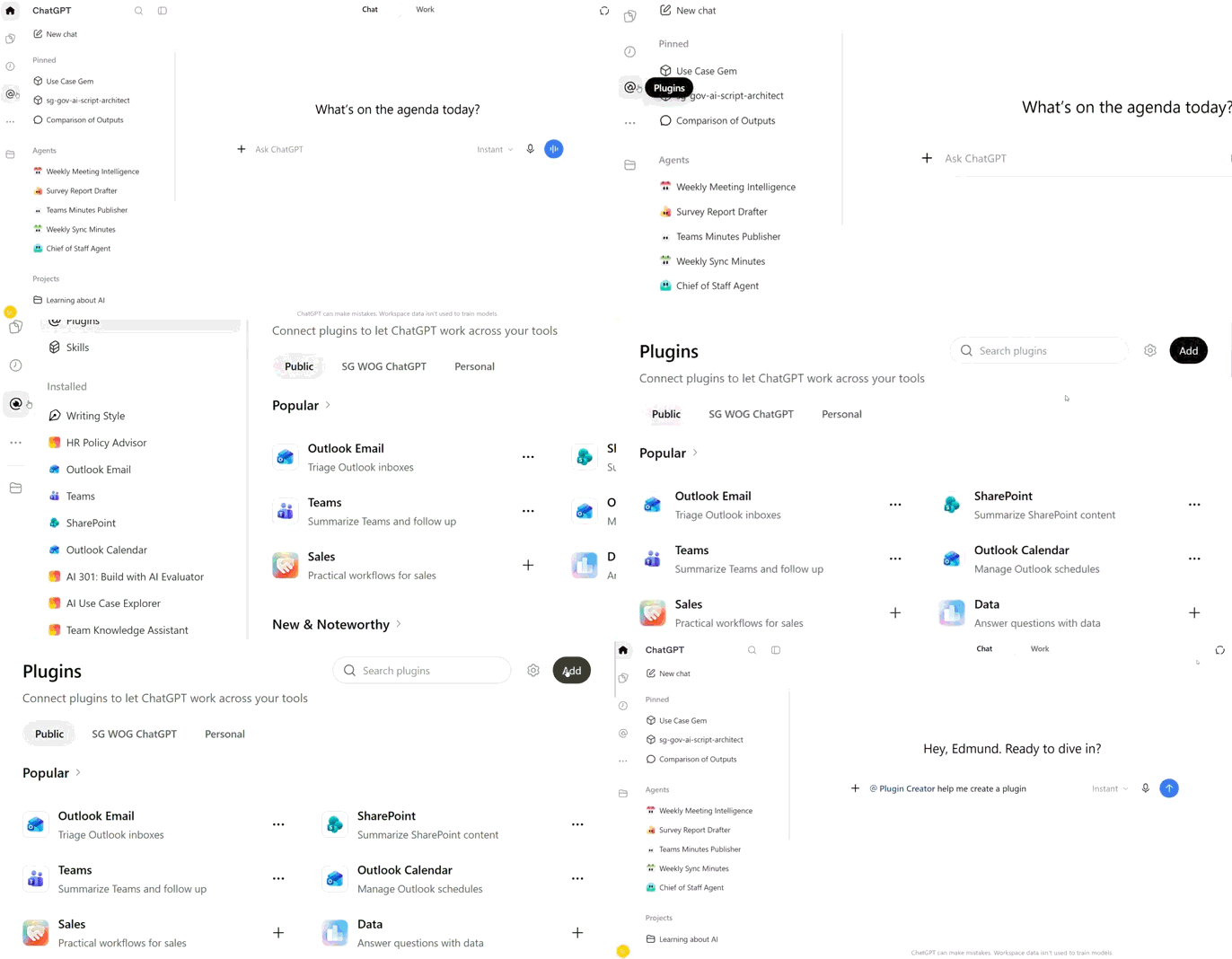
☑️ Open ChatGPT Enterprise (opens in new tab), and navigate to 'Plugins' → 'Add' to start a chat with the 'Plugin Creator'.
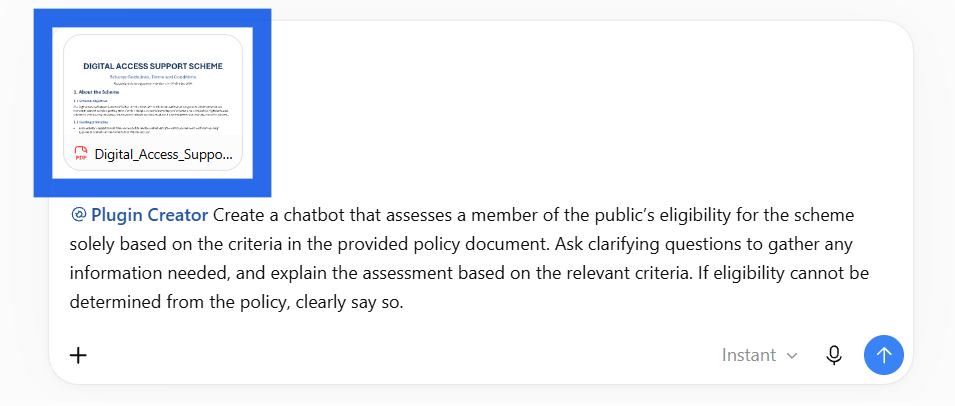
☑️ In the chat box, upload the policy document, Digital Access Support Scheme Fictional Guidelines [PDF, 246.37 KB] (opens in new tab), and describe what you want the plugin to do. You can use the prompt below.
Ready-to-use prompt
Create a chatbot that assesses a member of the public’s eligibility for the scheme solely based on the criteria in the provided policy document. Ask clarifying questions to gather any information needed, and explain the assessment based on the relevant criteria. If eligibility cannot be determined from the policy, clearly say so.
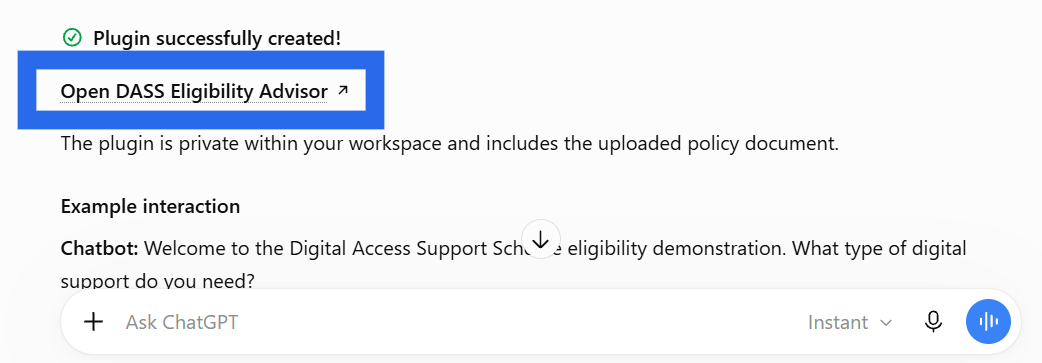
☑️ ChatGPT will create the Plugin. Open it!
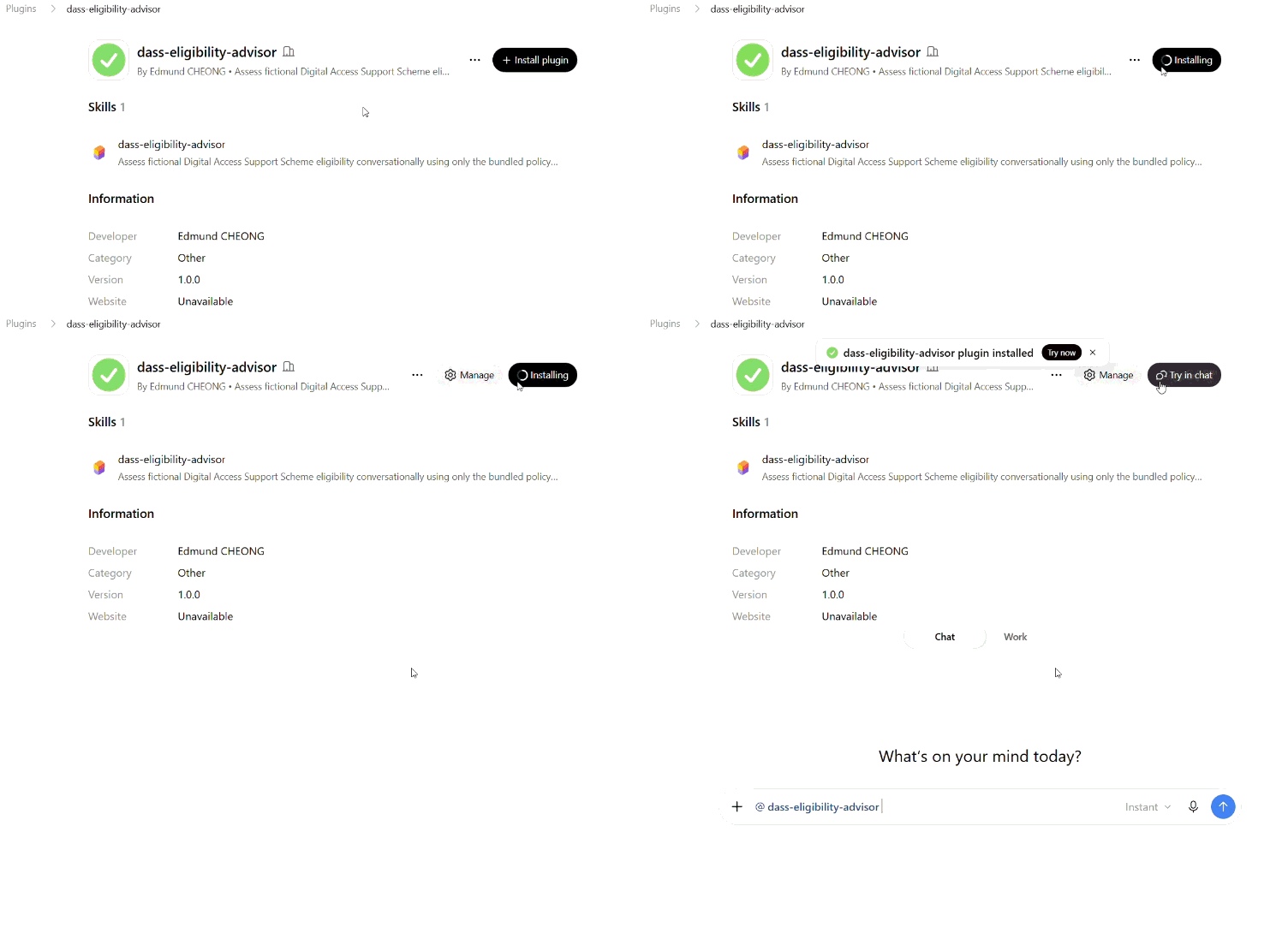
☑️ You will have to install the plugin. Open it once ready.
Step 3: Test it!
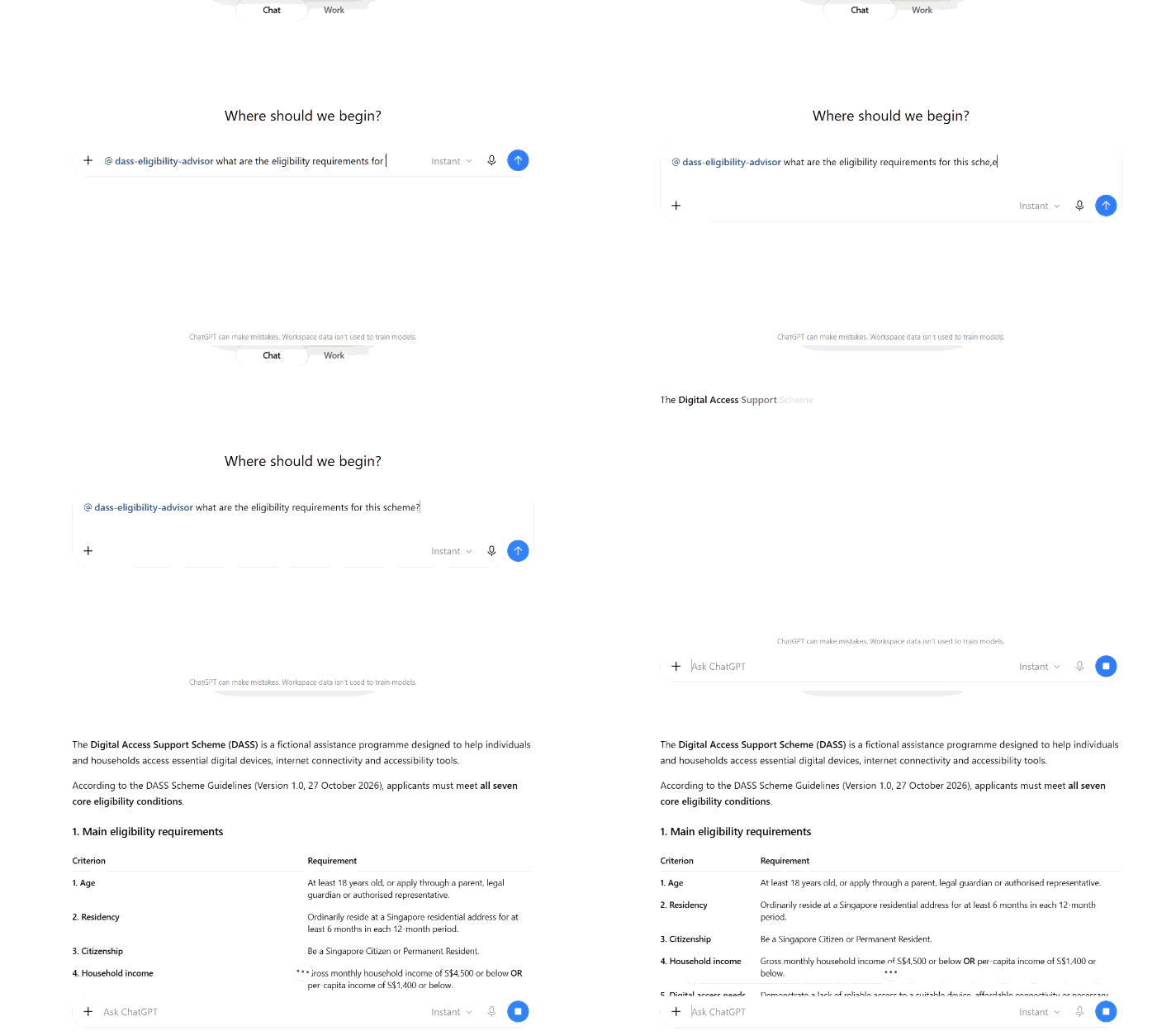
☑️ Test the plugin by asking it questions. It will provide answers based on the the source document.
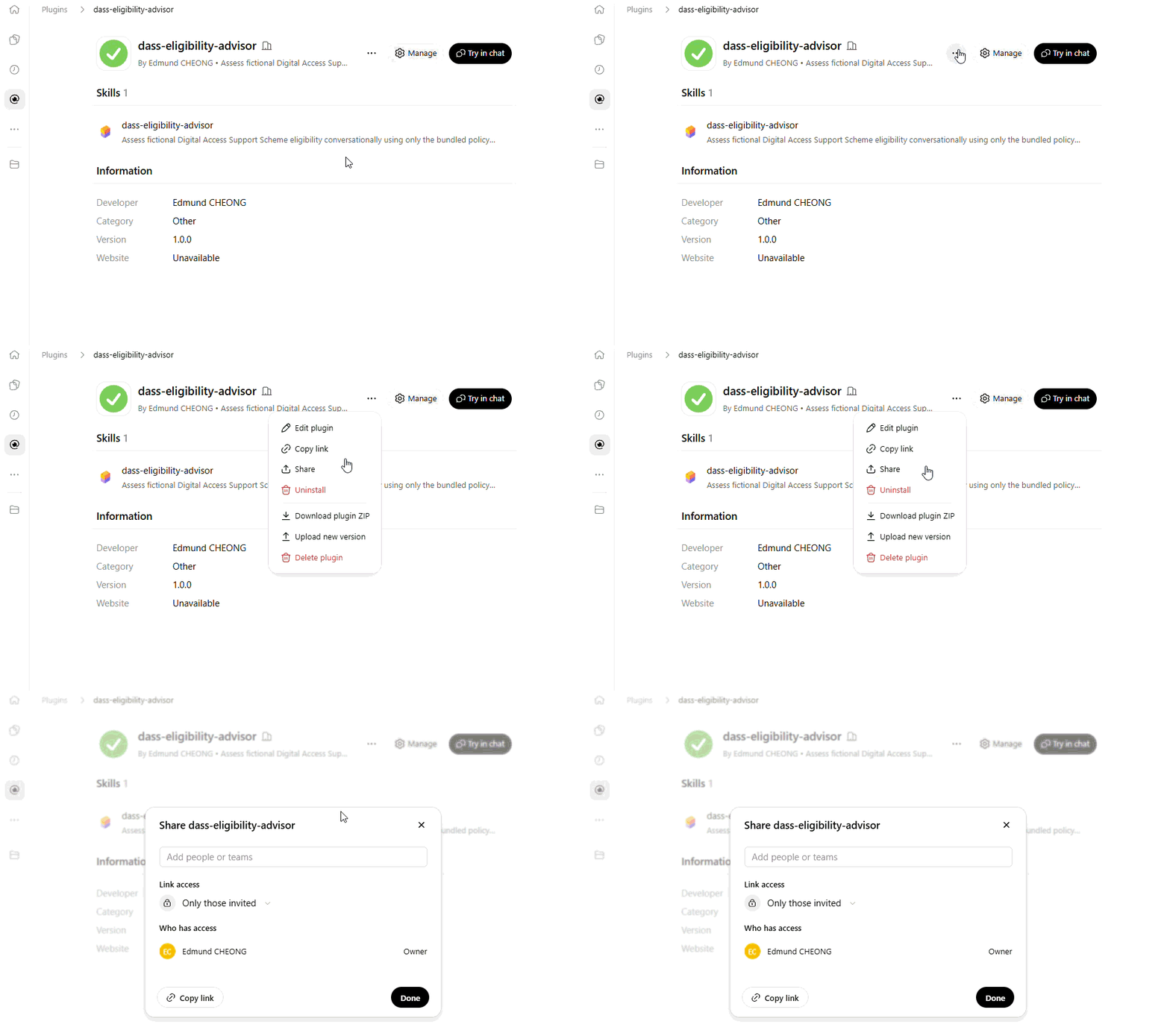
☑️ Once you're happy with your plugin, you can share it with colleagues and users.
Now it's your turn to try!
Create a plugin - Gather the current eligibility guidelines for your scheme, and configure a plugin.
Test - create an anonymised profile and run it through the prompt.
Check - verify each criterion against the source document and see how the read holds up.
You now have a resuable AI workflow to check a citizen's profile against your scheme's eligibility criteria.
📚Further Learning: Understanding Context Engineering
Creating a chatbot with plugins is an example of context engineering in practice. Watch this video to learn how context engineering helps shape AI responses and improve outcomes.