
Generate a morning brief with ChatGPT
Learning Pathway:
AI 201: ChatGPT in Everyday Tasks
24 June 2026
Learn how to build a reusable morning brief skill that turns your Outlook calendar into a one-page brief.
.png)
Today's Exercise
Officers often spend the start of their day figuring out which meetings need preparation and what decisions are expected of them. AI can help by generating a brief that covers today's meetings and key priorities.
Let's create a reusable 'Morning Brief' skill in 3 steps:
Connect ChatGPT to Microsoft Outlook
Create the Morning Brief skill*
Test it out!
* A 'skill' is a reusable set of instructions that teaches ChatGPT how to perform a specific task or workflow consistently.
Here’s what you need for this exercise:
Tools and inputs required
🛠️ Tool | ChatGPT Enterprise (WOG) |
🔗 Feature | Skills, Connectors (Outlook Calendar / M365) |
📂 Your input | Your connected Outlook calendar |
Step 1: Connect ChatGPT to Outlook
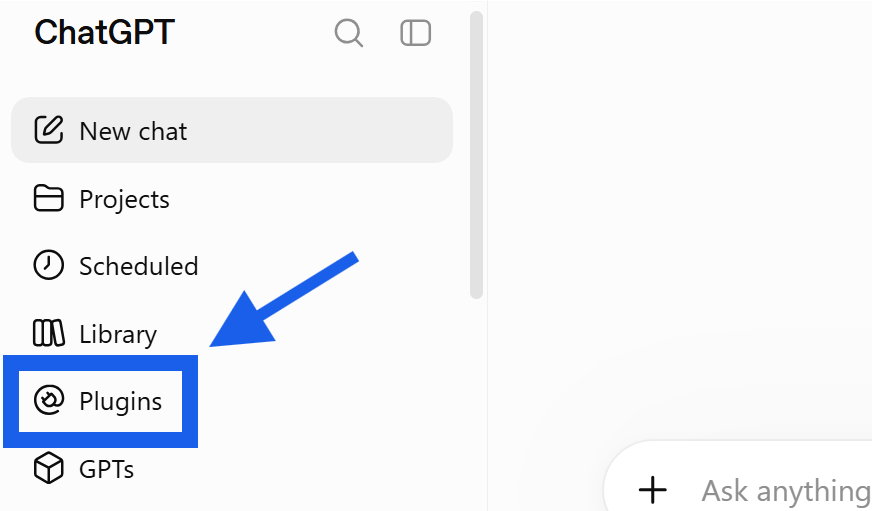
☑️ Login to ChatGPT Enterprise (opens in new tab), and click 'Plugins'.
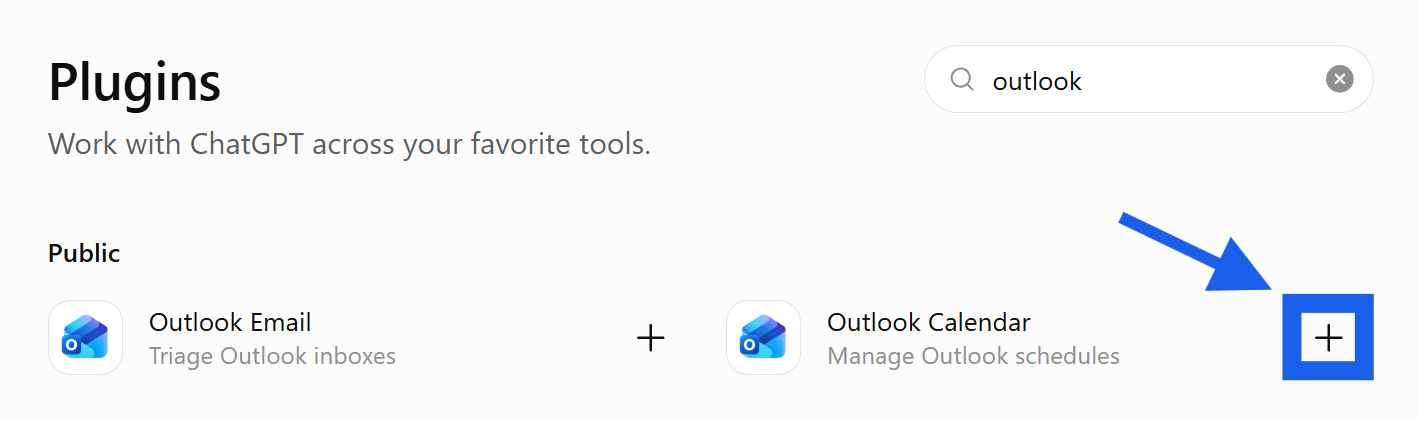
☑️ Look for 'Outlook Calendar' and click '+'.
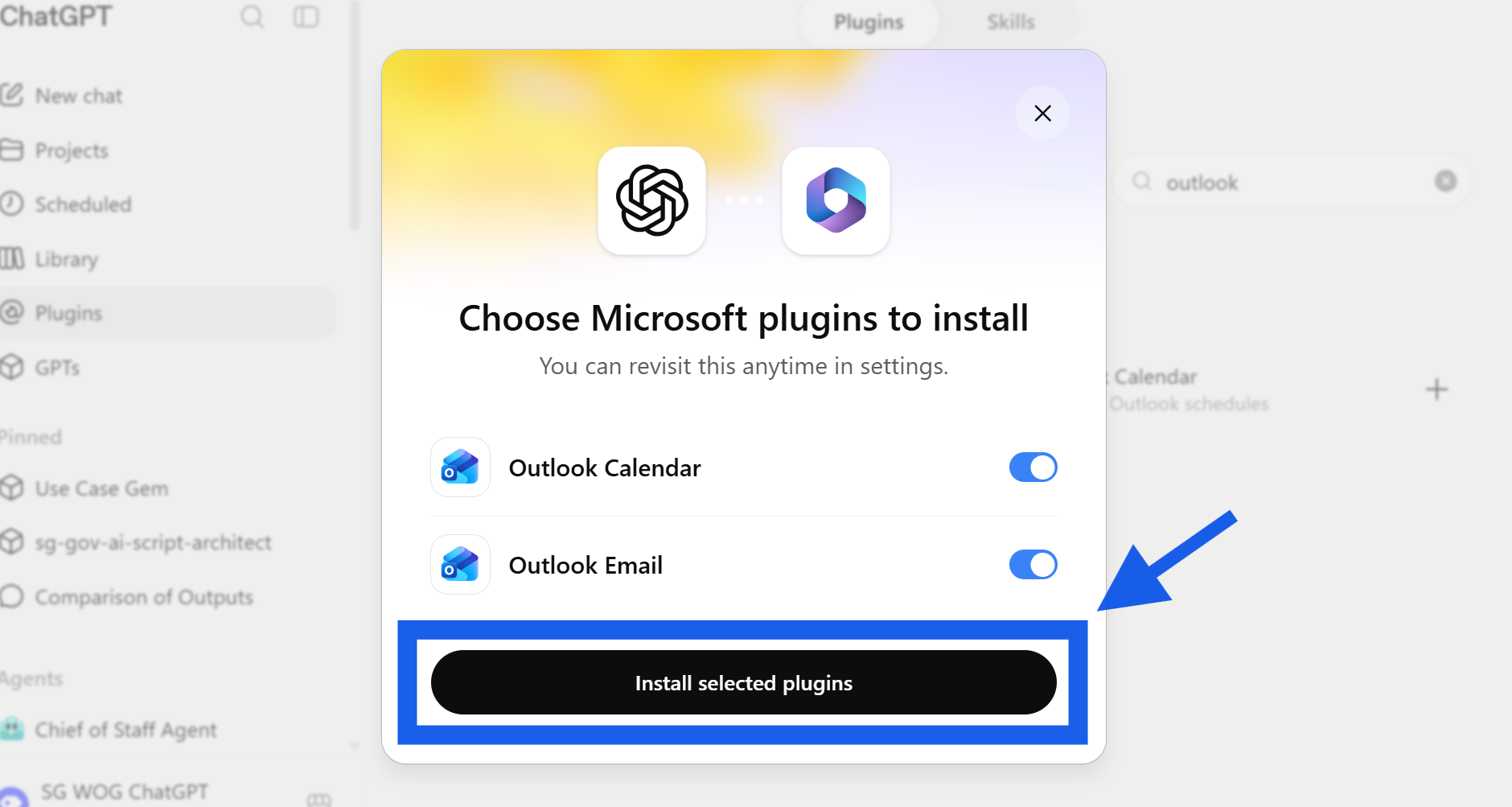
☑️ Click 'Install selected plugins'.
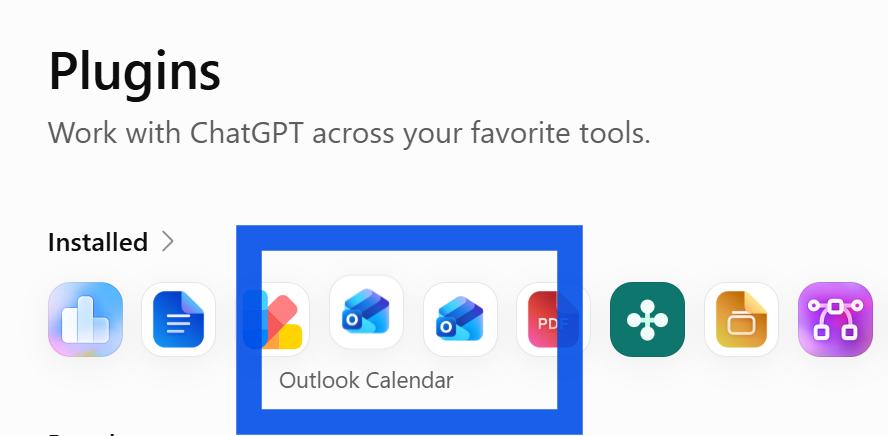
Double check here
☑️ You will now see Outlook under your 'Installed' plugins.
Step 2: Create the Morning Brief Skill
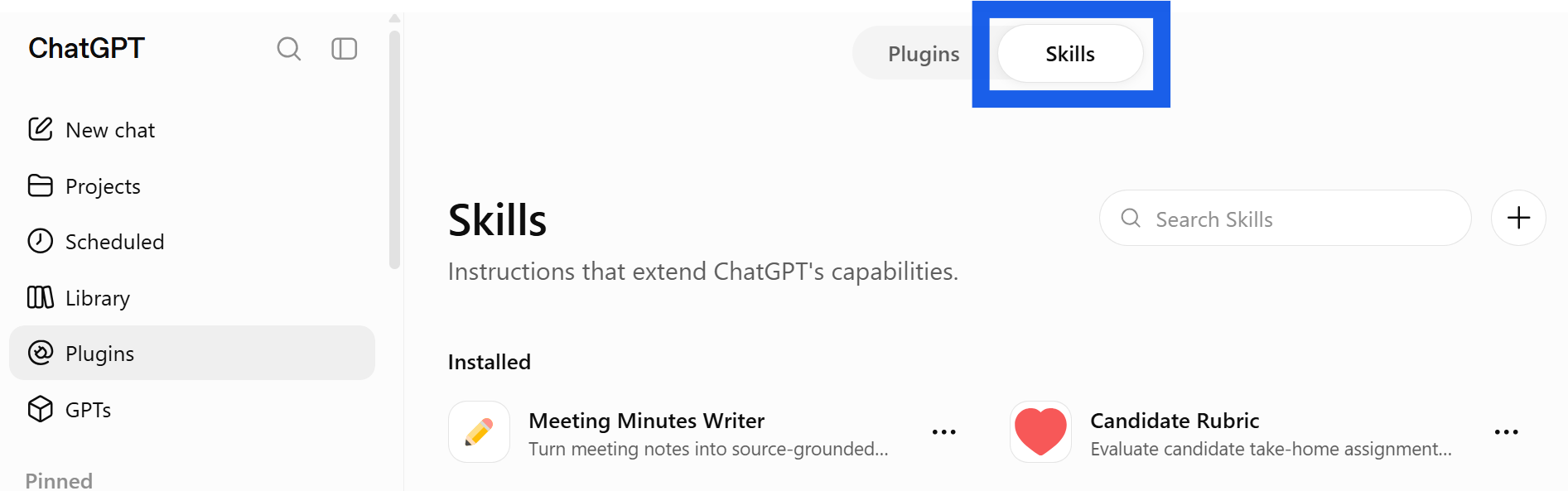
Type '/skill-creator'
☑️ Under the Plugins page, go to 'Skills'.
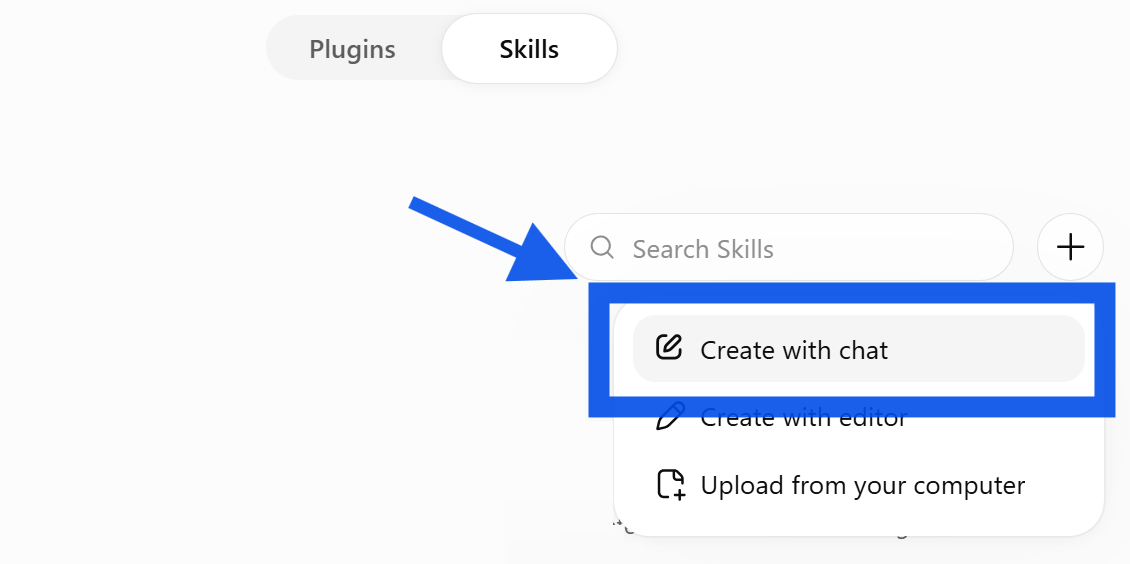
☑️ Click 'Create with chat'.
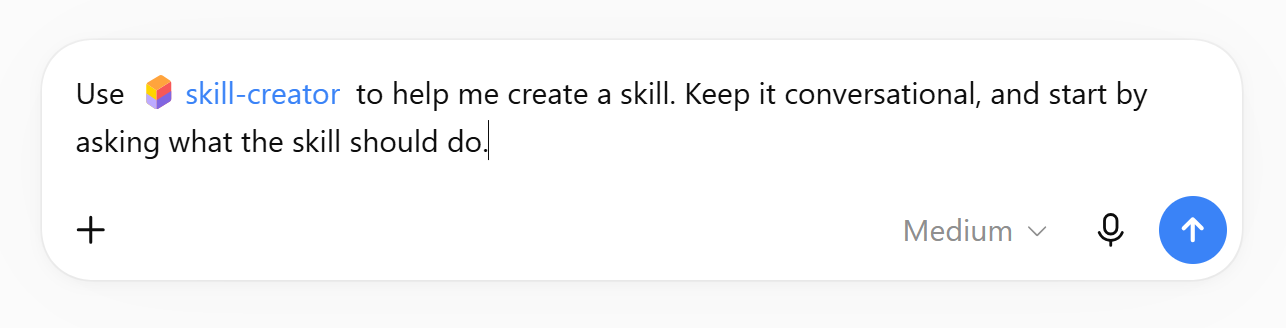
☑️ Start a chat with 'skill-creator' to create your skill.
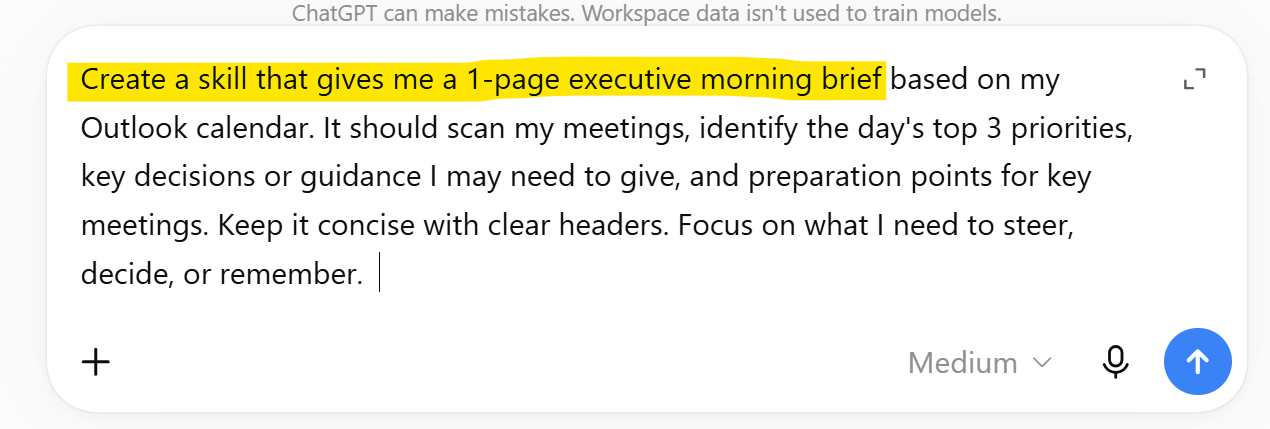
☑️ Ask ChatGPT to create the Morning Brief skill. You can use the prompt below.
Ready-to-use prompt
Create a skill that gives me a 1-page executive morning brief based on my Outlook calendar. It should scan my meetings, identify the day's top 3 priorities, key decisions or guidance I may need to give, and preparation points for key meetings. Keep it concise with clear headers. Focus on what I need to steer, decide, or remember.
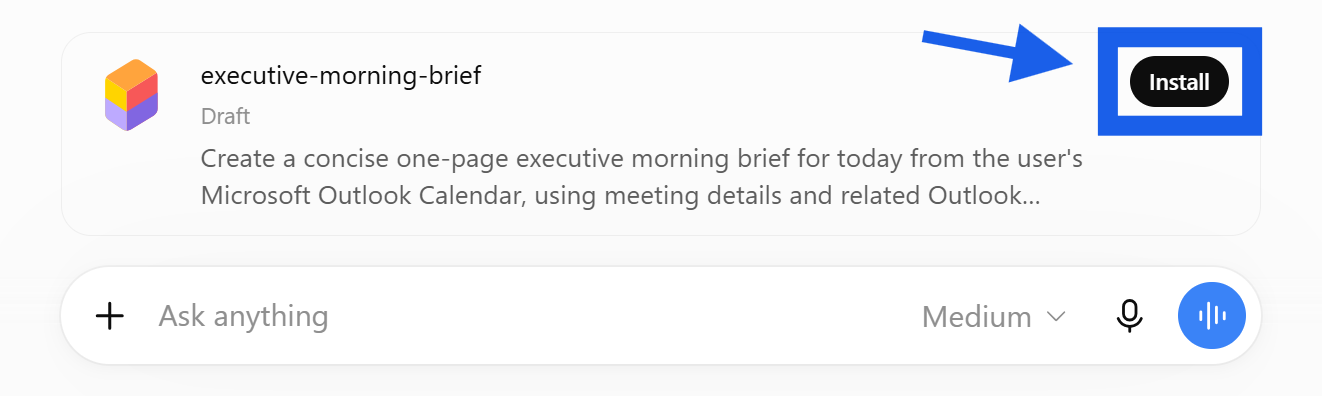
☑️ When your skill is ready, click 'Install'.
Step 3: Test it out!

☑️ Click 'Try in chat' to test out your skill.
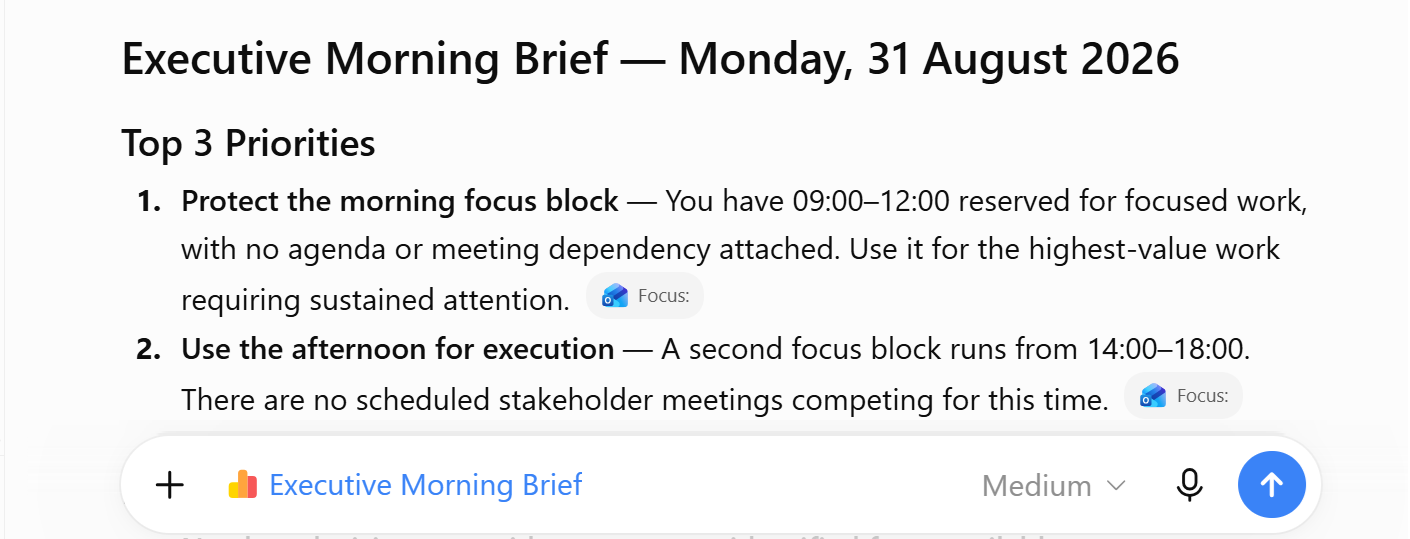
☑️ You will get your Morning Brief from your Outlook Calendar!
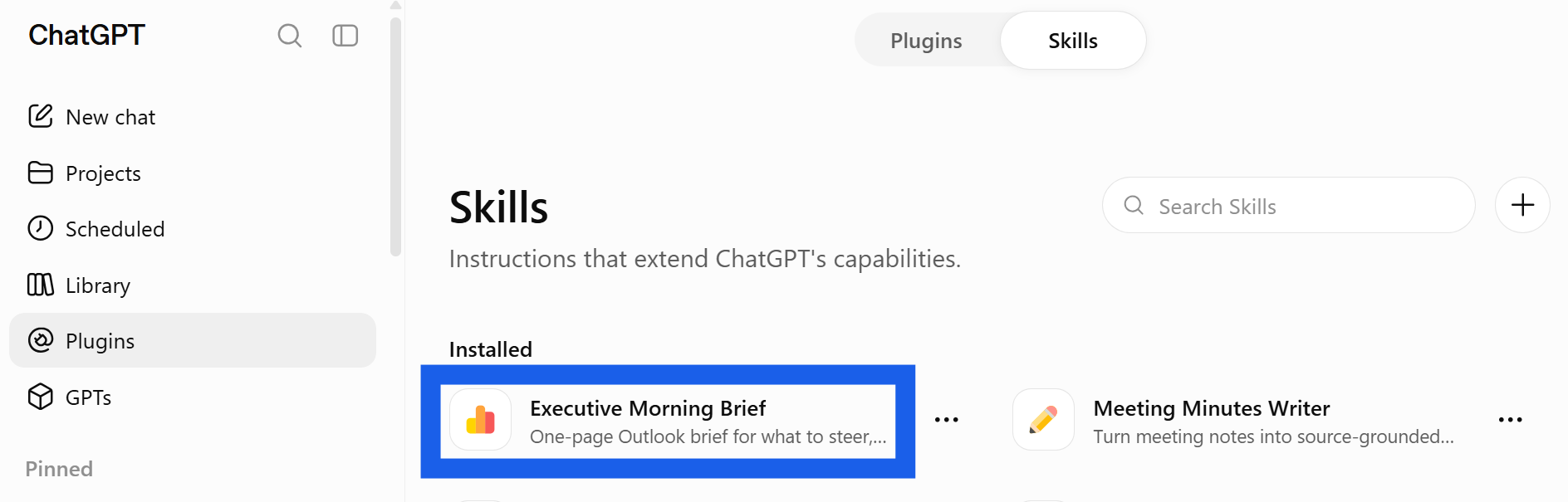
☑️ You can find your installed skills under 'Plugins'.
Now it's your turn to try!
Take 10 minutes to create a workflow for a daily brief.
📂 Connect your Calendar & Email: Ensure that ChatGPT is linked to your Outlook, so it can fetch any information it needs for your daily brief.
🔍 Test and Share: If this worked well for you, consider saving the workflow as a Skill and sharing it with others.
📚Further Learning: Watch this video on ChatGPT Skills
