
Reply Outlook emails with Copilot
30 July 2026
Learning Pathway:
AI Apply 201: Everyday Tasks
Use Copilot in Outlook to summarise long email conversations, draft replies and refine them before sending.
.png)
Today's Exercise
Long email conversations can be difficult to follow. Copilot can help you to quickly understand email conversations, draft responses, and improve emails before sending.
Let's catch up on an email thread and draft a reply in 3 steps:
Summarise the email thread
Draft a reply
Improve the draft
Here's what you need for this exercise
Tools and inputs required:
🛠️ Tool | Outlook Email |
🔗 Feature | Copilot Chat in Outlook |
📂 Your input | Your email thread |
Step 1: Summarise the email with Copilot
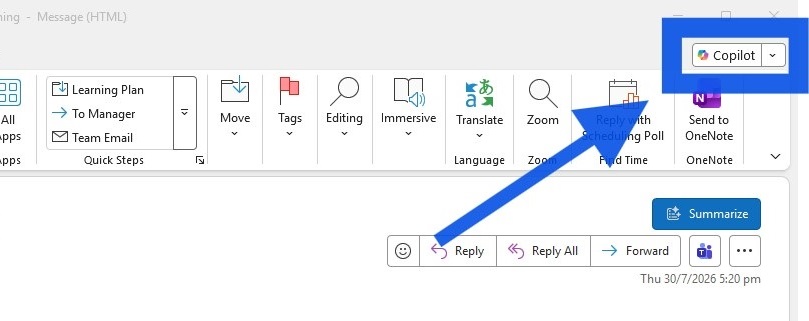
☑️ Open the email thread, and click the Copilot icon in the top right corner.
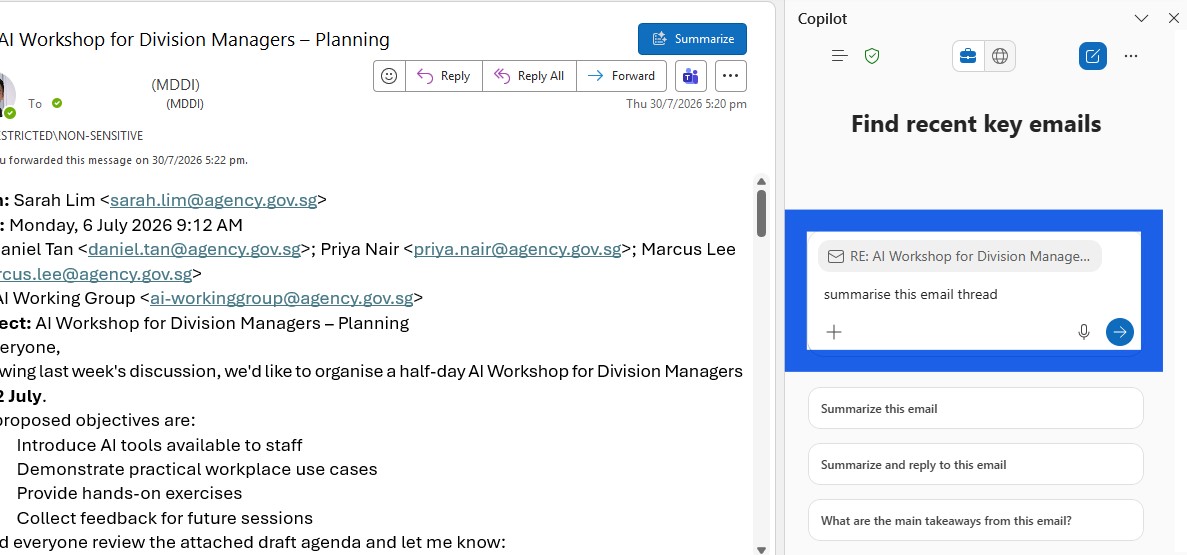
☑️ Ask Copilot to "summarise this email thread".
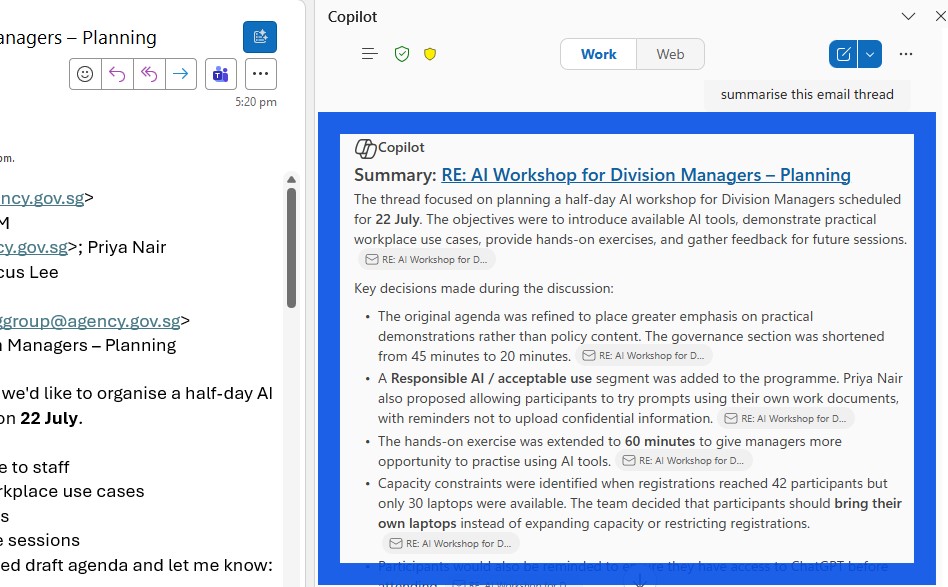
☑️ Read the summary that Copilot generated. You should still scan through the email to validate the information.
Step 2: Draft a reply with Copilot
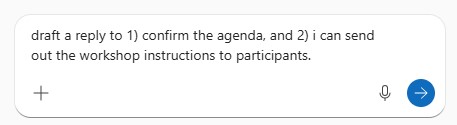
☑️ Provide a few pointers for Copilot to draft your reply.
E.g. "draft a reply to 1) confirm the agenda, and 2) i can send out the workshop instructions to participants."
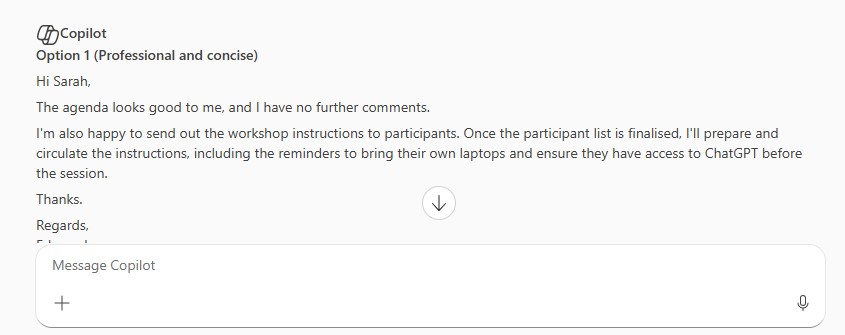
☑️ Copilot will generate a few options to choose from. Copy your chosen text into your email draft.
Step 3: Improve the draft with Copilot
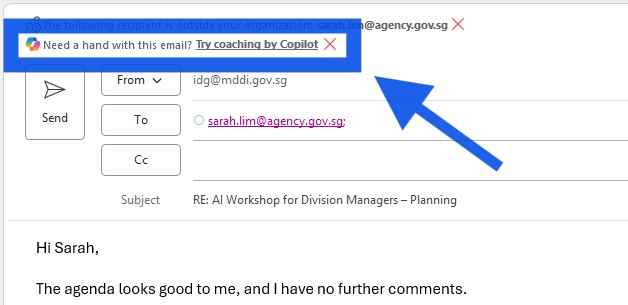
☑️ Select 'Coaching by Copilot' at the top of your email window.
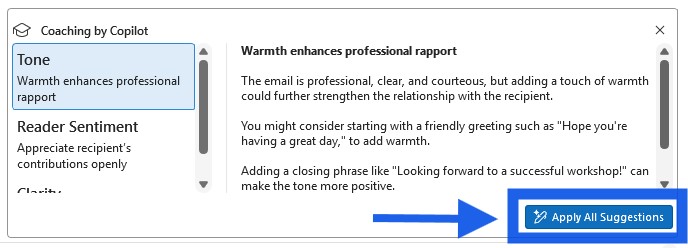
☑️ Review the suggestions. If they improve your message, click 'Apply All Suggestions'.
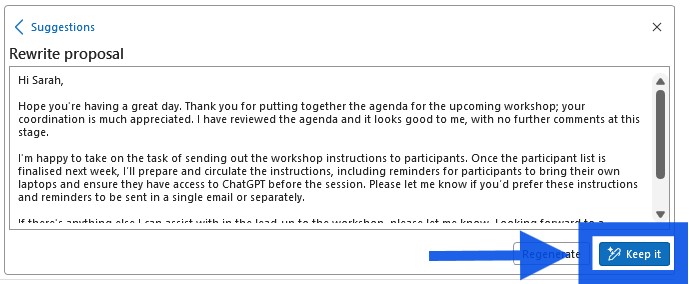
☑️ Copilot will then rewrite the email. Edit manually if necessary, and click 'Keep it'.
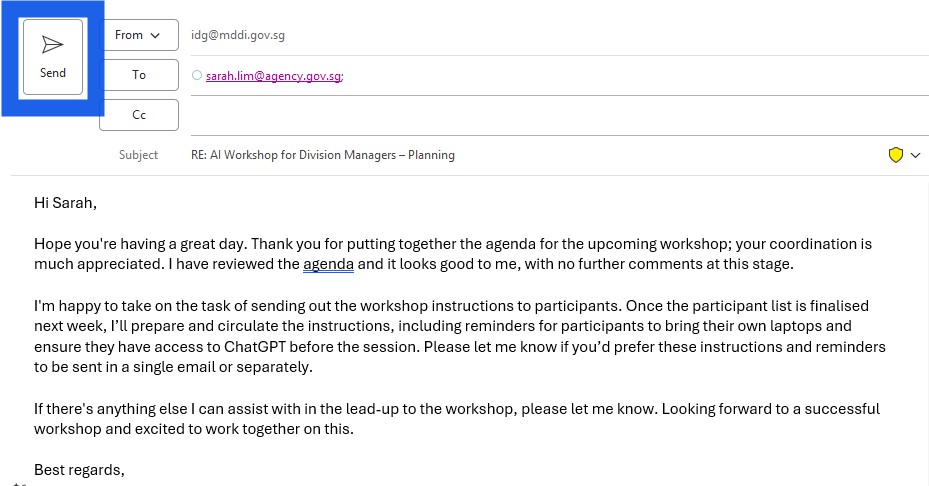
☑️ Your email is now ready to send!
Now it's your turn to try
Open one of your longer email conversations in Outlook and use Copilot to help you respond more efficiently. Ask Copilot to
Summarise the email
Draft a reply
Improve on the draft
While Copilot can significantly reduce the time spent reading and composing emails, you remain responsible for checking the accuracy of the summary and ensuring the final message is appropriate before sending.