
Build a scheme eligibility chatbot with ChatGPT
Learning Pathway:
AI 201: Domain Specific Tasks
19 June 2026
Build a chatbot that can give you quick answers on your scheme's guidelines.
Today's Exercise
Imagine you're a public officer assessing eligibility for a public scheme. Instead of manually checking policy circulars and criteria against a citizen's profile, you can use ChatGPT Enterprise to describe an anonymised case and receive a grounded assessment in minutes.
Let's build a 'Scheme Eligibility' chatbot in 3 simple steps:
Gather your documents
Create a custom GPT
Test it!
Here's what you need for this exercise
Tools and inputs required:
🛠️ Tool | ChatGPT Enterprise (WOG) |
🔗 Feature | File Upload · Custom GPTs |
📂 Your input | The relevant scheme guidelines or eligibility documents (PDF or Word) |
Step 1: Gather your documents
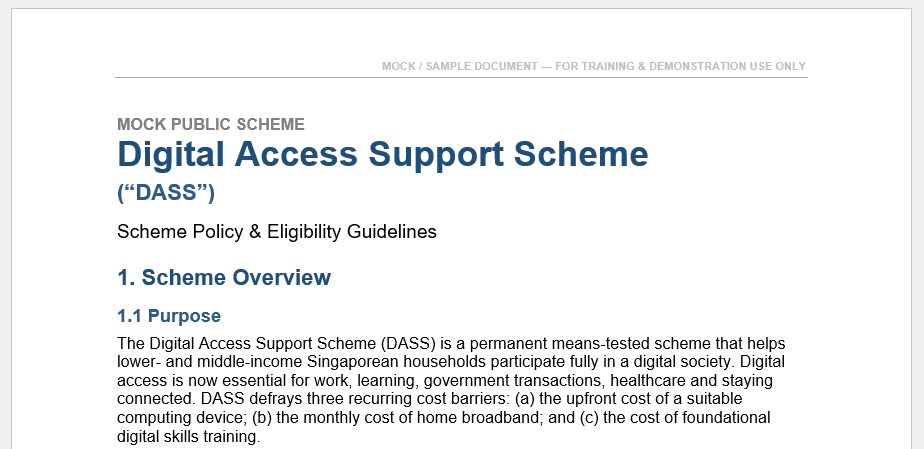
☑️ Prepare the policy documents you want the chatbot to reference.
Step 2: Create a custom GPT
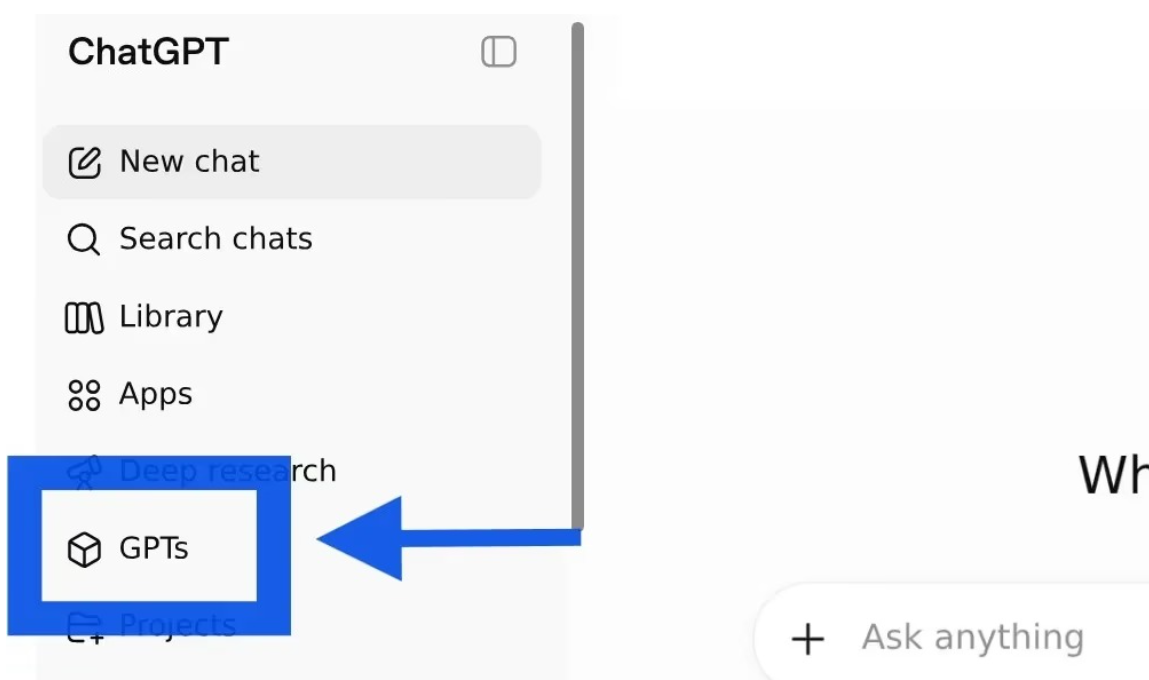
☑️ Open ChatGPT Enterprise (opens in new tab), and navigate to 'GPTs'.
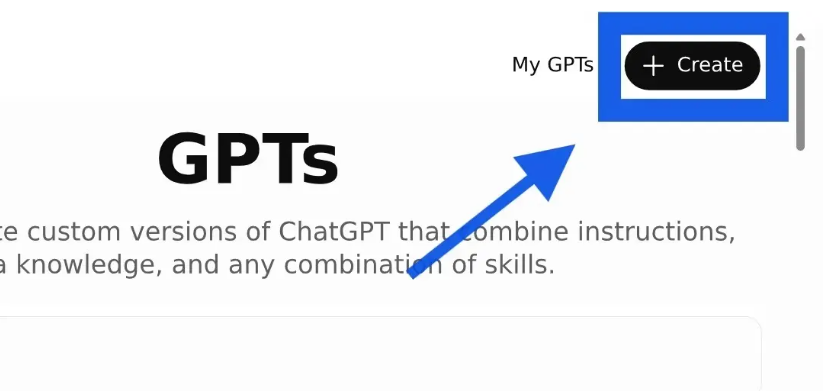
☑️ Select 'Create'.
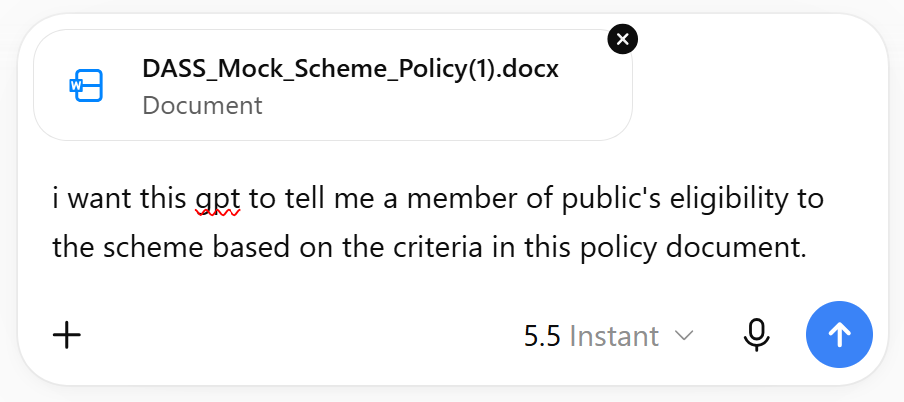
☑️ In the chat box, upload the policy document, and describe what you want the custom GPT to do. You can use the prompt below.
Ready-to-use prompt
i want this gpt to tell me a member of public's eligibility to the scheme based on the criteria in this policy document.
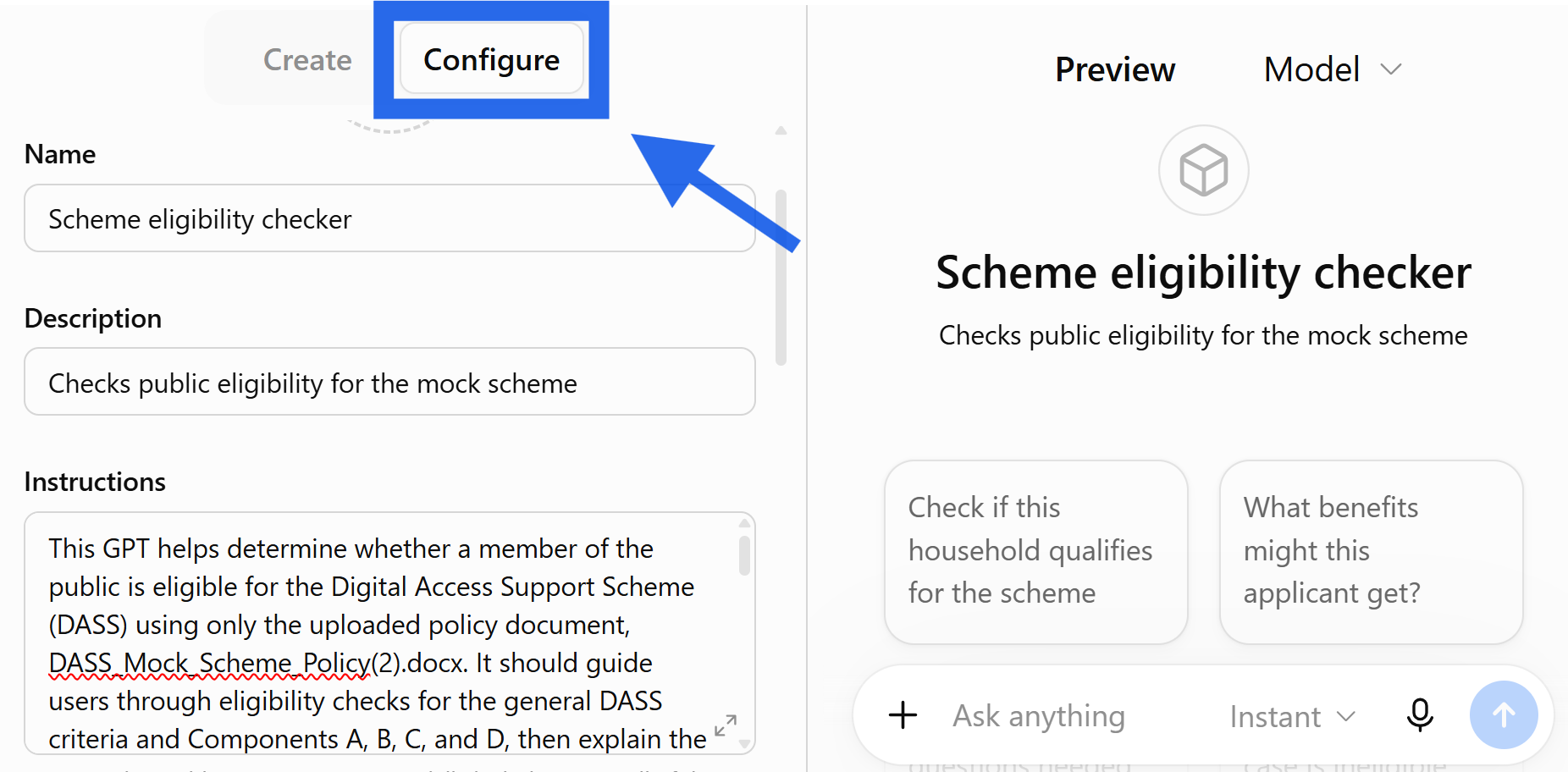
☑️ The GPT will be automatically configured. Toggle to the 'configure' page and refine the instructions.
Step 3: Test it!
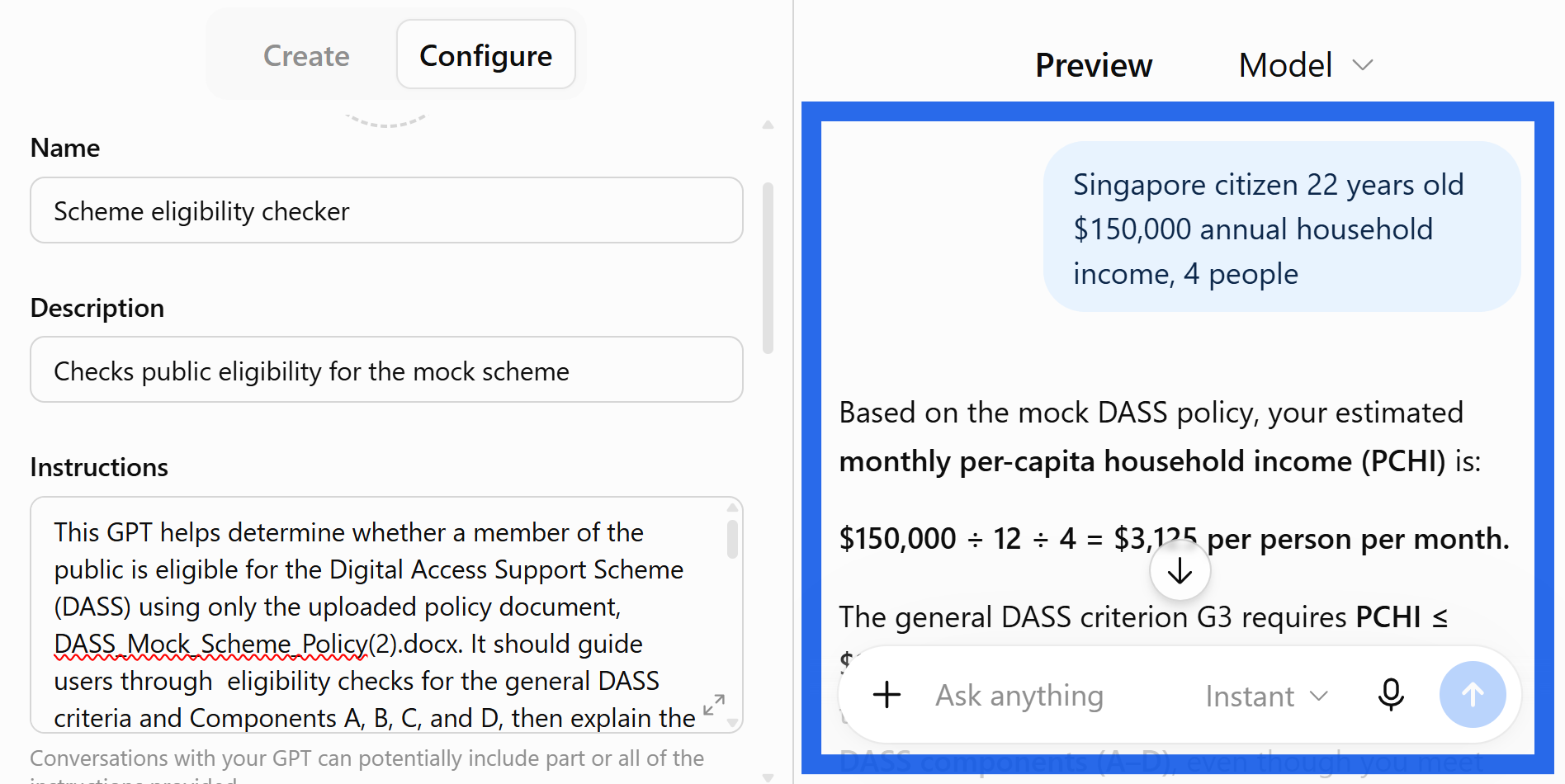
☑️ Test the GPT by chatting in the 'preview' pane. Refine the instructions until you're satisfied with the responses.
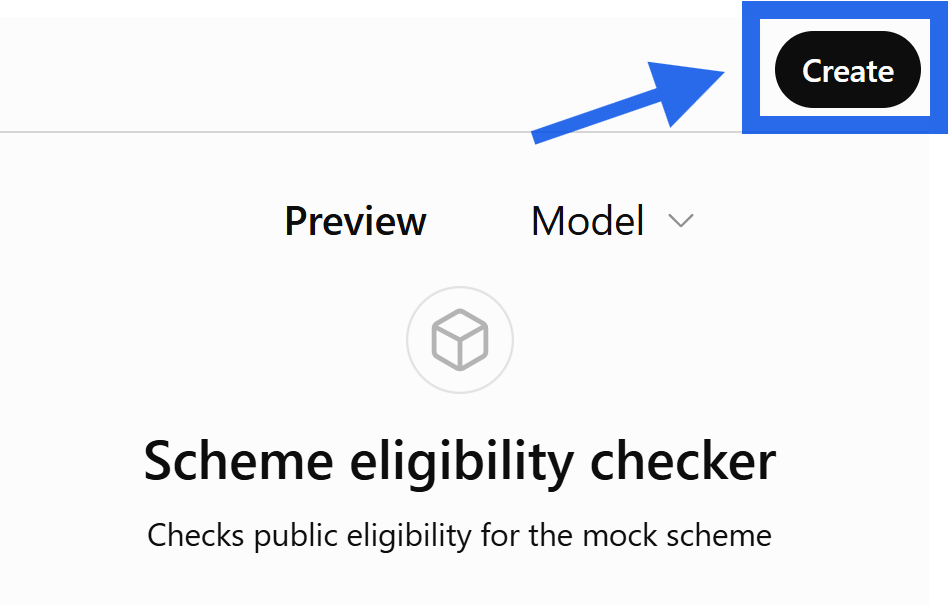
☑️ Once you're happy with your custom GPT, click the 'Create' button.
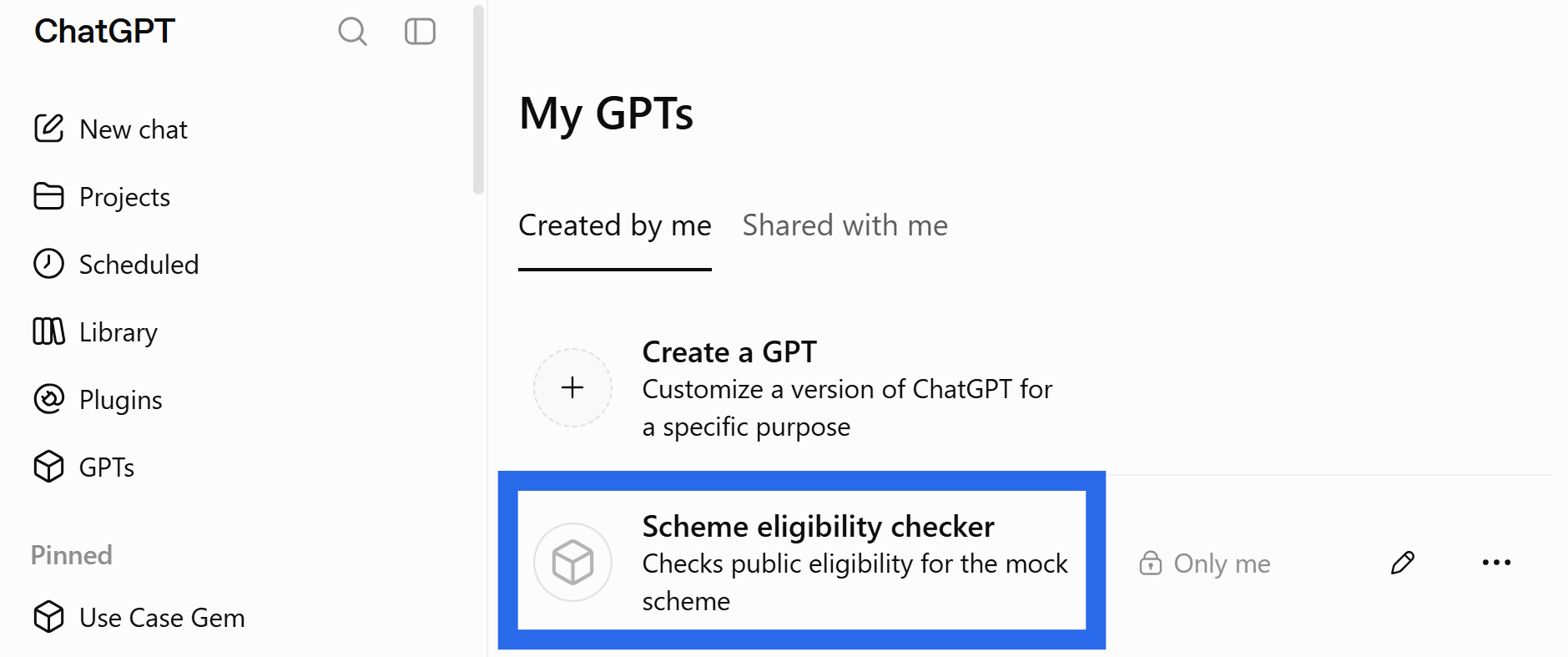
☑️ Congratulations! You have created your custom GPT, it remains available under 'My GPTs'.
Now it's your turn to try!
Create a Custom GPT - Gather the current eligibility guidelines for your scheme, and configure a custom GPT.
Test - create an anonymised profile and run it through the prompt.
Check - verify each criterion against the source document and see how the read holds up.
You now have a resuable AI workflow to check a citizen's profile against your scheme's eligibility criteria.
📚Further Learning: Understanding Context Engineering
Creating a Custom GPT is an example of context engineering in practice. Watch this video to learn how context engineering helps shape AI responses and improve outcomes.
📅Following the 12-Week Learning Plan?
Congratulations on reaching Week 8! This guide is part of a 12-week learning plan designed to help you build practical AI skills. You're well on your way to becoming AI fluent.

Preview the 12-Week Learning Plan
12 Week Learning Plan
↩️Return to: AI 201 Apply Learning Pathway